Personalise Your F&O Experience on Groww


Every F&O trader follows a different trading style. A scalper may want quick access to order placement and fast execution, while an options trader may prefer to closely track data across selected strikes. Personalising your trading setup can help you keep important information and actions easily accessible.
Groww offers features that can help you customise your F&O trading experience, including a Customisable Option Chain, Option Chain Order Placement, order history filters and Fast Mode.
For simplicity, this guide uses NIFTY options as examples.
Customisable Option Chain
You can set up the option chain to show only what you use. The same screen also controls how you place orders from the chain.
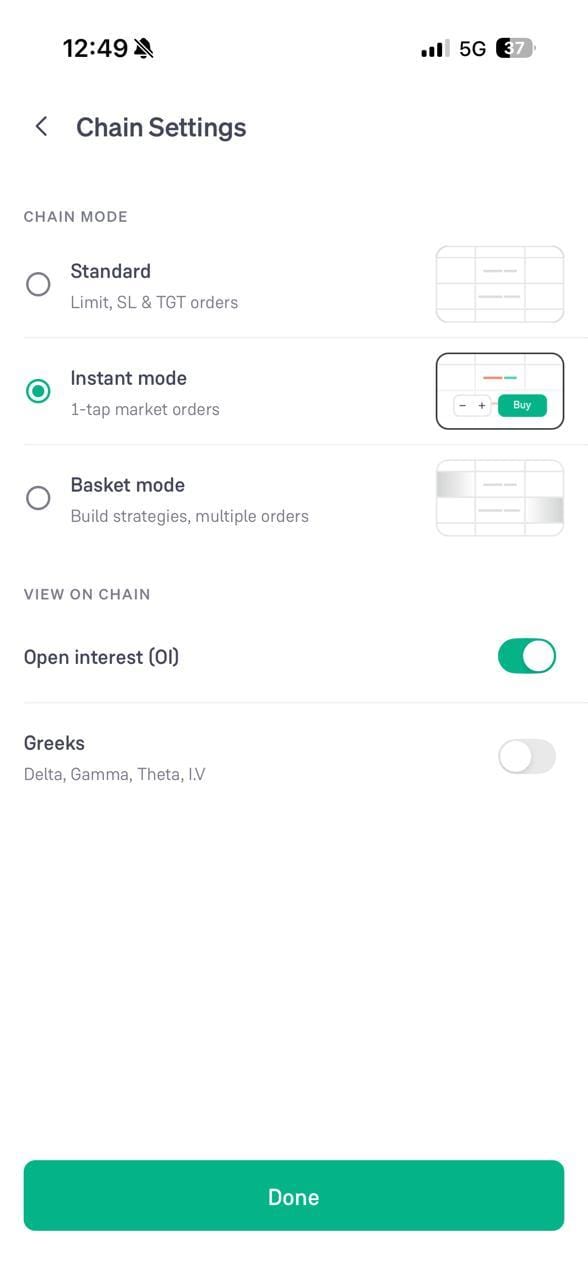
- Open the option chain and click the settings icon on the top right
- Under CHAIN MODE, select how you want to trade from the chain: Standard for limit, SL and TGT orders, Instant mode for 1-tap market orders, or Basket mode to build strategies with multiple orders
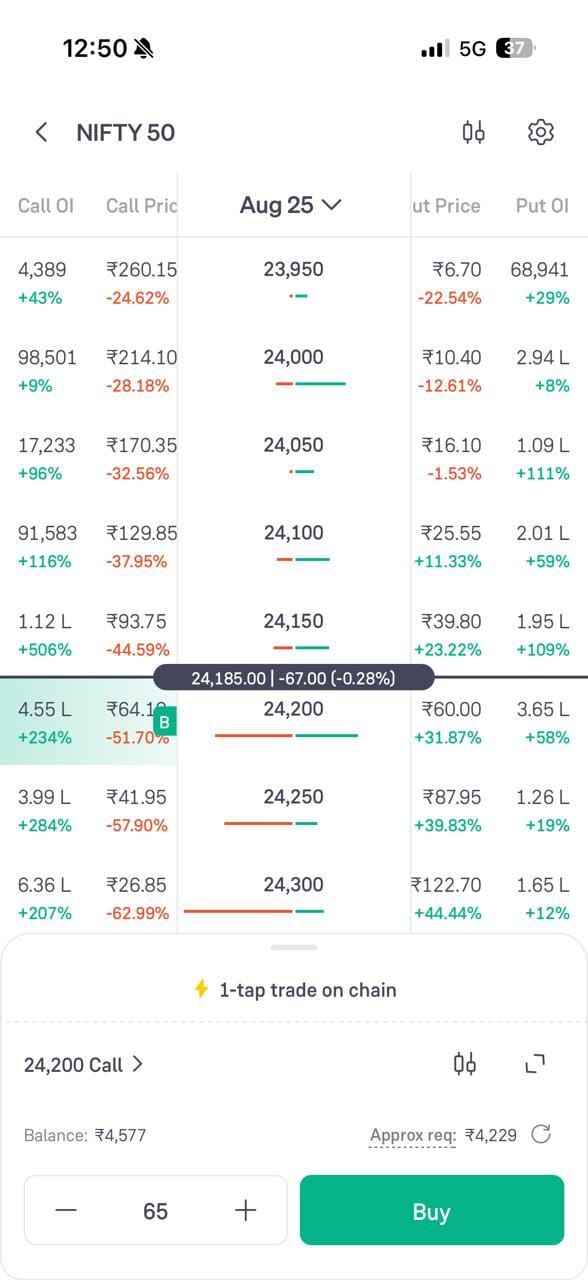
- Under VIEW ON CHAIN, turn on “Open interest (OI)” to add the OI columns
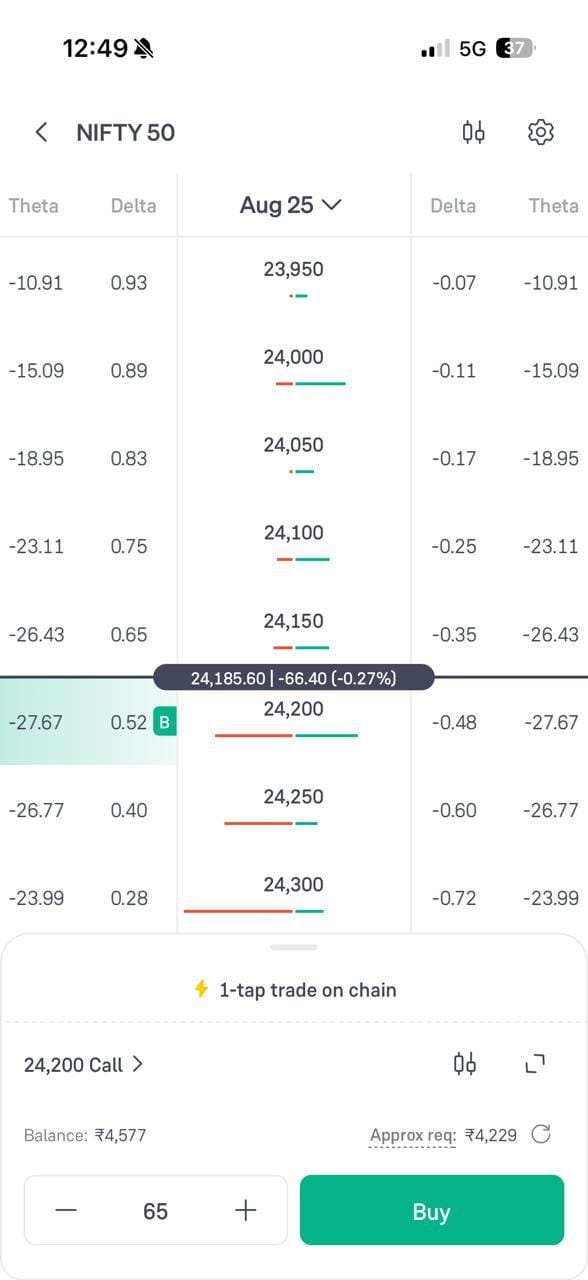
- Turn on “Greeks” to add Delta, Gamma, Theta and I.V
- Click “Done”
With Greeks turned on, the chain shows Delta and Theta on the Call side and the Put side of every strike price.
With Open Interest turned on, the chain shows Call OI and Put OI along with the change in OI at every strike price.
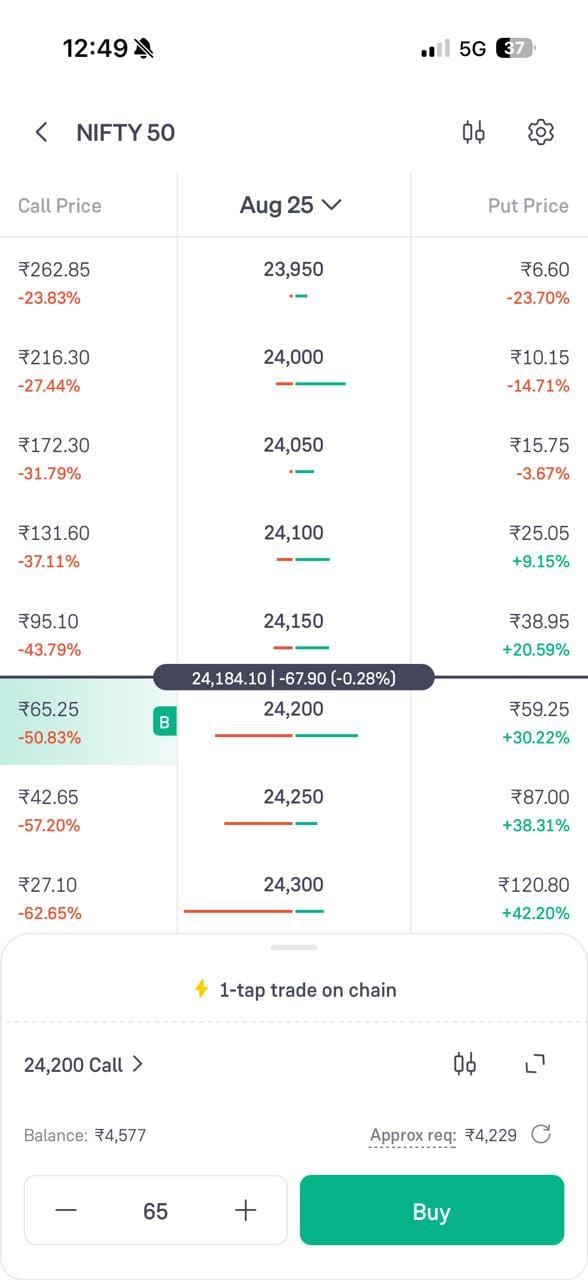
A positional trader may keep the Greeks on and the OI off, while another trader may prefer the opposite. You can change both settings at any time.
Option Chain Order Placement
Once the chain is set up the way you want, you can place the order from the chain itself instead of opening a separate order screen.
- Click the strike you want to trade on the option chain, or on a row in the Top NIFTY 50 Options list
- A quick-view opens at the bottom with the contract name, the live price and the change for the day
- Click “Buy” or “Sell” to go to the order screen for that contract
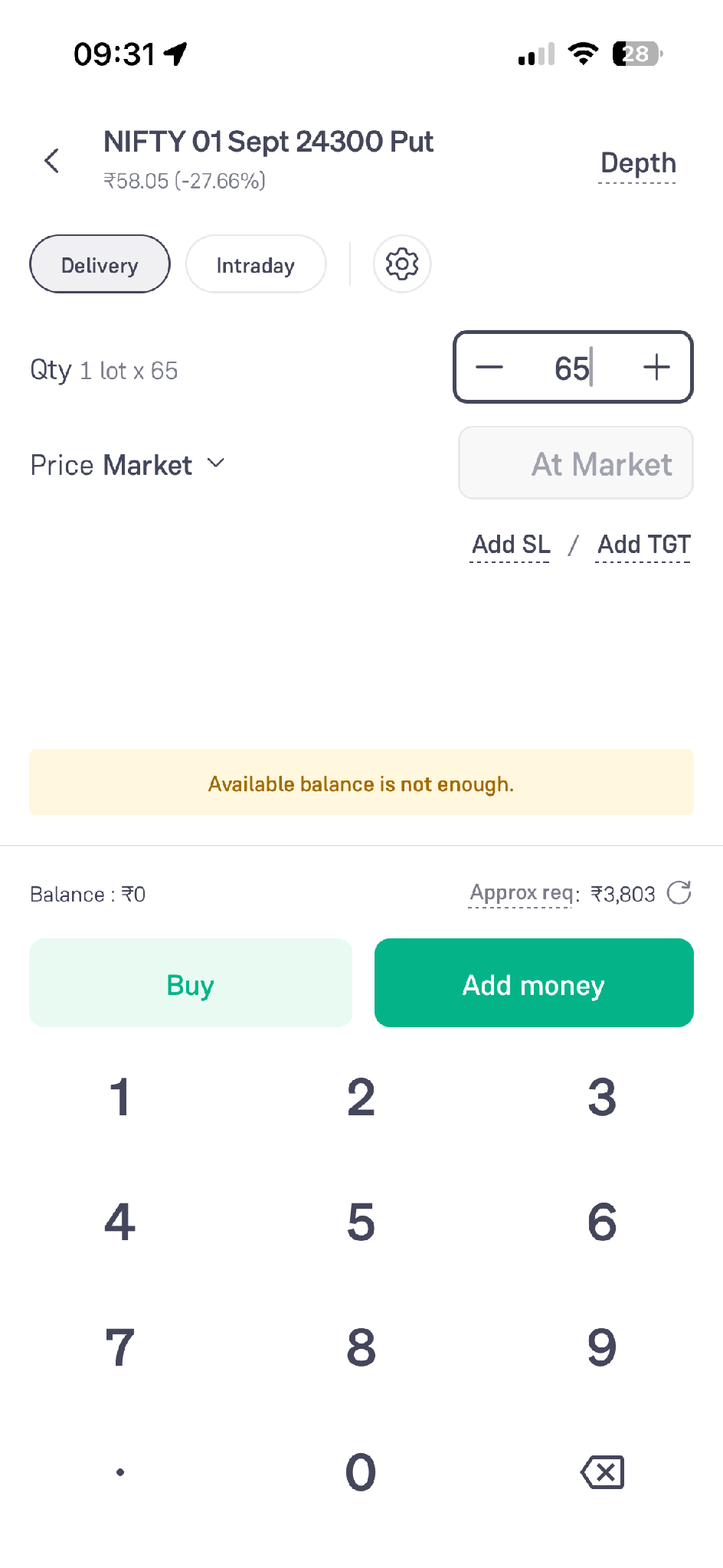
The order screen shows the same contract, so you don't need to select it again.
- Choose Delivery or Intraday at the top
- Set the quantity using the stepper. The Qty label shows the lot size
- Set the price type. Market places the order at the market price
- Use “Add SL” and “Add TGT” to attach a stop-loss and a target to the order
- The bottom of the screen shows your balance and the approximate amount required, and warns you if the balance is not enough
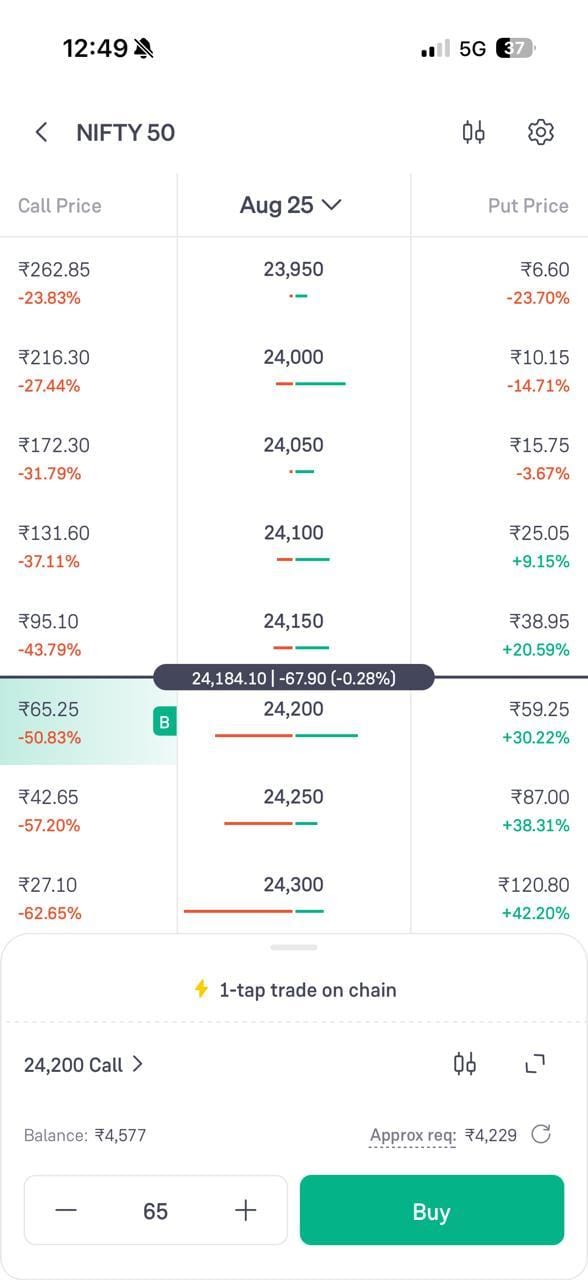
If you have selected Instant mode in the chain settings, the chain shows a 1-tap trade panel at the bottom with the quantity and the Buy button, and the order goes through at the market price.
Order History Filters
The All Orders screen records every order you place. The filters let you narrow it down to the orders you actually want to check.
- Open “All Orders” and select the F&O tab
- Use the filter chips to select the segment, for example, Equity F&O
- Select the product type, for example Delivery & Intraday
- Use the Status filter to separate executed orders from the rest
- The badge on the filter icon shows how many filters are applied
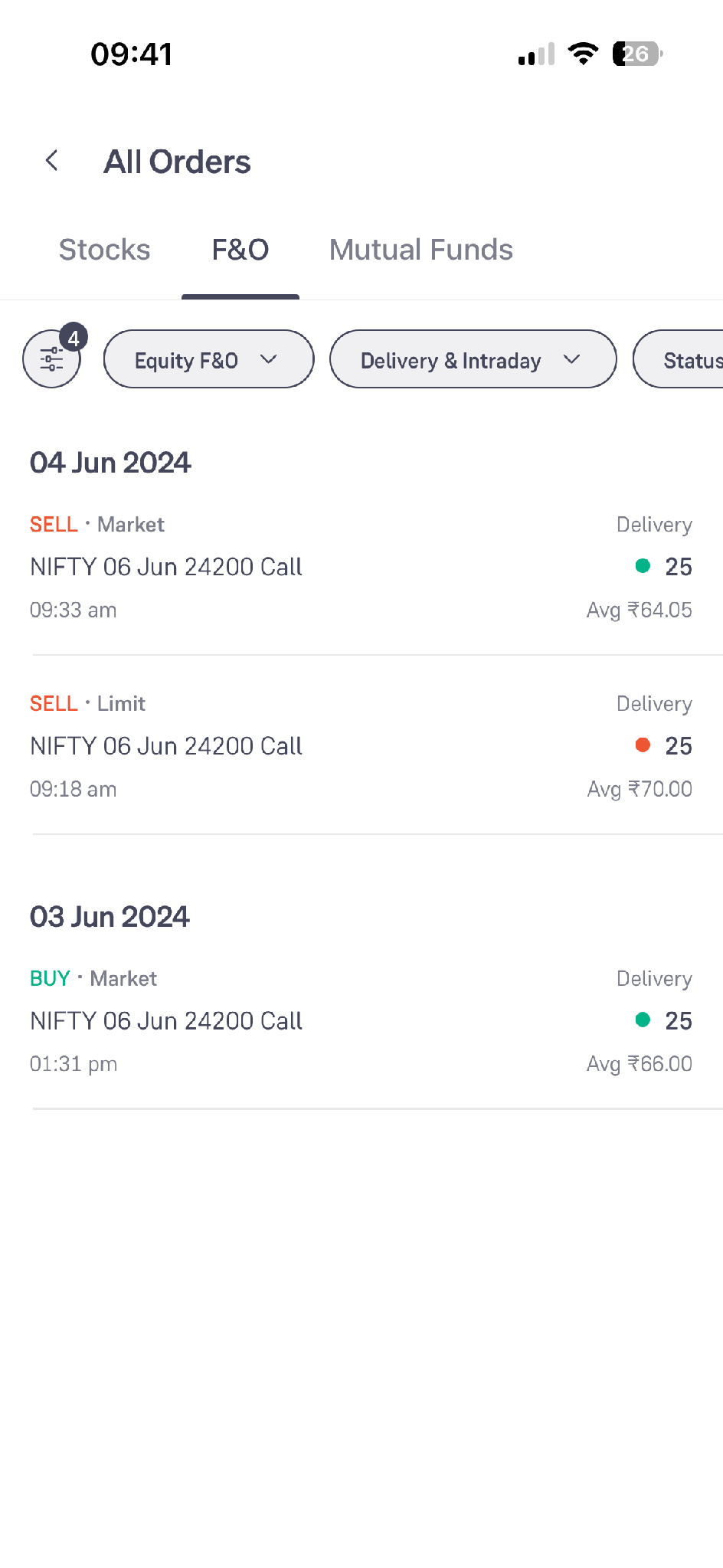
Each entry shows whether it was a Buy or a Sell, the order type, the contract, the time, the quantity and the average price. The orders are grouped by date.
Fast Mode
Fast Mode, shown in the app as Scalper, puts the chart and the order pad on one screen for traders who need to act quickly.
- Go to the F&O tab of the app
- Click the “Scalper” card marked “1-tap trading” on the Explore tab
- Select the timeframe from the top of the chart, and use the fx icon to add indicators
- Use the Call, Index and Put switch at the bottom left of the chart to move between the index and the contracts
- The order pad below the chart shows the selected contract, its market price, the quantity stepper and the Buy button
- The strip at the bottom shows your F&O P&L while you trade
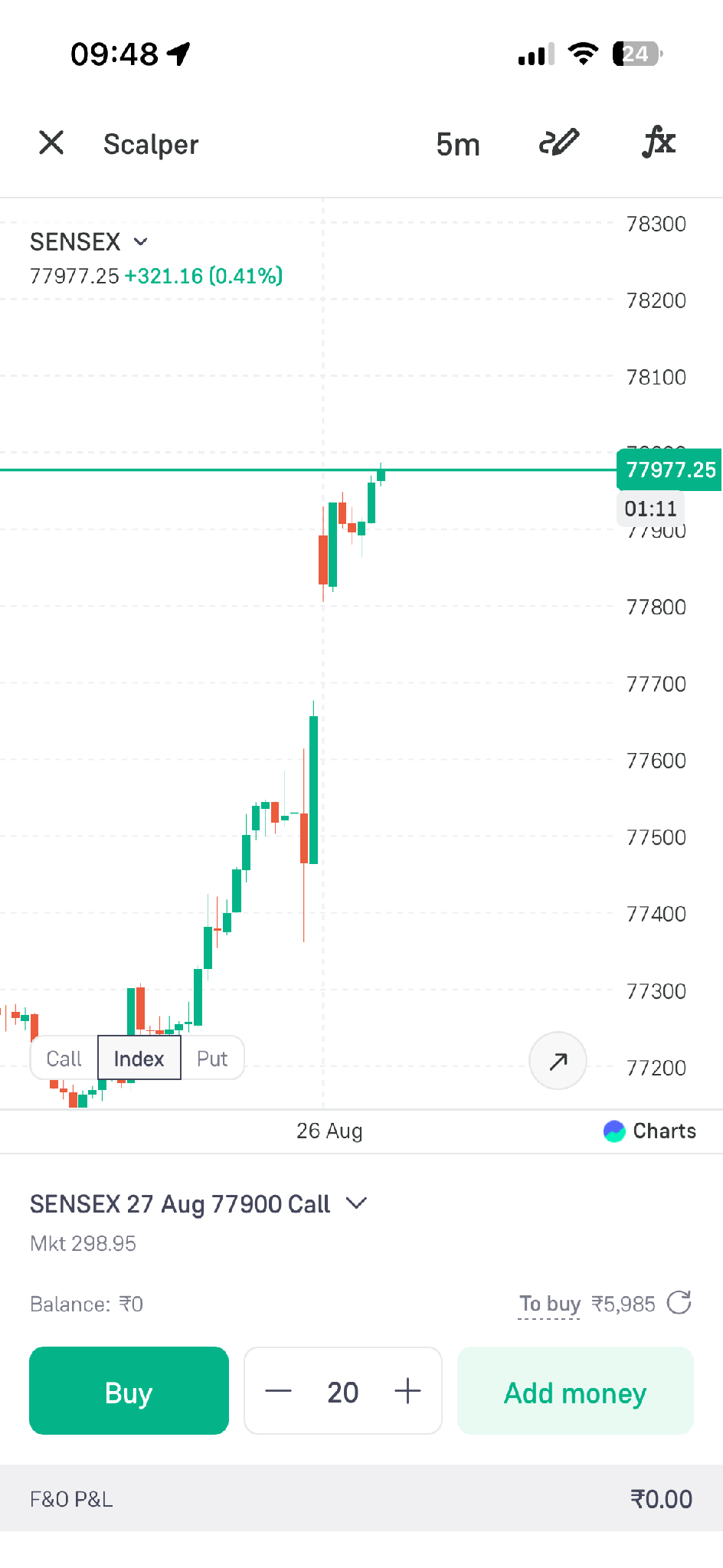
Since the order goes through with a single tap here, check the quantity in the stepper before you use it.
Conclusion
Personalisation on Groww works at two levels. The option chain settings decide what you see and how you place orders from the chain, while Fast Mode and the order filters decide how quickly you act and how easily you can review what you did.
None of these settings changes trade risk. They only change how the screen is laid out. Options involve significant risk, and no feature can guarantee profits.