F&O Risk Management on Groww: Take Greater Control of Your F&O Trades
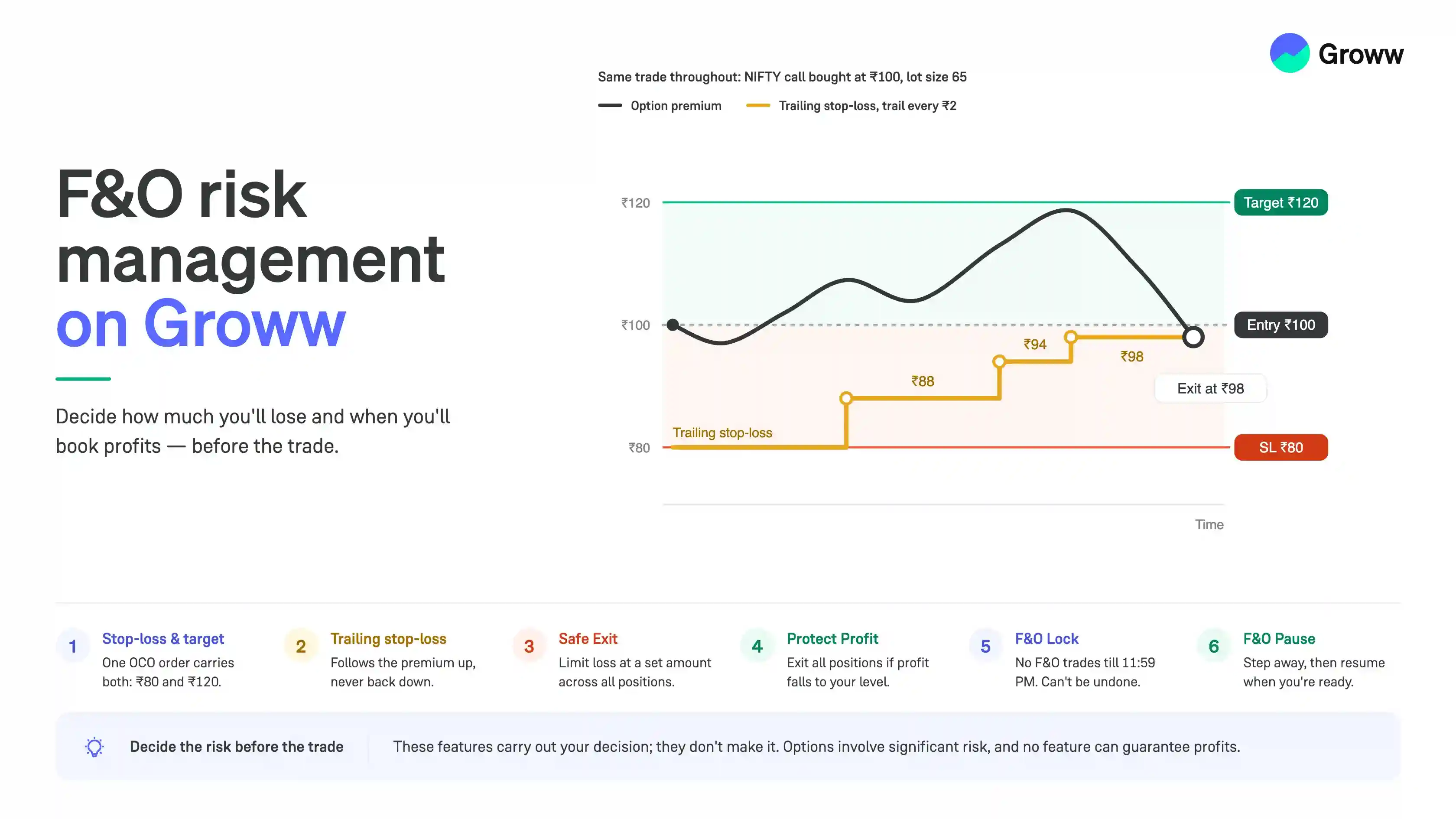


Risk management is essential to F&O trading. While traders often focus on finding the right entry, it is equally important to decide how much they are willing to lose, when they want to book profits, and what they will do if the market moves unexpectedly.
On Groww, features such as Stop-Loss and Target, Trailing Stop-Loss, Safe Exit, Protect Profit and F&O Lock can help you manage different aspects of trading risk.
For simplicity, this guide uses NIFTY Call Options as examples.
This guide uses the same trade throughout so you can compare each feature.
- You buy a NIFTY Call Option at a premium of ₹100
- You decide to book profits at ₹120, which is a gain of ₹20 per unit
- You decide to cut the trade at ₹80, which is a loss of ₹20 per unit
- The risk and the reward are therefore equal, at ₹20 on each side
Since options are traded in lots, the actual profit or loss is this amount multiplied by the lot size. If the lot size is 65, a ₹20 move is ₹1,300 for one lot.
Before the Trade: Check the Market Depth
Market depth shows the prices at which people are buying and selling the contract at that moment. It is worth a look before you fix your stop-loss and target.
- Open the buy order screen for the contract and click “Depth” on the top right
- The left side shows the top five bid prices with their quantities, and the right side shows the top five ask prices with their quantities
- The bid total and ask total are shown below them
- The bottom of the screen shows the open, close, low and high for the day
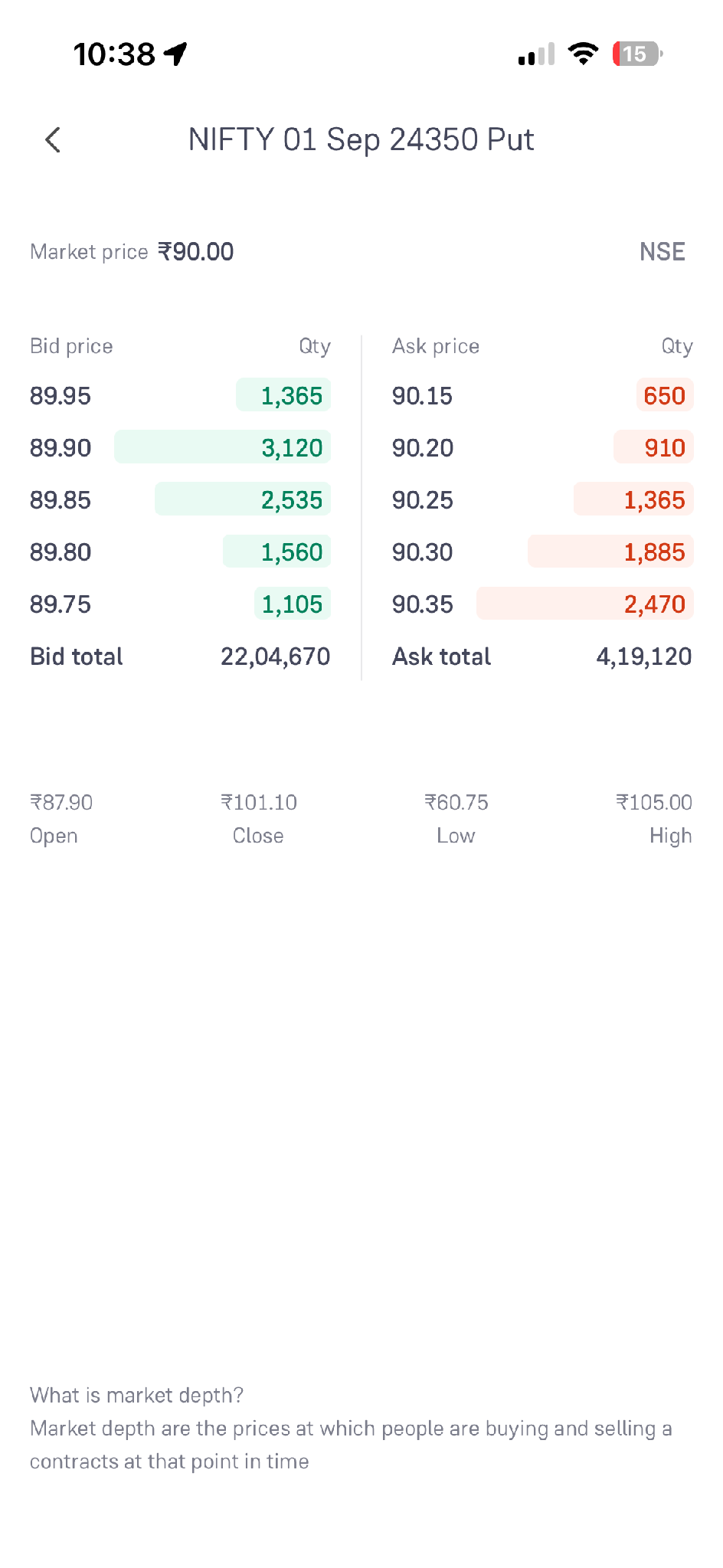
In our example, the day’s low and high tell you whether a target of ₹120 and a stop-loss of ₹80 are realistic for the contract, or whether both are outside the range the premium has actually traded in.
1. Stop-Loss and Target (SL / TGT)
A stop-loss is the level at which you exit to limit a loss, and a target is the level at which you exit to book a profit. You can attach both to the order itself, so you don't have to watch the screen for either.
- On the order screen, click the settings icon to open “Customise buy order”
- The sheet shows the order types available: Regular order, SL order, GTT order and Stoploss / target order (OCO)
- Select the order type you want and the validity, then click “Continue”
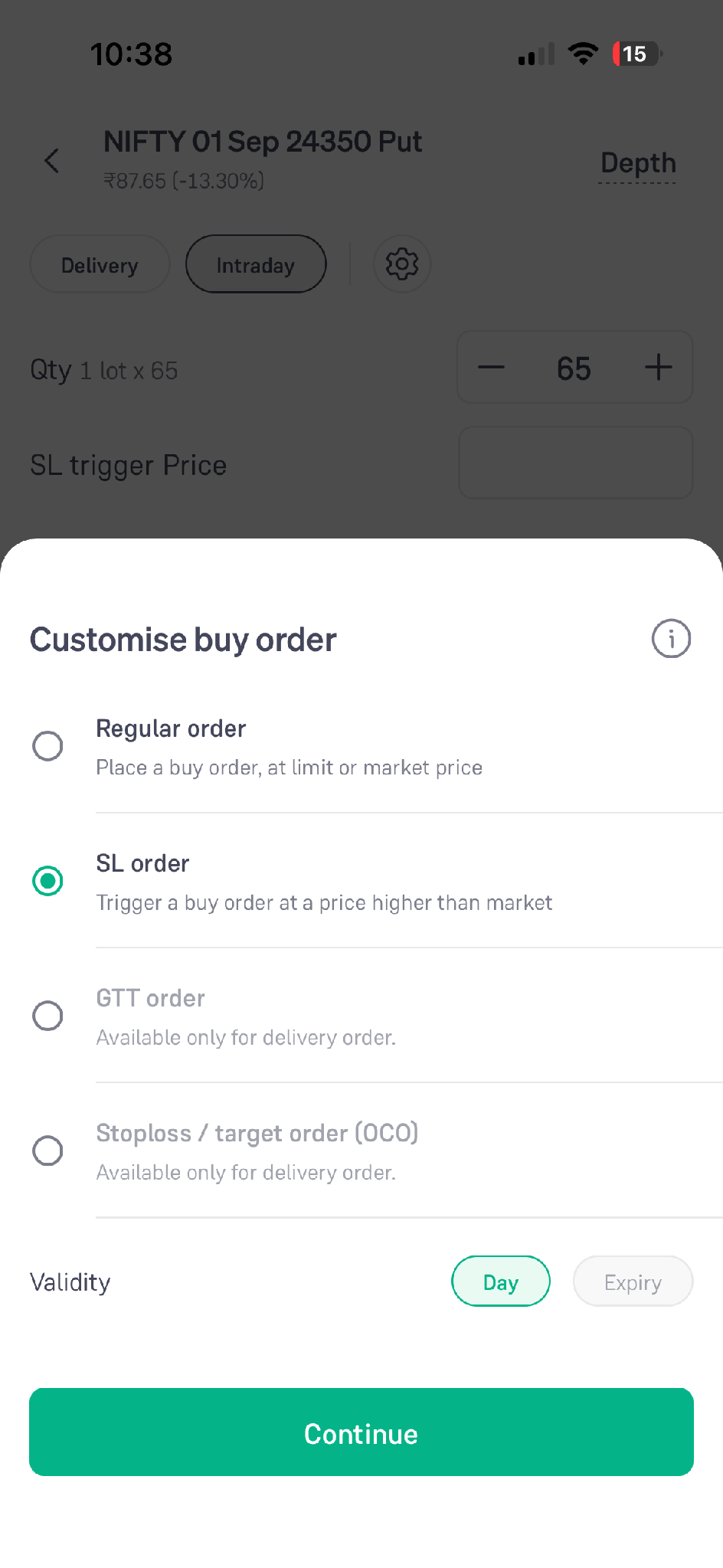
For a stop-loss and a target together, use the Stoploss / target order (OCO).
- Click “Add Stoploss / Target” on the order screen
- Enter the quantity to be traded
- Enter the Stoploss (SL) and the Target (TGT)
- Click the “Buy” button
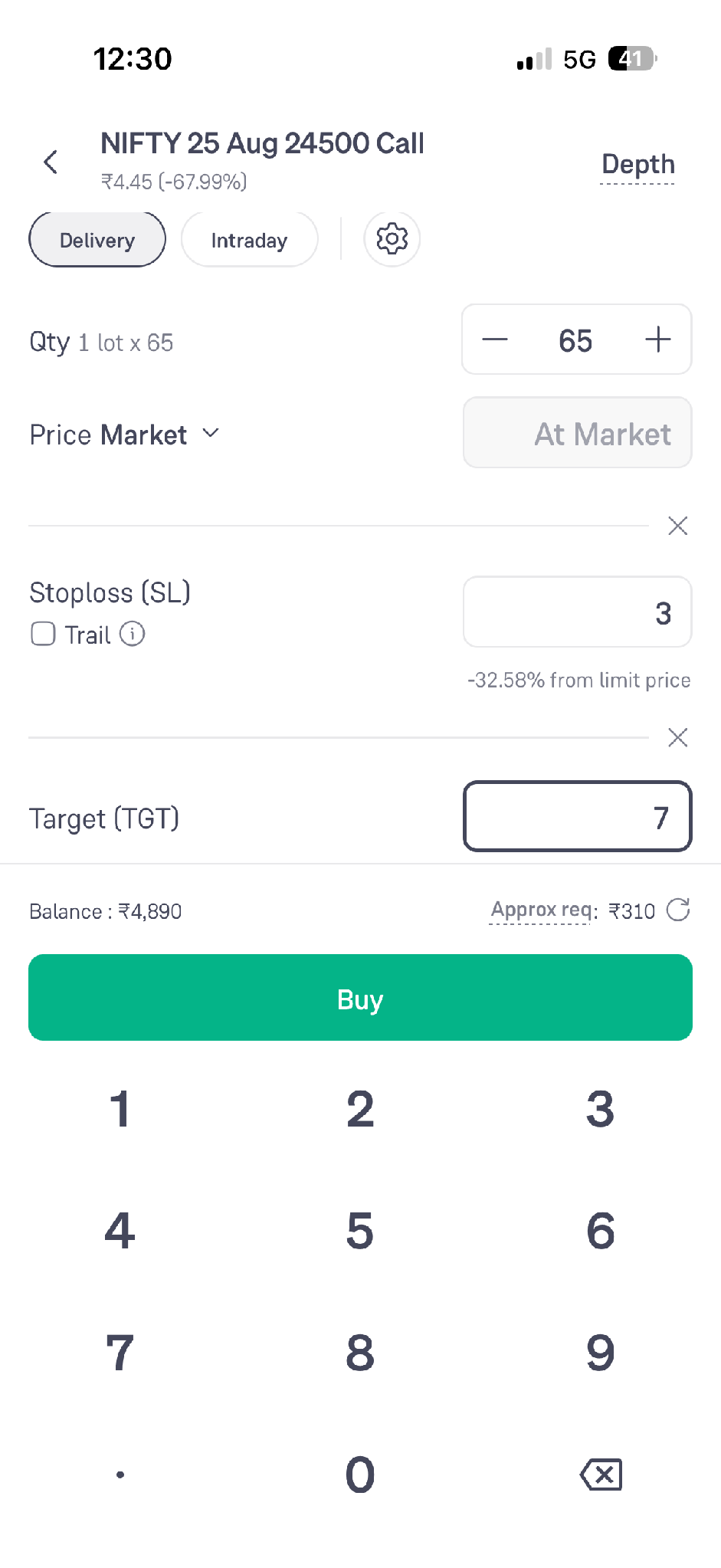
In our example, you would buy at ₹100 with the SL at ₹80 and the TGT at ₹120. If the premium rises to ₹120 first, the target order is executed, and the stop-loss is cancelled. If it falls to ₹80 first, the stop-loss is executed, and the target is cancelled. One cancels the other, which is why it is called an OCO order.
2. Trailing Stop-Loss (TSL)
A trailing stop-loss moves in the direction of a favourable price movement. Instead of staying at a fixed level, it follows the premium up and locks in part of the gain.
- Click “Add Stoploss / Target” on the order screen
- Enter the Stoploss and check the “Trail” tickbox below it
- The Stoploss now shows as “Stoploss (TSL)” with a “Trail every” amount next to it
- Click the “Trail every” amount to choose how often the stop-loss should move, and adjust it as per your requirement
- Click the “Buy” button
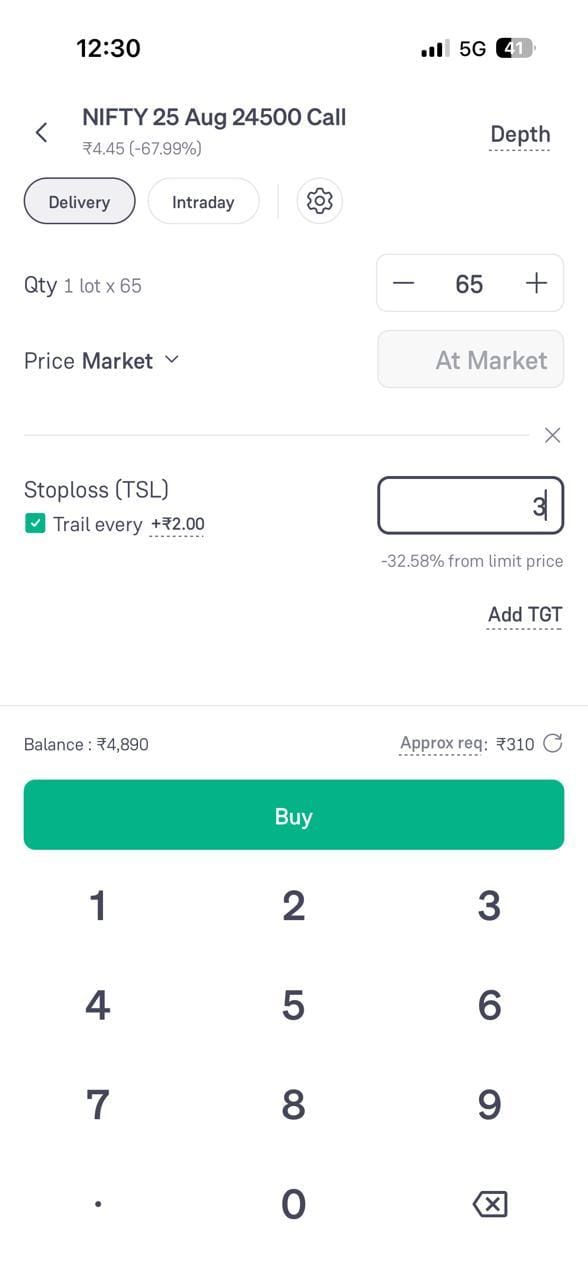
Take our example with a trail of ₹2. You buy at ₹100 with the stop-loss at ₹80.
- If the premium rises to ₹102, the stop-loss moves up to ₹83
- If it rises to ₹110, the stop-loss moves up to ₹90
- If it rises to ₹120, the stop-loss has moved up to ₹100, which is your buy price
- If the premium then falls, the stop-loss stays at the highest level it reached and does not move back down
The stop-loss only moves in your favour. This lets a trade protect part of its gain while staying open.
3. Safe Exit
A stop-loss and a target work on one contract. Safe Exit works across your F&O positions, which is useful when you have more than one position open.
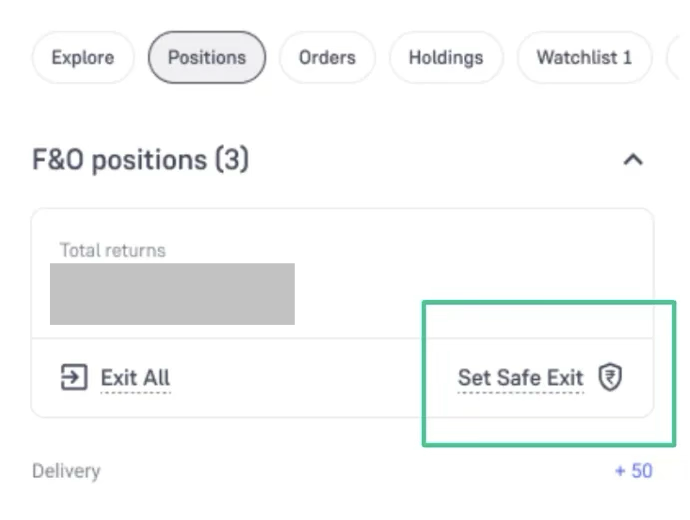
- Open the Positions tab under F&O
- Click “Set Safe Exit” next to Total returns and Exit All
On the exit trigger screen, select “Limit loss at” to set the loss you are willing to take.
- Enter the amount at which you want to exit
- The screen states that if losses cross that amount, the F&O positions are exited and the related open orders are cancelled
- The trigger is valid till the end of the day
- Click “Set trigger” to confirm
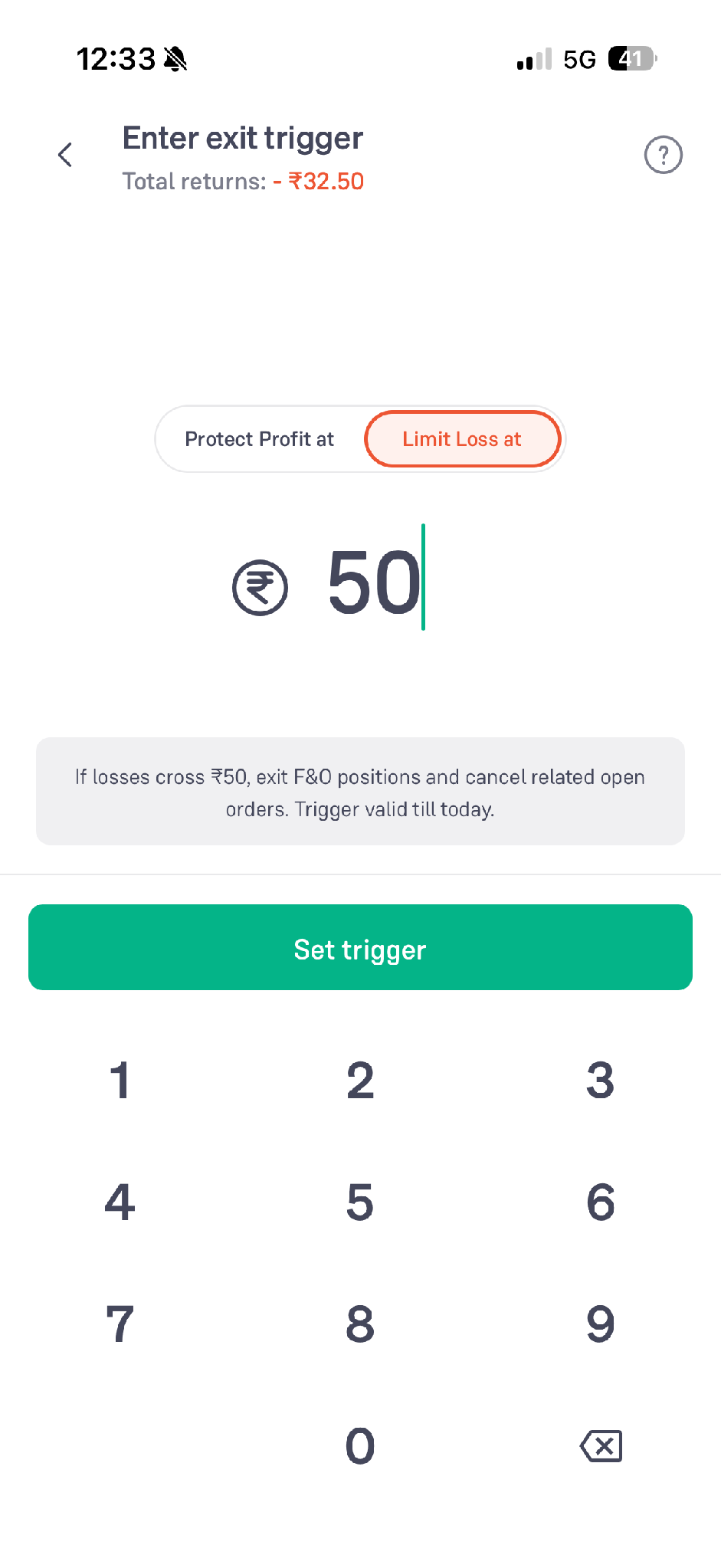
In our example, one lot of 65 with a ₹20 stop-loss is a loss of ₹1,300. If you have three such positions open and don't want the day to cost you more than ₹3,000 in total, a Limit Loss trigger at ₹3,000 closes everything once that level is crossed, even if each individual stop-loss hasn't been hit.
4. Protect Profit
Protect Profit is the other side of the same exit trigger screen. Instead of capping the loss, it exits your positions when the profit you are already showing falls back to a level you have set.
- Click “Set Safe Exit” on the Positions tab
- Select “Protect profit at” at the top of the exit trigger screen
- Enter the profit level you want to protect
- The screen states that all F&O positions are exited and the open orders cancelled when the profit drops to that amount
- Click “Set trigger” to confirm
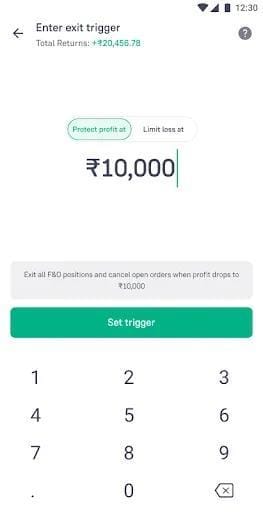
In our example, suppose the premium has moved from ₹100 to ₹118 and one lot is showing a profit of about ₹1,350. You may not want to wait for the ₹120 target and risk the move reversing. Setting Protect Profit at ₹1,000 means the position is exited if the profit falls back to ₹1,000, so most of the gain is kept even if you are away from the screen.
5. F&O Lock
F&O Lock is a control on you rather than on a position. It stops any further F&O trading for the rest of the day.
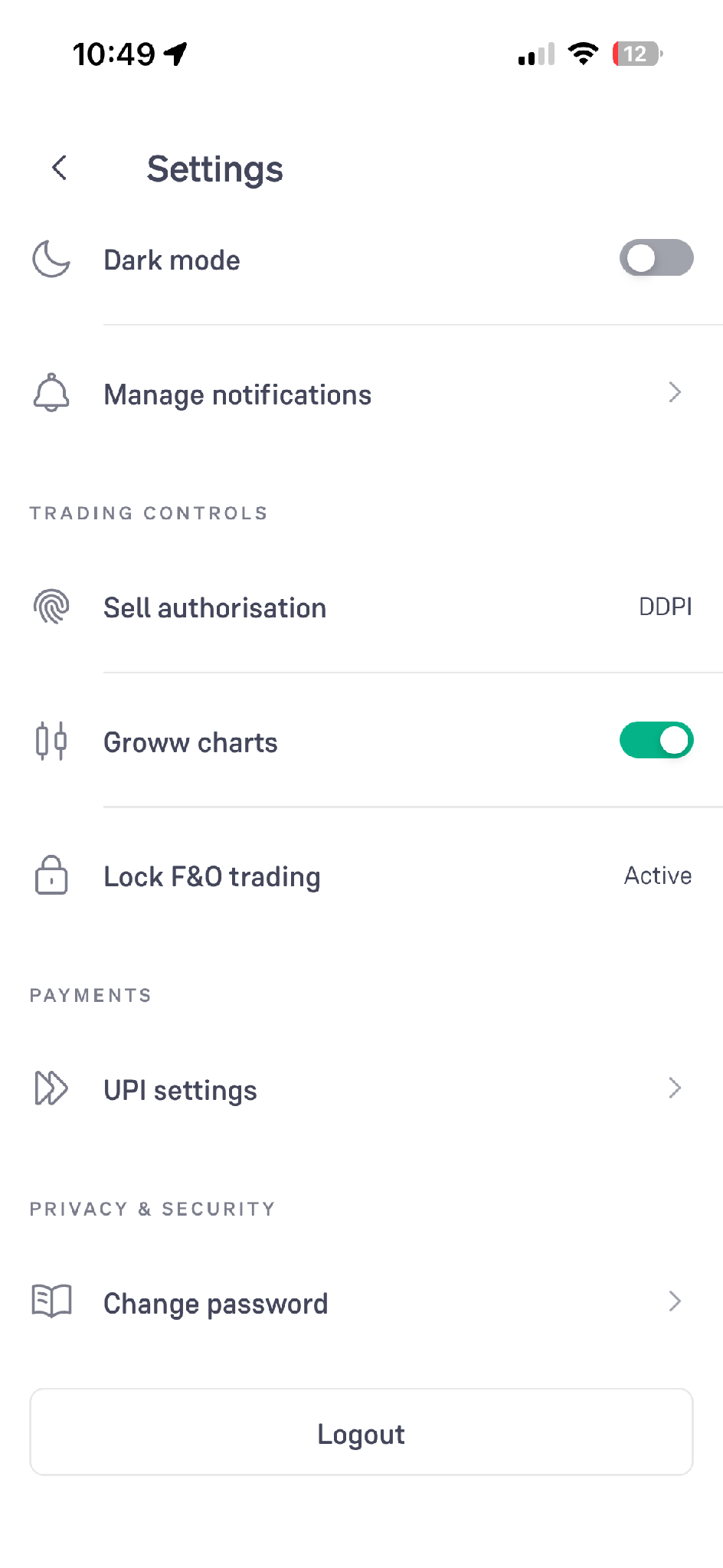
- Go to Settings and open “Lock F&O trading” under TRADING CONTROLS
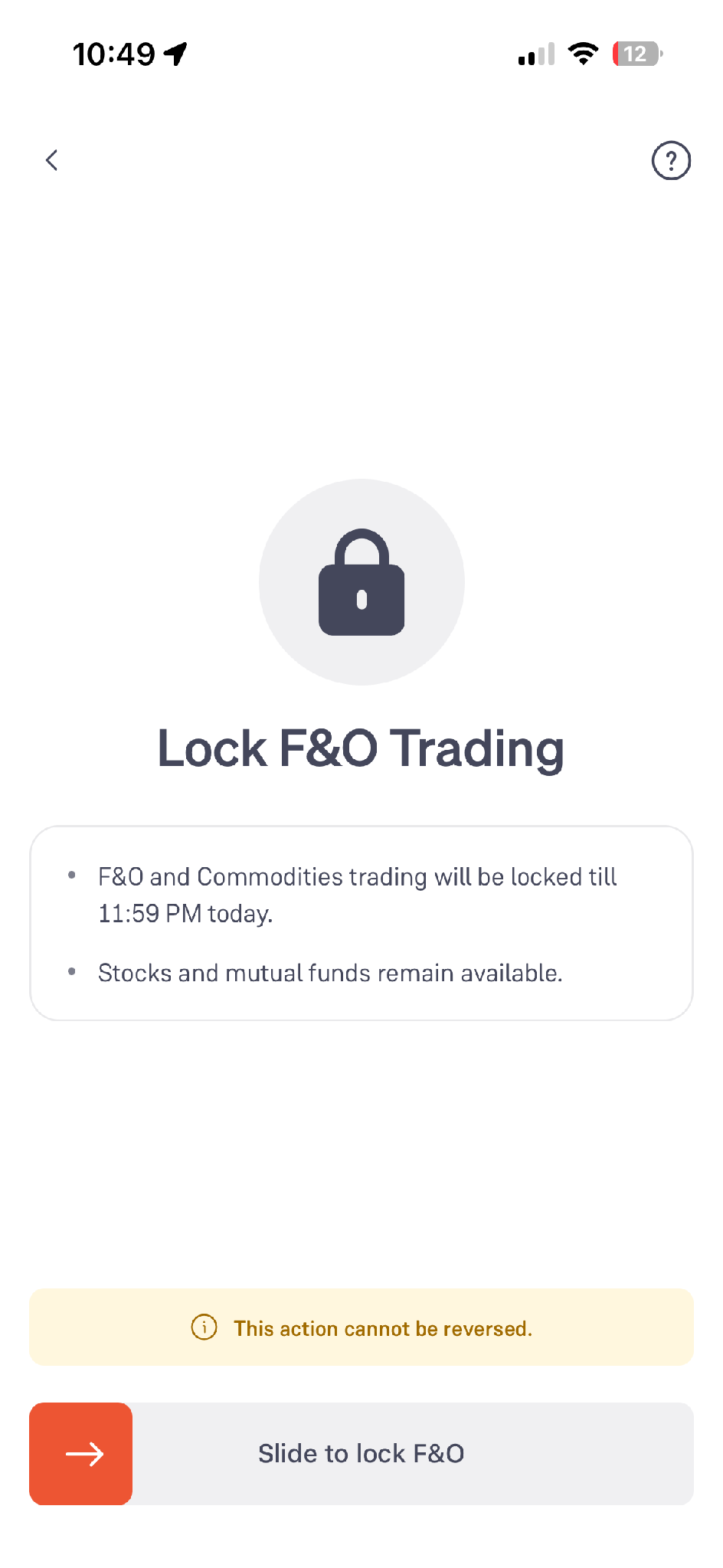
The confirmation screen explains what the lock does before you apply it.
- F&O and Commodities trading are locked till 11:59 PM today
- Stocks and mutual funds remain available
- The screen warns that the action cannot be reversed
- Use “Slide to lock F&O” to apply it
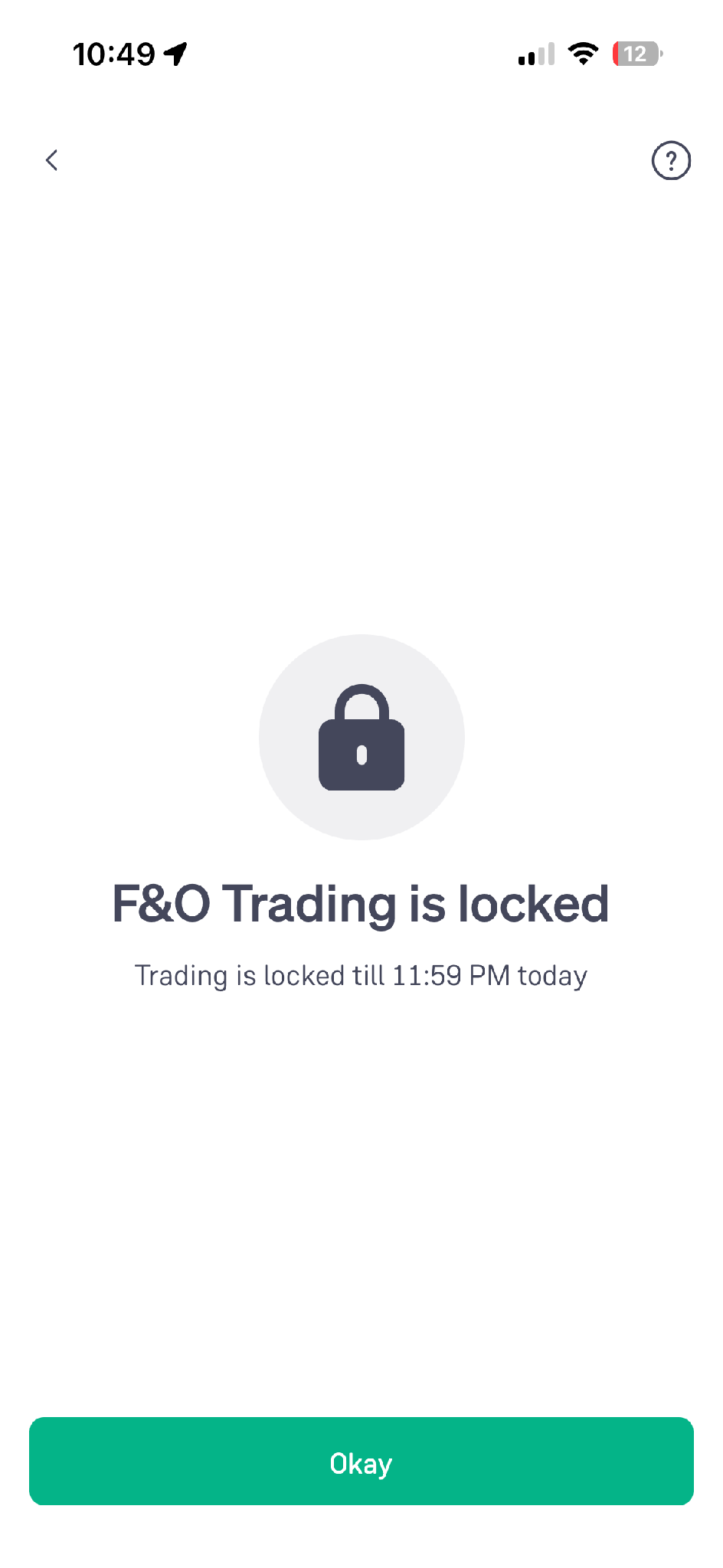
Once applied, the app confirms that trading is locked for the rest of the day.
In our example, suppose the trade hit the ₹80 stop-loss and you feel the urge to take the trade again immediately. The lock removes that option for the day. Note that it cannot be reversed, so use it deliberately.
6. F&O Pause
You can't undo an F&O Lock once it is applied. F&O Pause is the reversible version of the same idea: it stops further F&O trading, but you decide when to start again. It is useful when you want to step away for a while rather than close the segment for the whole day.
- Square off your open positions and cancel any pending orders first
- Go to Settings and open “F&O Pause” under TRADING CONTROLS
- Confirm to pause F&O trading
- To start trading again, return to the same screen and slide to “Resume F&O”
In our example, suppose the trade hit the ₹80 stop-loss and you want to stop for a while without closing the segment for the day. A pause lets you step back and resume when you are ready, while the lock keeps F&O closed till 11:59 PM.
Conclusion
These features work at different levels. Stop-Loss and Target act on a single order, Trailing Stop-Loss adjusts that order as the premium moves, Safe Exit and Protect Profit act on all your F&O positions together, and F&O Lock acts on your trading for the day.
None of them decides how much you should risk. That decision, like the ₹80 and ₹120 in the example above, has to be taken before the trade. The features only make sure the decision is carried out. Options involve significant risk, and no feature can guarantee profits.