How to Use the Option Chain for Advanced Trading on Groww
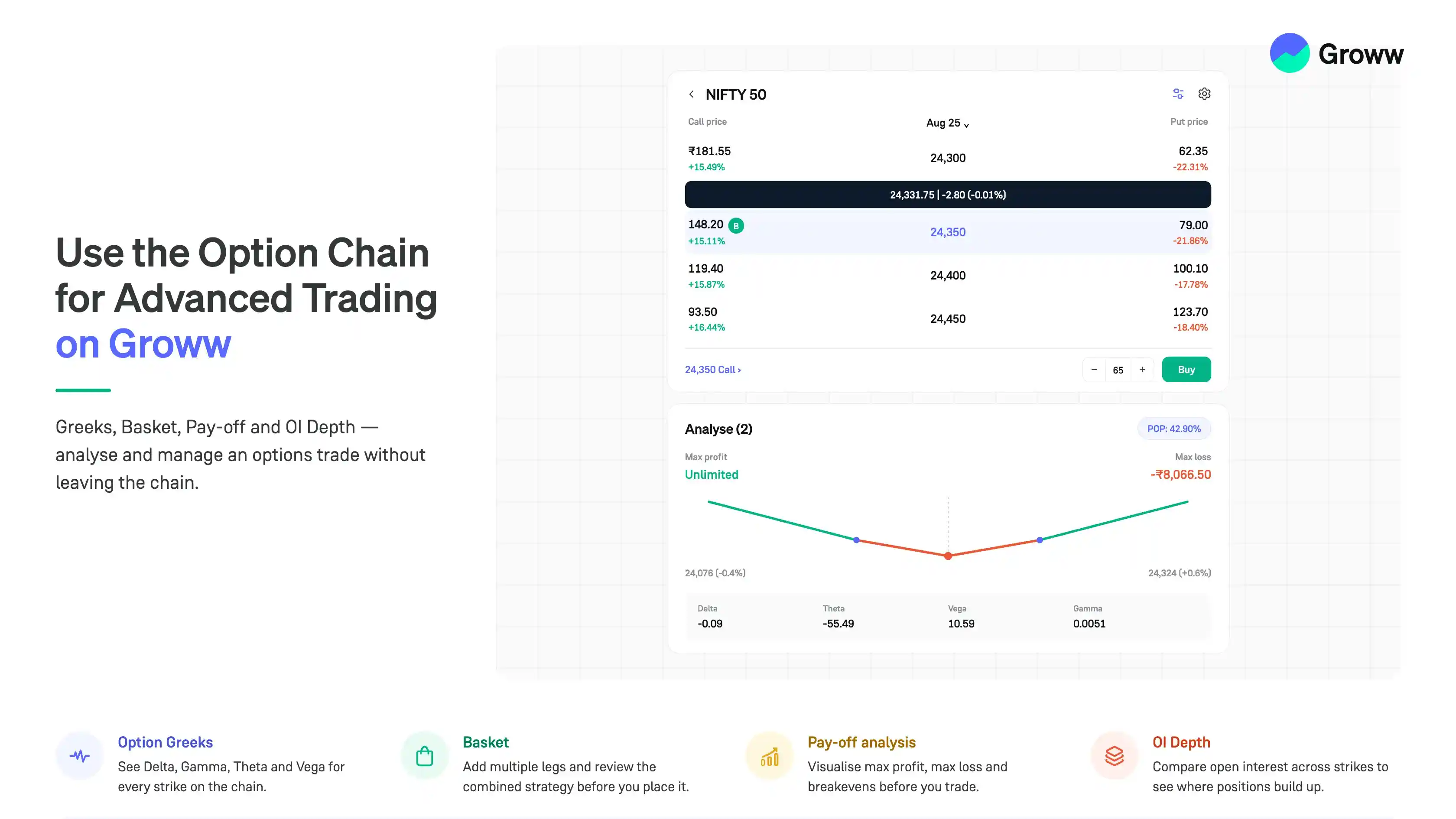


An option chain gives traders a detailed view of available call and put options across different strike prices. It helps you compare option premiums, open interest, Greeks, and other market data on a single screen.
On Groww, the option chain also helps you analyse contracts, build multi-leg strategies, view potential payoffs, and monitor your positions. This guide explains some of the advanced features you can use while trading options.
For simplicity, the examples in this guide use NIFTY Call Options.
Understand Option Greeks
Option Greeks are measures that help traders understand how an option's price may respond to changes in different market factors.
Some of the commonly used Greeks include:
- Delta: Indicates how much an option's price may change when the underlying index moves by one point.
- Gamma: Measures how quickly Delta may change as the underlying price changes.
- Theta: Measures the effect of time decay on an option's price.
- Vega: Measures an option's sensitivity to changes in implied volatility.
For example, suppose you buy a NIFTY Call Option with a Delta of 0.50. If NIFTY rises by 100 points, the option premium may increase by approximately 50 points, assuming other factors remain unchanged.
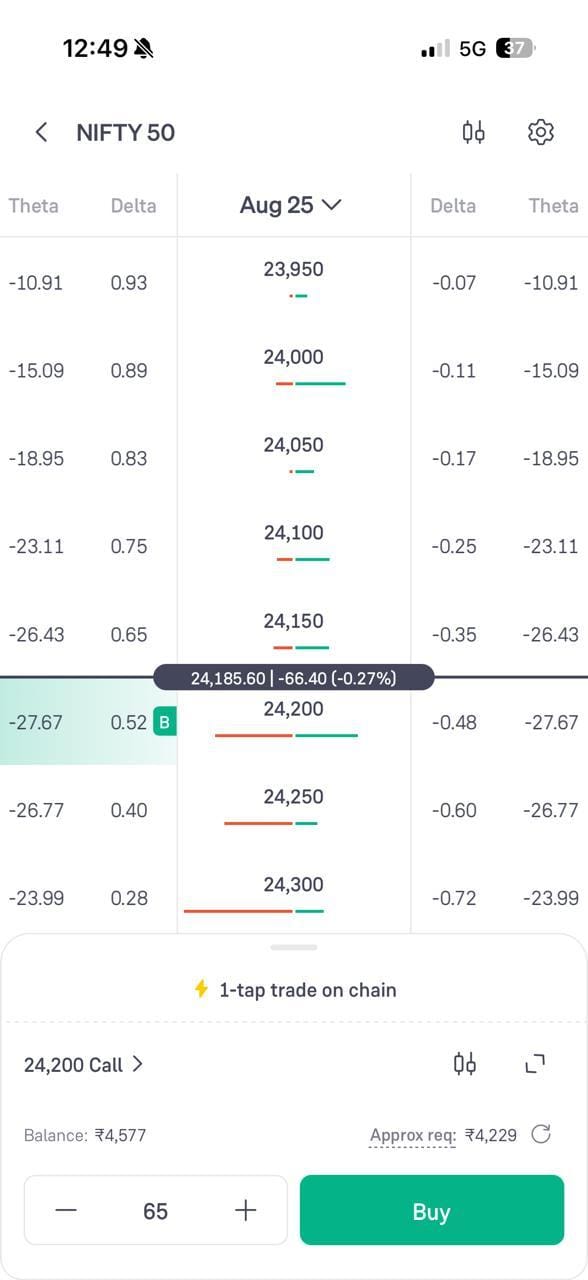
Here are the steps to view the Greeks on the option chain:
- Open the option chain and click the settings icon on the top right
- Under “VIEW ON CHAIN”, turn on the “Greeks” toggle for Delta, Gamma, Theta and I.V
- Click “Done”
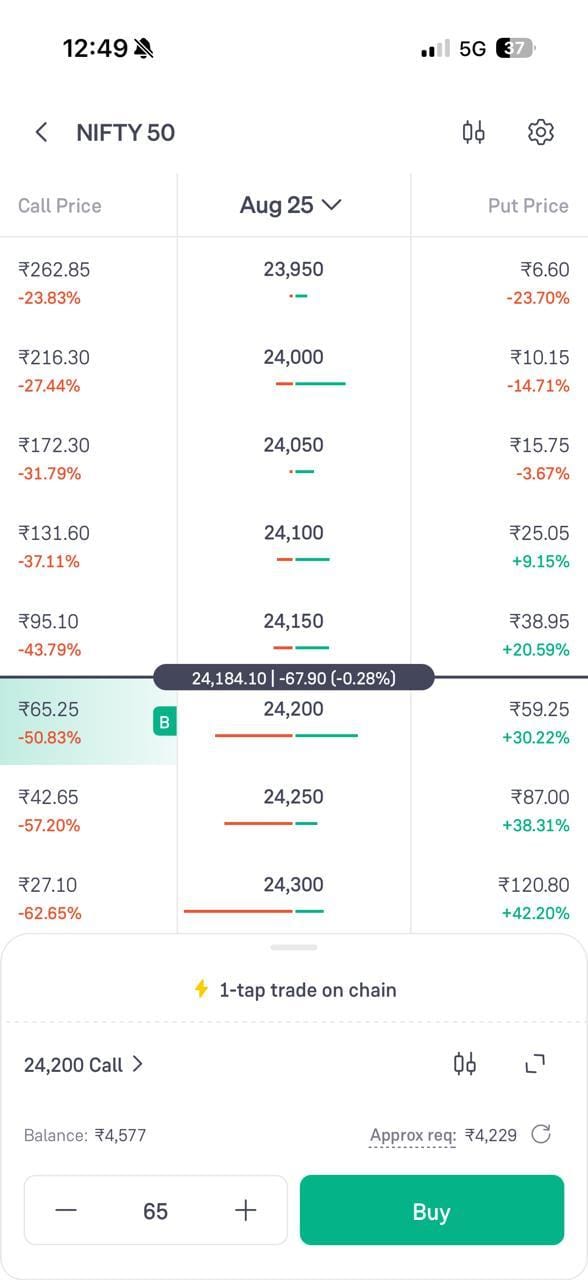
- The option chain now shows Delta and Theta next to each strike price for both Call and Put Options
Create a Basket of Option Contracts
Advanced options strategies often involve more than one contract. For example, you may want to trade multiple NIFTY Call Options at different strike prices as part of a single strategy.
The Basket feature helps you select and organise multiple option contracts before placing your trades.
For example, suppose you want to create a Bull Call Spread using:
- Buy NIFTY 25,000 Call Option
- Sell NIFTY 25,500 Call Option
Instead of treating each leg independently, you can add both contracts to a basket and review the combined strategy before placing the orders.
This can make it easier to:
- Build multi-leg option strategies
- Review all selected legs together
- Check the buy and sell quantities
- Manage multiple orders more efficiently
- See the payoff graph of the combined strategy before placing the orders
Always review the details of each contract, including the strike price, expiry, quantity and order type, before placing a basket order.
Here are the steps to create a basket on Groww:
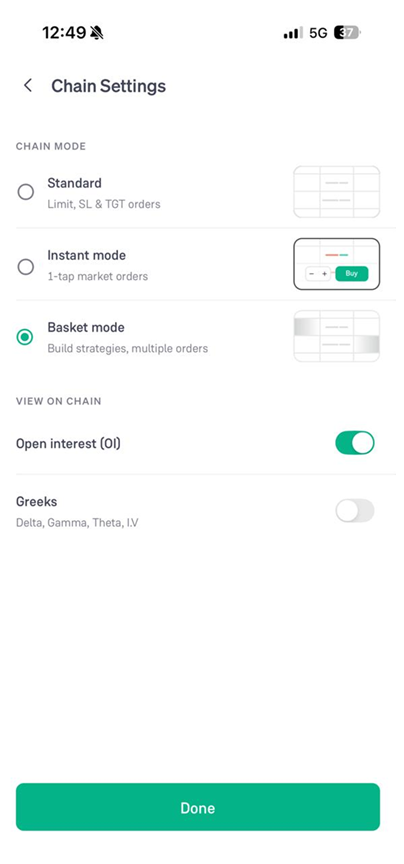
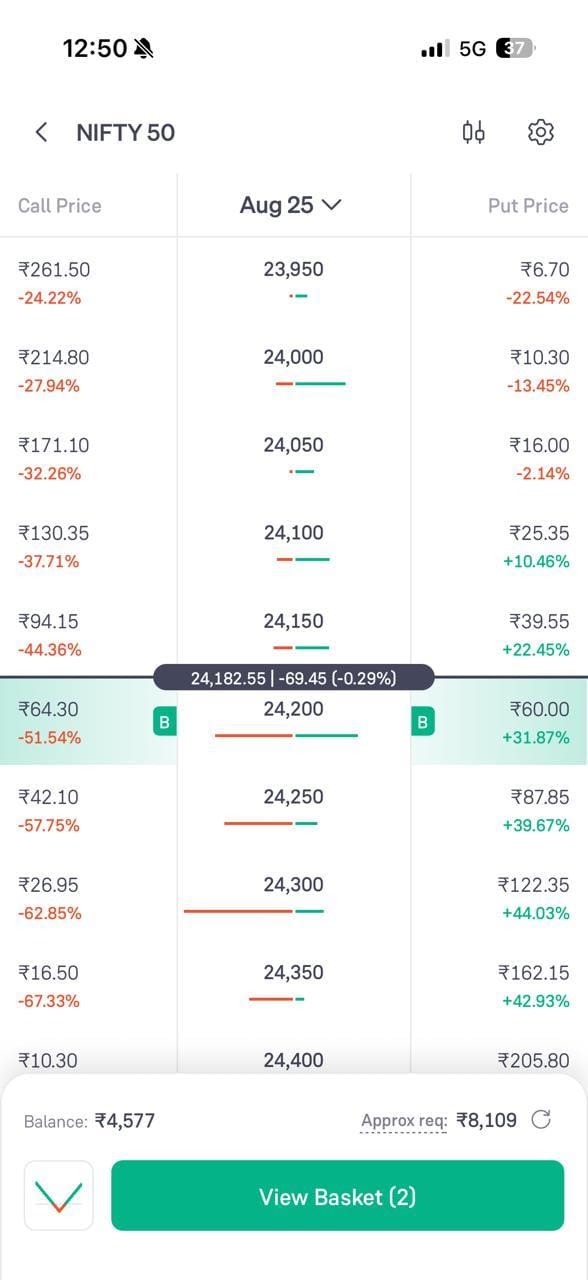
- Click the settings icon on the option chain and select “Basket mode” under CHAIN MODE, then click “Done”
- On the option chain, click the strike prices you want to add to the basket
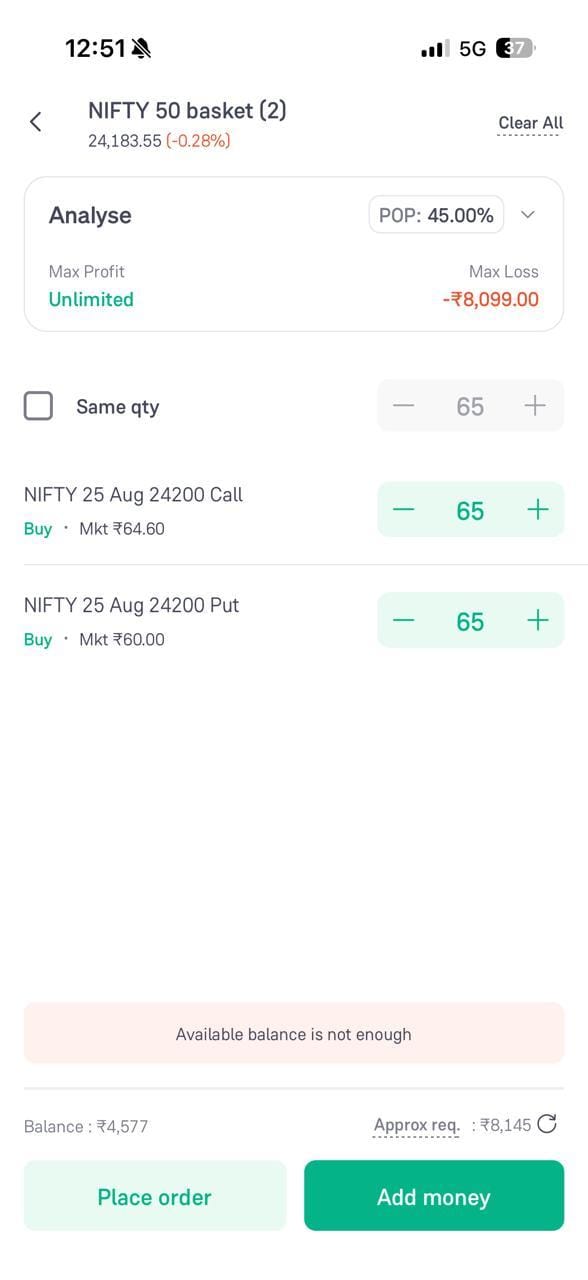
- Click “View Basket” at the bottom of the screen
- Review each leg, its buy or sell side and its quantity. The “Analyse” box shows the Max Profit, Max Loss and POP of the basket
- Click “Place order”
Analyse the Pay-Off
The Pay-off feature helps you visualise the potential profit or loss of an options strategy across different NIFTY levels.
For example, if you buy a NIFTY 25,000 Call Option at a premium of ₹100, the pay-off at expiry depends on where NIFTY closes.
Ignoring transaction costs:
- If NIFTY expires below 25,000, the option may expire worthless and the premium paid can be lost.
- The breakeven level is 25,100.
- Above 25,100, the position may become profitable at expiry.
A pay-off chart can help you see:
- Maximum potential profit or loss
- Breakeven level
- How the strategy performs at different NIFTY levels
- The combined risk and reward of multiple option legs
This can be particularly useful for multi-leg strategies, where calculating the combined outcome manually can become more complex.
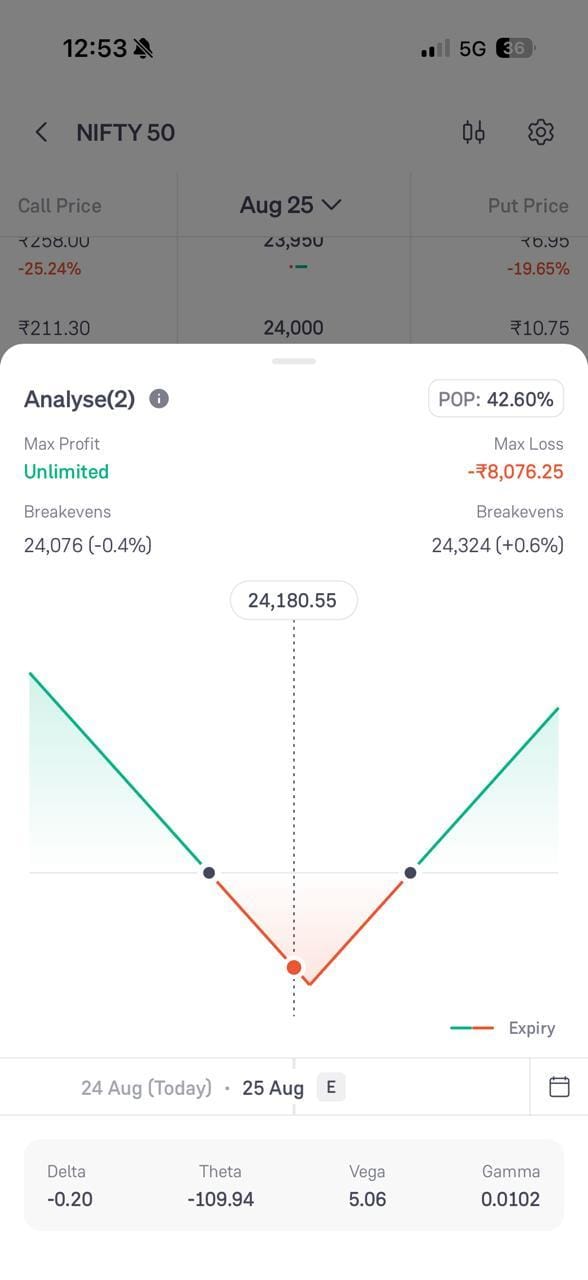
Here is how the pay-off is shown on Groww:
- Open the “Analyse” section for the contracts you have selected
- The chart shows the Max Profit, the Max Loss, the Breakeven levels on both sides and the POP
- The line marked “Expiry” shows the pay-off at expiry across different NIFTY levels
- Below the chart, you can see the combined Delta, Theta, Vega and Gamma of the position
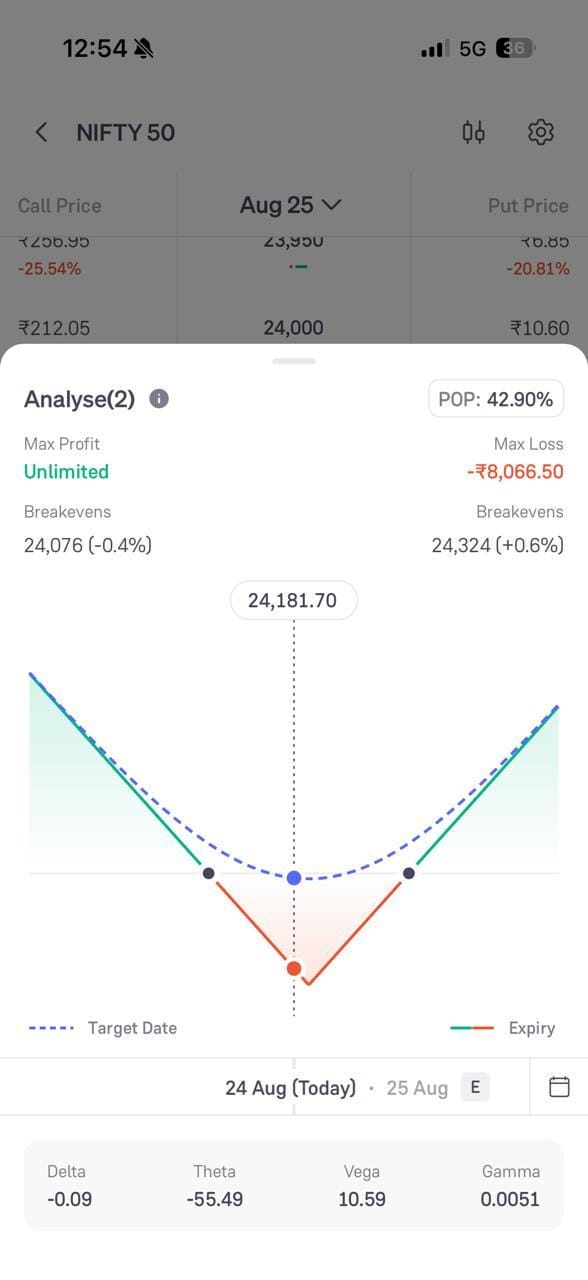
Here is the curved payoff, which is the expected payoff before expiry:
Analyse Open Interest with OI Depth
Open interest, or OI, represents the number of outstanding derivative contracts that have not been closed or settled. The OI Depth feature can help you examine open interest across different strike prices in greater detail.
For example, a NIFTY trader may compare the OI at several Call Option strikes to identify where significant positions are concentrated.
This can help you:
- Compare OI across strikes
- Identify areas with relatively high Call or Put OI
- Study changes in positioning
- Analyse option activity around important NIFTY levels
However, high OI alone does not guarantee that a particular price level will act as support or resistance. Analyse it alongside price movement, changes in OI, volume, and other market factors.
Here are the steps to view OI on the option chain:
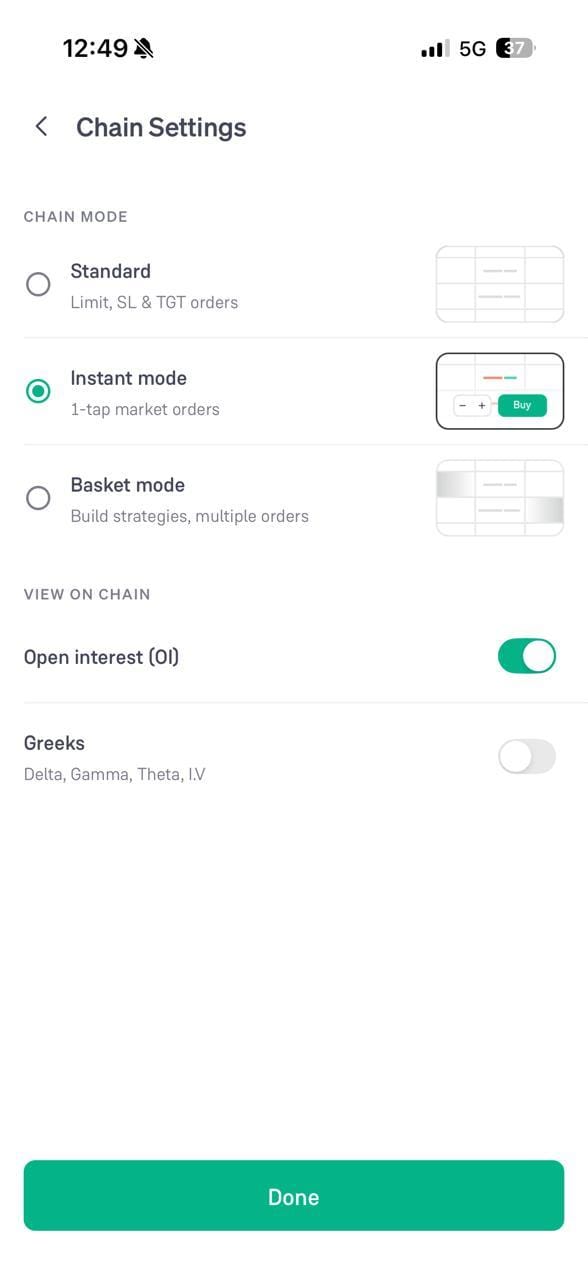
- Click the settings icon on the option chain
- Under “VIEW ON CHAIN”, turn on the “Open interest (OI)” toggle and click “Done”
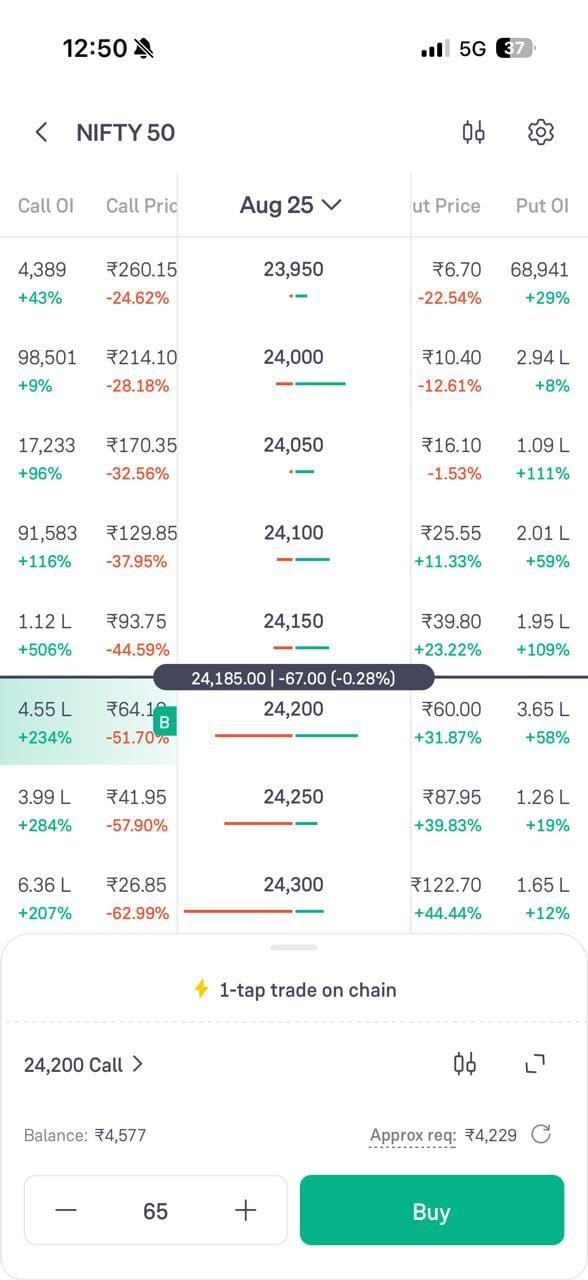
- The option chain now shows Call OI and Put OI next to each strike price, along with the change in OI
View Your Positions on the Option Chain
If you have open option positions, viewing them alongside the option chain can make position monitoring more convenient.
Instead of switching between the option chain and a separate positions screen, you can see your relevant contracts while analysing the chain.
For example, if you have bought a NIFTY 25,000 Call Option, you can track that position while comparing:
- The current option premium
- Other strike prices
- Open interest
- Option Greeks
- Market activity around nearby strikes
This can make it easier to analyse your existing position in the context of the wider option chain.
Conclusion
The option chain is more than a list of Call and Put Option prices. Features such as Greeks, Baskets, Pay-off analysis, OI Depth, OI Bars and position monitoring can help traders analyse and manage their options trades more efficiently.
These tools can provide useful information, but they do not predict market direction or guarantee profits. Use them alongside your trading strategy and risk management plan before taking an F&O position.