Trade on Charts on Groww: Tips, Features & Use Cases
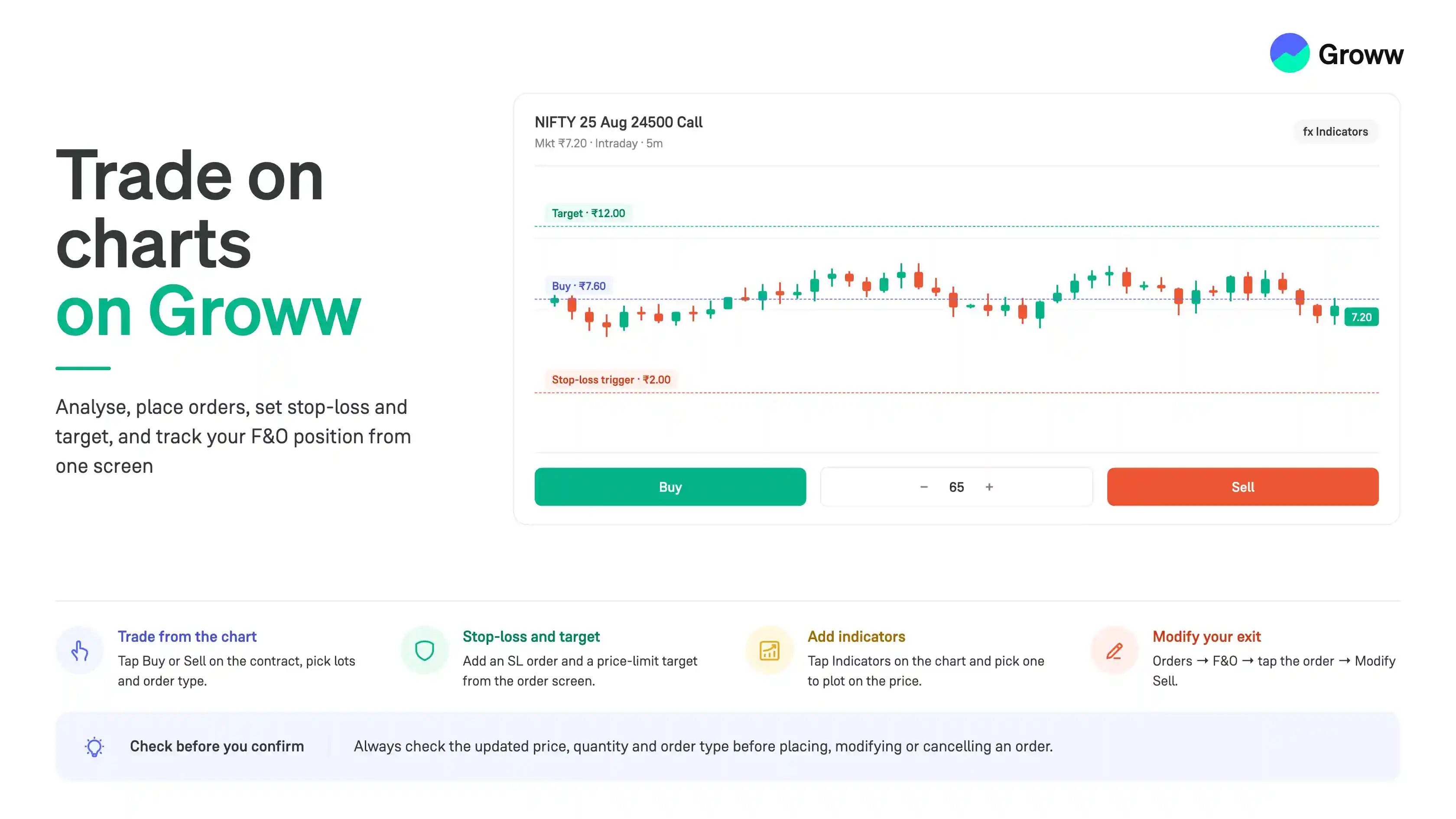


Groww lets you trade directly from the charts. The process is extremely convenient because you don't need to switch between charts, order windows, and positions. Traders can also analyse price movements, place orders, set risk levels, and monitor their trades from one screen. This guide explains how to use Groww's key chart-based trading features.
Charts help you understand how a F&O contract's price has moved over time. Charts help intraday traders and F&O traders across different styles. Some of the benefits of using charts are:
- Track price movements in real time
- Switch between different timeframes
- Study trends and market structure
- Identify important support and resistance levels
- Apply technical indicators and drawing tools
- Plan and execute trades directly from the chart
Place trades directly from the charts by clicking the BUY or SELL button for the selected F&O contract.
Set Stop-Loss and Target on Charts
Risk management is an important part of every trade. Groww charts allow you to visualise and manage your stop-loss and target levels directly on the chart. For example, let’s say we want to take a Long entry and also add a stoploss and target. Here are the steps:
- Step 1: Open the chart of the F&O contract you want to trade and tap BUY.
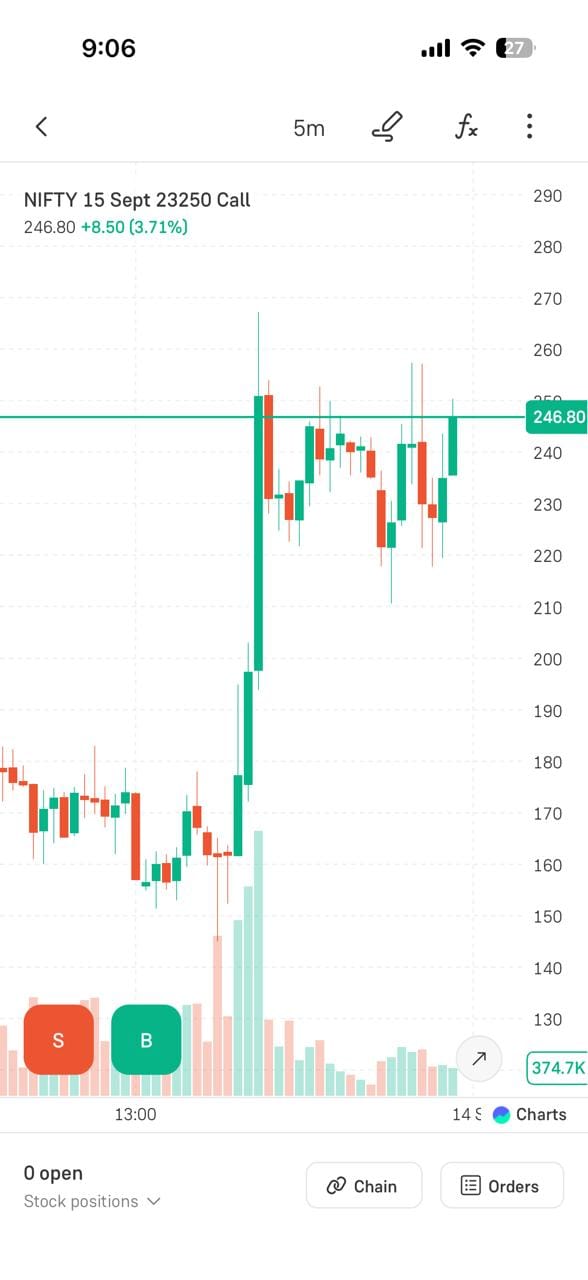
- Step 2: Select Intraday, choose the number of lots, and select the order type.
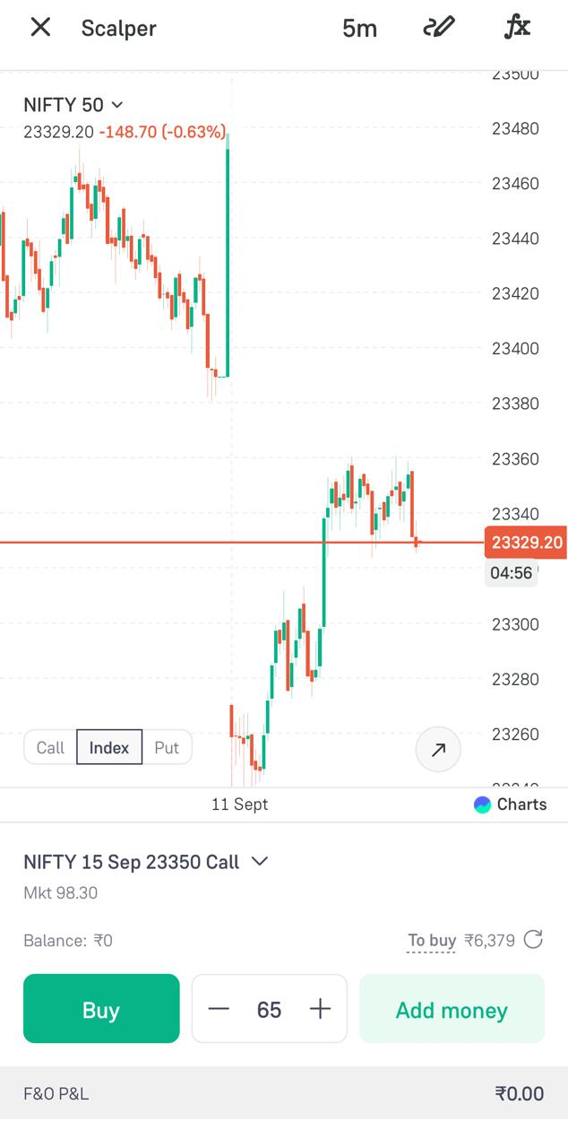
- Step 3: To add a stop-loss, tap the settings icon on the order screen.
- Step 4: Select SL order and tap Continue.
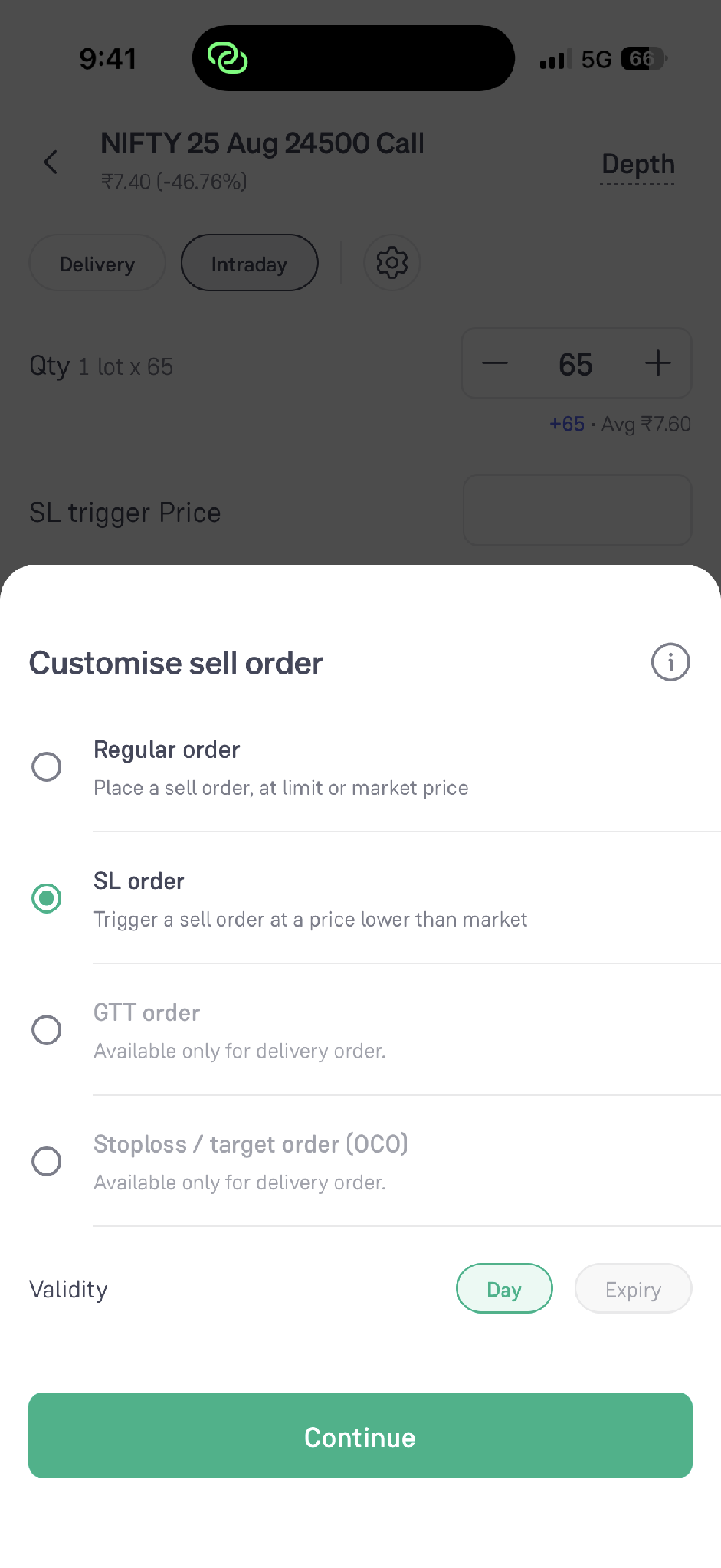
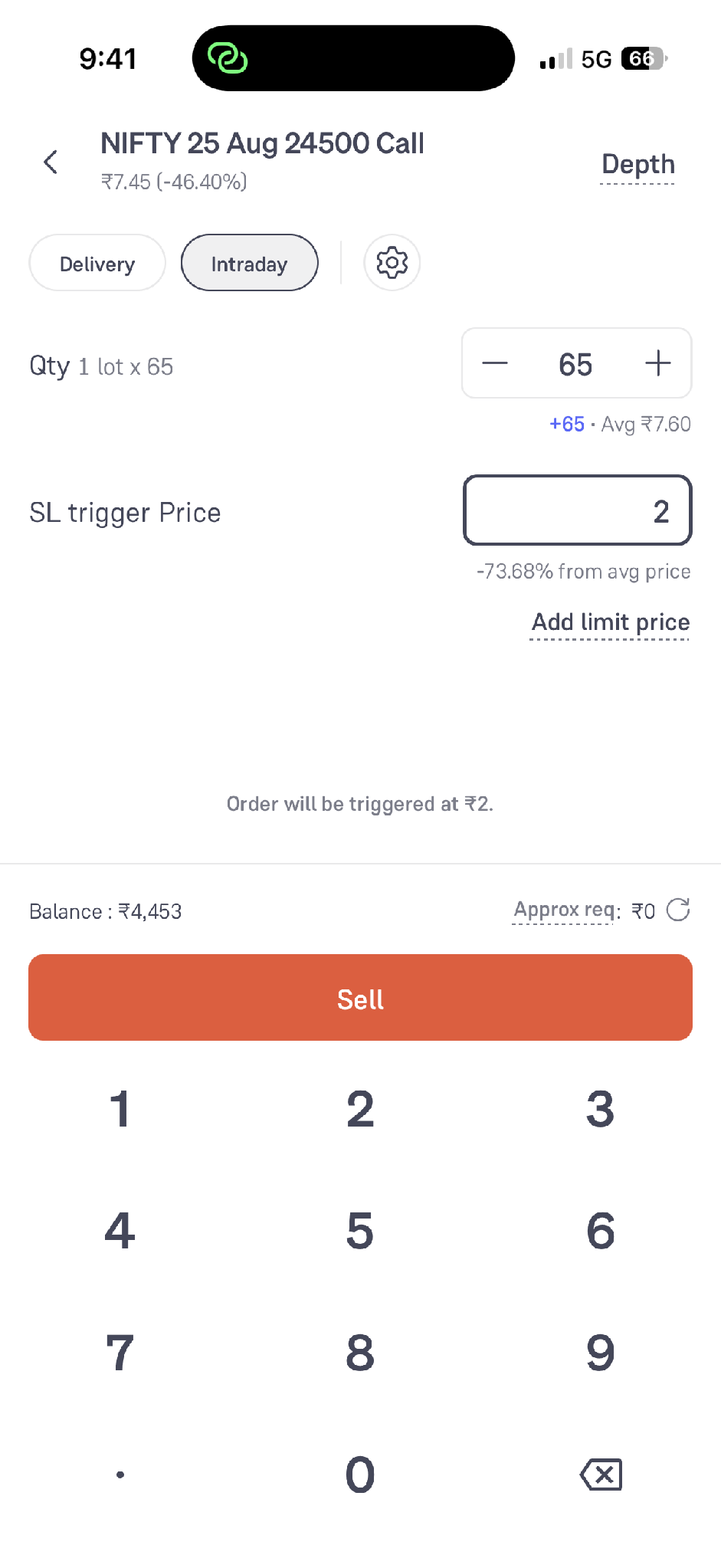
- Step 5: Enter the SL trigger price. You can also add a limit price if required, then tap Sell to place the stop-loss order.
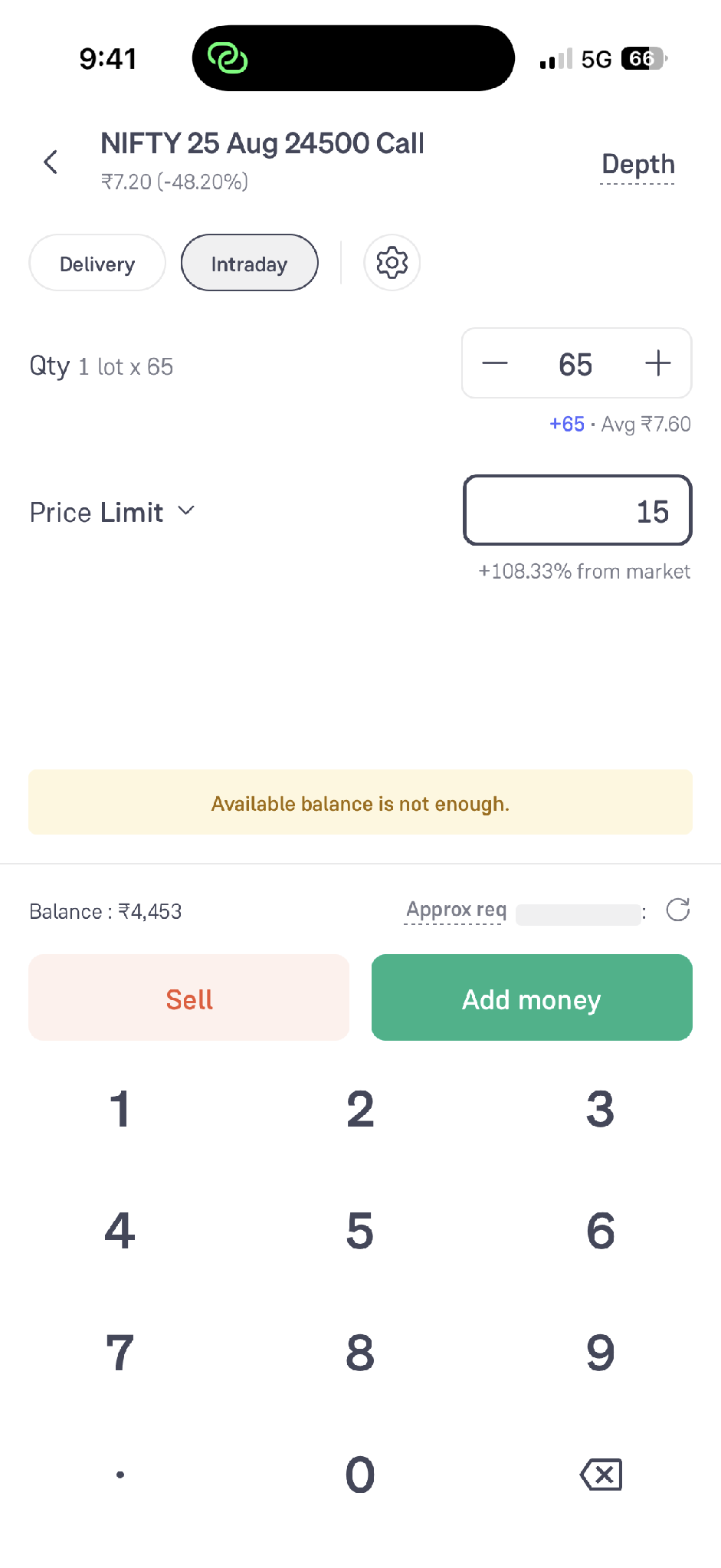
- Step 6: To add a target for a long position, click SELL. Then select Price Limit, enter your target price and quantity, and tap Sell.
Analyse Markets on Groww Charts
Before placing a trade, you can use Groww's charting tools to analyse price action. Traders can identify trends using price movements and trend-based indicators. Support and resistance levels can also help you identify areas where price has previously reacted.
Groww’s charts provide multiple indicators and drawing tools to help traders build a clearer trading setup.
Add or Modify Your Exit
Once you enter a trade, you can easily add or modify your stop-loss and target. Let us assume that you have a Long position. Here are the steps for adding a stoploss:
- Step 1: Open the Orders section and select the F&O tab.
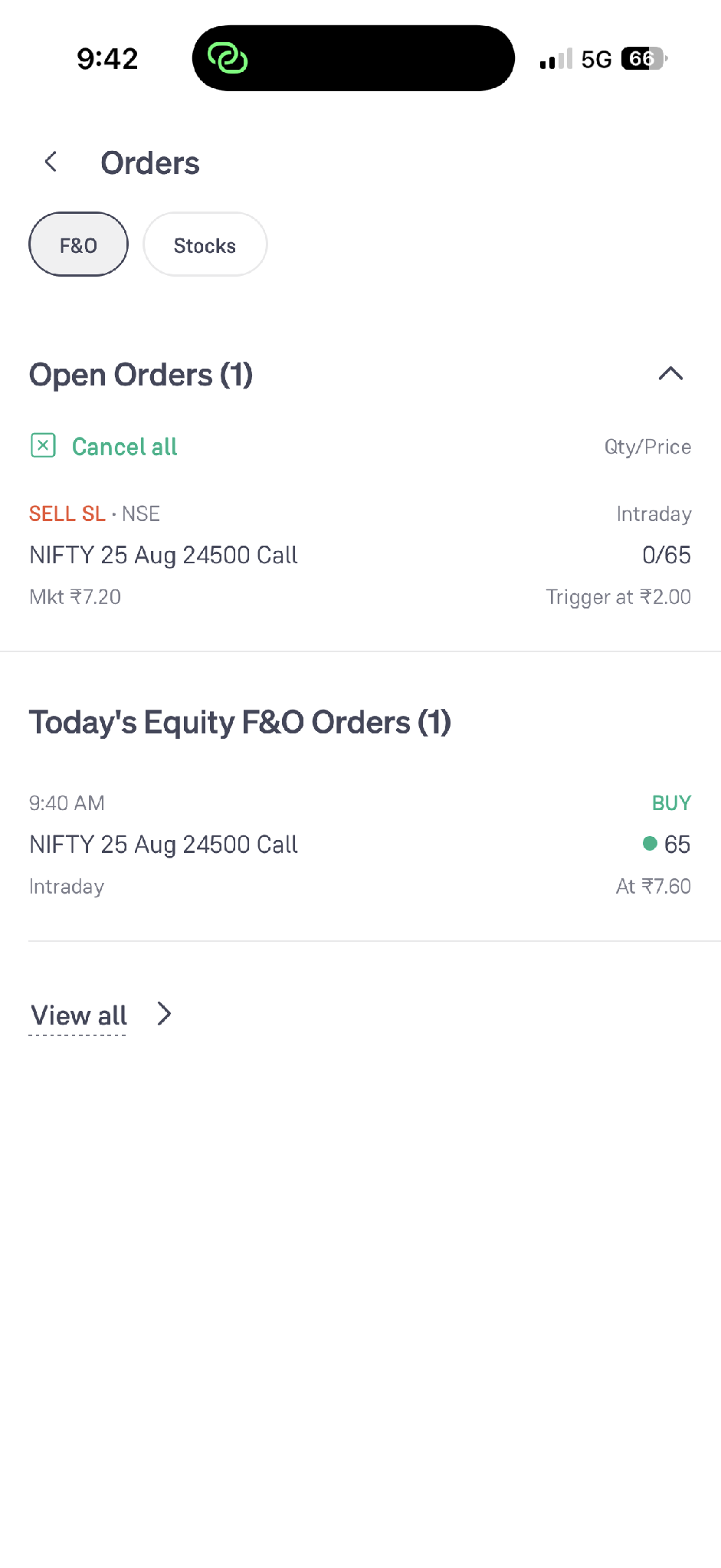
- Step 2: Tap the open order you want to modify to view its order details.
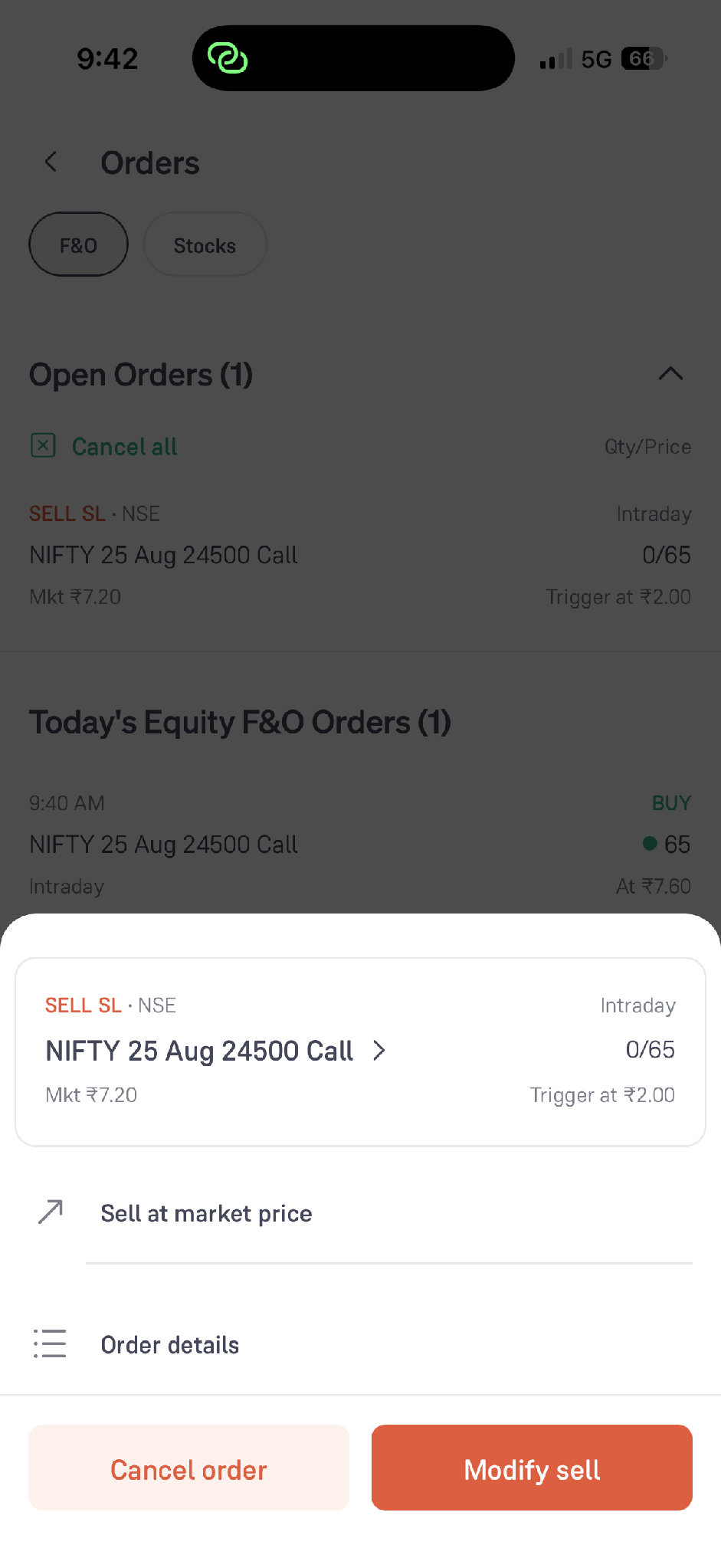
- Step 3: Tap Modify Sell, update the trigger price or other required details, and confirm the modification.
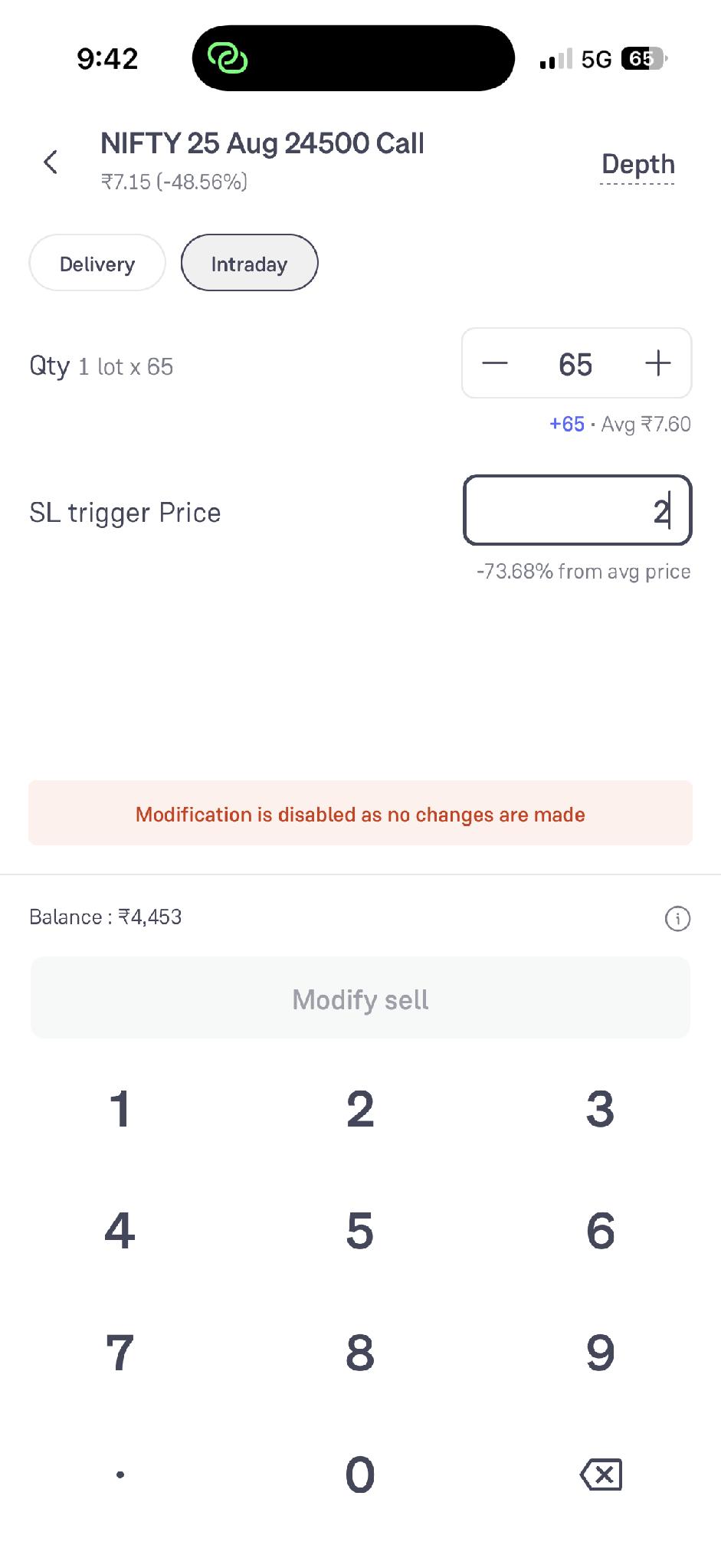
You can follow the same process to modify a target order. Open the relevant order, choose Modify Sell, update the limit price, and confirm the changes.
- To cancel an open exit order, tap the relevant order and select Cancel order.
- Review the cancellation details and confirm.
- Always check the updated price, quantity, and order type before modifying or cancelling an order.
Use Advanced Indicators
Technical indicators can help you analyse different aspects of price and market activity. To add an indicator, tap Indicators on the chart, search or browse the available indicators, and select the one you want to use. The selected indicator is then added directly to the chart. You can adjust an indicator's parameters in the chart settings, where available.
- Step 1: Tap Indicators to open the list of available indicators.
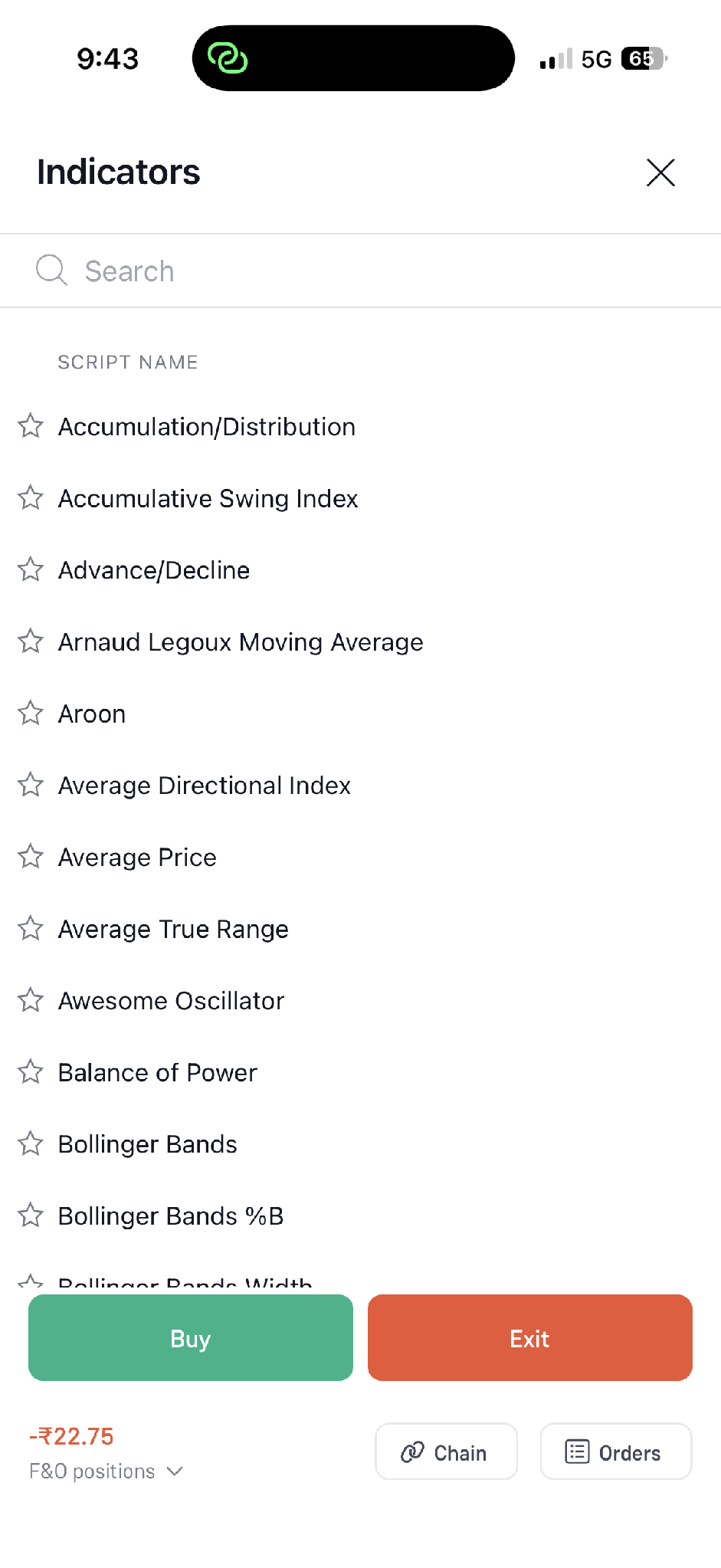
- Step 2: Search for or select an indicator. Once selected, it appears on the chart.
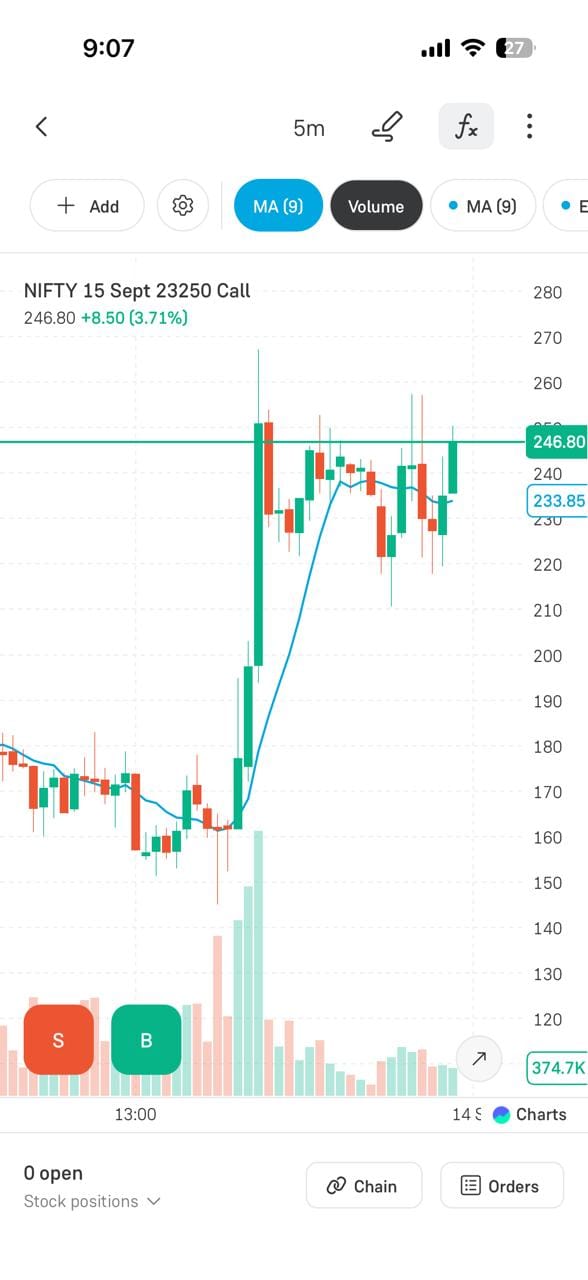
Place an Order Directly from the Chart
You can place an F&O order directly from the chart. Tap BUY to take a long position or SELL to place a sell order for the selected contract. Then choose the product type, number of lots, order type, and price (where applicable) before confirming the order.
Monitor Your Position on the Chart
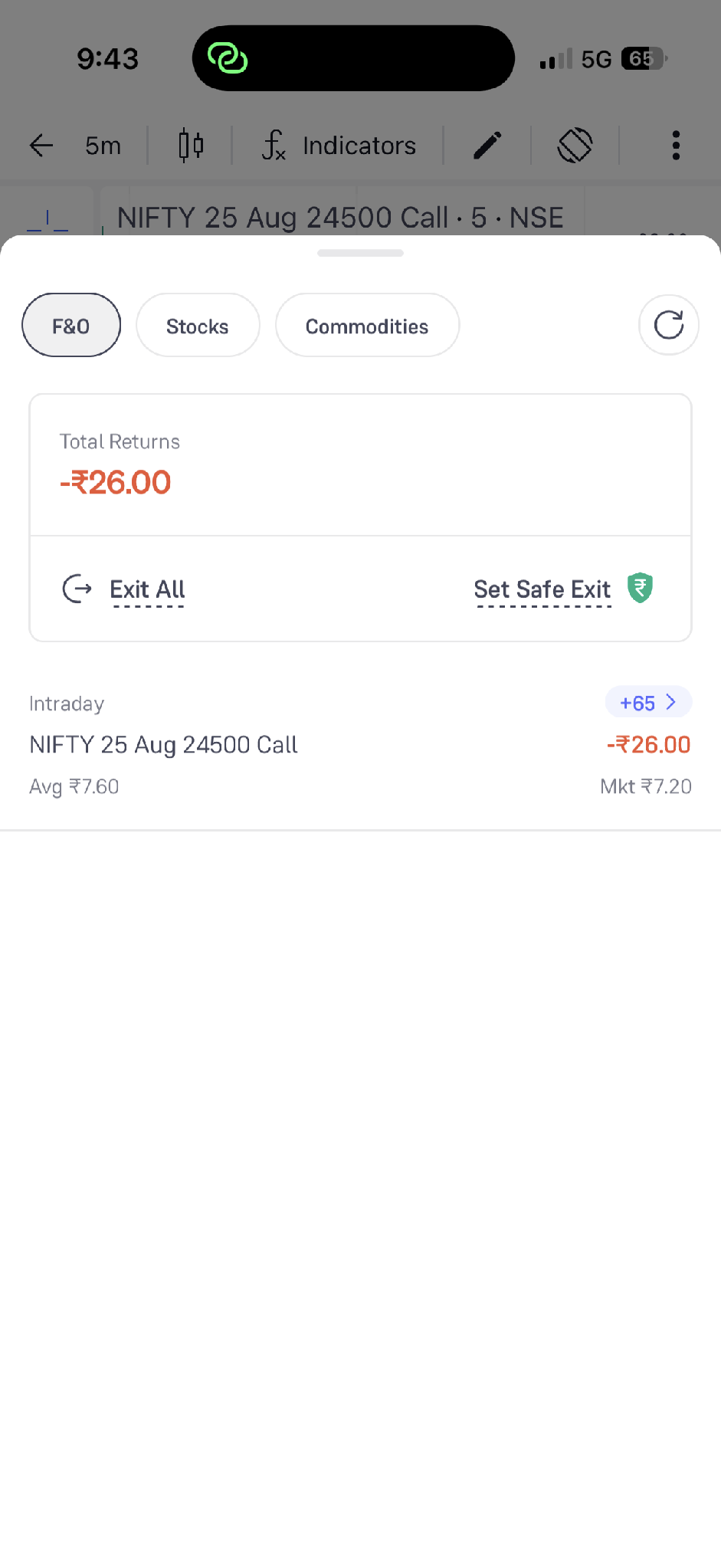
After placing a trade, you can monitor the position alongside live price movement. The position panel lets you view the overall F&O P&L and the details of individual open positions.
- Step 1: Tap the F&O positions panel at the bottom of the chart.
- Step 2: Review Total Returns, individual position P&L, average price, and market price. You can also use actions such as Exit All or Set Safe Exit, where available.
Conclusion
The chart-based trading features offered by Groww combine analysis, execution, and monitoring on one screen, which makes the process of trading both seamless and efficient. Whether it's placing BUY or SELL orders directly on the chart, setting stop-loss and target levels, altering exit conditions, applying advanced indicators, or keeping an eye on live positions, all the essential trading actions can be carried out with just a single tap. This kind of integration helps to save time, decreases the likelihood of missing important price movements, and enables traders to make better-informed decisions with improved risk management. When the tools are used effectively, F&O and intraday traders are able to establish a more structured, disciplined, and responsive trading workflow on Groww.