Trade with Control on Groww: Tips, Features & Use Cases


Entering a trade is only one part of the trading process. Managing risk and planning your exit can be equally important. Whether you are trying to limit potential losses, protect profits, or manage multiple positions, having clear exit conditions can help you trade with greater control.
Groww offers F&O features that can help traders plan and manage their positions and exits. This guide explains Safe Exit, Bracket Orders, OCO orders, Trailing Stop-Loss and Position Grouping, using NIFTY options as examples.
Safe Exit
Market prices can move quickly, and manually placing multiple exit orders may sometimes be inconvenient. The Safe Exit feature helps you manage your trade with predefined exit conditions.
Depending on the available options for your trade, you can set the price levels at which you want to limit your loss or book profits. This allows you to define your exit plan alongside your trading position.
Here are the steps to set a Safe Exit on Groww:
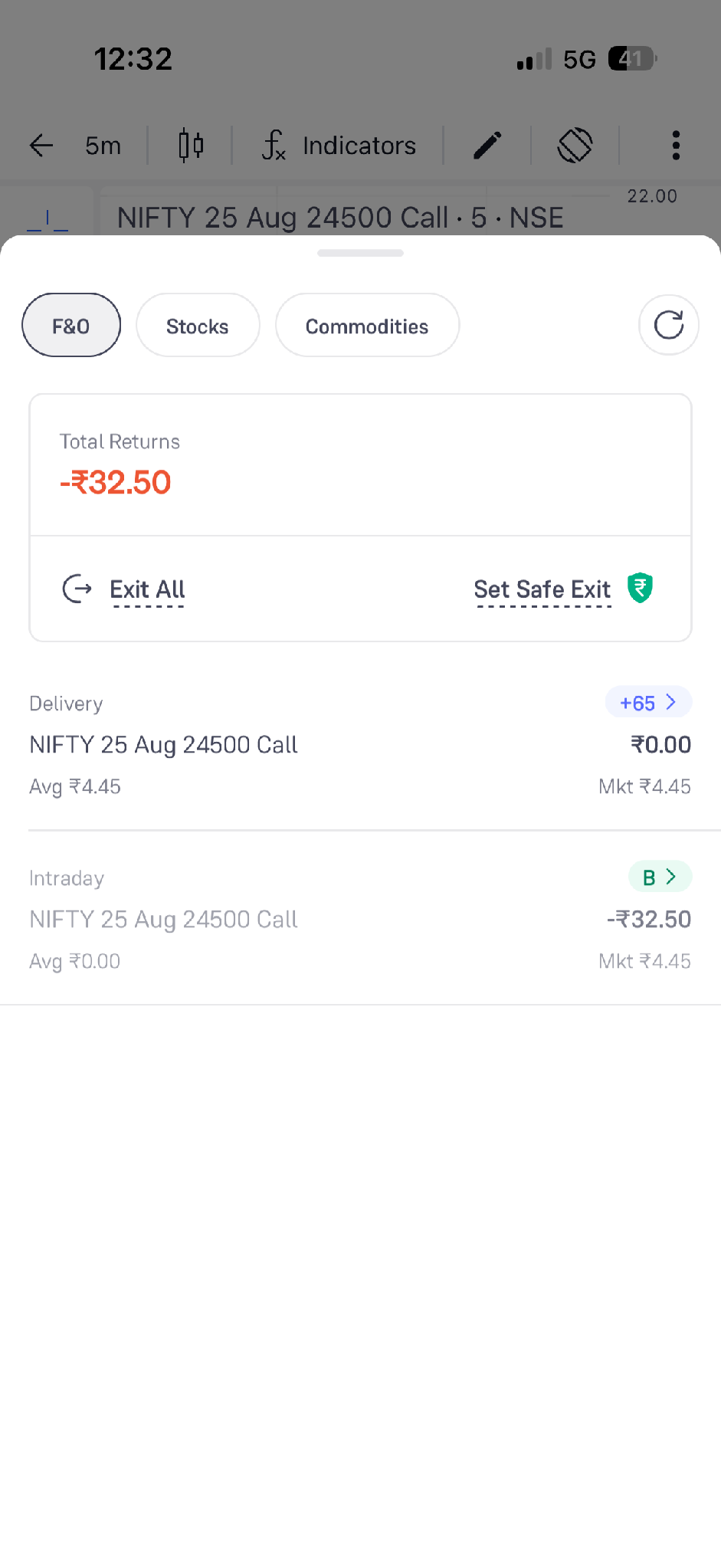
- Open the F&O tab in your positions and click “Set Safe Exit”
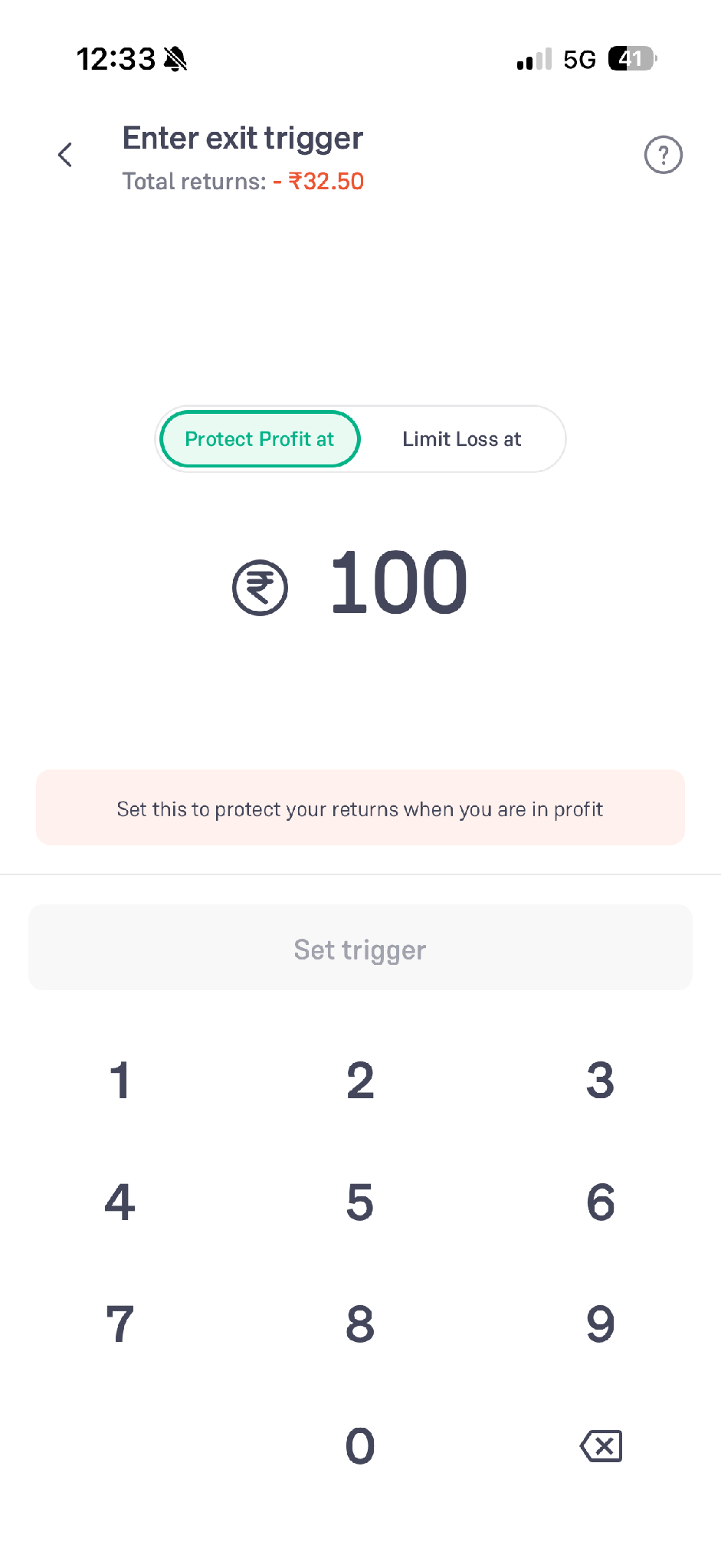
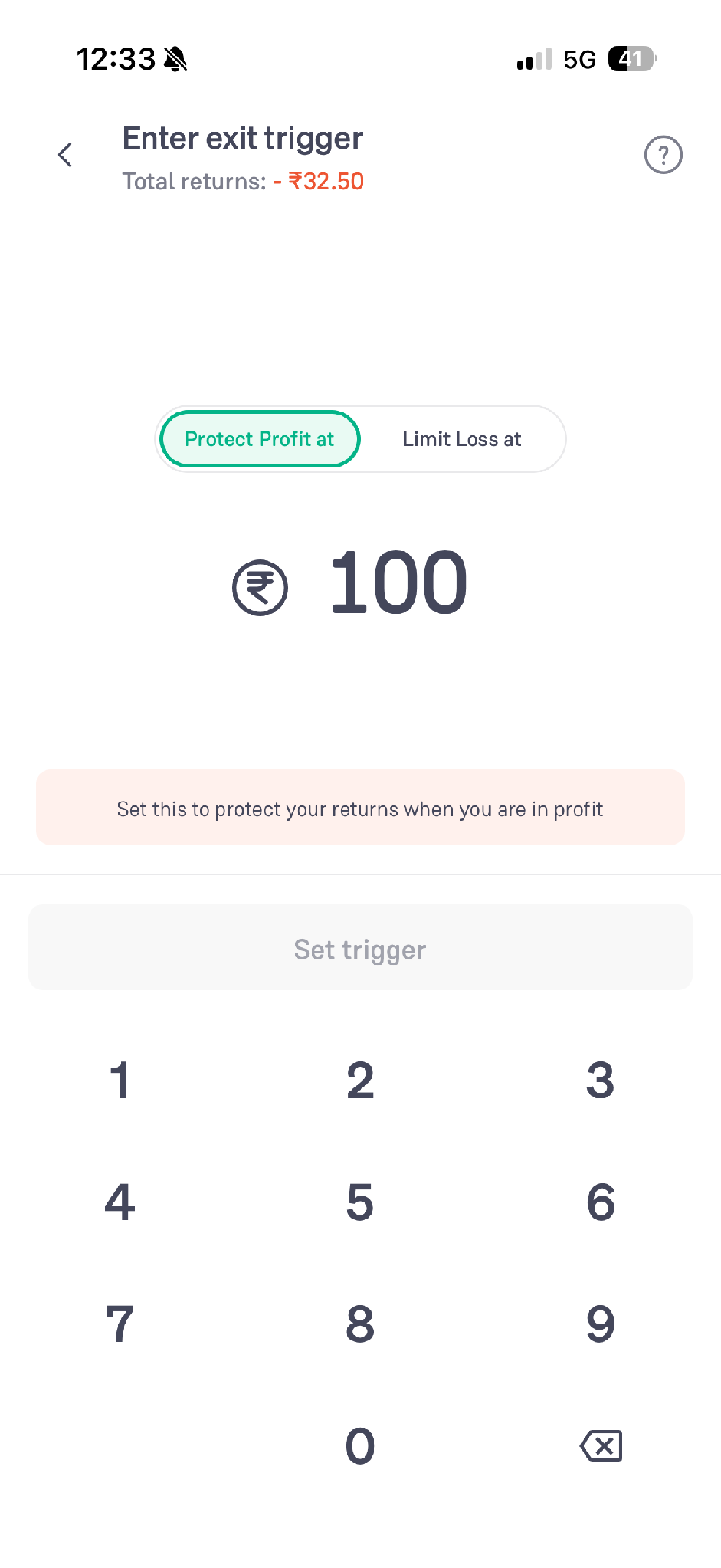
- To book profits, select “Protect Profit at” and enter the amount at which you want to protect your returns
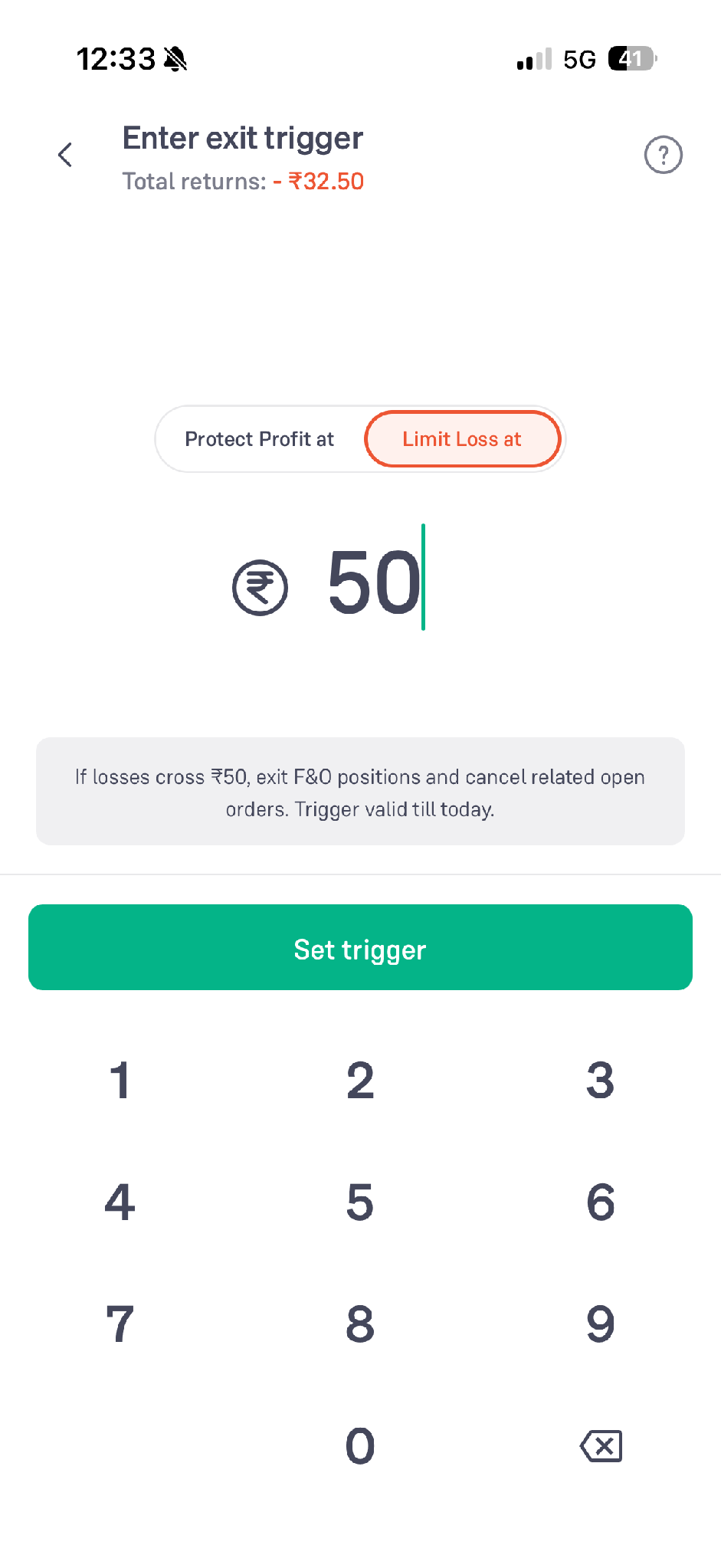
- To limit a loss, select “Limit Loss at” and enter the amount at which you want to exit
- Click “Set trigger” to confirm
Protect Profit
Protect Profit is the other side of the Safe Exit trigger screen. A Limit Loss trigger caps what a move against you can cost, while Protect Profit acts on a gain you are already showing and exits the positions if that gain falls back to a level you have set.
- Open the F&O tab in your positions and click “Set Safe Exit”
- Select “Protect profit at” at the top of the exit trigger screen
- Enter the profit level you want to protect
- The screen states that all F&O positions are exited and the open orders cancelled when the profit drops to that amount
- Click “Set trigger” to confirm
For example, suppose you bought a NIFTY Call Option at ₹100, and the premium has moved to ₹118, so the position is showing a profit. Setting Protect Profit below that gain means the position exits if the profit falls back to it, so you keep part of the gain even if you are away from the screen.
Protect Profit works on your F&O positions as a whole rather than on a single order, and the trigger is valid for the trading day.
Bracket Order
A Bracket Order helps you place an F&O entry order along with predefined exit conditions. Typically, a bracket order includes:
- Entry: The price at which you want to enter the trade
- Stop-Loss: The level at which you want to limit a potential loss
- Target: The level at which you want to book profits
Here are the steps to place a bracket order:
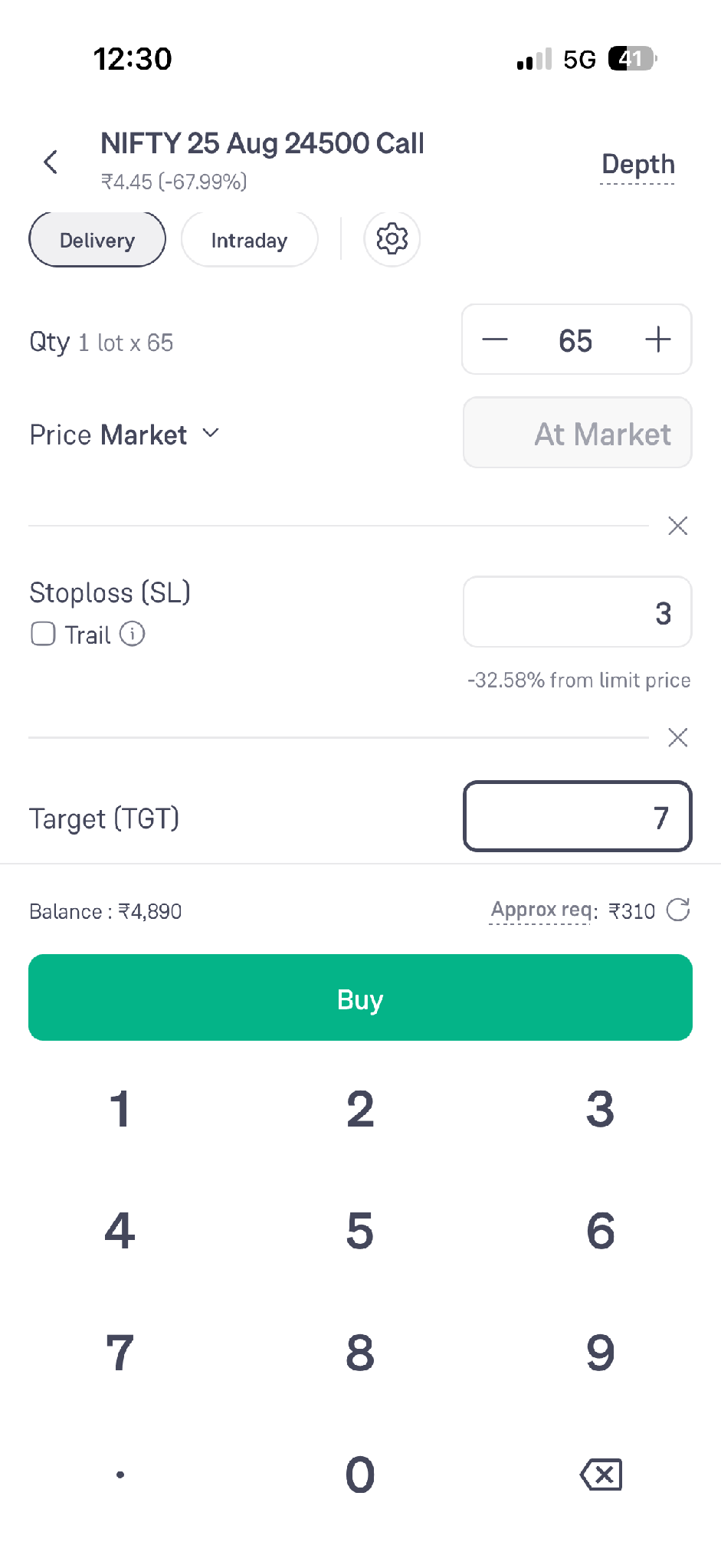
- Let us assume that we want to place a Buy order. So first, click Buy
- Click “Add Stoploss / Target”
- Fill in the quantity to be traded
- Enter the Stoploss (SL) and the Target (TGT)
- Click the “Buy” button
For example, suppose you buy a NIFTY Call Option at a premium of ₹100. You may set:
- Stop-loss at ₹95
- Target at ₹110
This means you have defined both the potential downside and your intended profit-taking level when entering the trade.
Bracket orders can help traders plan their risk and reward before the trade is executed. However, market conditions, liquidity, and price movements can affect order execution.
OCO Orders
OCO, or One Cancels the Other, lets you set two exit conditions for the same position. Usually, you can use one order as a stop-loss and the other as a target. If one order is executed, the other is automatically cancelled. This is usually an important feature in the F&O segment.
For example, if you have bought a NIFTY Call Option at a premium of ₹100, you may place:
- A stop-loss at ₹95
- A target at ₹110
If the price reaches ₹110 and the target order is executed, the stop-loss order is cancelled. Similarly, if the stop-loss is triggered first, the target order is cancelled. OCO orders help you manage a position without manually cancelling the other exit order once one condition is met.
Here are the steps to place OCO on Groww:
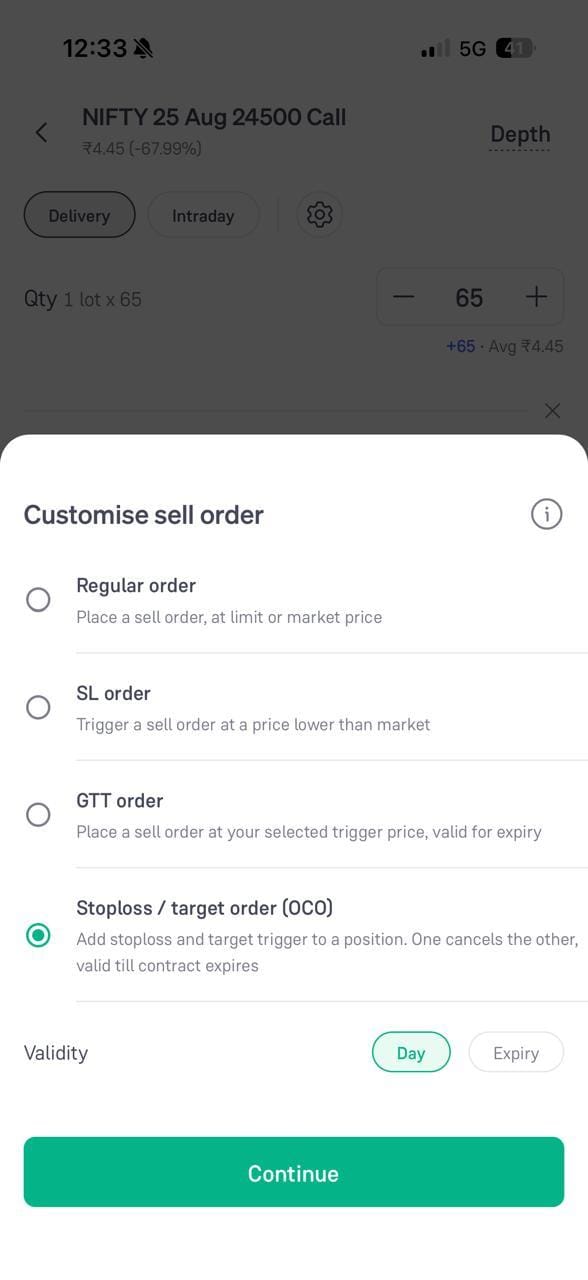
- On the order screen for the position, click the settings icon to open “Customise sell order”
- Select “Stoploss / target order (OCO)”
- Select the validity as “Day” or “Expiry” and click “Continue”
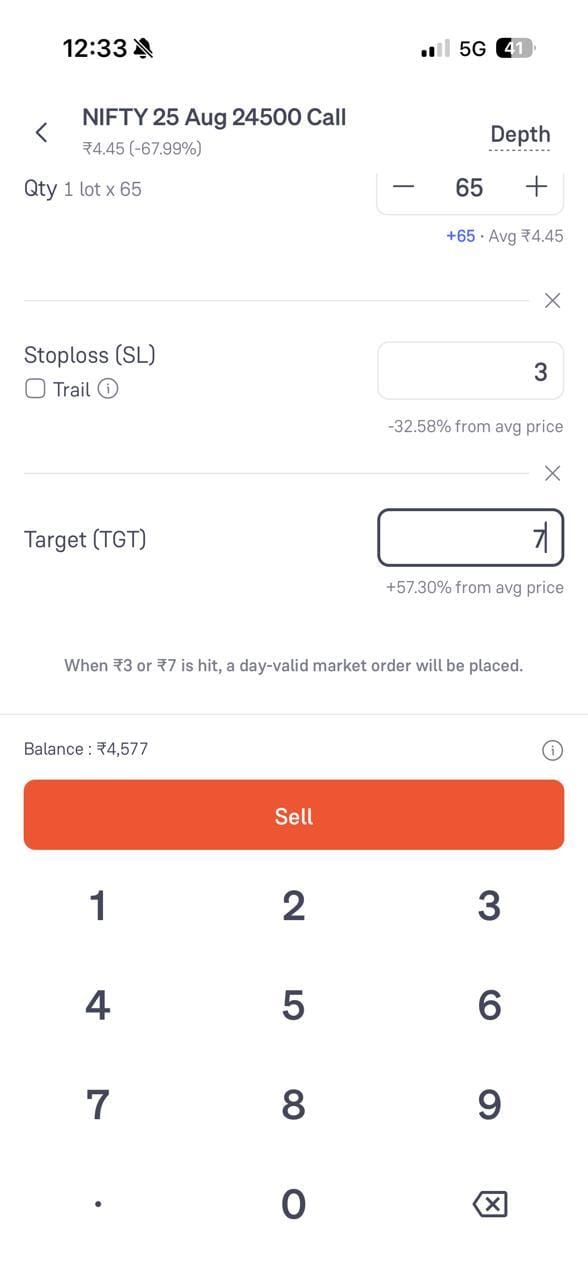
- Enter the Stoploss (SL) and the Target (TGT)
- Click the “Sell” button
Trailing Stop-Loss (TSL)
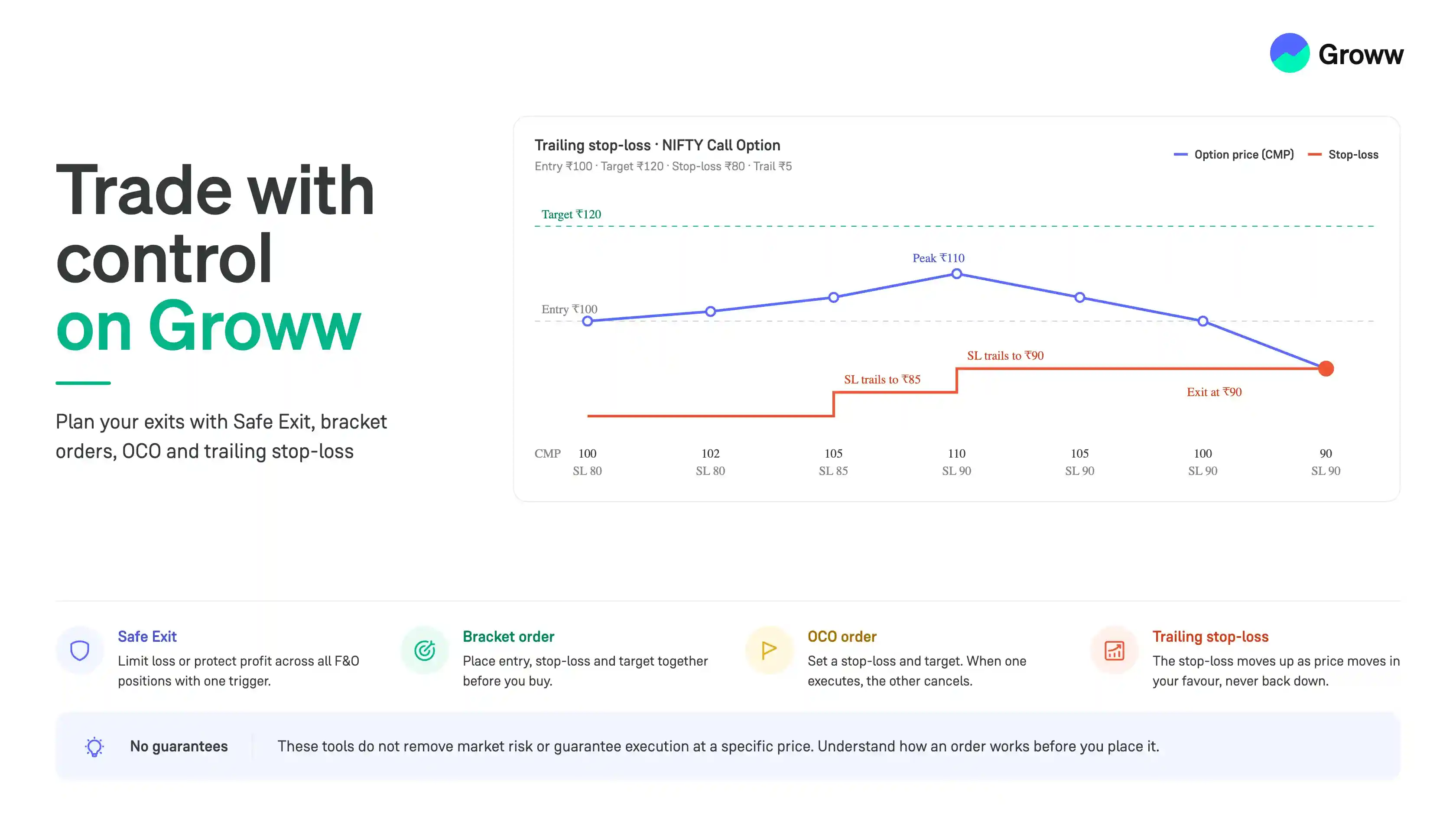
A Trailing Stop-Loss is a stop-loss that can move in the direction of a favourable price movement. Unlike a fixed stop-loss, a trailing stop-loss adjusts as the market moves in your favour while maintaining a defined distance from the price.
For example, suppose you buy a NIFTY Call Option at a premium of ₹100 and set a trailing stop-loss with a ₹5 trail.
- If the price rises to ₹105, the stop-loss may move higher according to the defined trailing conditions.
- If the price continues to rise, the stop-loss can continue to trail the favourable price movement.
- If the price falls, the stop-loss does not move back down.
This helps traders protect some gains while allowing the trade to remain open if the price continues moving in the desired direction.
Here is how we can add a trailing stoploss on Groww. Let's assume we are taking a Long trade again.
- Click Buy
- Click the “Add Stoploss / Target” button
- After entering the Stoploss, check the tick box “Trail” below
- The Stoploss now shows as “Stoploss (TSL)” with a “Trail every” amount next to it
- Click the “Trail every” amount to choose how often you want the stop-loss to trail, and adjust it as needed. For example, if you want the stop-loss to move after every ₹2 favourable movement in the option premium, you can set the trail as ₹2.
- Click the “Buy” button
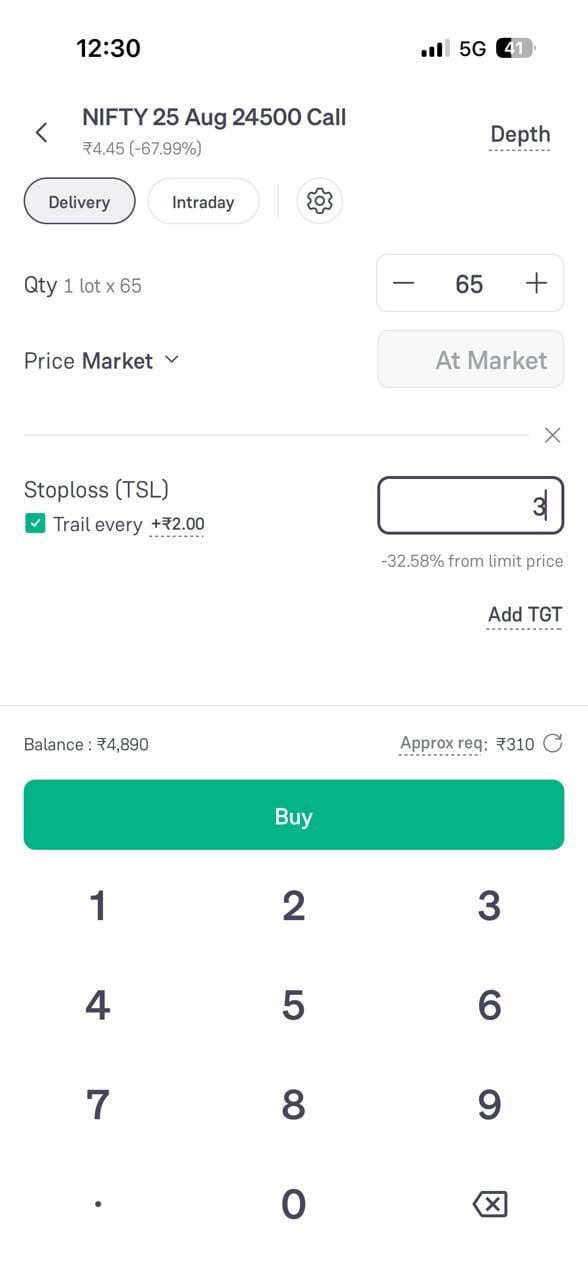
Here is a complete F&O example of how trailing can help while trading a NIFTY Call Option:
- Entry = ₹100
- Target = ₹120
- Stoploss ₹80
Initially, the trader has a risk of ₹20 and potential profit is also ₹20. Now assume they add a trailing stoploss of ₹5.
|
CMP |
Stoploss |
Risk |
Remarks |
|
100 |
80 |
20 |
|
|
102 |
80 |
20 |
|
|
105 |
85 |
15 |
Trailing Stop Loss |
|
110 |
90 |
10 |
Trailing Stop Loss |
|
105 |
90 |
10 |
|
|
100 |
90 |
10 |
|
|
90 |
90 |
10 |
Exit |
|
80 |
90 |
|
Already Exited |
Conclusion
F&O trade management is not just about knowing when to enter a position. It is also about planning how you will exit if the option premium or underlying market moves in your favour or against you.
Features such as Safe Exit, Bracket Orders, OCO, Trailing Stop-Loss, and Position Grouping can add structure and control to this process. However, these tools do not remove market risk or guarantee execution at a specific price.
Always understand how an order works before placing it and use exit levels that align with your overall trading strategy and risk management plan.