Scalping Mode on Groww: Trade in a Few Clicks
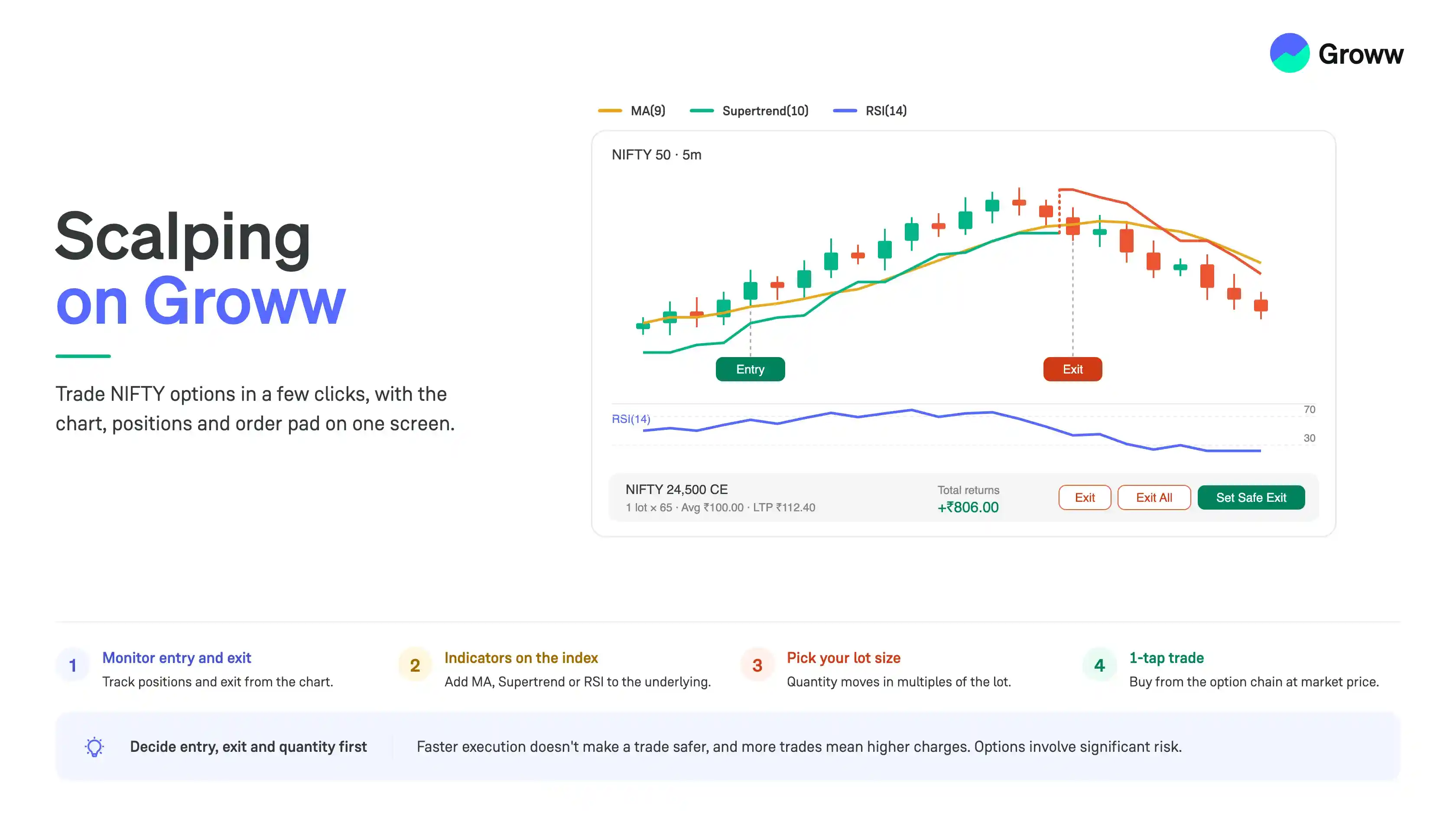


Scalping involves taking short-term trades to capture relatively small price movements. Since these trades are often held for a short period, traders may need to analyse the market, monitor their positions and take entry or exit decisions quickly.
When trading NIFTY options, it can be useful to keep both the underlying index and the option contract in view. Groww brings these actions together on the chart screen itself.
This guide covers three parts:
- Entry and exit monitoring
- Indicators for the underlying
- Lot size selection
For simplicity, the examples in this guide use NIFTY Call Options.
Entry and Exit Monitoring
In a scalping trade, the exit often matters more than the entry. Groww lets you track the position on the same chart you are watching, so you don't have to switch to a separate positions screen while the trade is running.
- Click the positions strip at the bottom of the chart to open the positions panel
- Select the F&O tab in the panel to see your F&O positions
- The panel shows the total returns, and for each position the average price, the market price and the current profit or loss
- Click the “Exit” button next to a position to close it directly from this panel
- Use “Exit All” to close every open position together
- “Set Safe Exit” lets you set a profit level or a loss level at which the positions are exited for you
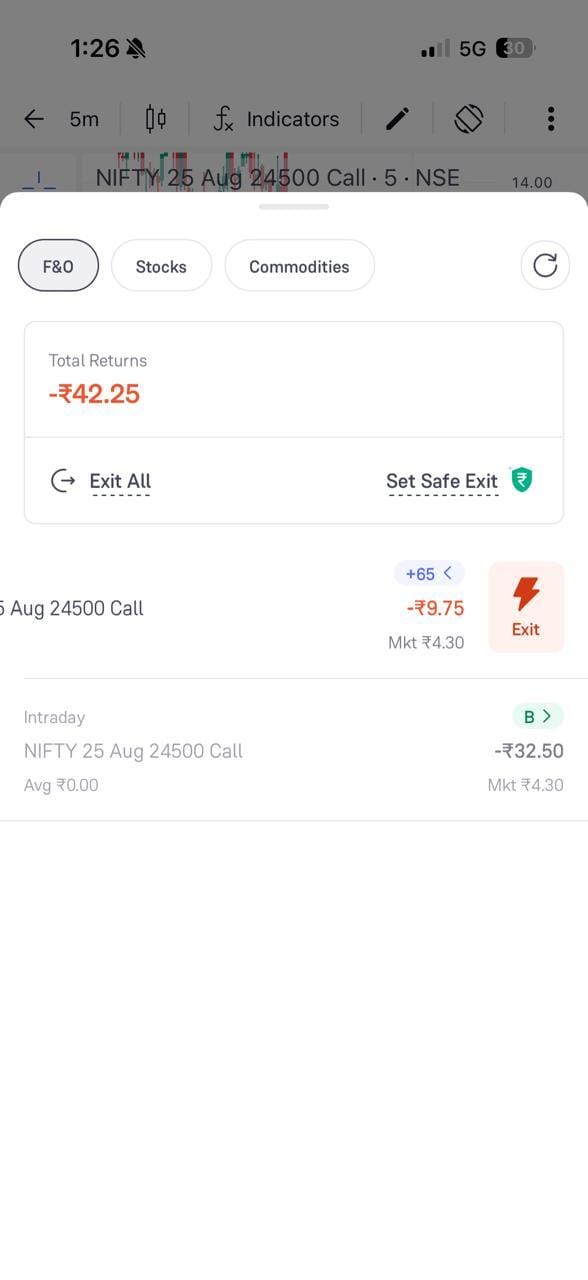
Safe Exit works as a trigger on your positions, so it does not replace a stop-loss on the order itself.
Indicators for the Underlying
An option premium moves with the underlying index, so many scalpers read the signal on NIFTY or SENSEX and then trade the option. You can add indicators to the underlying chart from the chart screen itself.
- Open the chart of the underlying index
- Click the “fx” icon in the top toolbar to open the indicator strip
- The strip shows the studies available, such as Volume, MA(9), EMA(9) and Supertrend(10), along with an “Add” option for more
- Click a study to apply it to the chart, and click it again to remove it
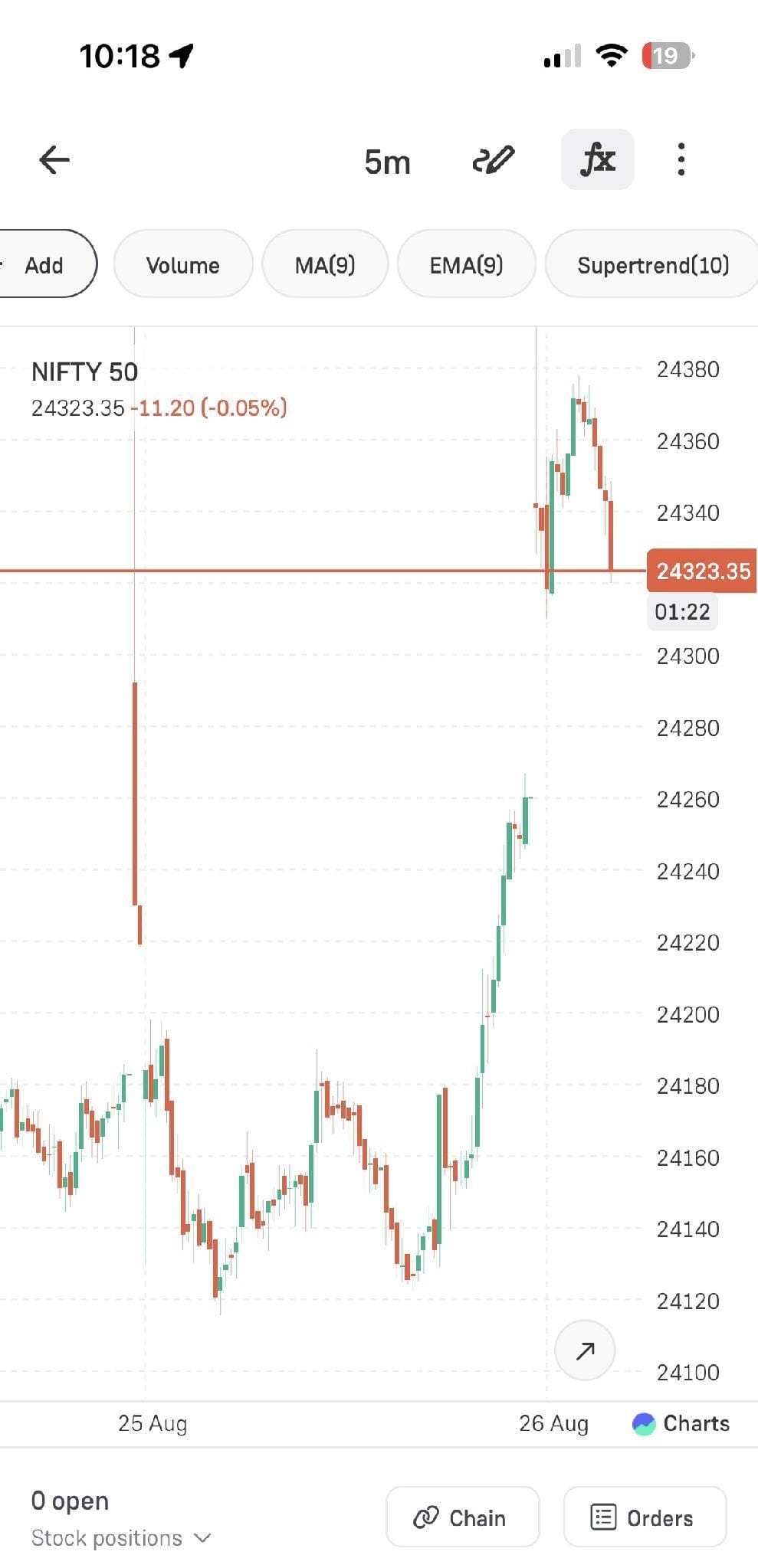
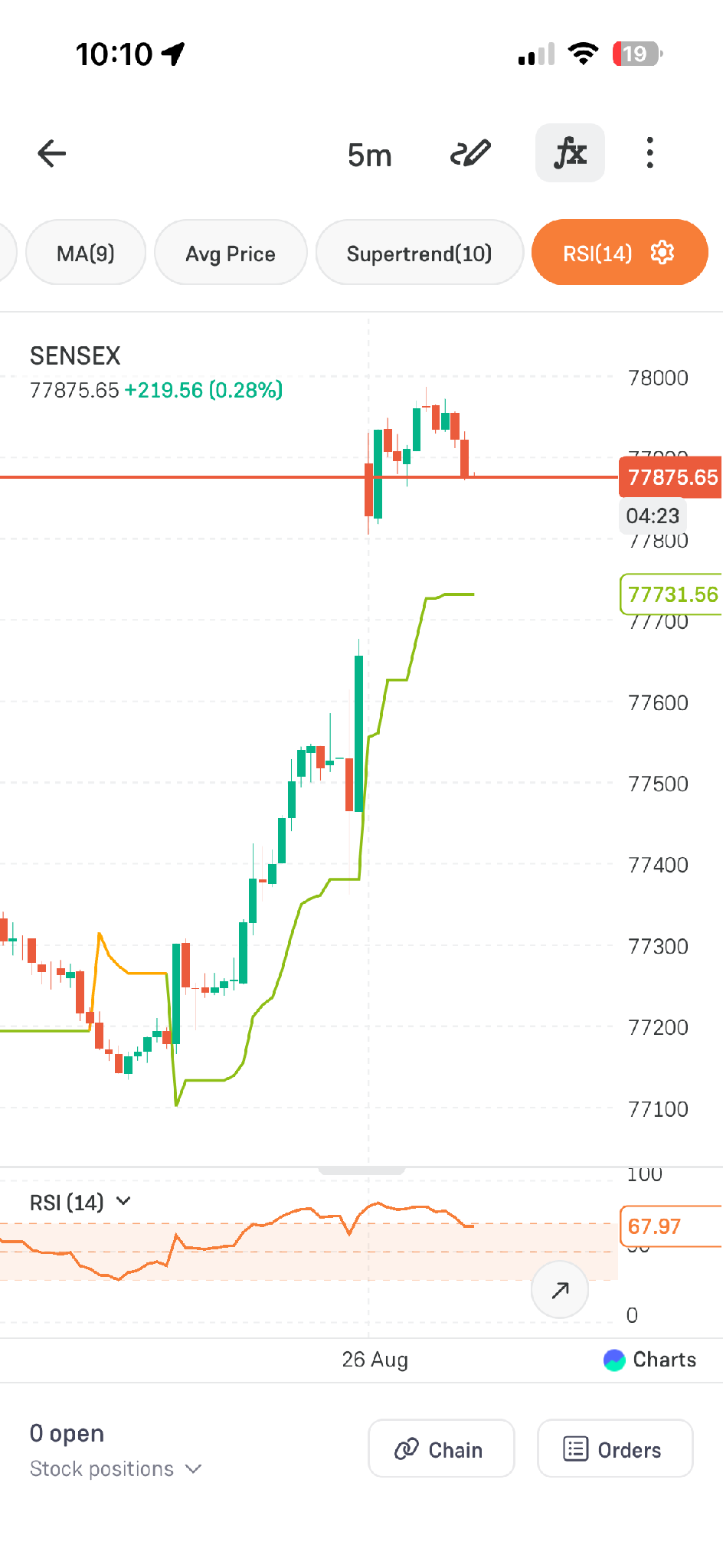
You can apply more than one study at the same time.
- In this example, MA(9), Supertrend(10) and RSI(14) are applied together on the 5-minute SENSEX chart
- MA and Supertrend are plotted on the price chart itself, while RSI is plotted in a separate panel below it
- Click the settings icon on a selected study to change its parameters
You can also apply the same indicators to the option contract chart itself, so you can study the premium directly instead of only the index. Many scalpers use both: the underlying for the direction of the move, and the premium chart for the entry and exit levels of the contract they are trading.
Keep in mind that an option premium also moves with time decay and volatility, so a signal on the premium chart may not look the same as one on the underlying. Adding too many studies to a scalping chart usually slows decisions rather than improving them.
Lot Size Selection
F&O contracts trade in lots, so the quantity you enter is a multiple of the lot size and not a free number. Getting this right matters in scalping because a small move on a large quantity is still a large amount.
- Open the order screen for the contract you want to trade
- The Qty field shows the lot size, for example, 1 lot x 65, and the box on the right shows the total quantity
- Use the plus and minus buttons to add or remove lots. The quantity moves in multiples of the lot size
- Check “Approx req” at the bottom against your available balance before placing the order
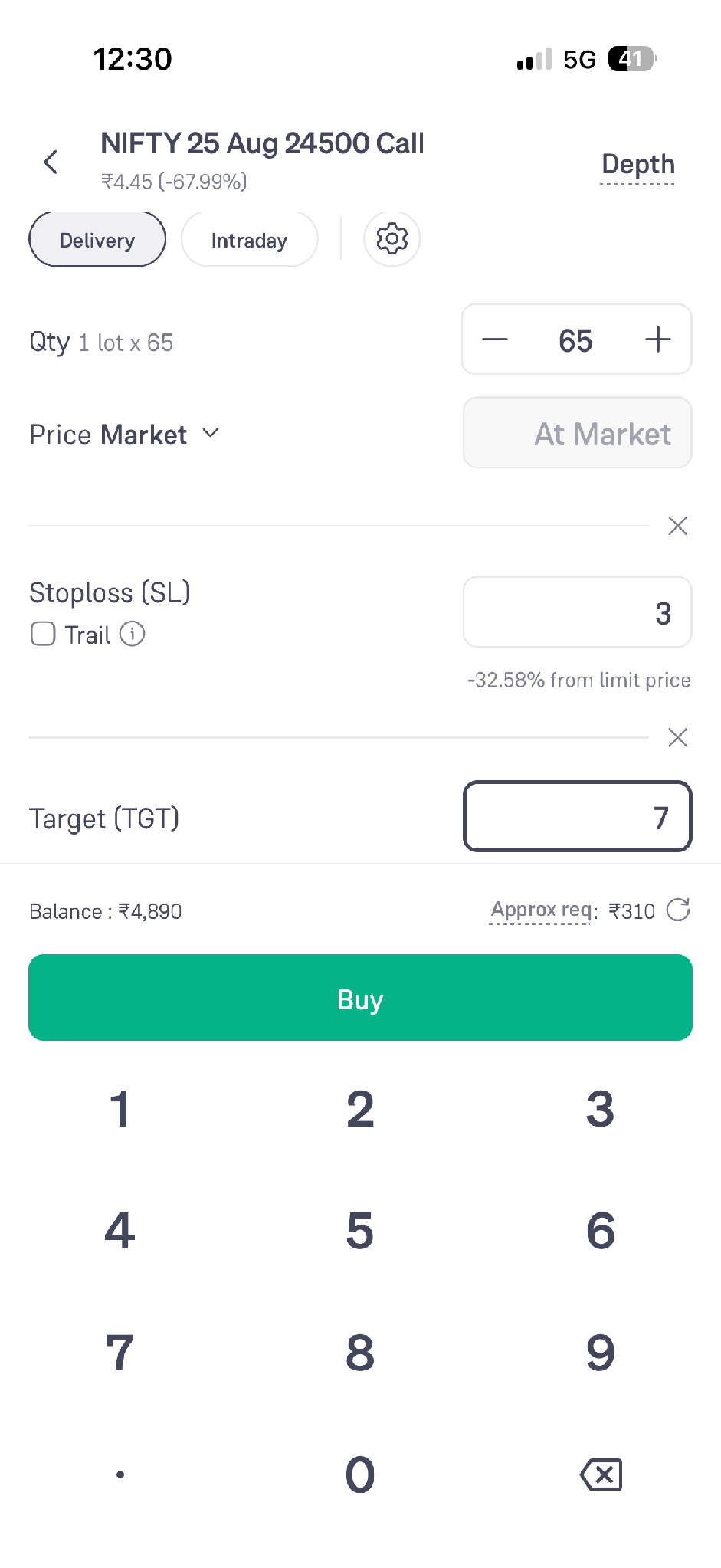
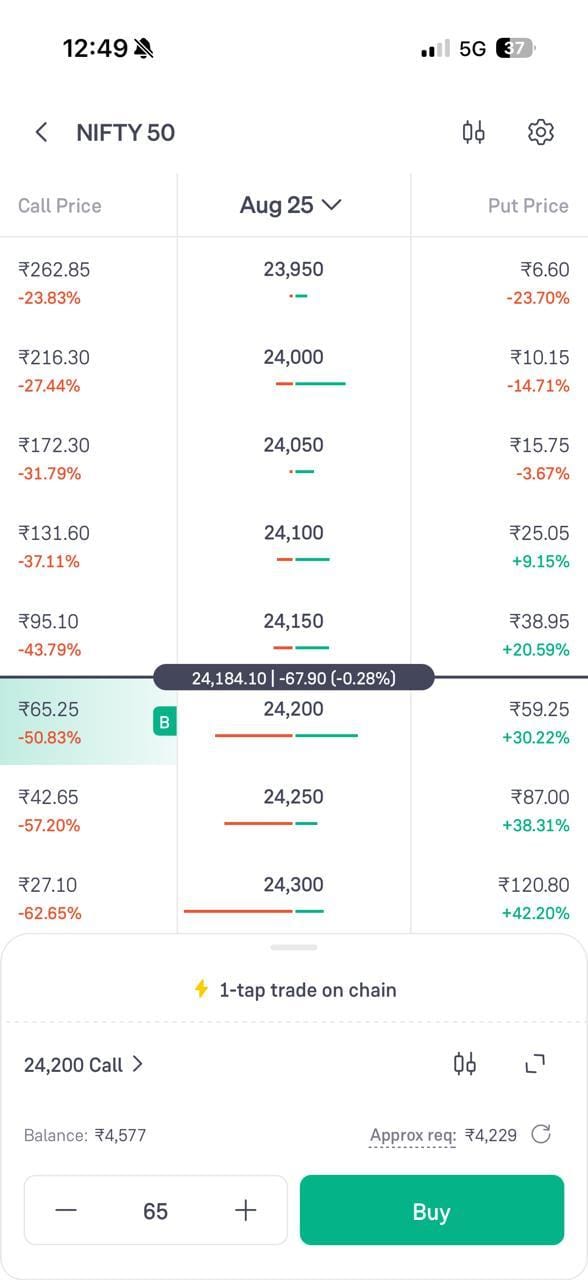
The same quantity control appears on the 1-tap trade panel of the option chain.
- Select the strike you want to trade on the option chain
- The 1-tap panel opens at the bottom with the contract name, the quantity and the Buy button
- Adjust the quantity using the plus and minus buttons before you tap Buy, since the order goes through at the market price
Conclusion
Scalping leaves very little time between a decision and an order. Keeping the chart, the option chain, the positions panel and the order pad on one screen removes most of that delay, and indicators on the underlying help you read the move that the option is responding to.
These features can speed execution, but they don't make the trade safer. Decide your entry, exit, and quantity before the trade, and review your P&L along with the charges, since more trades mean higher costs. Options involve significant risk, and no feature or strategy can guarantee profits.