How to Add Money to US Stocks on Groww with ICICI Bank: A Step-by-Step Guide
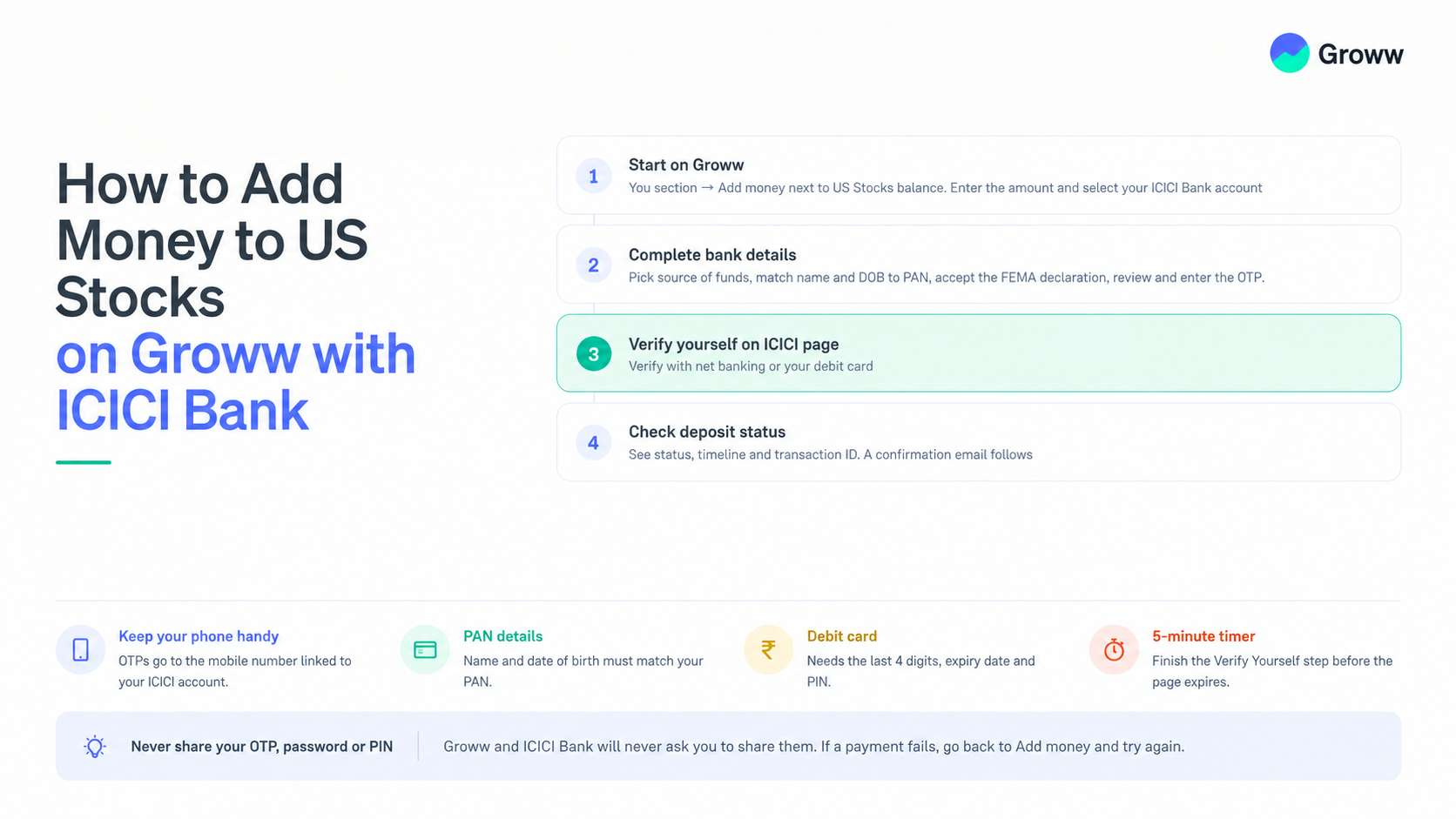


Adding money to your US Stocks balance on Groww is the first step towards investing in US stocks and ETFs. If you have an ICICI Bank account, you can add money through the net banking option on Groww. The process involves entering the amount you want to add, confirming your bank details, logging in to ICICI Bank’s internet banking portal, and completing the required details.
This guide walks you through each step of adding money to your US Stocks balance using ICICI Bank, so you can follow the process easily and complete your transfer.
What Do You Need Before You Start?
Keep these handy so the process takes just a few minutes:
➡️ Your phone, with the mobile number linked to your ICICI Bank account, to receive OTPs.
➡️ Your ICICI Bank Customer ID and net banking password, if you choose to verify with net banking.
➡️ Your ICICI debit card, if you choose to verify with your card. You will need the last 4 digits, expiry date and PIN.
How to Add Money to US Stocks Using ICICI Bank?
Step 1: Start on Groww
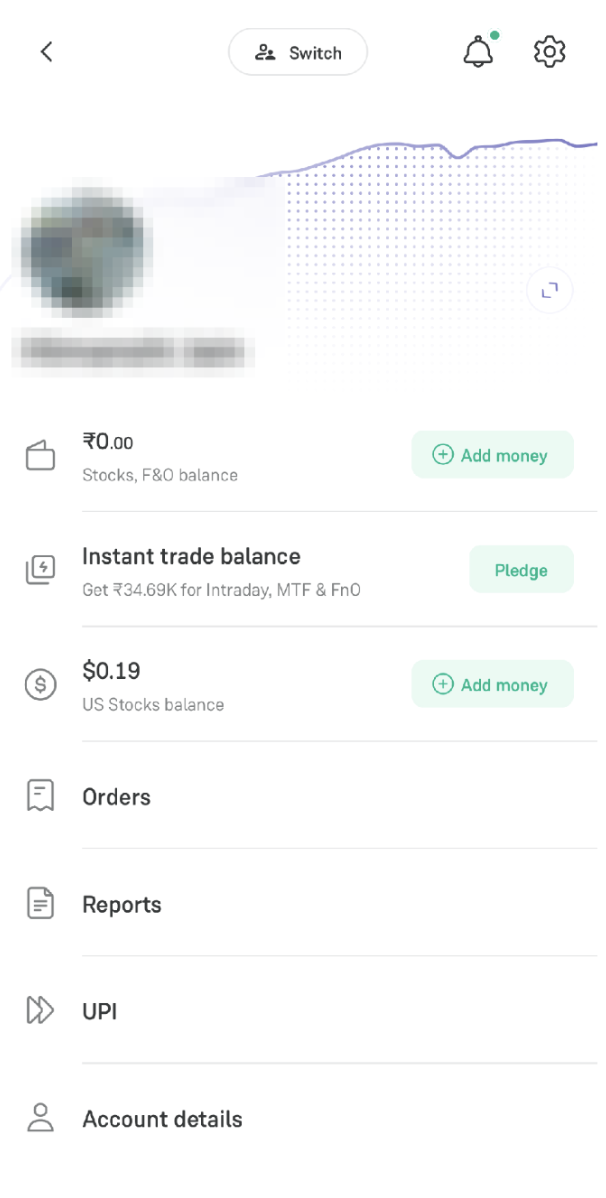
- Open the Groww app and go to your "Profile Section".
- Tap "Add money" next to your US Stocks balance.
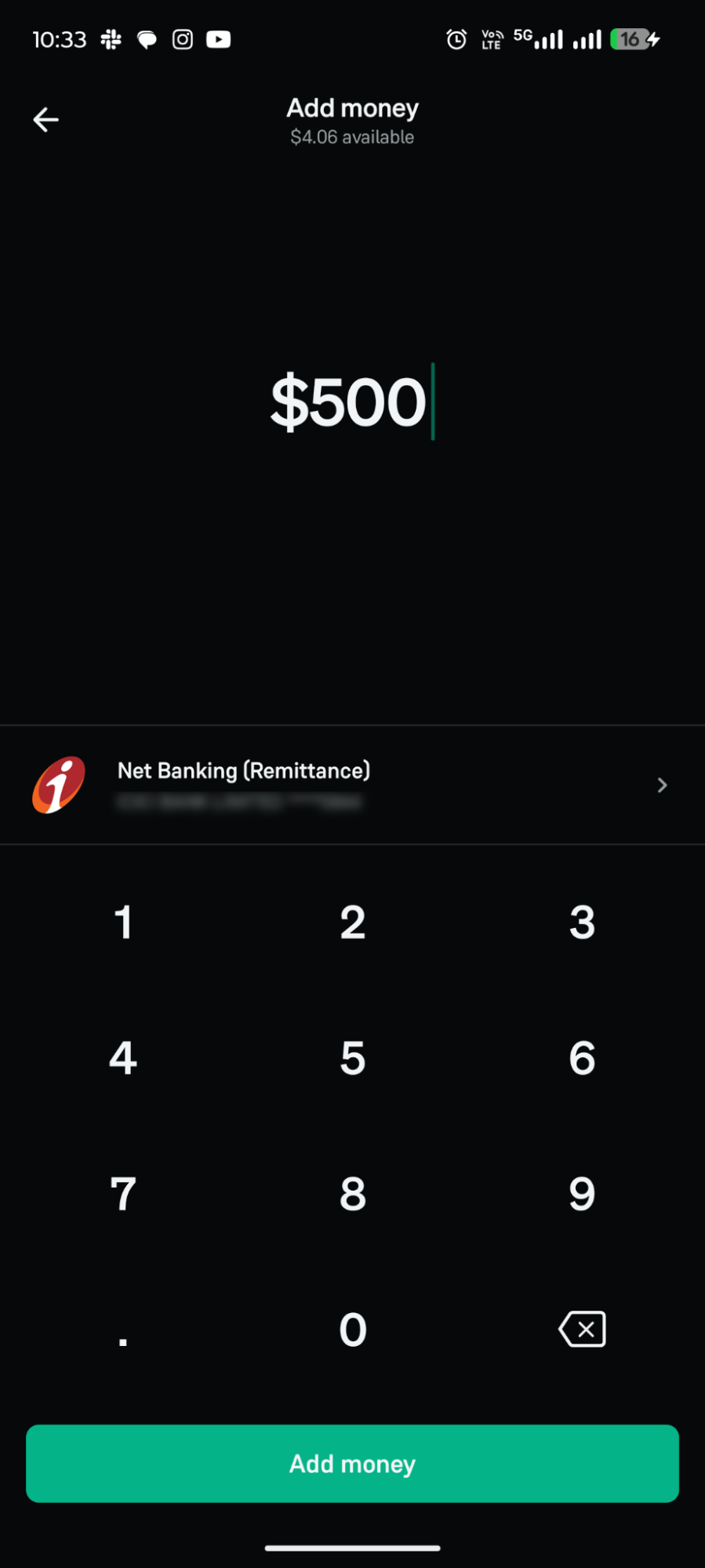
- Enter the amount you want to add. Your ICICI Bank account will show under "Net Banking (Remittance)". Tap "Add money".
Step 2: Confirm your bank details
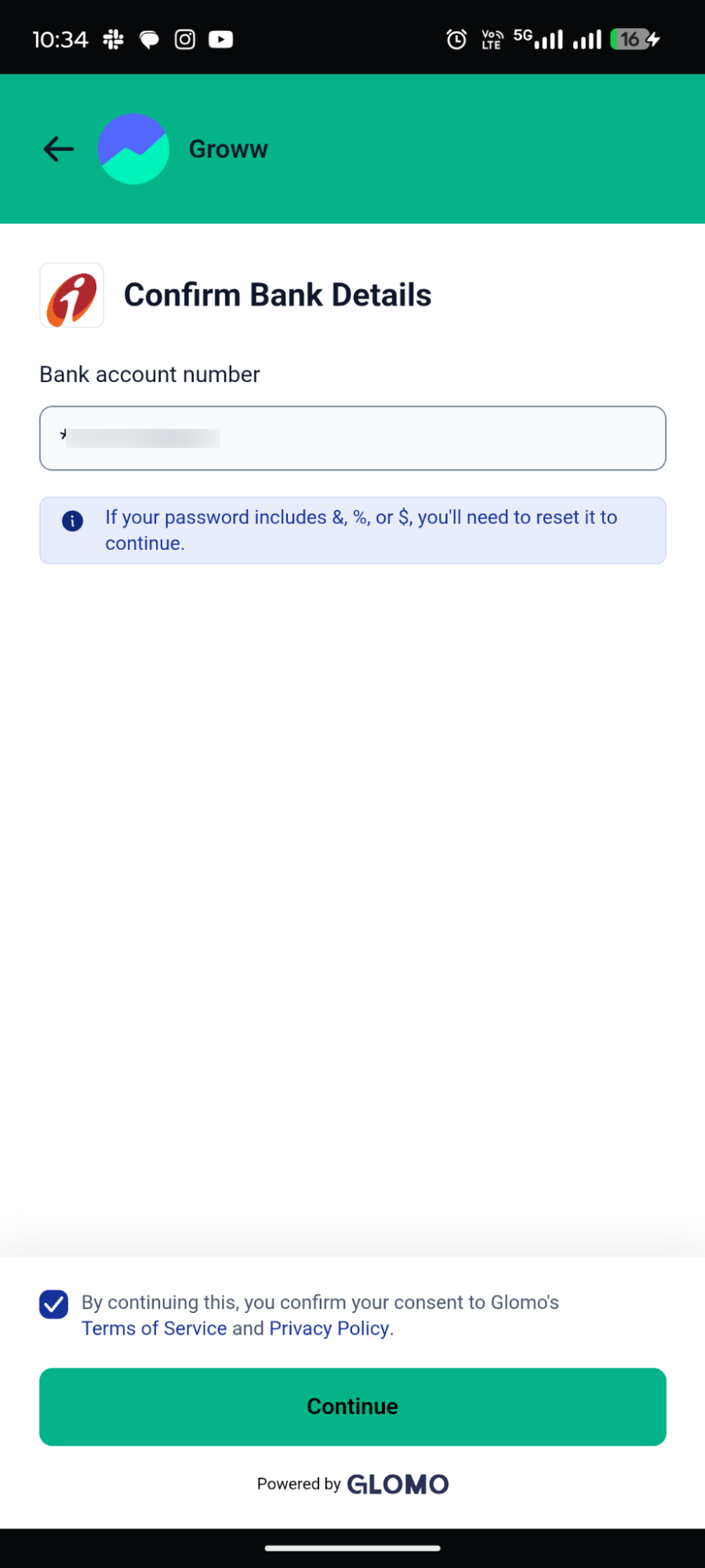
- On the "Confirm Bank Details" screen, check your ICICI Bank account number.
- Read the Terms and Conditions, tick the consent box and tap "Continue".
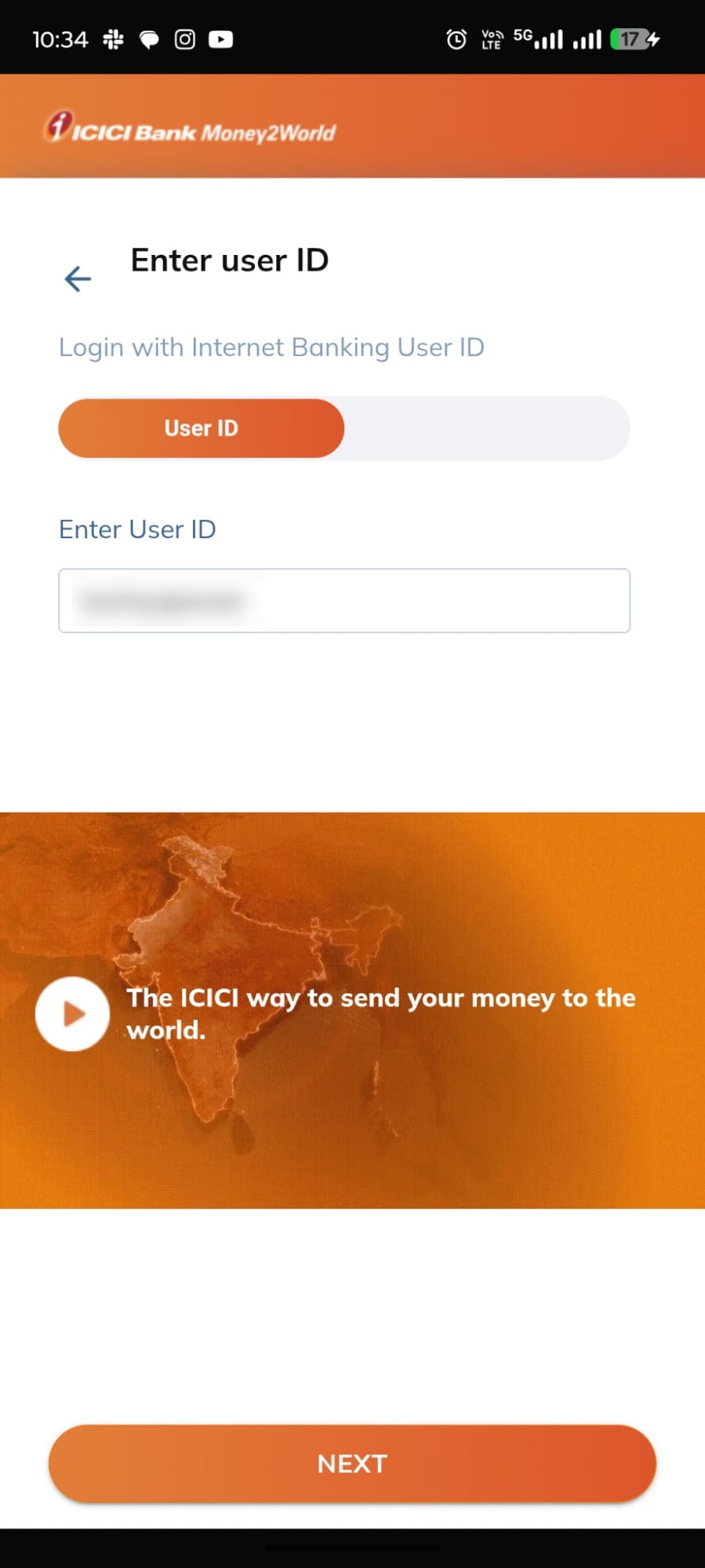
Step 3: Log in to ICICI Bank
Enter your ICICI Bank user ID and click ‘Continue’ to login to the ICICI net banking portal.
Step 4: Select your bank account
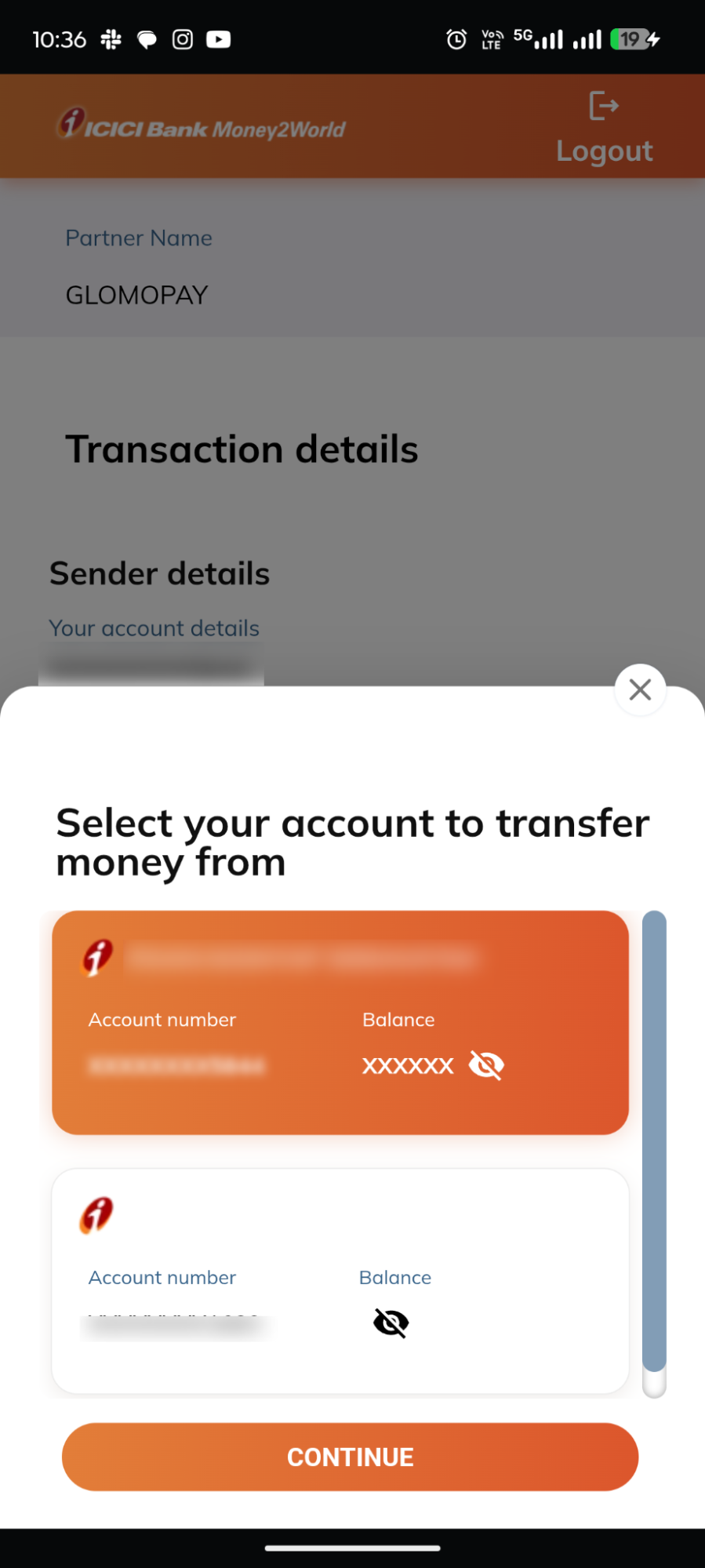
- Follow the instructions on the ICICI Bank remittance portal.
- Select the account you want to transfer money from and tap ‘Continue’.
Step 5: Review the transaction details
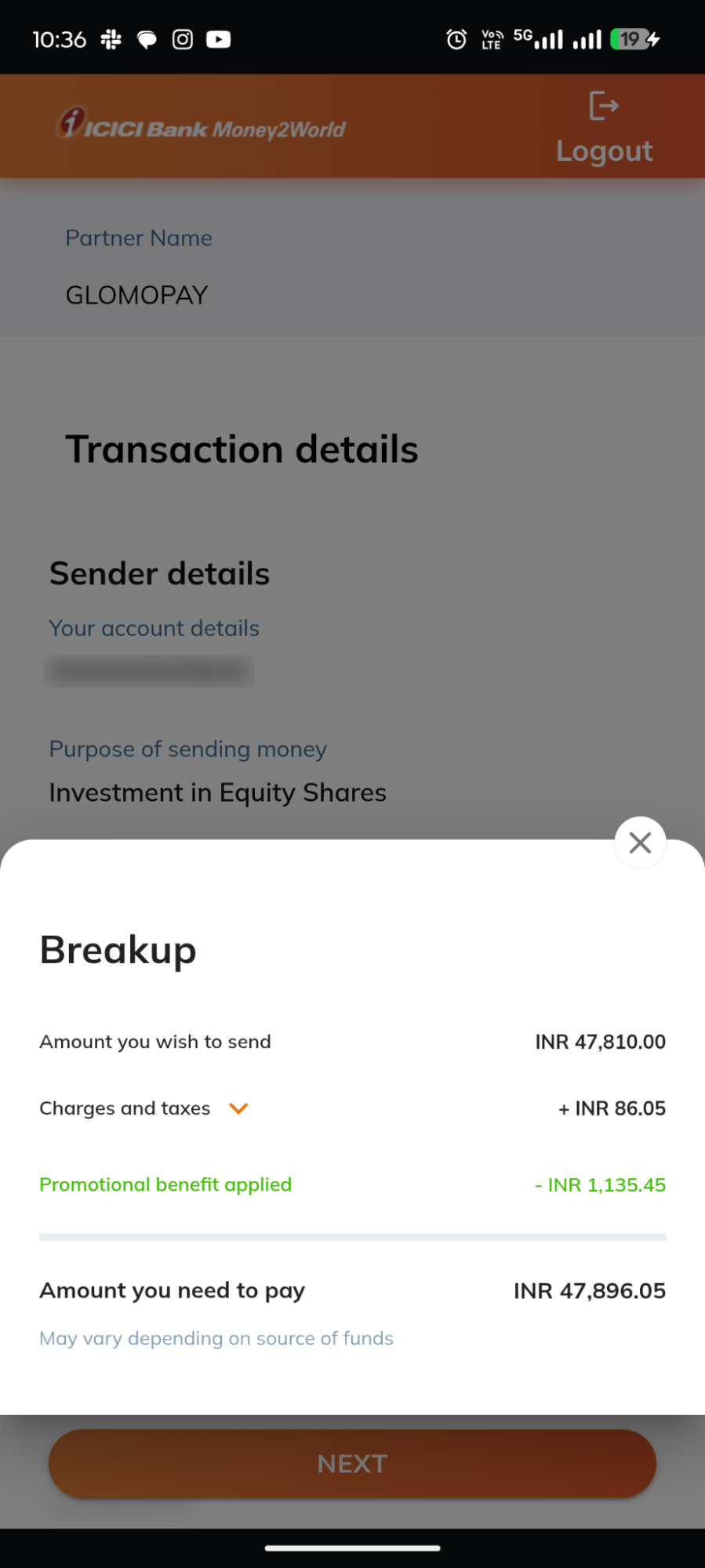
- Review the sender details and transaction information displayed on the screen.
- Check the breakup of the transaction, including the charges and the amount to be paid.
- Tap Next to proceed.
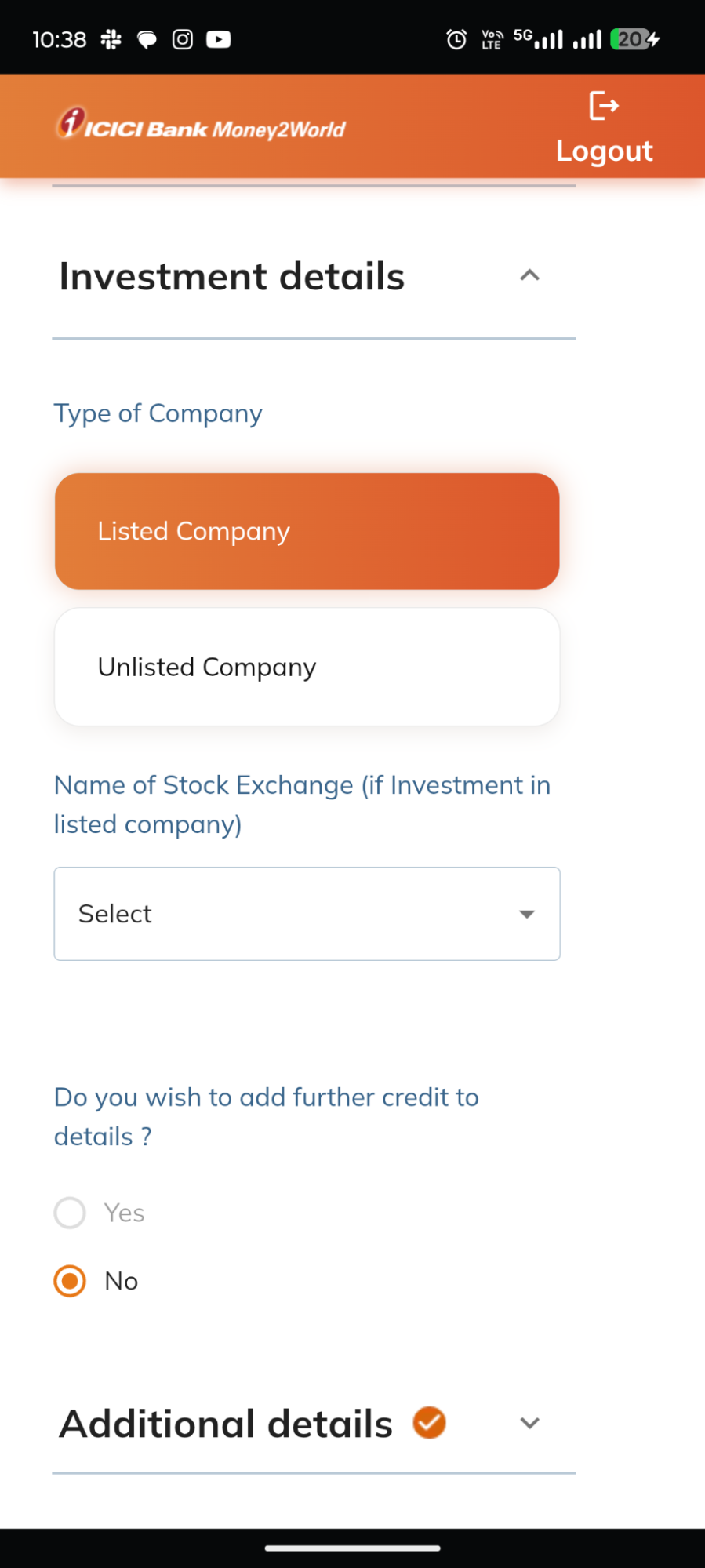
Step 6: Enter investment details
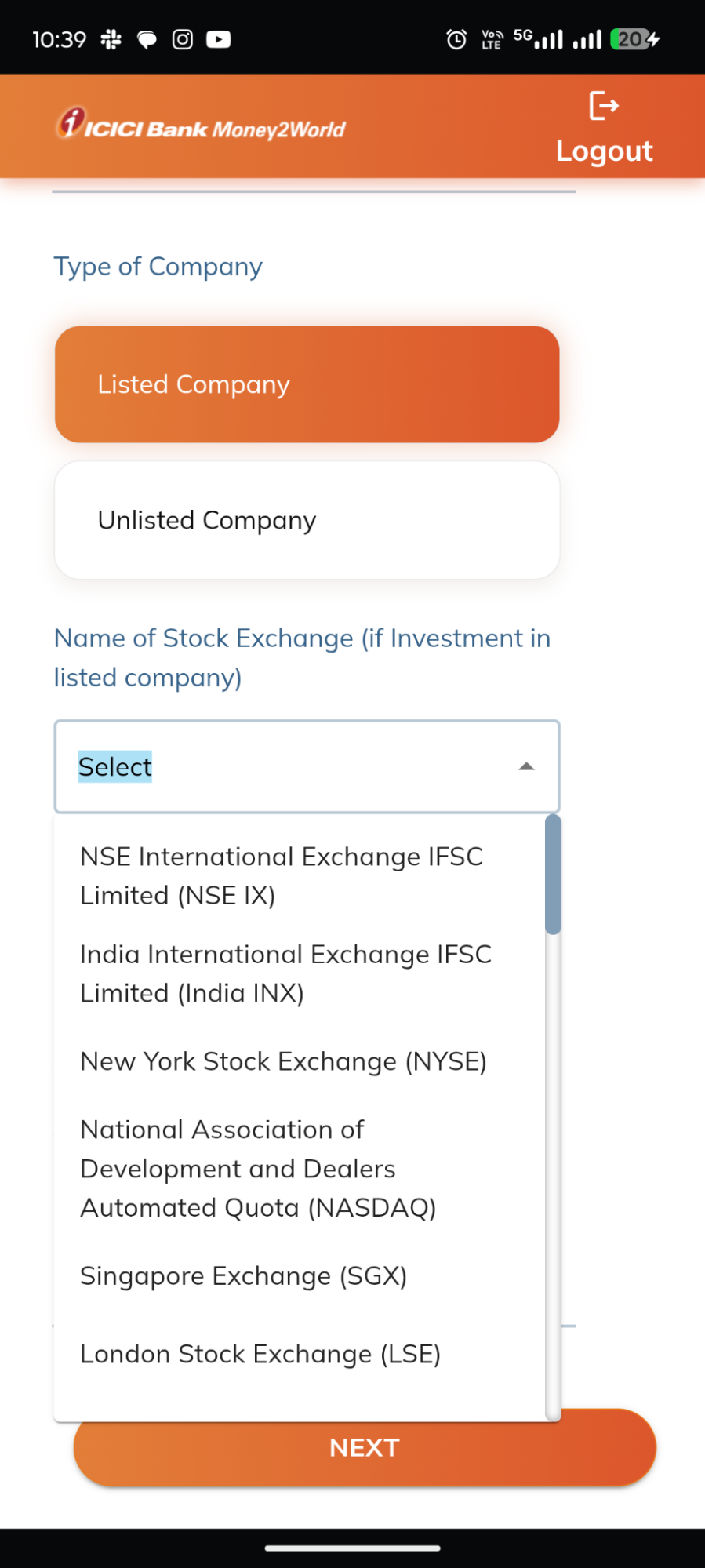
- Select the relevant company type and enter the requested investment details.
- Choose the applicable stock exchange from the available list depending on where the US Stock is listed (like NASDAQ or NYSE)
- Complete the additional details requested on the screen and tap Next.
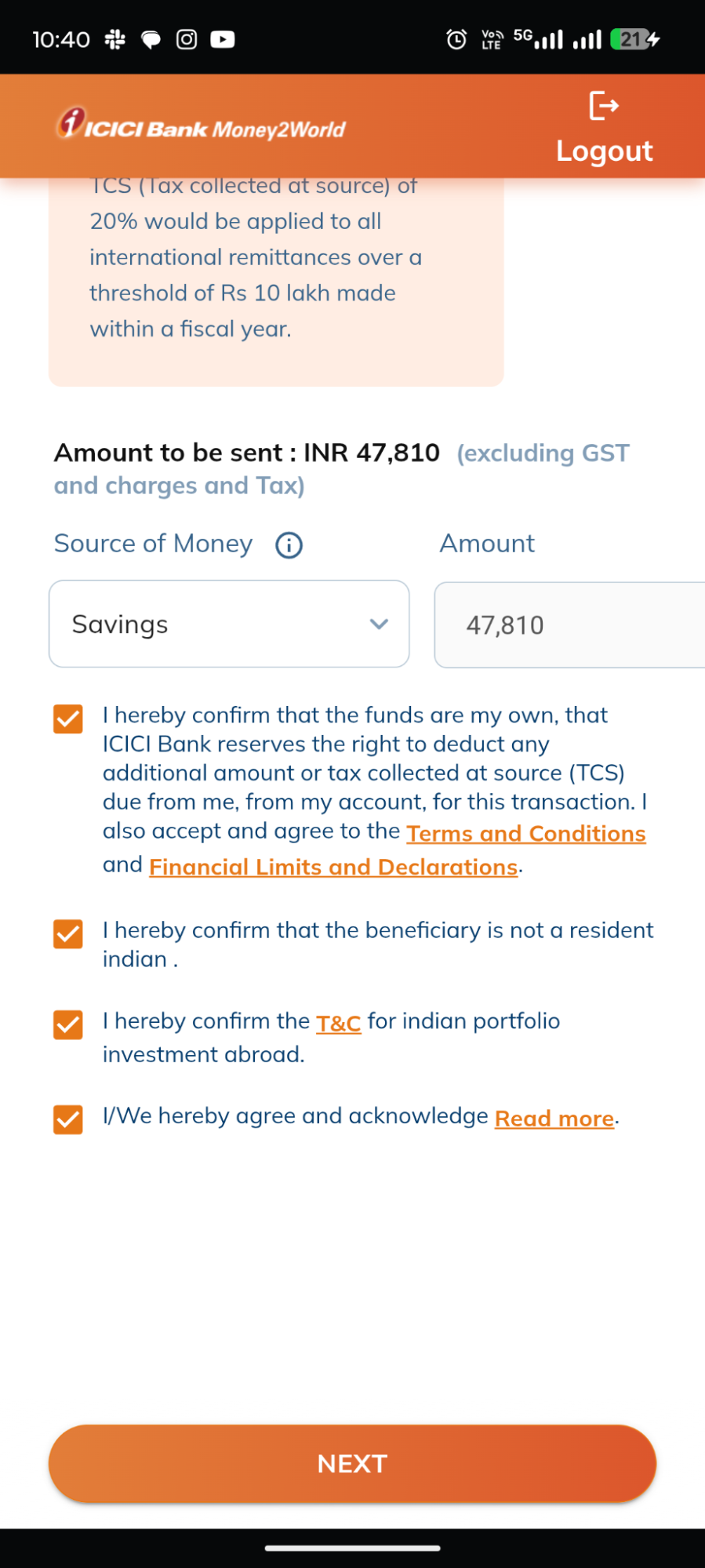
Step 7: Specify the source of funds
- Select the applicable source of your money.
- Enter the requested amount and complete the required declarations and checkboxes.
- Review the details and tap Next.
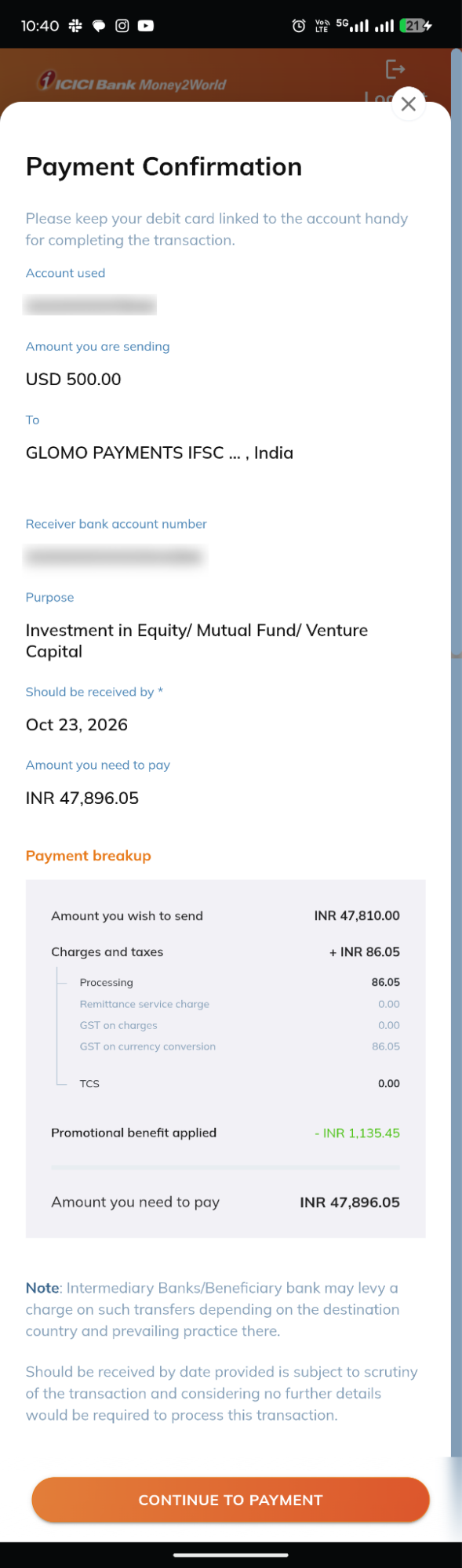
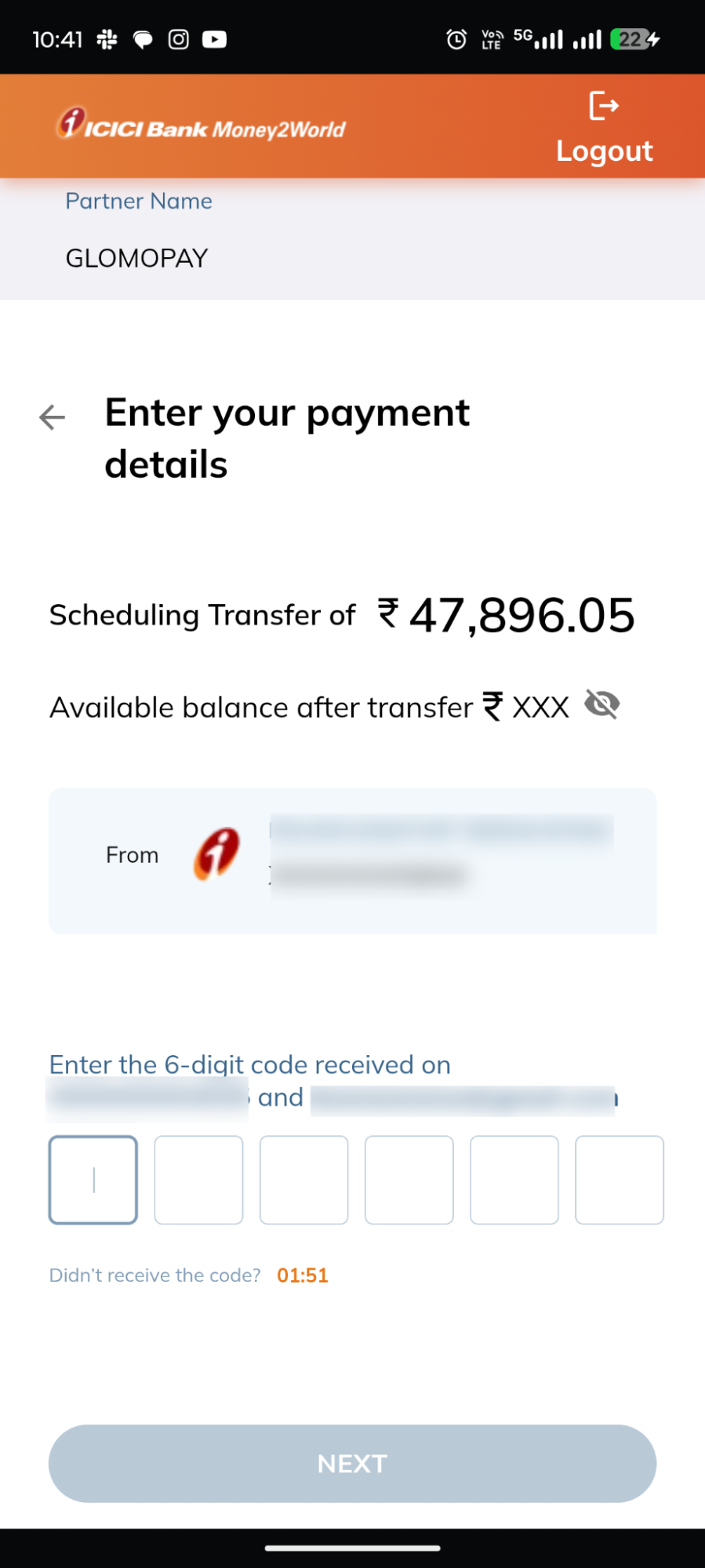
Step 8: Confirm the payment
- Review the payment details on the confirmation screen and click on ‘Continue to Payment’.
- Enter the OTP sent by ICICI Bank to your registered mobile number.
- Review the details and click ‘Next’ to confirm your payment.
- You will be taken back to Groww, where you can see your payment status.
What Happens After You Pay?
Back on Groww, the "USD deposit status" page shows whether your payment went through, along with a timeline and the amount and bank account used. You can also copy your transaction ID from here if you need it later.
You will also get a confirmation on your email, whether your payment is successful or has failed. If a payment fails, for example because the journey wasn't completed, you can simply head back to Add money section and try again.
A Few Quick Tips
➡️ Keep your phone with you so you don't miss an OTP.
➡️ Complete the Verify Yourself step within the 5-minute timer.
➡️ Never share your OTP, password or PIN with anyone.
Ready to Add Money?
Now you know what to expect at every step. Open the Groww app, head to your Profile and add money to your US Stocks balance with confidence.