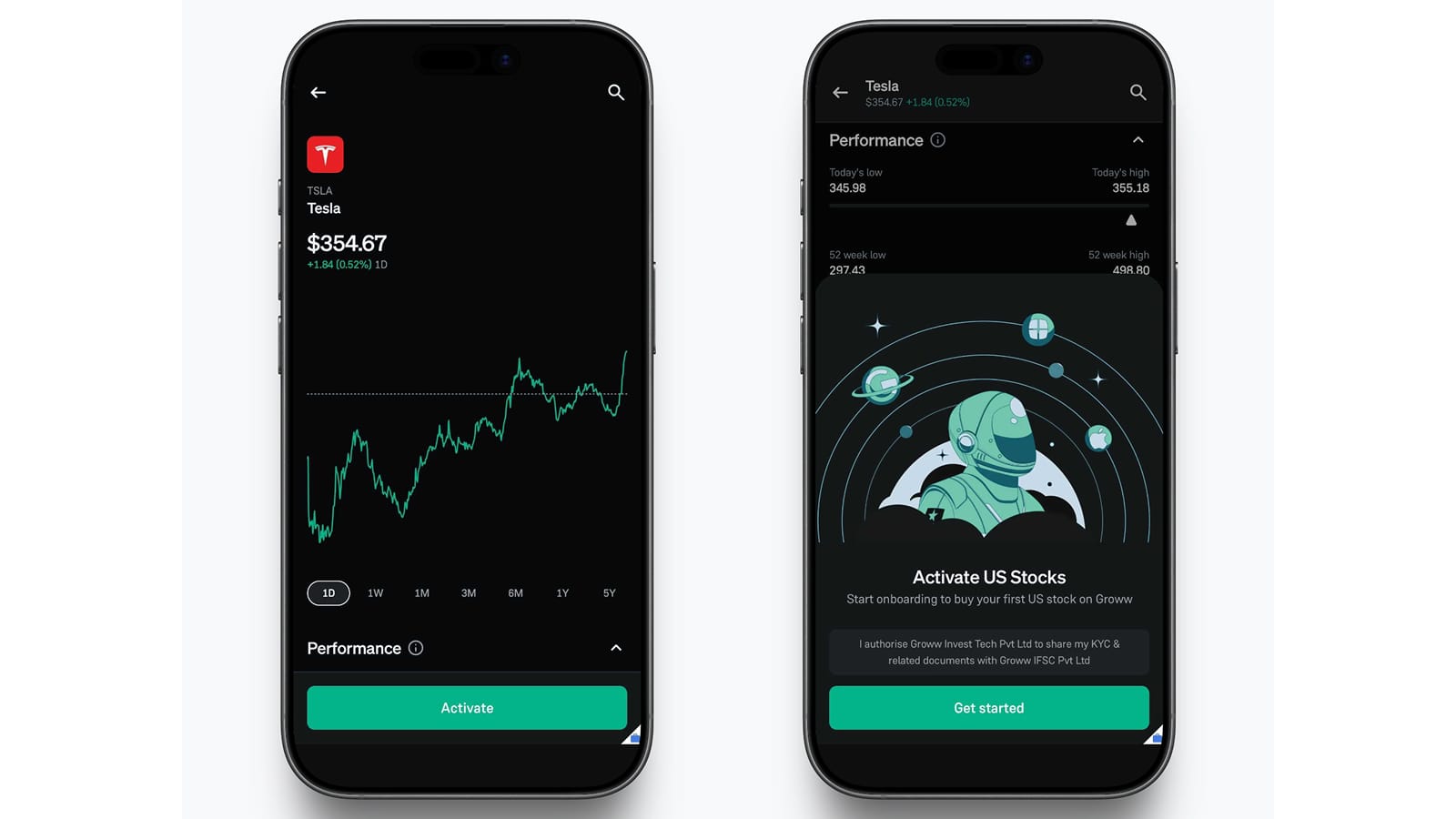
Trailing Stop Loss for F&O: Now Live on Groww
F&O trading moves fast and if you have traded options or futures long enough, you have probably lived through this exact moment:
You enter a trade confidently.
You set a stop-loss (SL) responsibly.
The market moves in your favour.
Your profits grow.
And then, before you can manually move your SL higher, the market reverses sharply.
What could have been a profitable trade turns into a frustrating exit.
That’s exactly why Trailing Stop Loss (TSL) has been one of the most requested F&O features on Groww.
And now, it is finally live for F&O trading on Groww.
With TSL F&O, your stoploss no longer stays fixed. As the market moves in your favour, your stoploss automatically trails along with it. Thus, helping you protect profits while still giving your trade room to grow.
What is a Trailing Stop Loss?
A Trailing Stop Loss automatically adjusts your stoploss as the price moves favourably.
Unlike a regular stoploss, which remains fixed at one level, a trailing stoploss keeps updating itself to maintain a defined gap from the market price whenever the market price moves more than the user defined trail step.
This helps you:
- Lock in profits automatically
- Reduce the need for constant monitoring
- Stay protected during sudden reversals
Here’s how it works:
- For a long position, the stoploss moves up as price rises.
- For a short position, the stoploss moves down as price falls.
- If the market reverses and hits the trigger price, the stoploss executes.
- The stoploss never moves against you. It only trails in the favourable direction.
Let’s Simplify This With an Example
Imagine you buy a Nifty contract at ₹100 and set:
- Stoploss at ₹90
- Trailing Step at ₹10
Now suppose the market moves higher.
|
Market Price |
Stoploss |
|
₹100 |
₹90 |
|
₹110 |
₹100 |
|
₹120 |
₹110 |
|
₹125 |
₹115 |
As the market rises, your stoploss automatically rises too.
Now if the market reverses sharply from ₹125 to ₹115, your trailing SL triggers.
On the other hand, if the market never moves up and falls directly to ₹90, your original stoploss works as usual and limits your loss.
How Does TSL Work on Groww (F&O)?
|
Step |
What Happens |
|
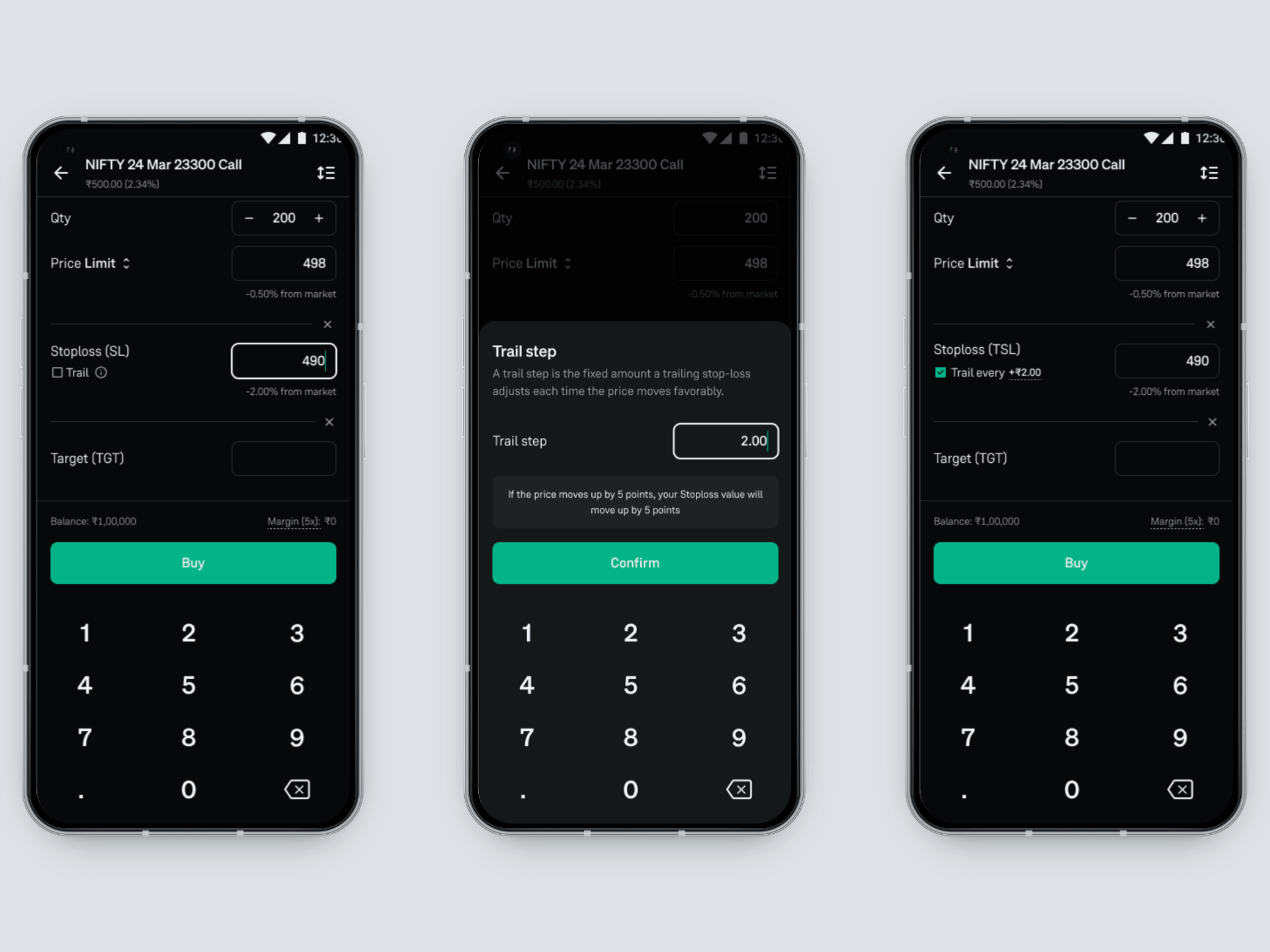
User places a bracket order or opens Add SL/Target on a position |
TSL option appears within the SL setup |
|
User sets their SL price |
We give a default trail step and the user can edit the trail step |
|
‘Trail my Stoploss’ is enabled |
Groww automatically tracks the position and updates the SL as price moves favourably |
|
Trigger price is hit |
A market order is sent to the exchange for execution |
How to Track Your TSL on Groww?
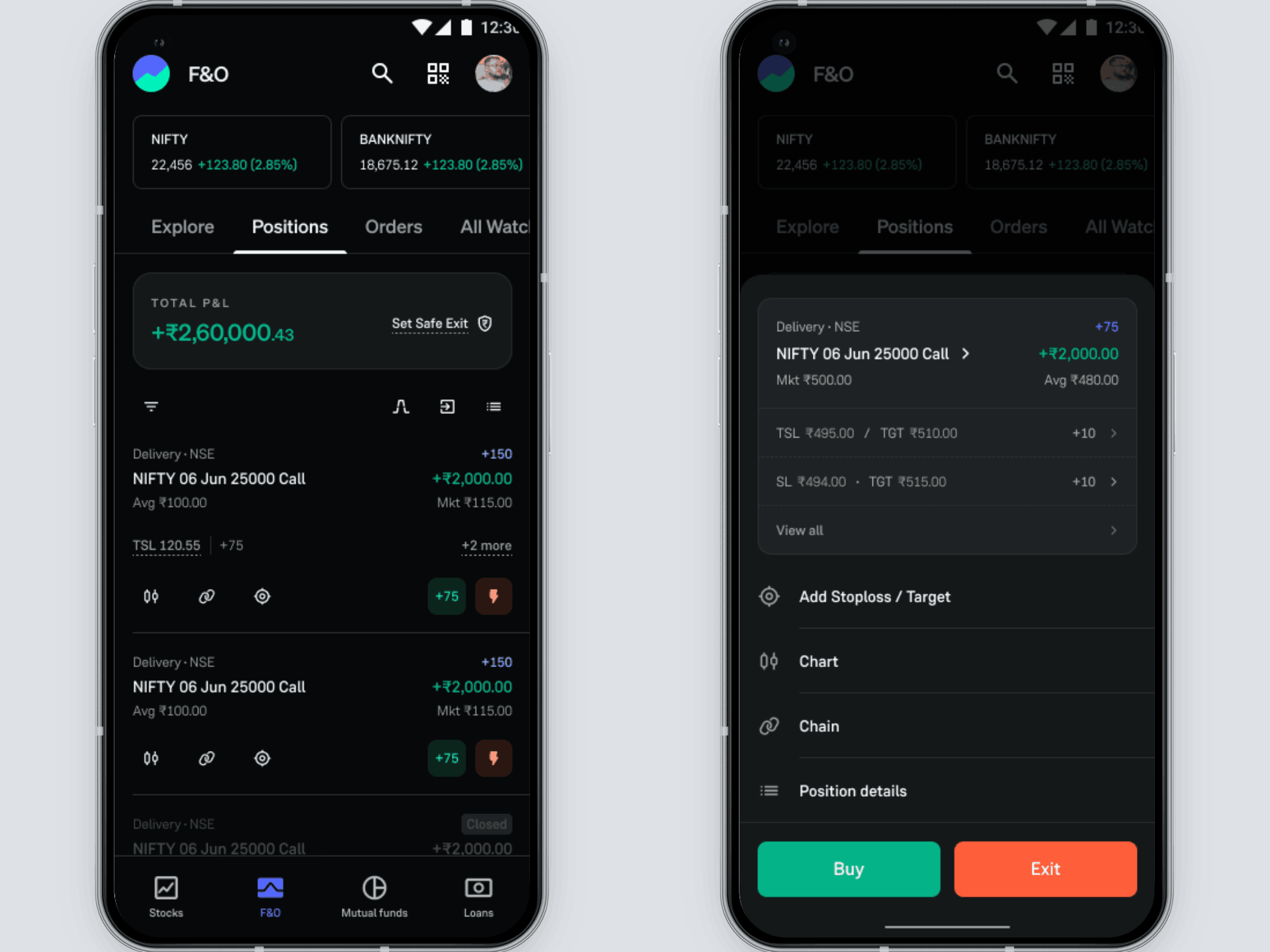
You can track your active Trailing Stop Loss directly from the Positions and Orders sections on Groww app, similar to how you track regular SL/TGT orders.
Through the Positions Tab
- Head to the ‘Positions’ section in the app
- Tap on the F&O position where you’ve enabled TSL
- Open the position details to view your active trailing stoploss
Through the Orders Tab
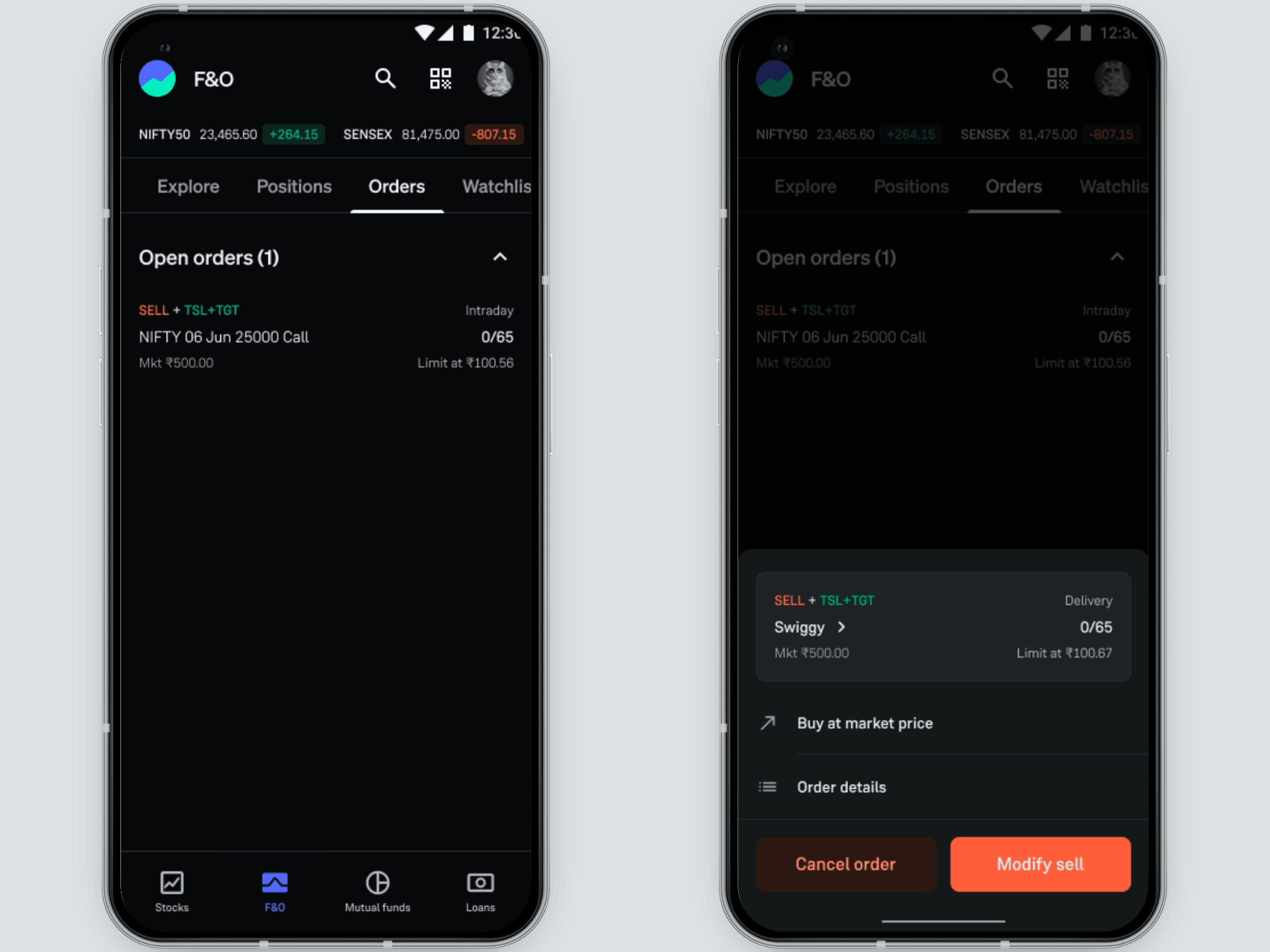
You can also track your open TSL orders from the Orders section:
- Go to the ‘F&O’ section on the home screen
- Tap on the ‘Orders’ tab
- Select the active TSL order to view more details or modify your order.
Start Using TSL for F&O Today
Trailing Stop Loss has already become a favourite among intraday traders on Groww.
Now, it is available for F&O too for all users.
The next time you take an F&O position, simply set your stoploss and enable “Trail my Stoploss” to let Groww automatically manage the trailing logic for you.
Because in fast-moving markets, protecting profits quickly can make all the difference.
Trade smart. Trade protected.
— Team Groww
Other Updates