Static IP for API Trading: Setup Guide


For algo traders using APIs, SEBI compliance mandates that order placement must originate from a static IP. A static IP ensures that all API requests are traceable and secure.
If you are using APIs for trading, there is one key requirement before placing orders. That is a static IP address. Without this, your orders won’t go through.
While static IPs are essential for compliance, setting one up can involve extra effort, cost, and ongoing maintenance.
Why a Static IP is Mandatory for API Orders?
For security and compliance reasons, all API-based order placements must come from a trusted and pre-approved source.
Here’s how it works:
- A static IP is fixed and does not change over time
- Groww whitelists this IP to authorize API order placement
- This ensures all trades are secure, traceable, and compliant
Dynamic IPs, on the other hand:
- Change frequently
- Can break API connectivity
- May lead to failed or rejected orders
This makes a static IP a mandatory layer of trust in API trading.
Want Full Control? Here’s How to Set Up a Static IP
If you prefer managing your own setup, here are the most common ways to get a static IP for API trading:
Option 1: Get a Static IP from Your ISP
You can request a static IP directly from your internet service provider.
Steps:
- Contact your ISP (Airtel, Jio, ACT, etc.)
- Request a static IP add-on
- They will configure it for your connection
Cost: ₹300 – ₹1,000/month (depending on speed and provider)
Option 2: Use a Cloud / VPS Server
You can host your trading system on a cloud server with a static public IP.
Popular platforms:
- AWS
- Google Cloud (GCP)
- DigitalOcean
- Azure
Benefits: High uptime, reliable connectivity, and centralized management.
Cost: $5 – $50/month depending on resources.
Final Step: Configure & Whitelist Your IP on Groww
Once you have set up your static IP, the final step is to whitelist it on Groww so your API orders can go through.
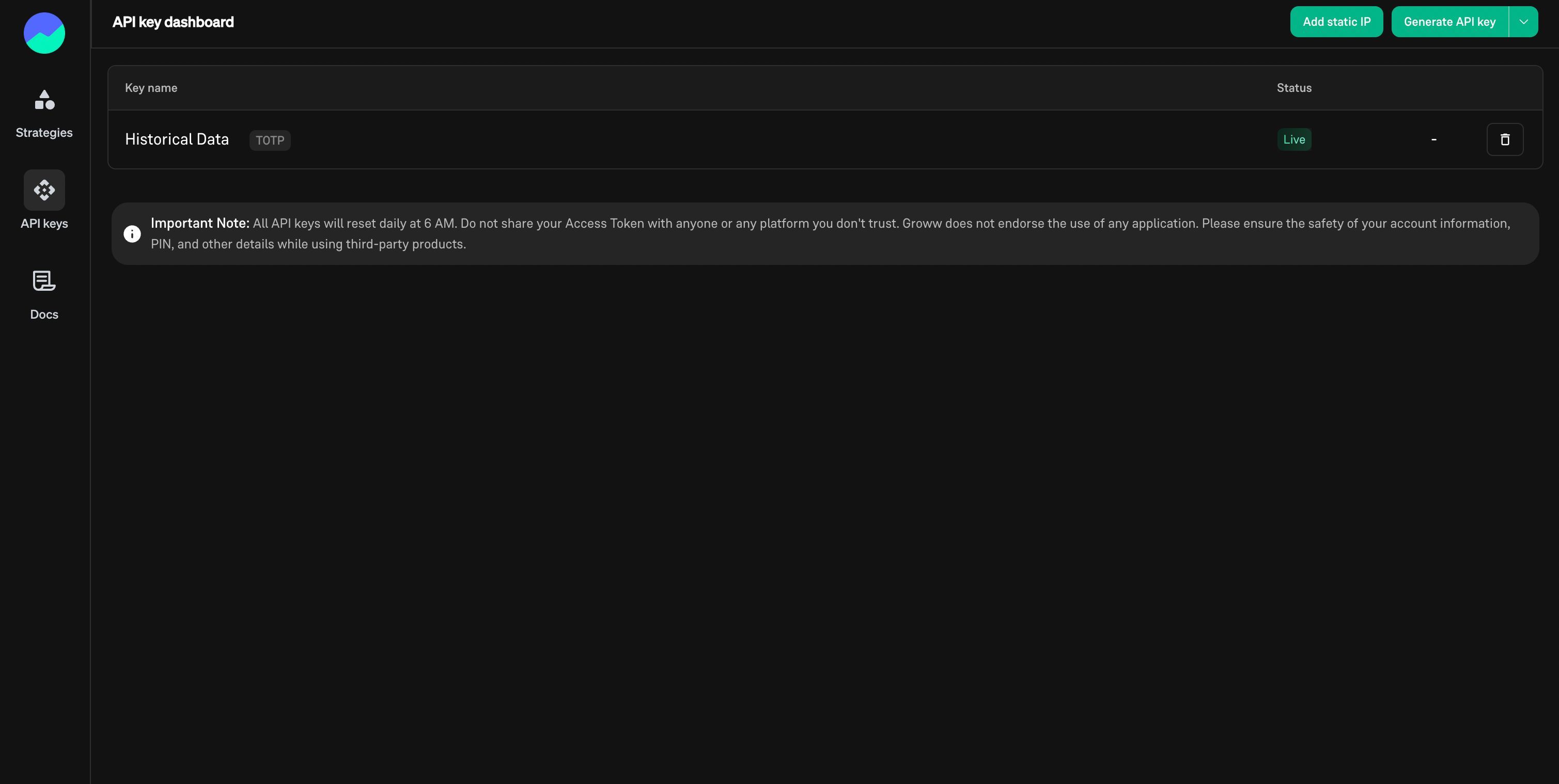
Step 1: Go to API Key Dashboard
- Navigate to the API Keys section on Groww.
- Click on “Add static IP”
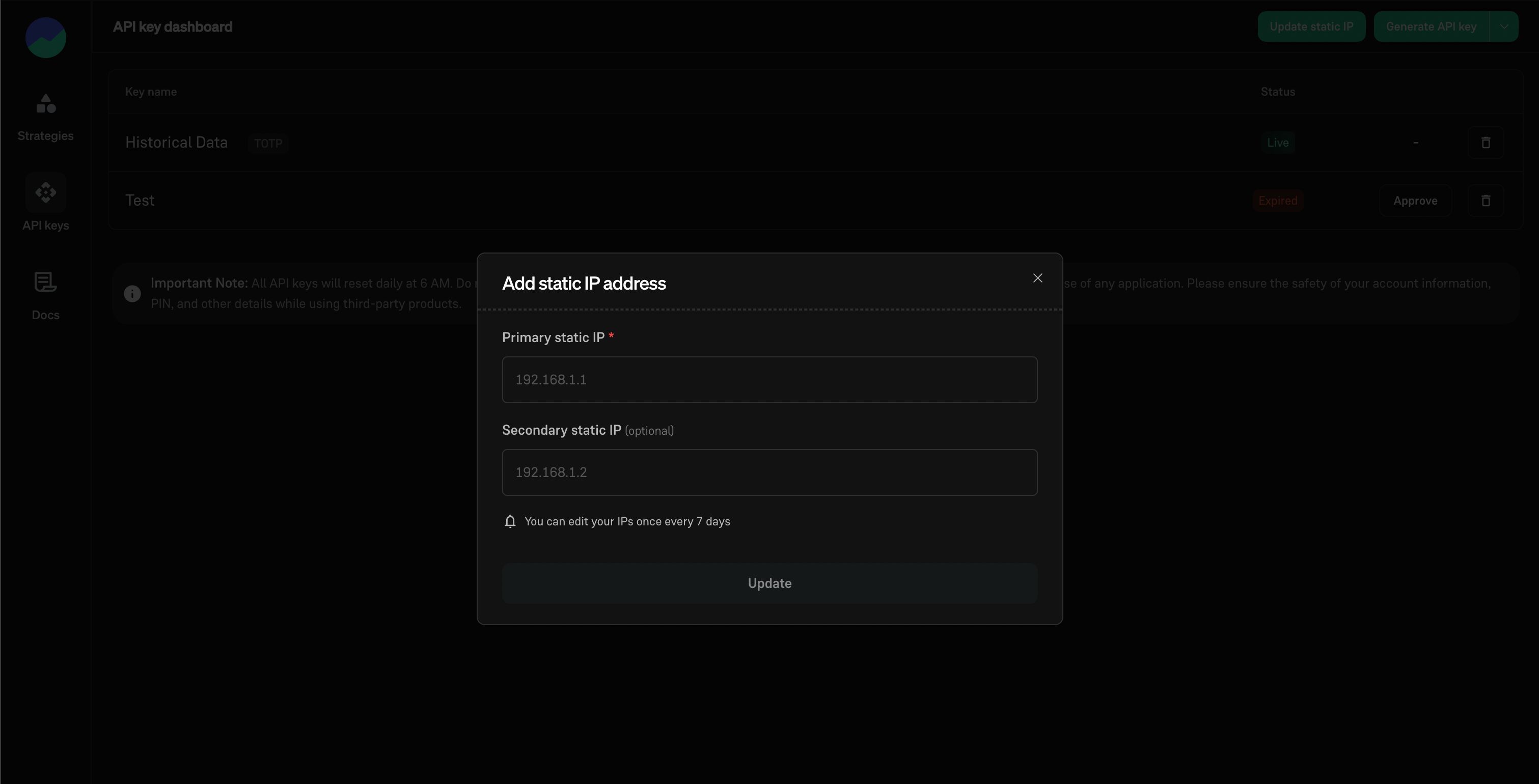
Step 2: Add Your Static IP Address
- Enter your Primary Static IP
- Add a Secondary Static IP as backup
- Click Update
Step 3: Verify Setup
- Once added, your IP will be whitelisted for order placement.
- Place a small test order to ensure everything is working correctly.
You can add or manage your static IP here: https://groww.in/trade-api/api-keys