API Trading on Groww: Automate Your Trading Strategies
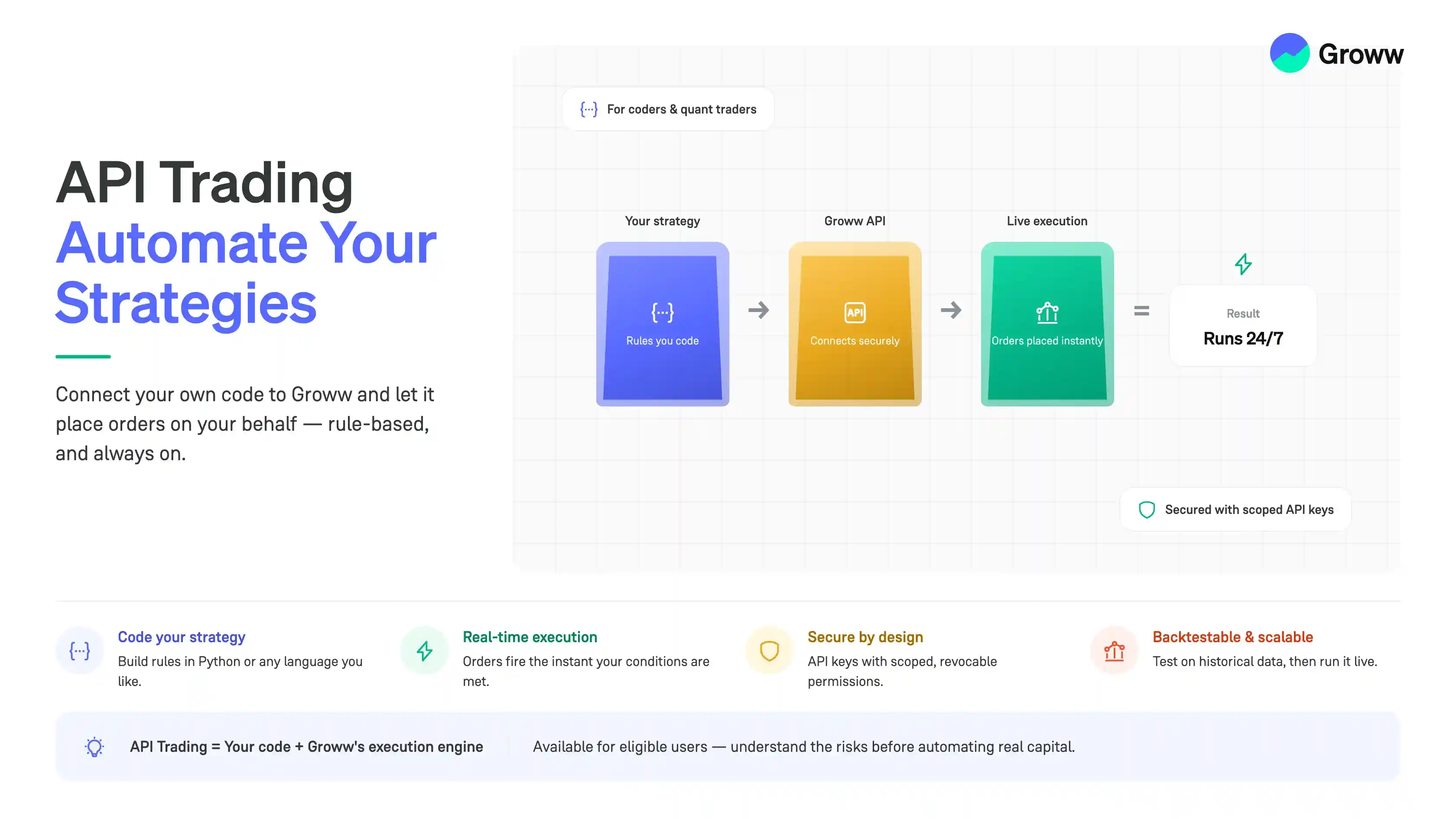


API trading lets you connect your trading strategy to Groww and automate parts of your trading workflow with code.
Instead of manually monitoring the market and placing every order, you can build a strategy that analyses market conditions and sends trading instructions through the API.
For example, you may build a strategy that monitors NIFTY and buys a NIFTY Call Option when your predefined conditions are met. The strategy can also manage the position according to rules you define for stop-loss, target, or exit.
This guide introduces API trading on Groww and explains the basic steps to deploy your first algo.
Note: API trading does not guarantee profits. Automated strategies can also generate losses, and errors in strategy logic or code can lead to unintended orders. Always test and understand your strategy before using it with real capital.
What Is API Trading?
An API, or Application Programming Interface, allows different software applications to communicate with each other.
In trading, an API lets your program interact with your trading account for supported actions.
For example, your program may be designed to:
- Fetch market-related data
- Check predefined trading conditions
- Identify a NIFTY option contract
- Place buy or sell orders
- Monitor an open position
- Exit the position based on your strategy rules
The strategy logic runs in your own program, while the API acts as the connection between your program and the trading platform.
How Automated Trading Works
A basic API trading workflow may look like this:
- Trader gets live market data
- This market data is fed into the strategy logic, which then generates a trading signal
- The strategy then creates an order request, and orders are placed with the broker
- The code then monitors for stoploss and target
- Final exit is done in the strategy
For example, consider a simple NIFTY Call Option strategy. Your program may:
- Monitor the NIFTY price
- Check whether your entry conditions are met
- Identify the NIFTY Call Option you want to trade
- Send an order request through the Groww API
- Monitor the open position
- Exit when your stop-loss, target or other exit condition is met
The exact workflow depends on the API features available and the strategy you build.
What You Need Before You Start
Before deploying your first algo, you generally need:
- A Groww account with access to the relevant trading features
- API access and the required credentials
- Basic knowledge of programming
- A clearly defined trading strategy
- A development environment to run your code
- An understanding of order and risk-management logic
You do not need to build a highly complex strategy to begin. A simple, well-defined strategy is often easier to test and debug. For example, you may start with rules such as:
- Underlying: NIFTY
- Instrument: NIFTY Call Option
- Entry: Enter when your predefined bullish conditions are met
- Stop-loss: Exit if the option premium falls by a predefined amount
- Target: Exit when the predefined profit objective is reached
- Position size: Trade only the number of lots defined in your strategy
The key is to convert every rule into clear logic a program can follow.
1. Getting API Access
Set up API access on the Groww API website rather than in the app.
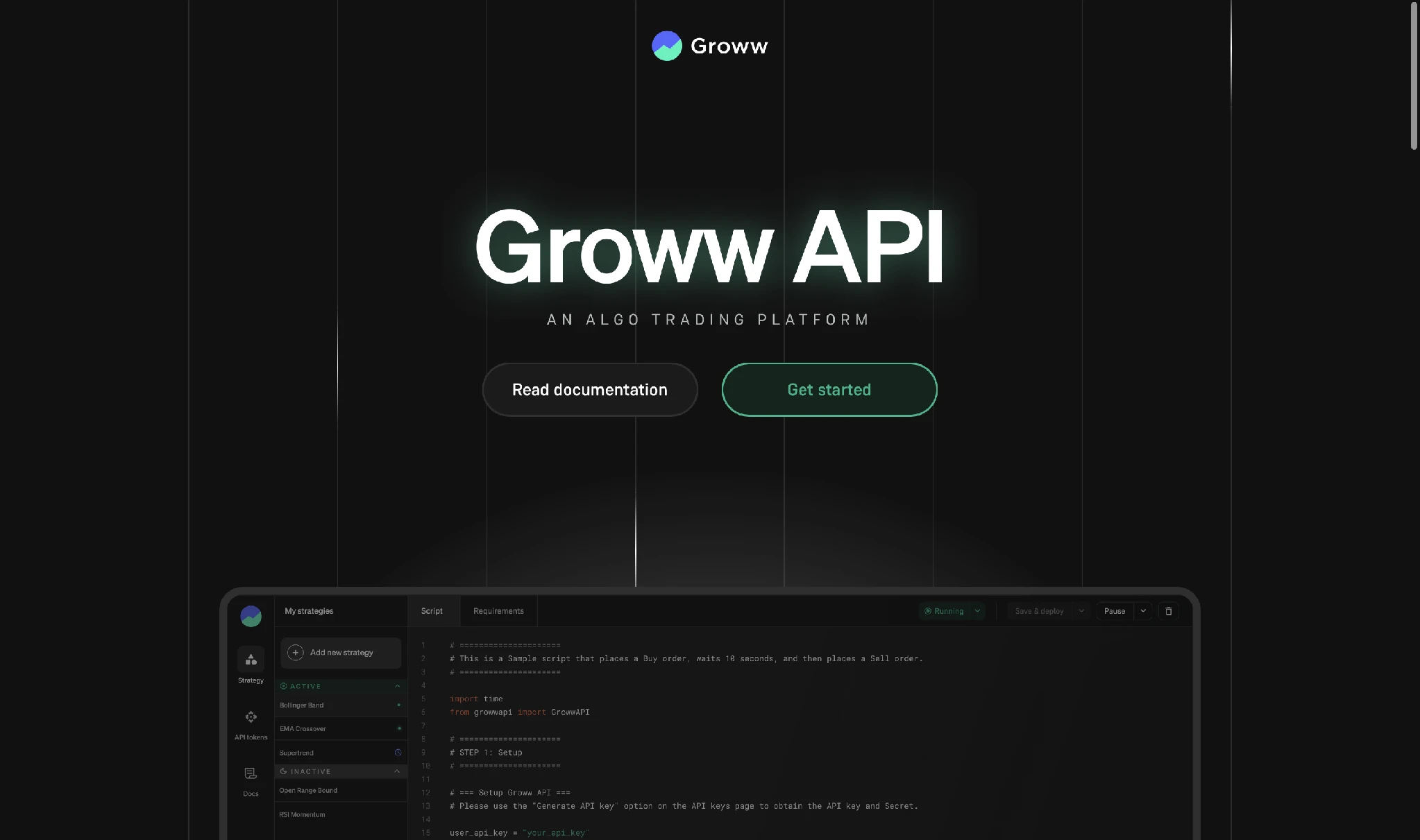
- Step 1: Navigate to groww.in/trade-api. The page includes clickable links such as "Read documentation" and "Get started"
Click on "Get started” after which you will be asked to sign in to your Groww account.
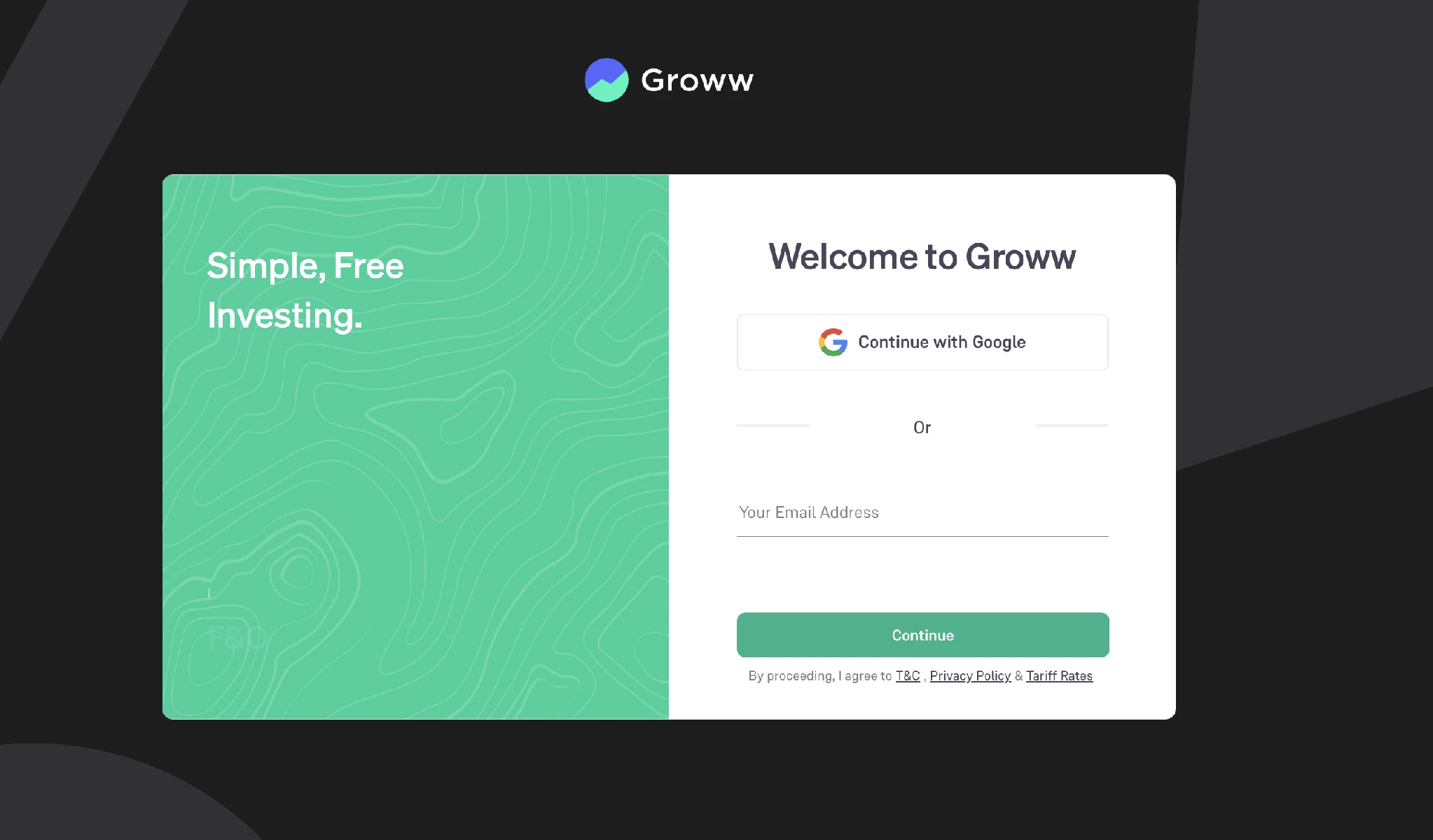
- Step 2: Continue with Google, or enter your email address and click on "Continue”
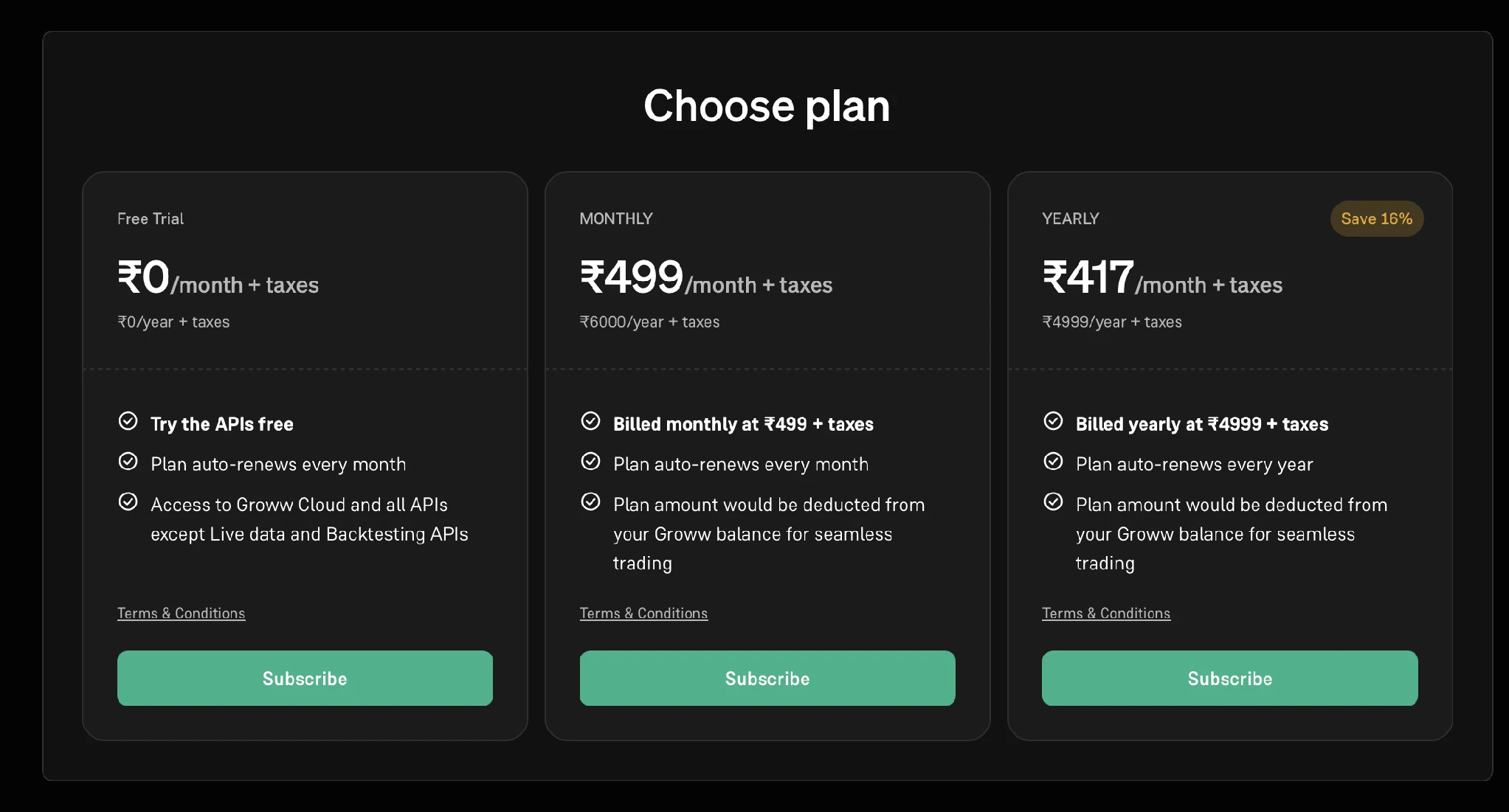
- Step 3: After signing in, scroll to the plan section.
- The Free Trial plan is at ₹0 per month and gives access to Groww Cloud and all APIs except Live data and Backtesting APIs
- The Monthly plan is at ₹499 per month plus taxes, billed at ₹6,000 per year
- The Yearly plan is at ₹417 per month plus taxes, billed at ₹4,999 per year
The paid plans auto-renew, and the amount is deducted from your Groww balance
Choose the plan you want by clicking "Subscribe".
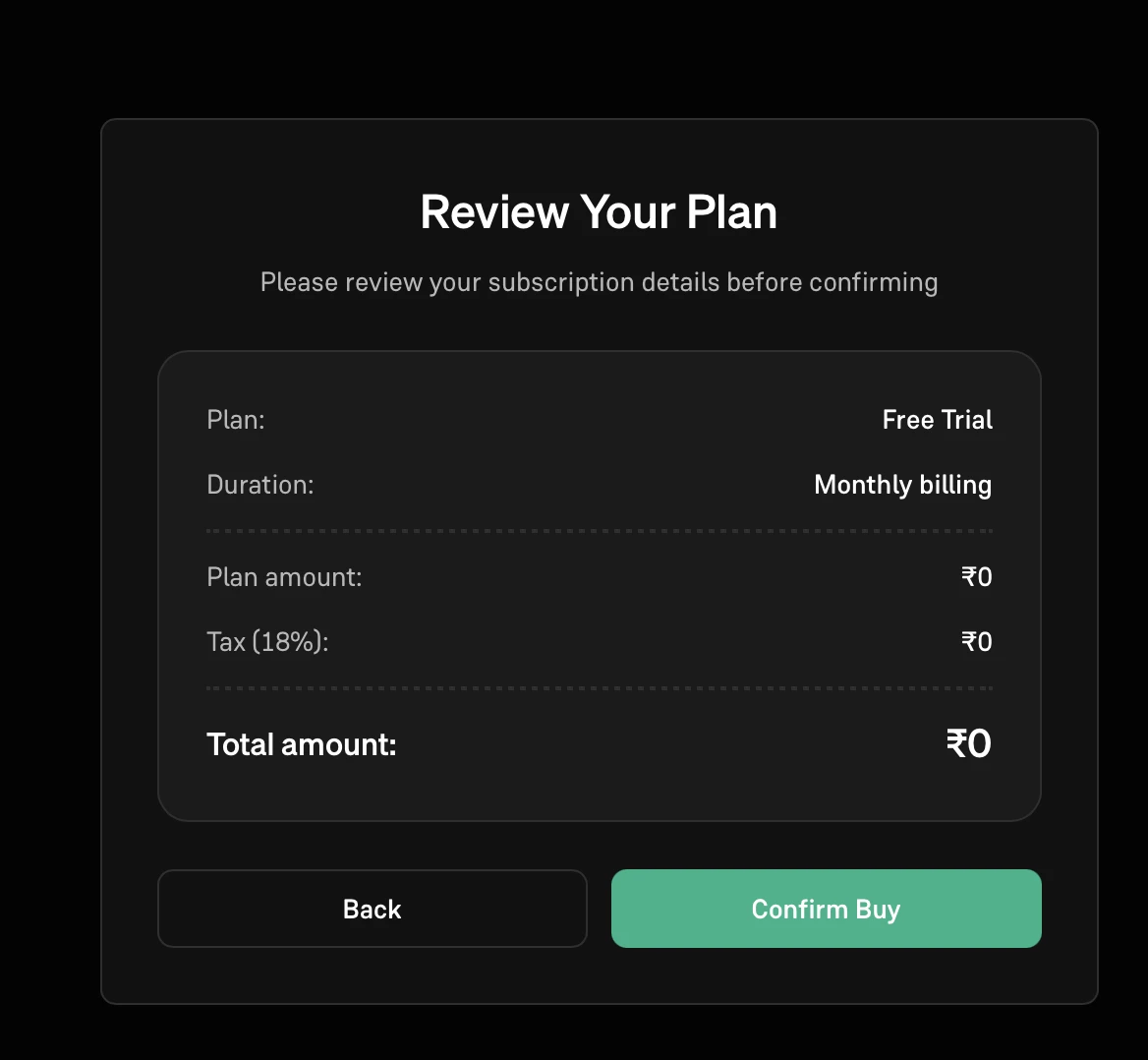
- Step 4:The review screen shows what you are subscribing to before any payment is made.
It lists the plan, the duration, the plan amount, the tax at 18% and the total amount
Click "Confirm Buy" to activate the plan, or "Back" to choose a different one
It is important to note the difference between paid and free API.
The difference between the free and paid plans is data access, not order placement.
- The Free Trial gives you Groww Cloud and every API except the Live Data and Backtesting APIs. You can authenticate, fetch instruments, place, modify and cancel orders, create smart orders, and check your positions, holdings and margin.
- What the Free Trial does not cover is live quotes, LTP, OHLC, the option chain and Greeks, and historical candle data used for backtesting. THis is covered in paid plans.
2. Reading the Documentation
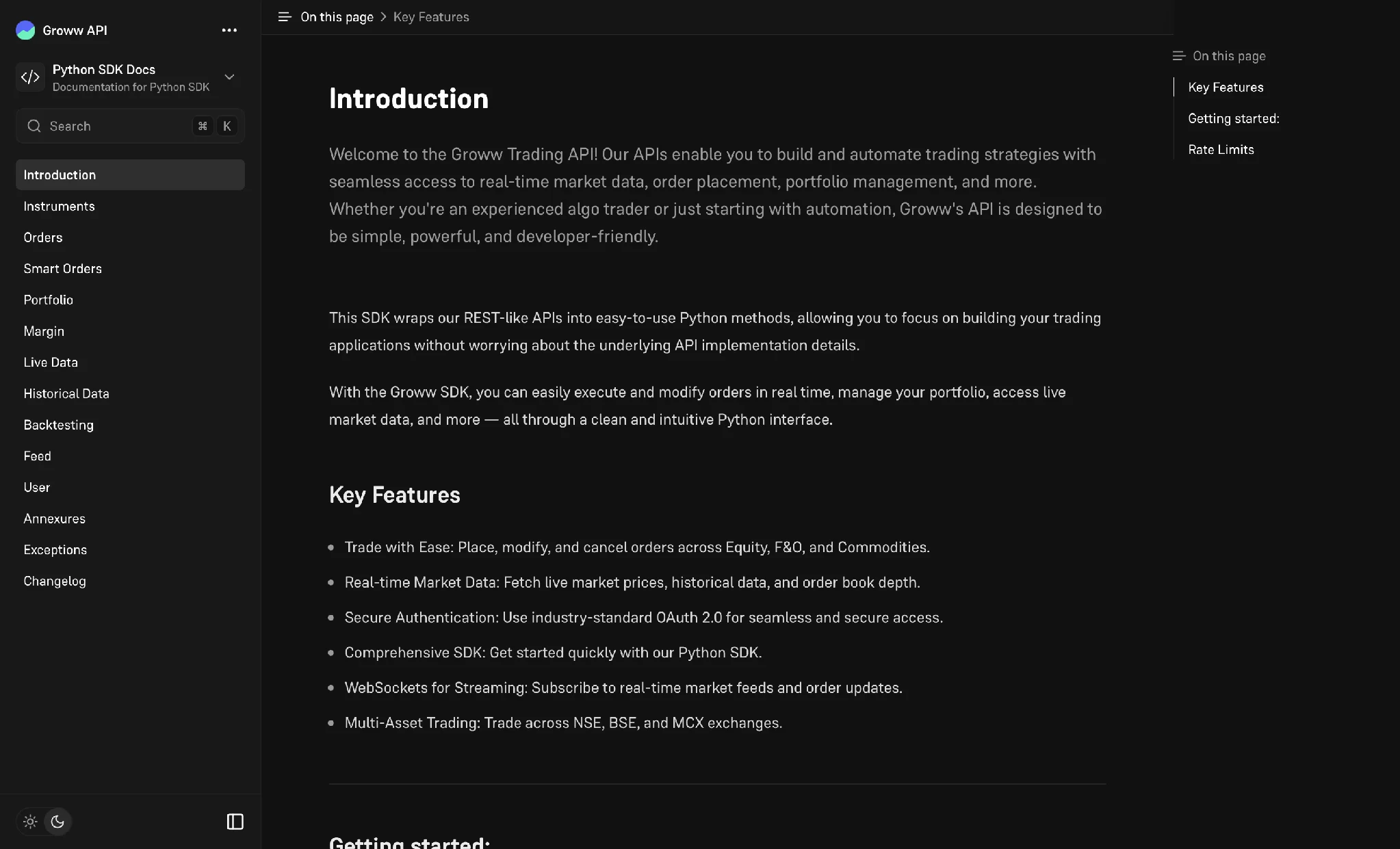
The developer documentation covers the Python SDK, which wraps the APIs into Python methods.
- The introduction page lists the key features: Placing, modifying and cancelling orders across Equity, F&O and Commodities; live market data with historical data and order book depth; OAuth 2.0 authentication; WebSockets for streaming; and trading across NSE, BSE and MCX
- The left sidebar has the sections you will need: Instruments, Orders, Smart Orders, Portfolio, Margin, Live Data, Historical Data, Backtesting, Feed, User, Annexures, Exceptions and Changelog
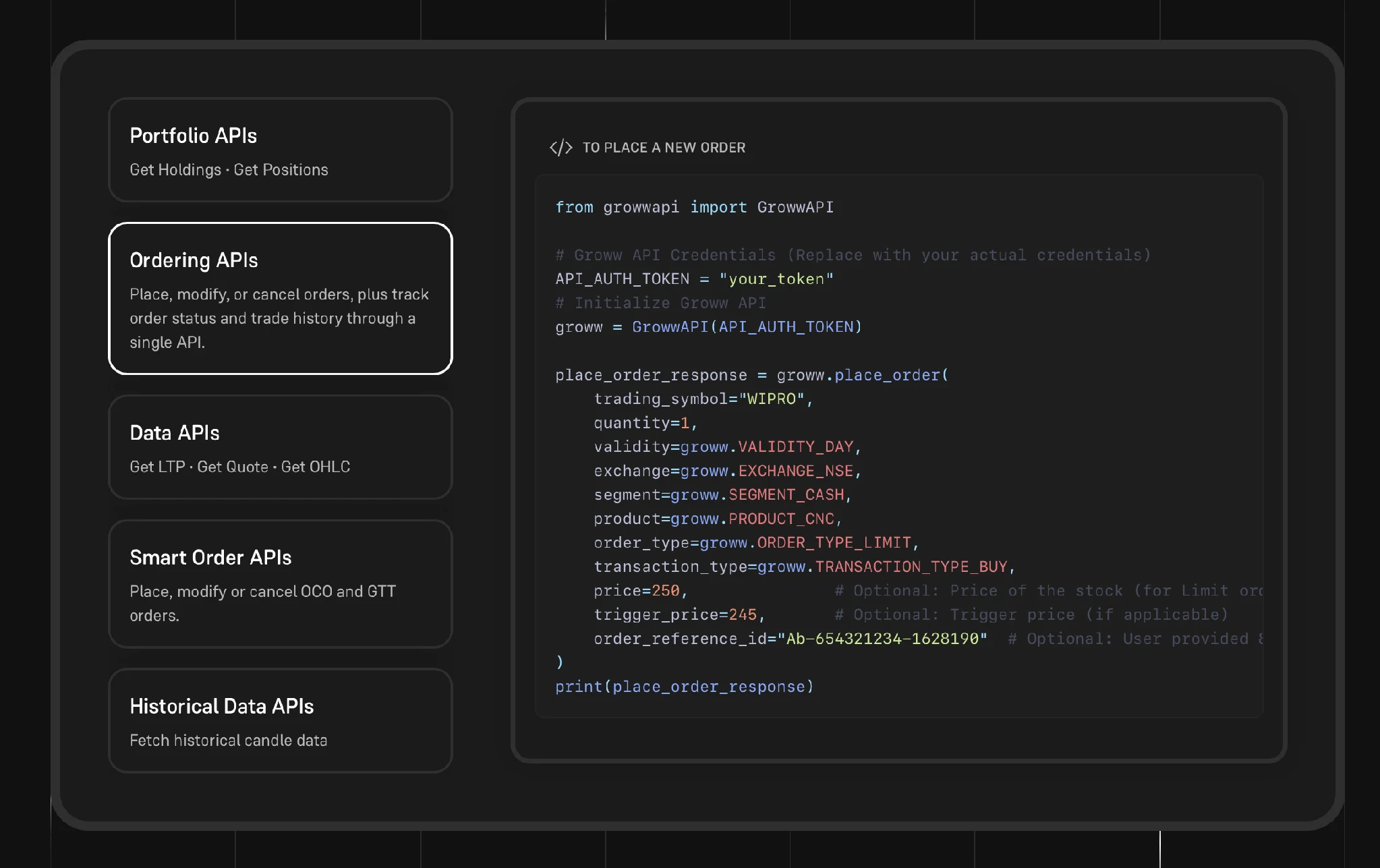
The APIs are grouped by function.
- Portfolio APIs: Get holdings and get positions
- Ordering APIs: Place, modify or cancel orders, and track order status and trade history
- Data APIs: Get LTP, get quote and get OHLC
- Smart Order APIs: Place, modify or cancel OCO and GTT orders
- Historical Data APIs: Fetch historical candle data
The Ordering APIs page shows a Python sample for placing a new order.
- The order is placed using place_order on the GrowwAPI object, which is created with your authentication token
- The call takes the trading symbol, the quantity, the validity, the exchange, the segment, the product and the order type
- The transaction type sets whether it is a buy or a sell
- The price, the trigger price and an order reference id are optional and depend on the order type
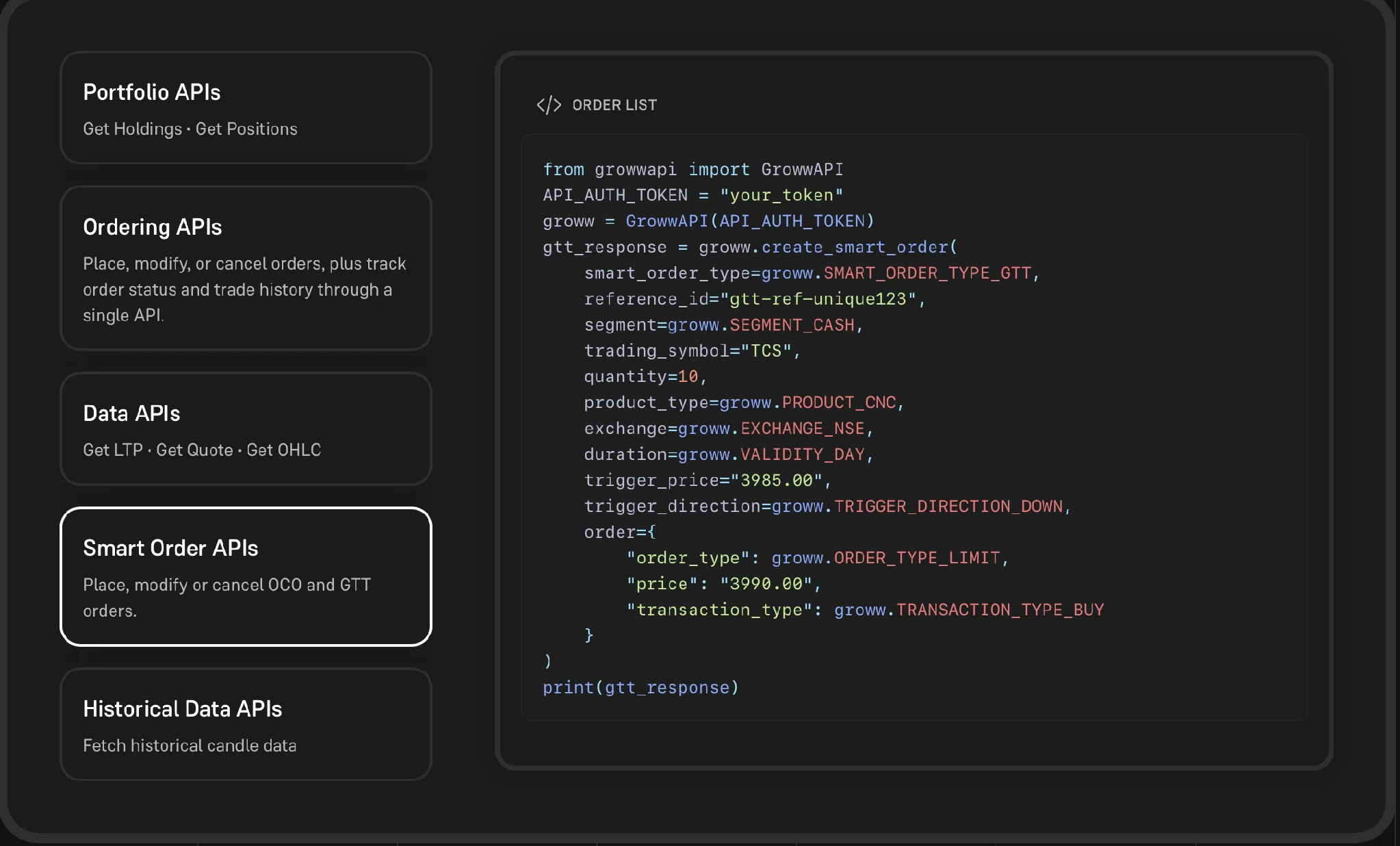
The Smart Order APIs page covers OCO and GTT orders, which is where your stop-loss and target logic can sit.
- The order is created using create_smart_order, with the smart order type set to GTT
- The call takes a reference id, the segment, the trading symbol, the quantity, the product type, the exchange and the duration
- The trigger price and the trigger direction decide when the order is sent
- The order block holds the order that is placed once the trigger is hit, with its order type, price and transaction type
3. Rate Limits
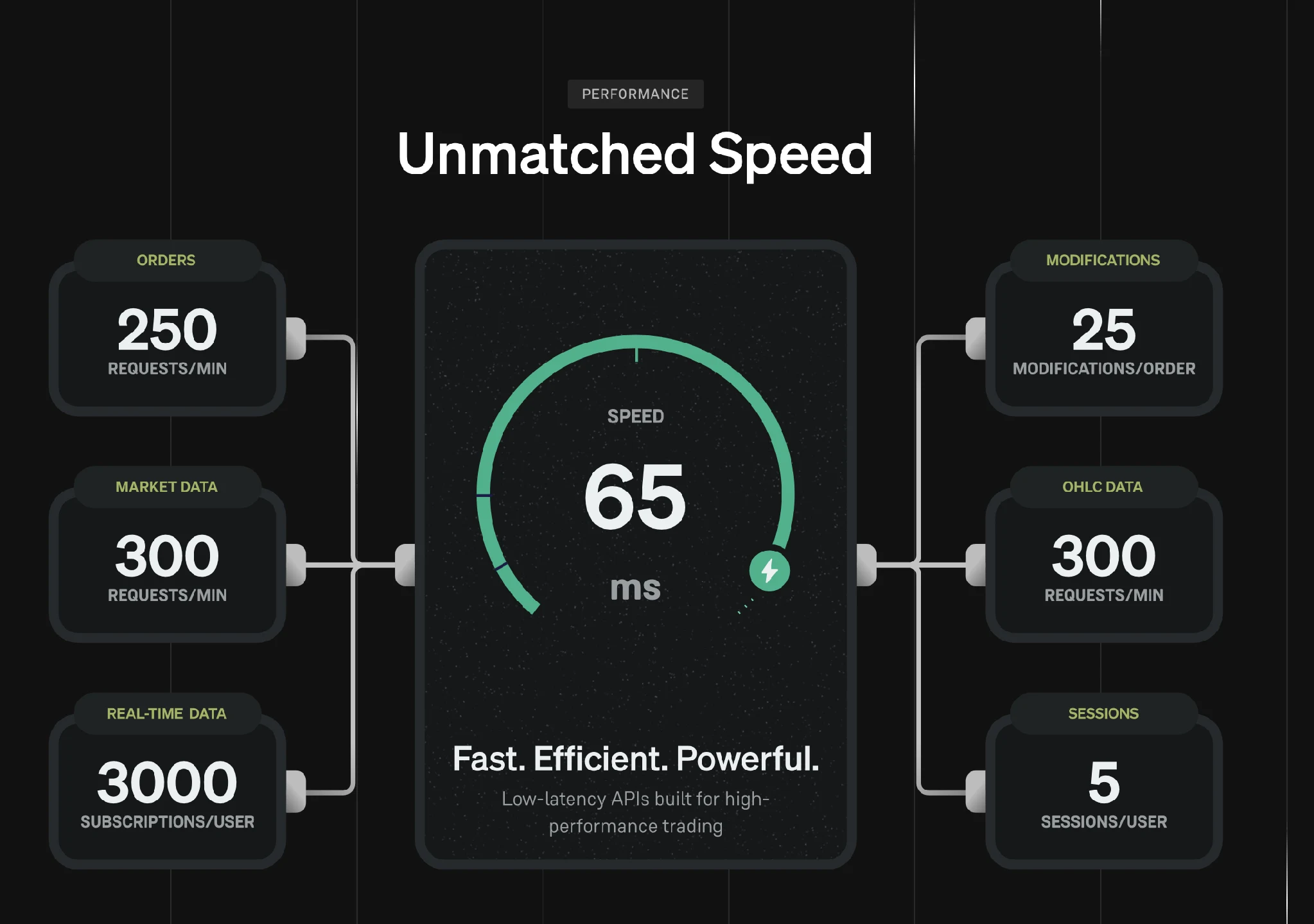
Automated strategies send requests continuously, so it is worth knowing the rate limits before you write the loop that drives your strategy.
- 250 order requests per minute
- 300 market data requests per minute
- 300 OHLC data requests per minute
- 3,000 real-time subscriptions per user
- 25 modifications per order
- 5 sessions per user
- An average response speed of 65 ms
4. Deploying Your First Algo
You write and deploy strategies from the API console, which also holds your API keys and documentation.
- Open the Strategies section from the left rail, which also has API keys and Docs
- Click “Add new strategy”, or open the sample strategy that is already listed
- The Script tab holds the code, and the Requirements tab holds the packages your script needs
- Generate your API key and secret from the API keys page, and use them in the script to get an access token
- The status next to the code shows whether the strategy is Active or Inactive
- Use “Run now” to run the script once, or “Save & deploy” to deploy it
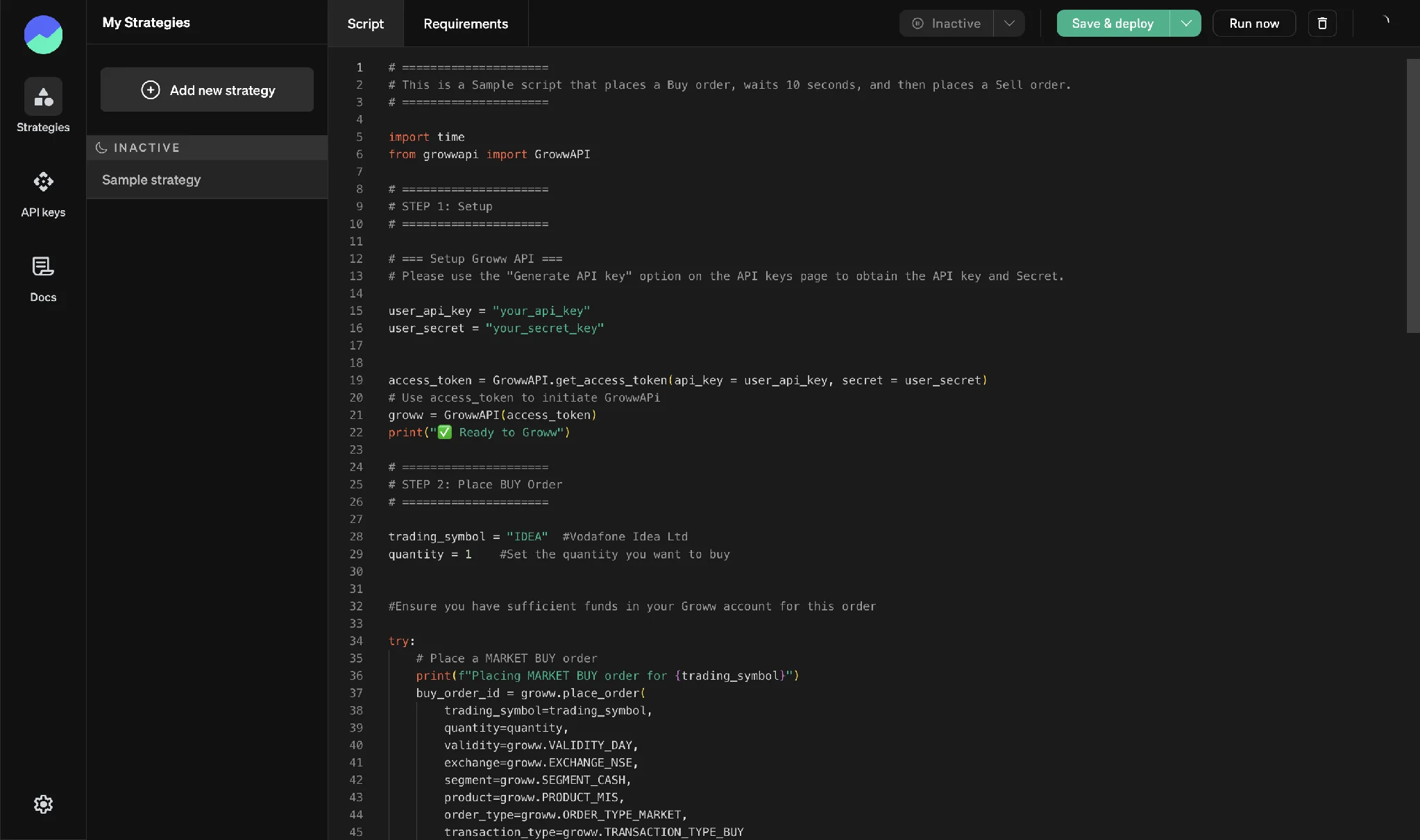
The sample strategy is a good place to start. It sets up the API with your key and secret, places a market Buy order for a defined quantity, waits, and then places a Sell order. Once you can run that end to end, the same structure can carry your own entry and exit rules.
Conclusion
API trading moves strategy execution from your hands to your code. Getting started involves subscribing to a plan, reading the documentation for the APIs you need, generating your keys, and deploying a script from the strategy editor.
The API only carries out the instructions your program sends. It does not check whether the strategy behind them is sound. Test your logic thoroughly, start with a small position size, and keep in mind that a coding error can place orders you did not intend. Options involve significant risk, and automation does not reduce it.