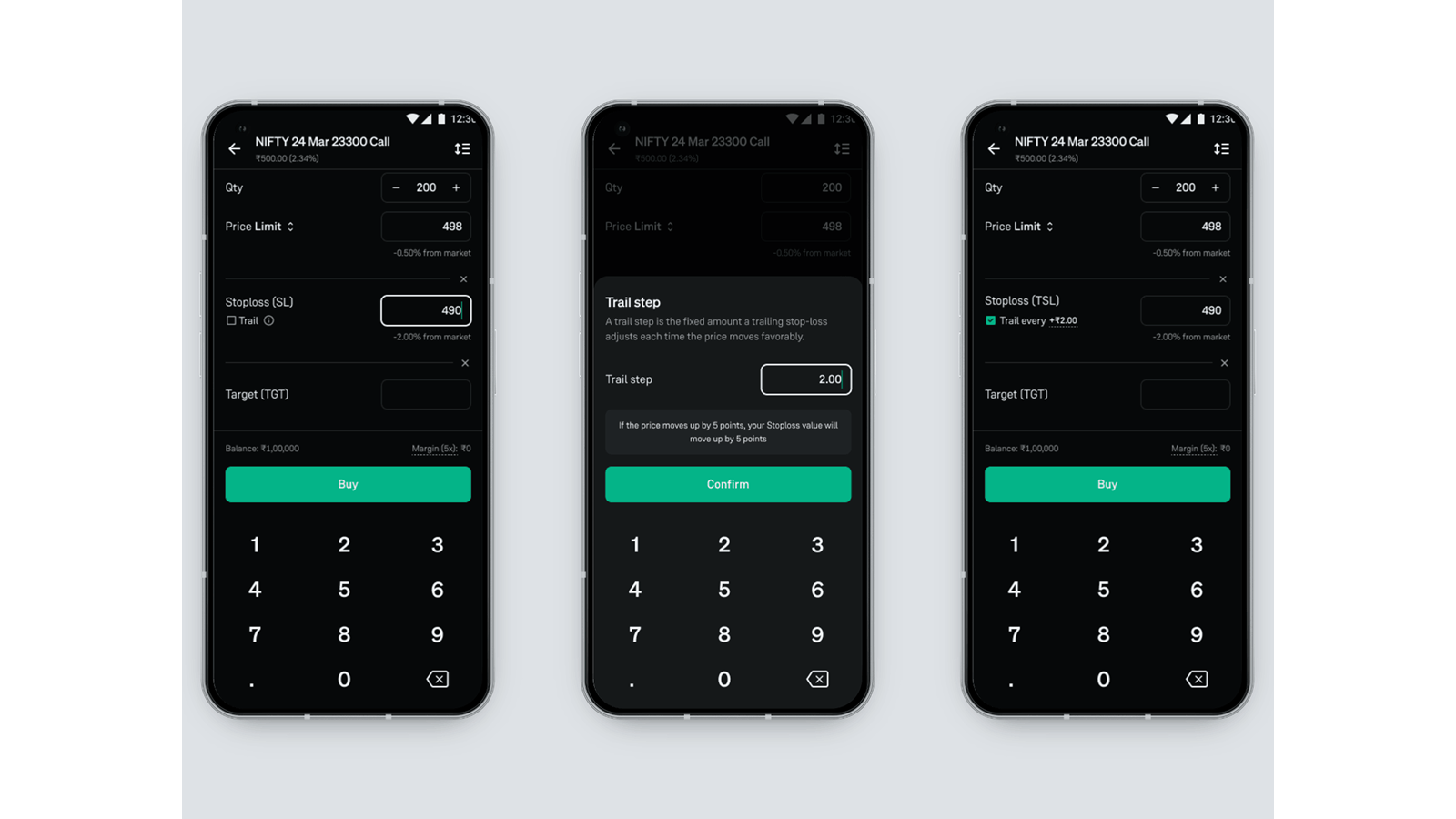
Trailing Stop Loss for Intraday: Now Live on Groww
Hello traders,
In fast-moving intraday markets, prices can swing quickly. While sometimes, it can be moving in your favour, only to reverse before you get a chance to react. Manually adjusting your stoploss every time the price moves is not always practical, and waiting too long can mean giving back your hard-earned gains.
That’s where Trailing Stop Loss (TSL) comes in.
With TSL now live on Groww, your stoploss doesn’t stay fixed. It automatically move with the price, helping you protect profits while capping your potential losses.
What is a Trailing Stop Loss?
Trailing stop-loss orders are a powerful tool for traders who want to maximize their gains while minimizing their losses. Unlike a regular stoploss order, a trailing stoploss automatically adjusts itself as the price of a stock moves in favor of your trade. This allows you to lock in profits while protecting against downside risk, ensuring that you can benefit from favorable price movements without constantly monitoring your positions.
How does it work?
A trailing stoploss has two parts:
- A stoploss price - the price at which you want to limit your losses.
- A trail step - the change in price for which the stoploss will be updated.
Instead of fixing your stoploss at one price, you define a stoploss and a trail step. As the stock price moves by the trail step, your stoploss is updated to maintain the gap from the price.
If the price falls from its highest point by that gap, the TSL triggers and exits the position, but if the price keeps rising, the stoploss keeps trailing higher and never moves back down.
Lets Simplify This With an Example
- You buy a stock at ₹100 and set a trailing stoploss at ₹95
- If the stock rises to ₹110, your SL is automatically moved up to ₹105, so even a reversal from there will let you exit with profit instead of a loss.
- If the stock never moves up and falls straight to ₹95, the original stoploss triggers as usual, limiting your loss.
How to Set a Trailing Stop Loss on Groww?
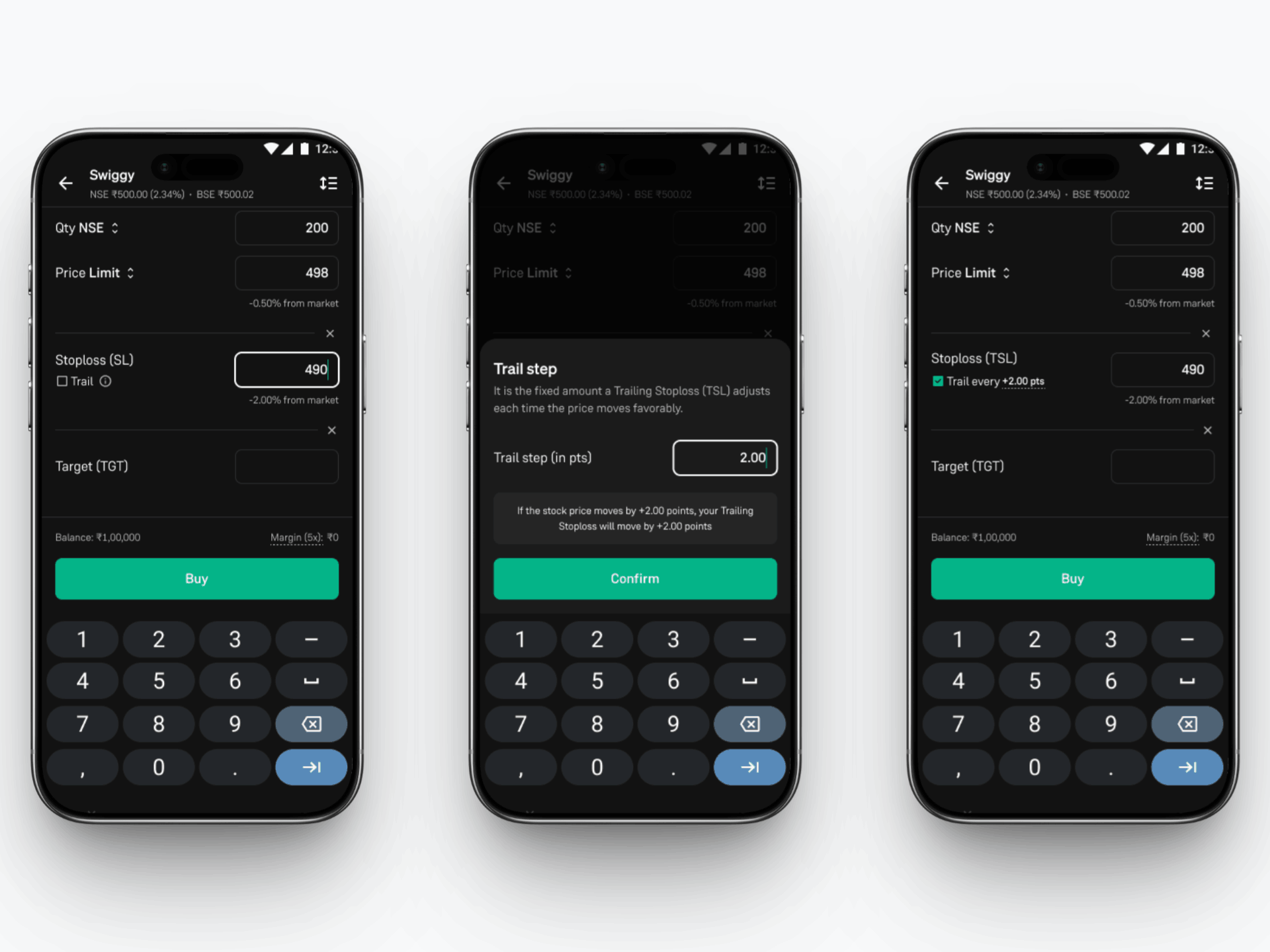
1. When Placing a New Intraday Order:
- Select the stock and choose Intraday.
- After entering quantity and price, click on “Add SL/TGT”.
- Enter your preferred stoploss price and/or target price.
- Check the “Trail” option available under ‘Stoploss’. This will enable trailing with the default trail step.
- You can also edit the trail step value by clicking on it.
- Confirm and place the order.
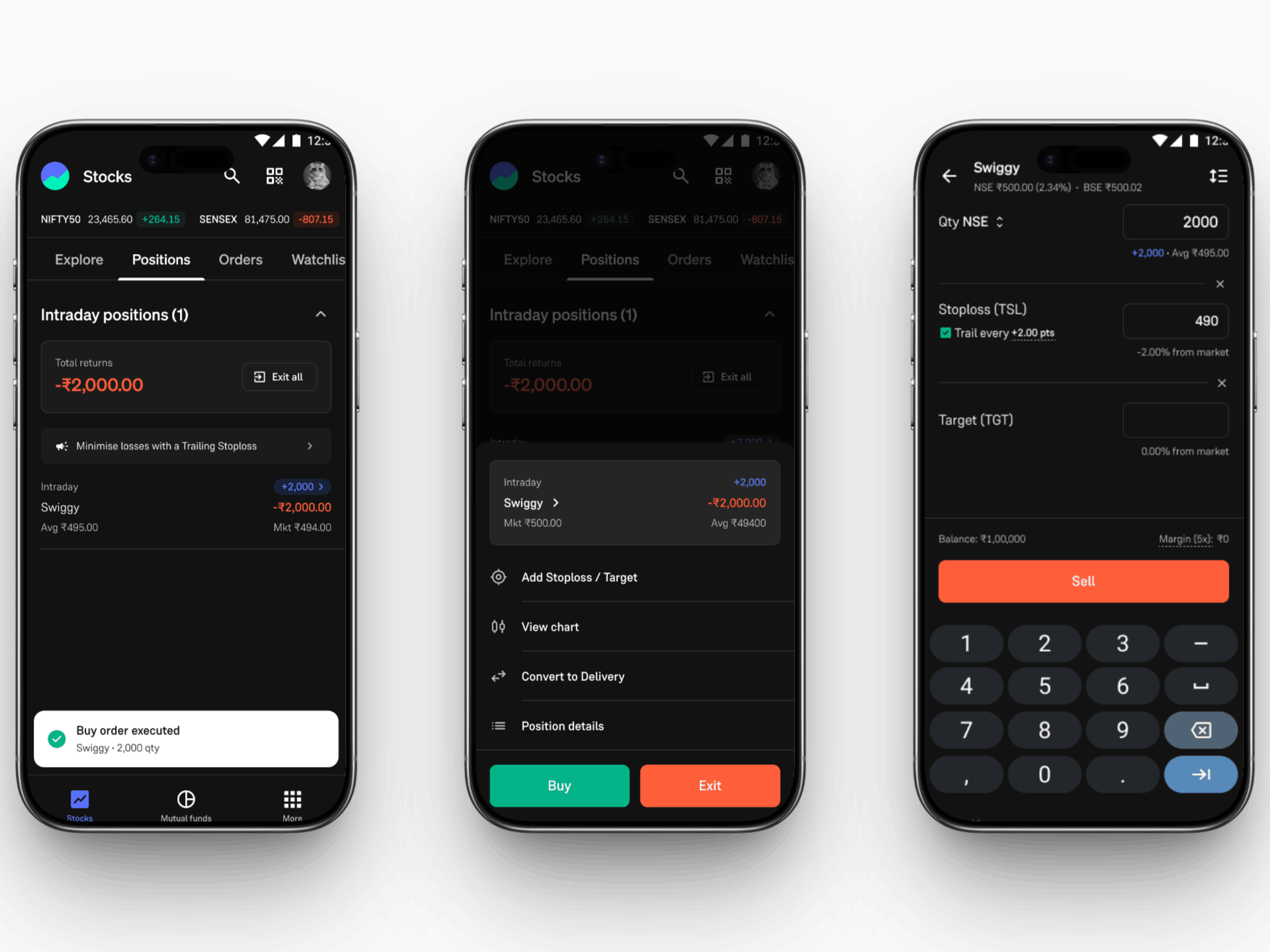
2. For Existing Intraday Positions:
- Go to your Positions tab on the Groww app.
- Select an open Intraday position.
- Tap “Add Stoploss/Target”.
- Enter your preferred stoploss price and/or target price.
- Check the “Trail” option available under ‘Stoploss’. This will enable trailing with the default trail step.
- You can also edit the trail step value by clicking on it.
- Place the order to exit your intraday position.
How to Track your TSL on Groww?
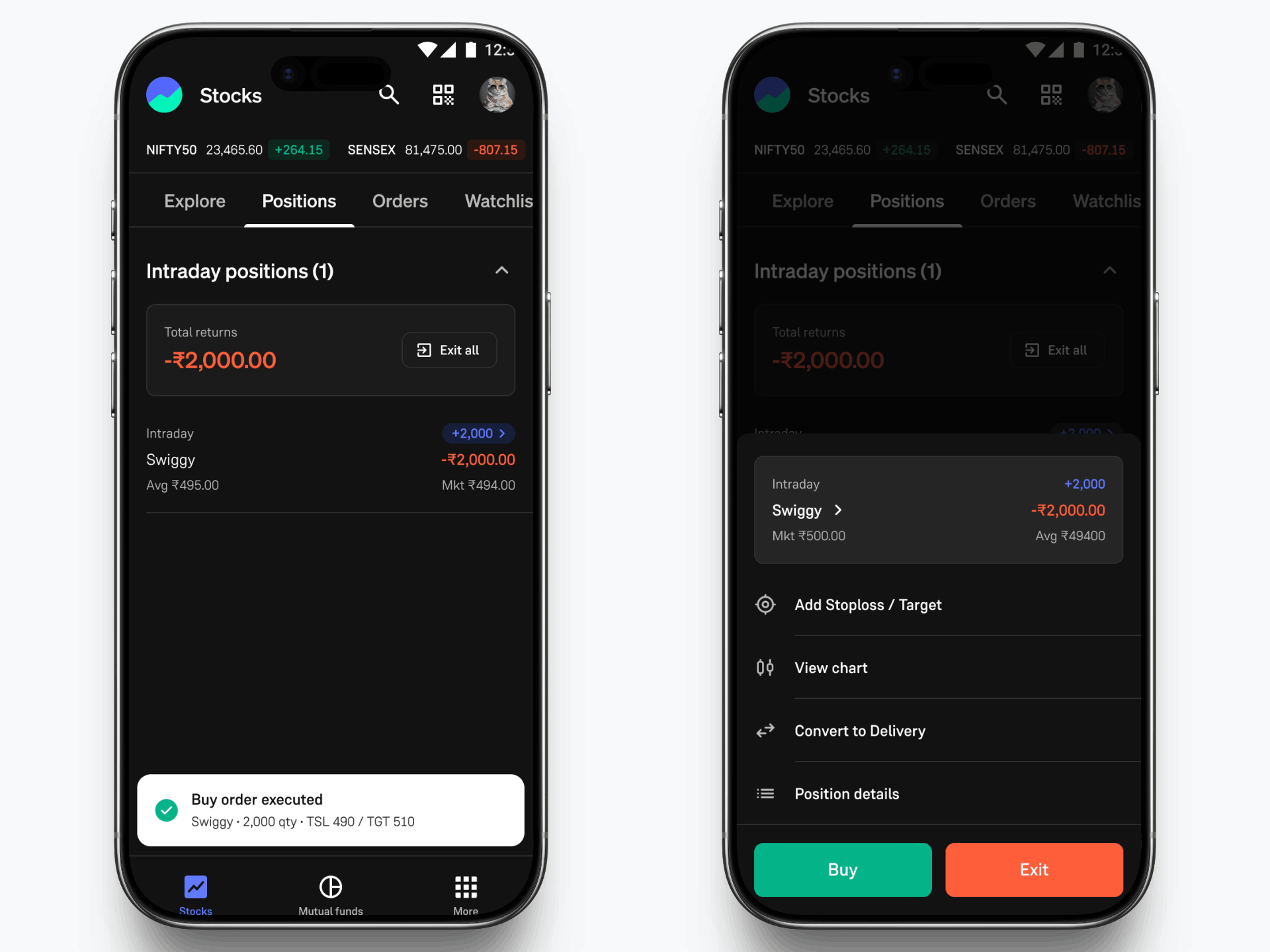
You can track your TSL through the Positions tab.
- Head to the ‘Positions’ section in the app.
- Tap on the intraday stock you have placed the SL/TGT order on.
- Tap on the position to view your active TSL order.
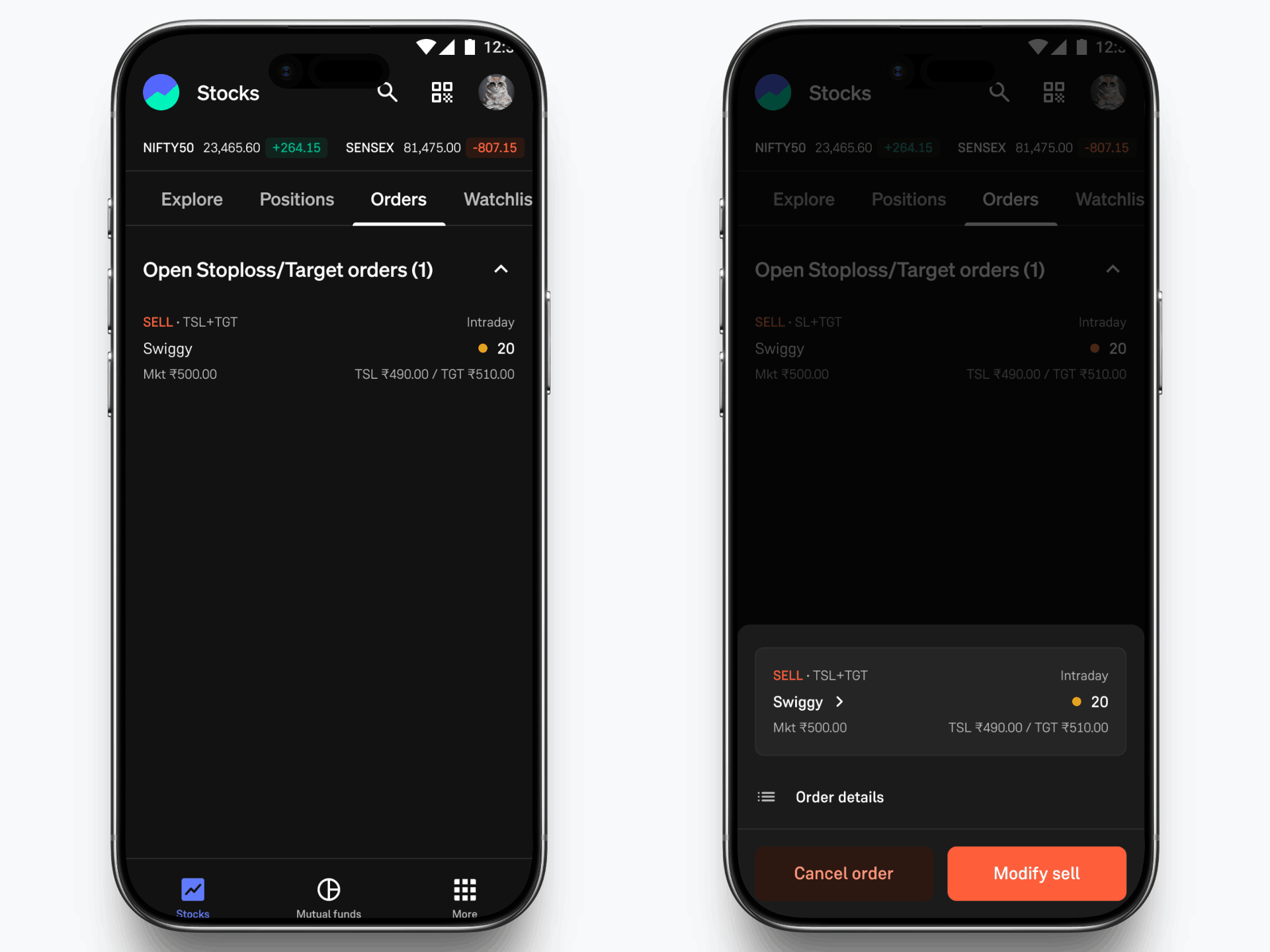
You can also find your open TSL orders in the ‘Orders’ tab:
- Go to the 'Stocks' section on the home screen.
- Tap on the 'Orders' tab.
- Select the order to view more details or modify your active TSL order.
Why use TSL?
- Lock in profits automatically as the price moves in your favour.
- Limit losses without needing to constantly modify your stoploss manually.
- Reduce emotional decision-making during fast moves by predefining your risk and letting the system manage exits.
Start Using Trailing Stop Loss Today
Next time you take an intraday position, set your stoploss and simply check "Trail" to turn it into a Trailing Stop Loss, right from your Groww app.
Trade with more confidence knowing that as the market moves in your favour, your protection moves with it—so you can focus on the right setups instead of chasing the perfect exit.
Trade smart. Trade protected.
- Team Groww
Other Updates