Organize Stocks the Way You Want: Build Custom Portfolios on Groww
Are you still maintaining an Excel sheet to track dividend stocks? Or, creating mental buckets for long-term vs short-term holdings? Or, maybe even using multiple demat accounts just to stay organized?
We get it and that’s why we have rolled out Portfolios on Groww.
With this latest update, Groww now lets you create custom portfolios within your holdings, helping you organize stocks exactly the way you think about them. No more external spreadsheets, no more mental math. Just your investments, organized your way.
Whether you segregate by investment goals, themes (like EV or IT), or simply want to separate your core holdings from experimental trades, Portfolios brings that flexibility right into your Groww holdings view.
What’s New in Groww Portfolios?
1. Create Custom Portfolios
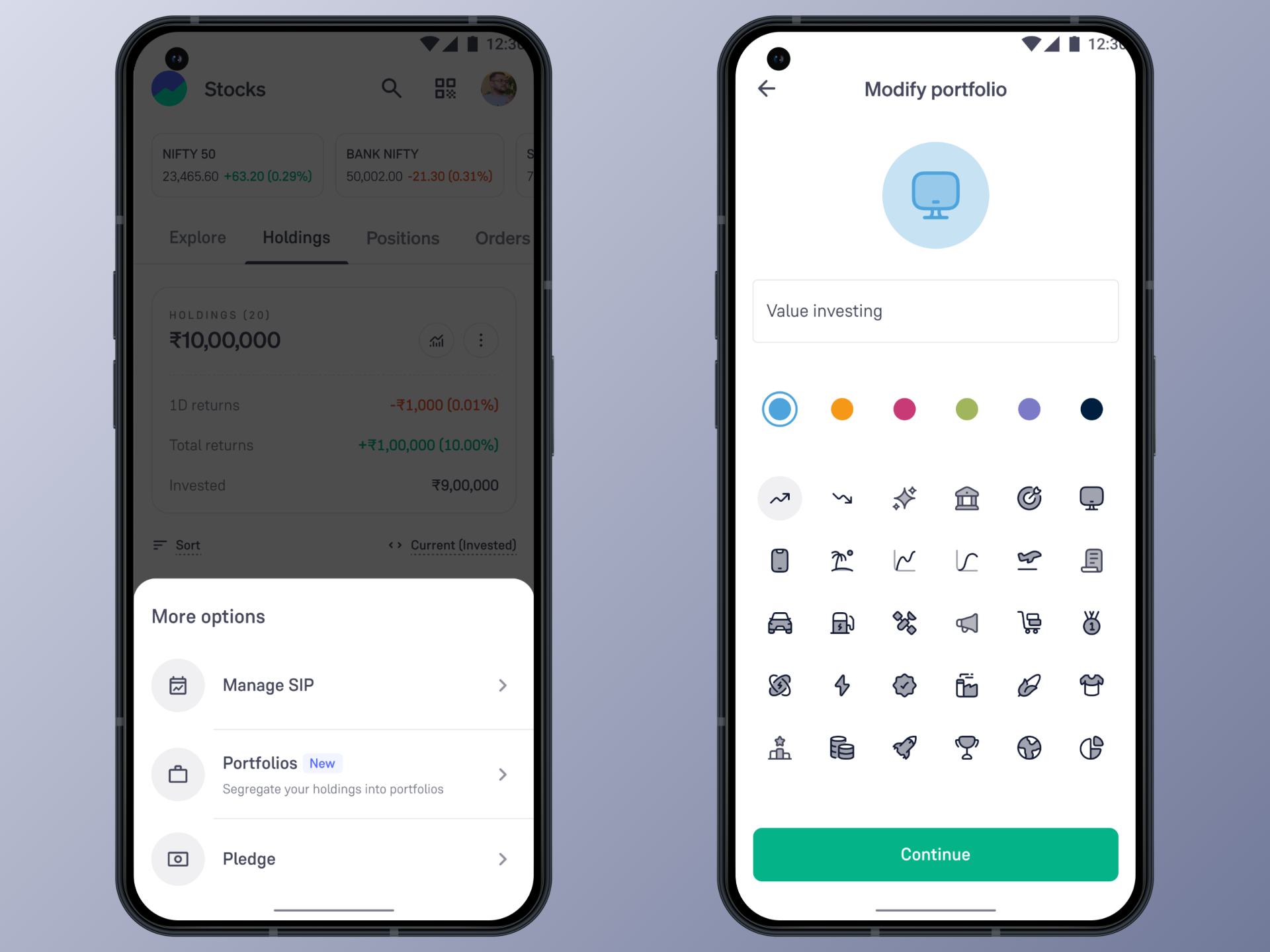
Build up to 10 personalized portfolios with custom names, emojis, and colors. Label them however you like, such as Retirement Fund, Gold & Silver, Dividend Stars, or anything that reflects your investment strategy.
2. Flexible Stock Assignment
Add any stock from your holdings to one or multiple portfolios. The same stock can appear in different portfolios based on your logic. For example, your Infosys holding can be part of both "IT Sector" and "Long-term Core" portfolios.
3. Instant Portfolio Filters
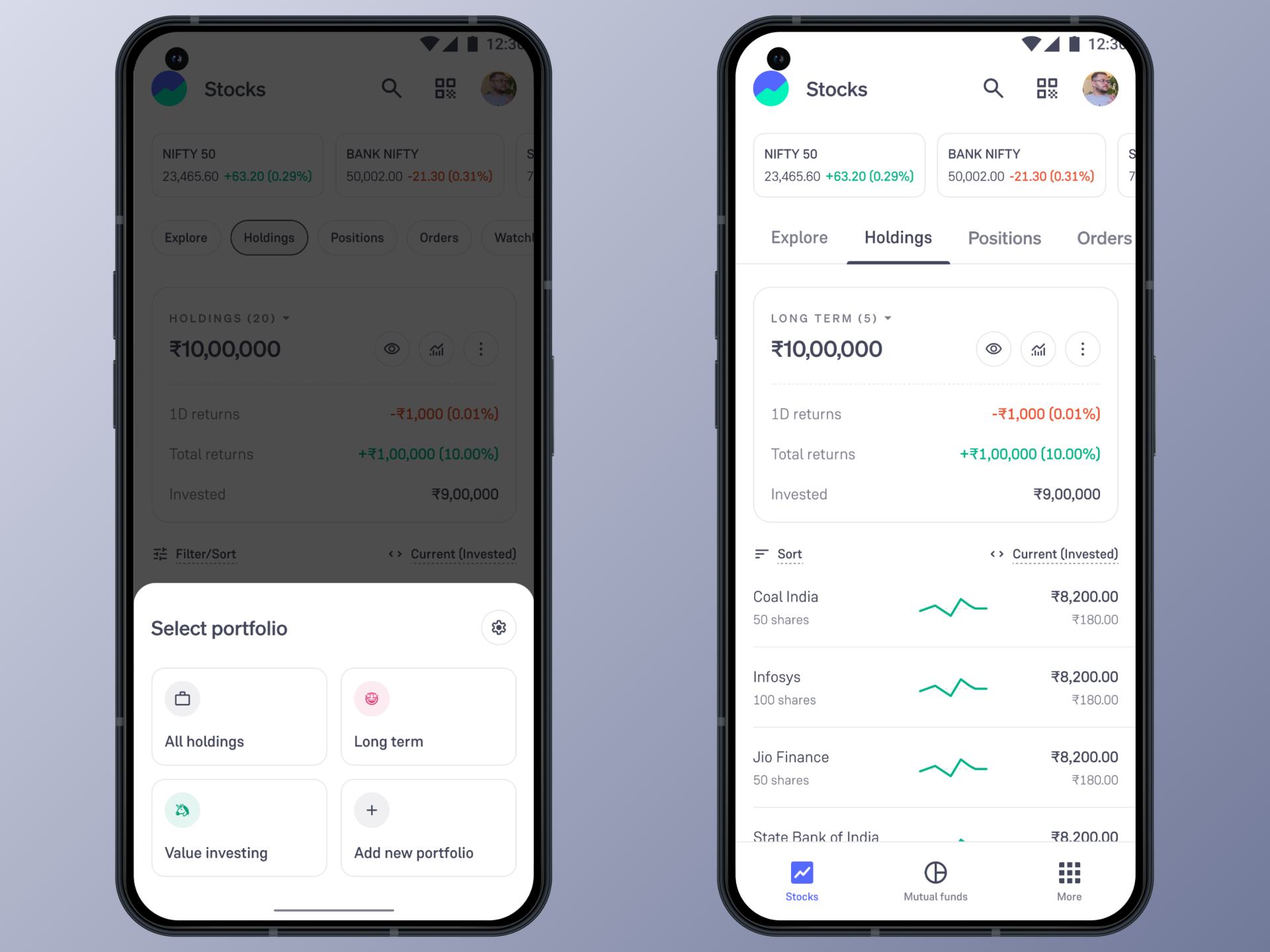
Switch between your complete holdings and specific portfolio views with a single tap. The summary card and stock list automatically adjust to show only what you want to see, making it easier to track performance by category.
4. Smart Portfolio Management
Edit portfolio details anytime – change names, swap emojis, or update colors as your strategy evolves. Add or remove stocks from portfolios as needed. When you completely exit a stock, it automatically removes itself from all portfolios.
How does it work?
Step 1: Create your first portfolio
- Go to Holdings → Tap on 3 dots → Tap on Portfolios
- Click "Create Portfolio"
- Add a name (up to 18 characters), pick an emoji, and choose a colour
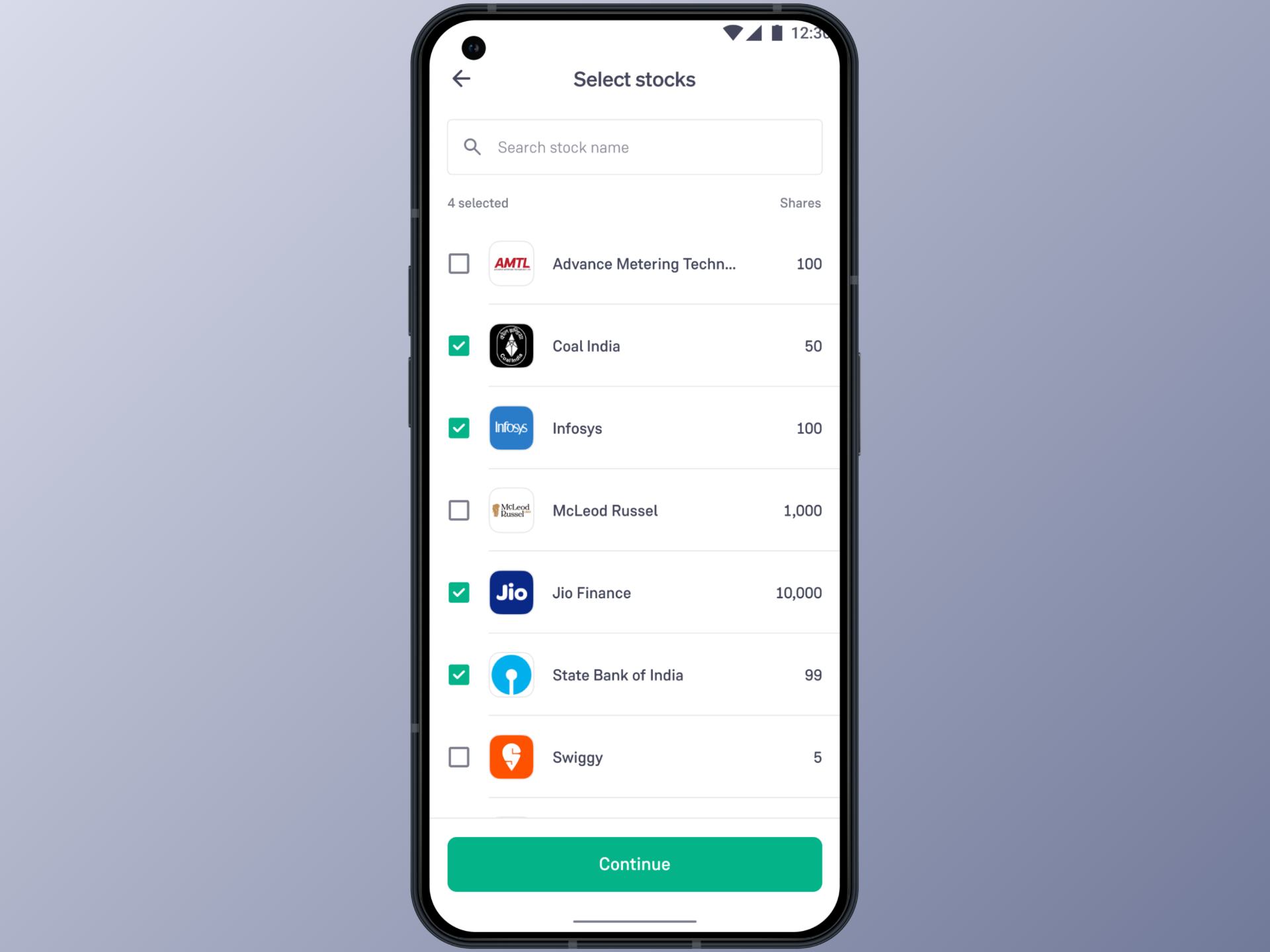
Step 2: Add stocks to your portfolio
- Select any stock from the list of your holding stocks
- Tap on Continue
Step 3: Filter and track
- Go to Holdings → Tap on the dropdown → Use your created portfolio as a filter
- See your portfolio-wise performance at a glance
- Switch back to "All Holdings" view anytime
- Your portfolios update automatically with every transaction
Ready to Get Started?
The Portfolios feature is being rolled out gradually to all Groww users.
Here’s how to get started:
- Update your Groww app to the latest version
- Navigate to Holdings and explore the new Portfolios section
- Create your first portfolio and start adding stocks
- Experience a more organized view of your investments
With Portfolios, investing becomes clearer. No more scattered tracking methods, no more unnecessary account switching. Just your investments, organized exactly how you think about them.
Open Groww today and start creating your portfolios.
Happy Investing!
– Team Groww
Other Updates