Introducing Groww Charts: Built for Speed, Designed for Traders
Hello Traders,
We know how important charts are to your trading journey. Whether you are analyzing price action, identifying entry points, or managing positions, charts are your go to tool.
But, charting on mobile apps can often feel slow, clunky, or disconnected from the actual trade.
Hence, we at Groww, have decided to change that for our users.
Introducing Groww Charts — a faster and mobile-first charting experience built to help you trade smarter. These lightning-fast charts let you trade directly from your screen.
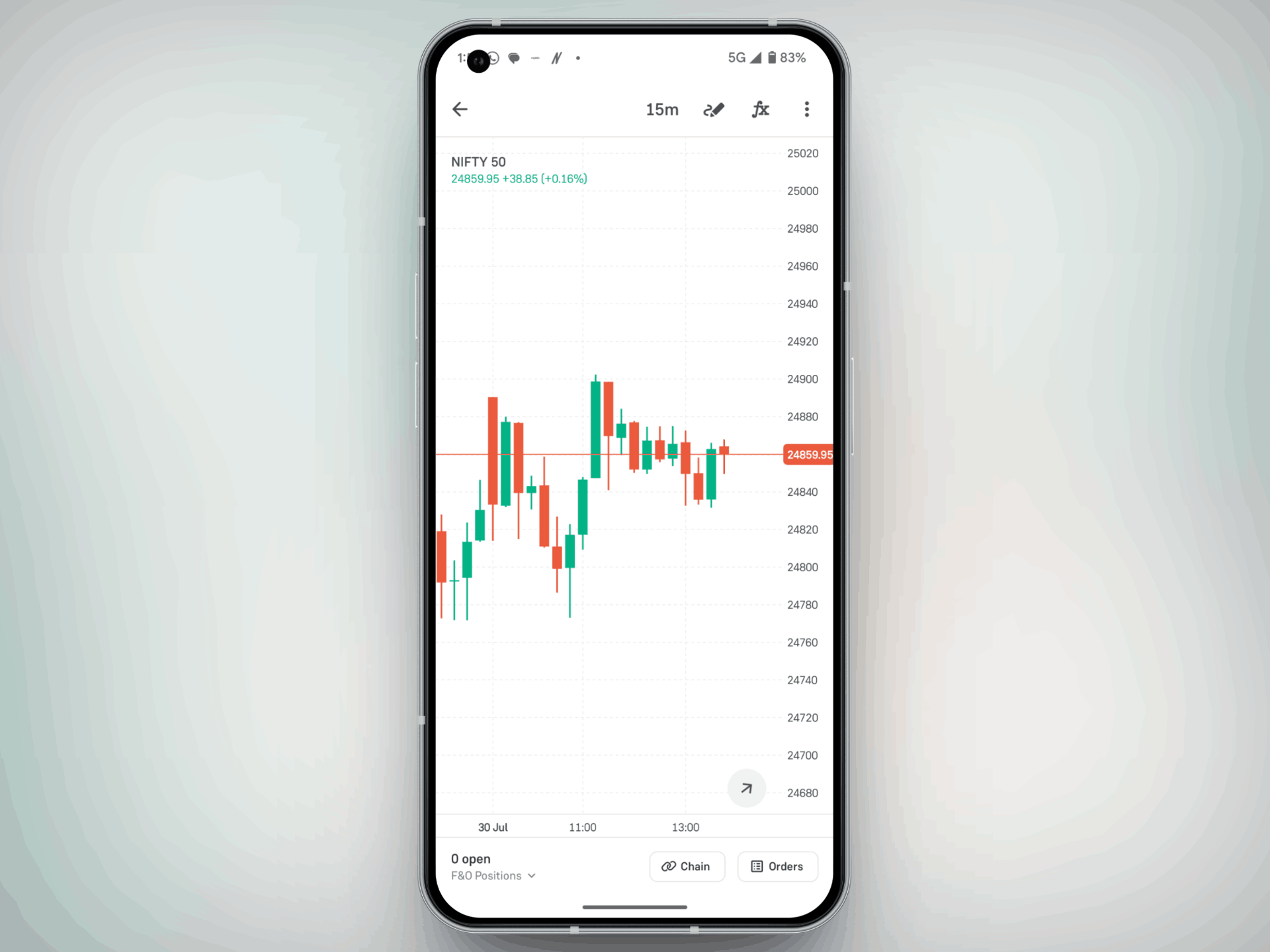
What are Groww Charts?
Groww Charts are our brand-new, natively built charting experience for F&O traders on mobile. They are:
- Superfast: Built ground-up for performance, responsiveness, and low latency.
- Mobile-First: Optimized for intuitive trading actions directly on the chart.
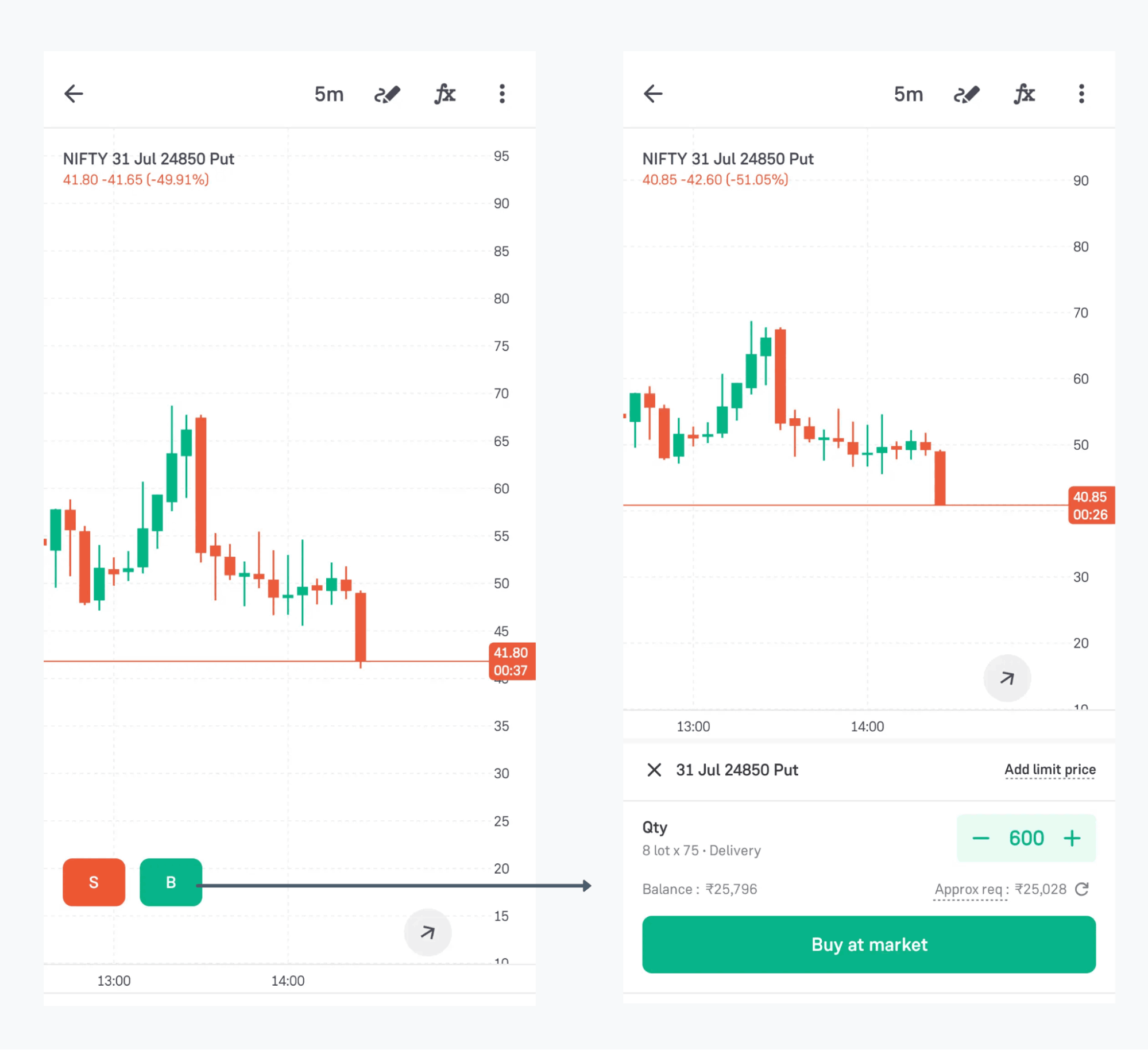
- Trade-Ready: With features like Trading on Charts, you can place, exit, and manage trades without switching screens.
- Simple & Clean: No unnecessary clutter. Just price action, key tools, and clear trade controls.
Groww Charts - Feature Highlights
Here’s what makes Groww Charts stand out:
1. Native Charting Engine
It is built from scratch with no third-party dependency. This means:
- Superfast load times
- Smooth zoom, pan, and drag interactions
- Reliable performance in live markets
2. Real-Time Price Updates
Get LTP, candlesticks, and indicators update in real time, so you never lose sync with the market.
3. Chart Tools & Indicators
Add trendlines, draw zones, and use indicators like EMA, RSI, and more. All tools are simplified for mobile usability.
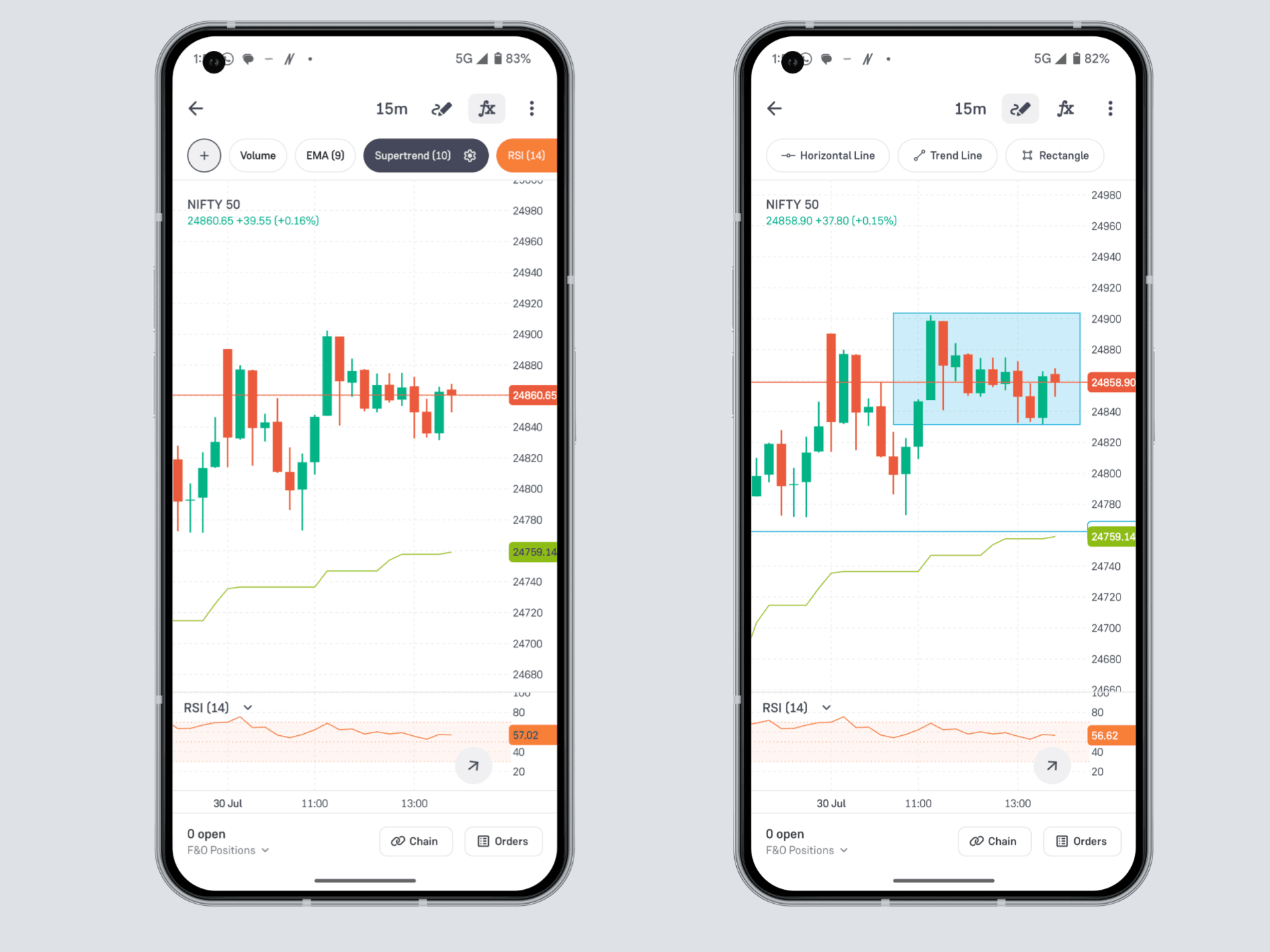
We are continuously working on expanding the library of indicators and drawing tools to give you even more power and flexibility.
4. Trading on Charts
The biggest game-changer — you can now trade directly from your chart without switching tabs.
What Can You Do With Groww Charts?
Here's what you can do by using the Groww Charts:
- Place entry and exit orders without covering your chart — stay connected to price action as you trade.
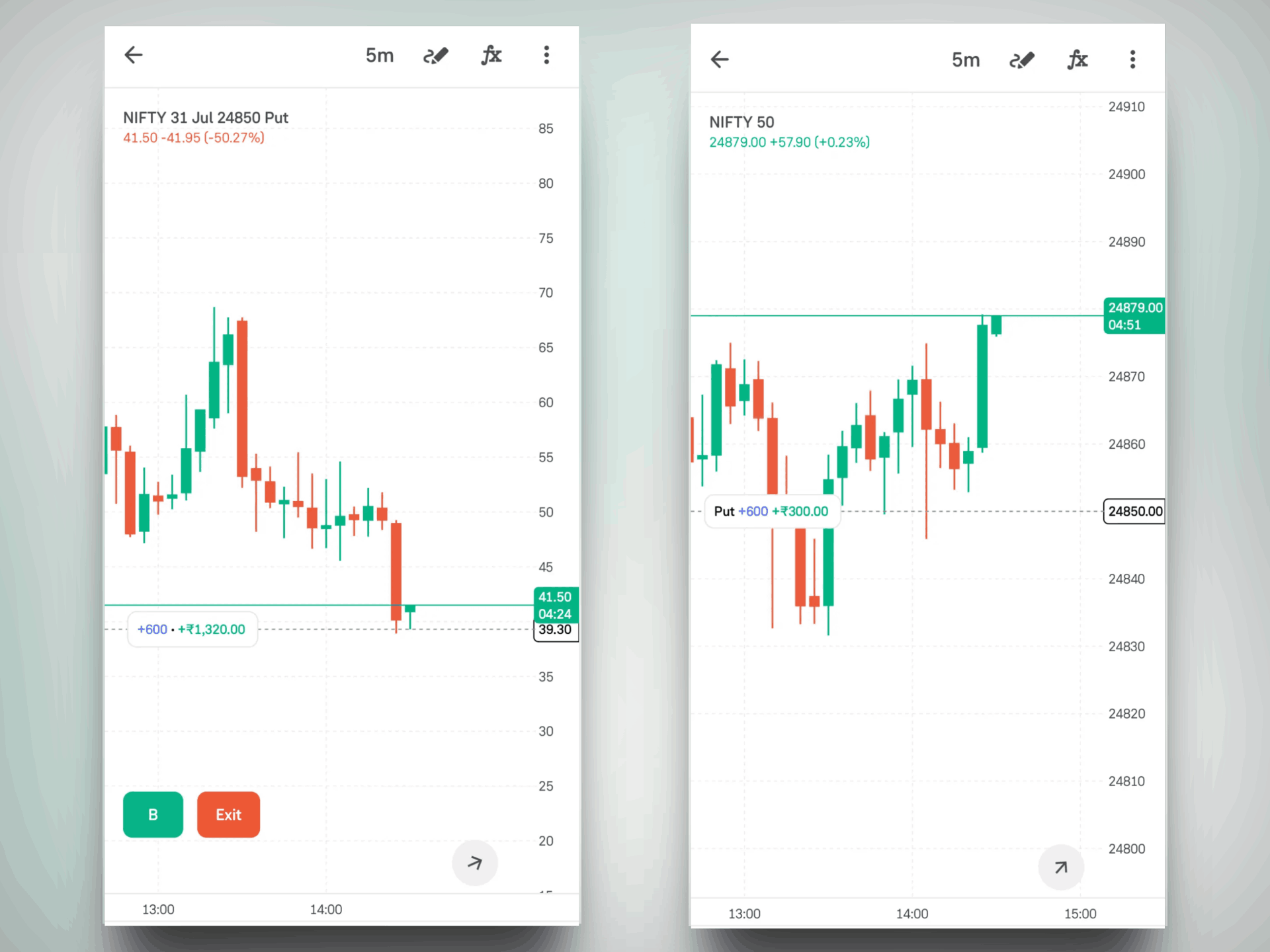
- Position Line & PnL Label: See your open position marked on both contract and underlying charts, with real-time PnL updates.
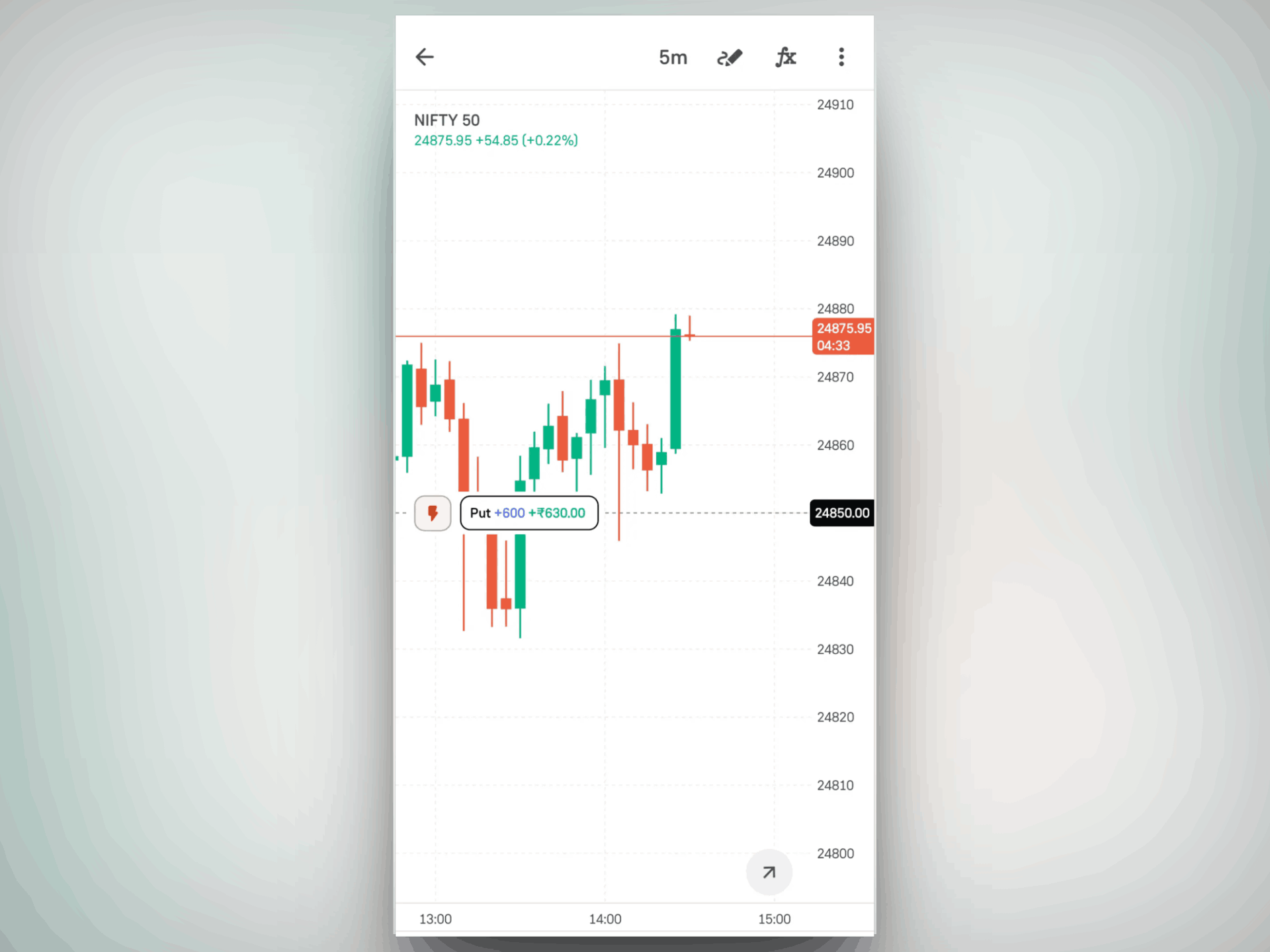
- Fast Exit: Tap on the position line to quickly close your full position from either chart.
- Set SL/TGT Visually: Drag and drop SL or Target lines directly to add from the contract chart.
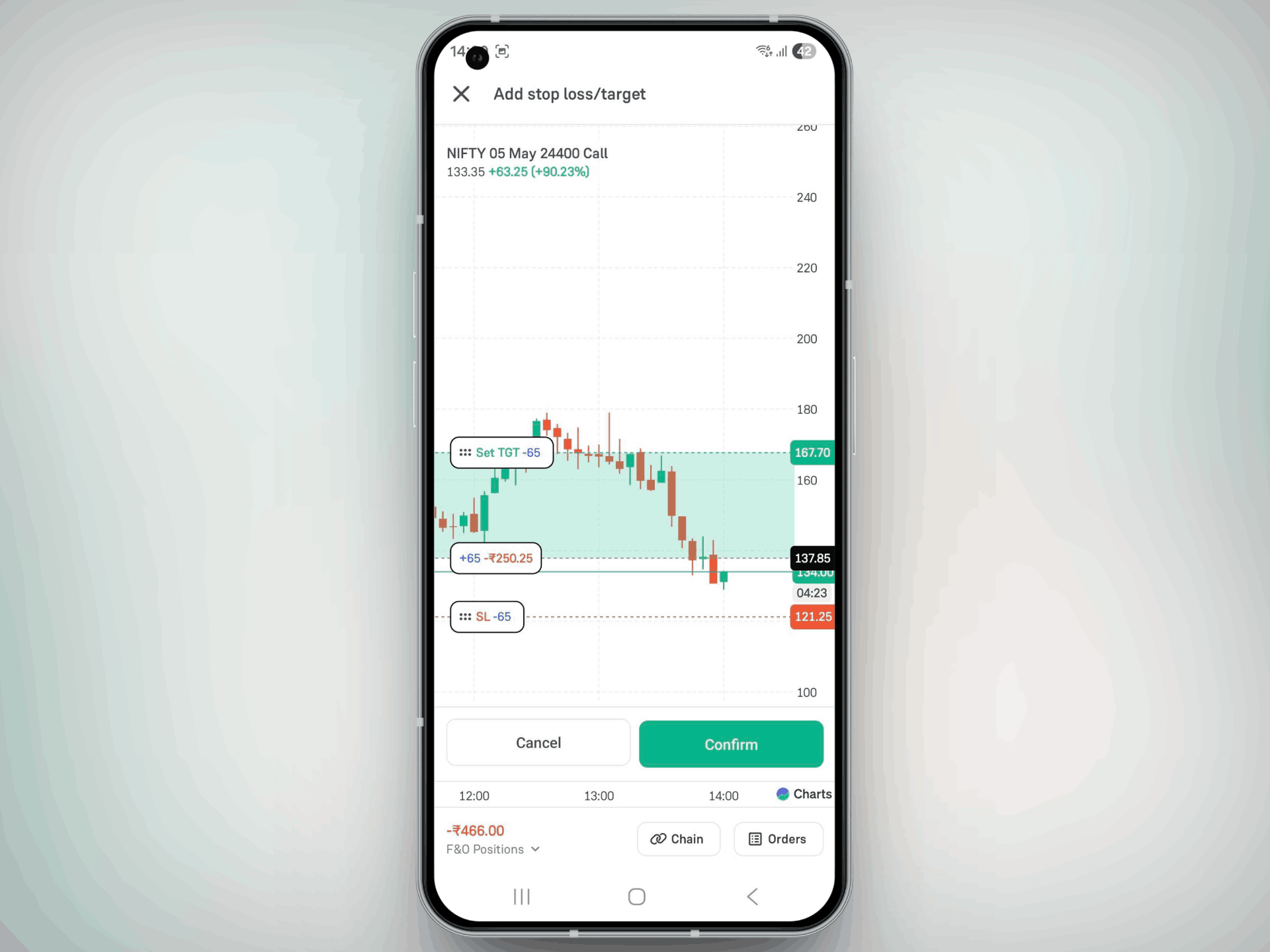
- Modify SL Easily: Already placed a Stop Loss? Just drag the line to update — quick and visual.
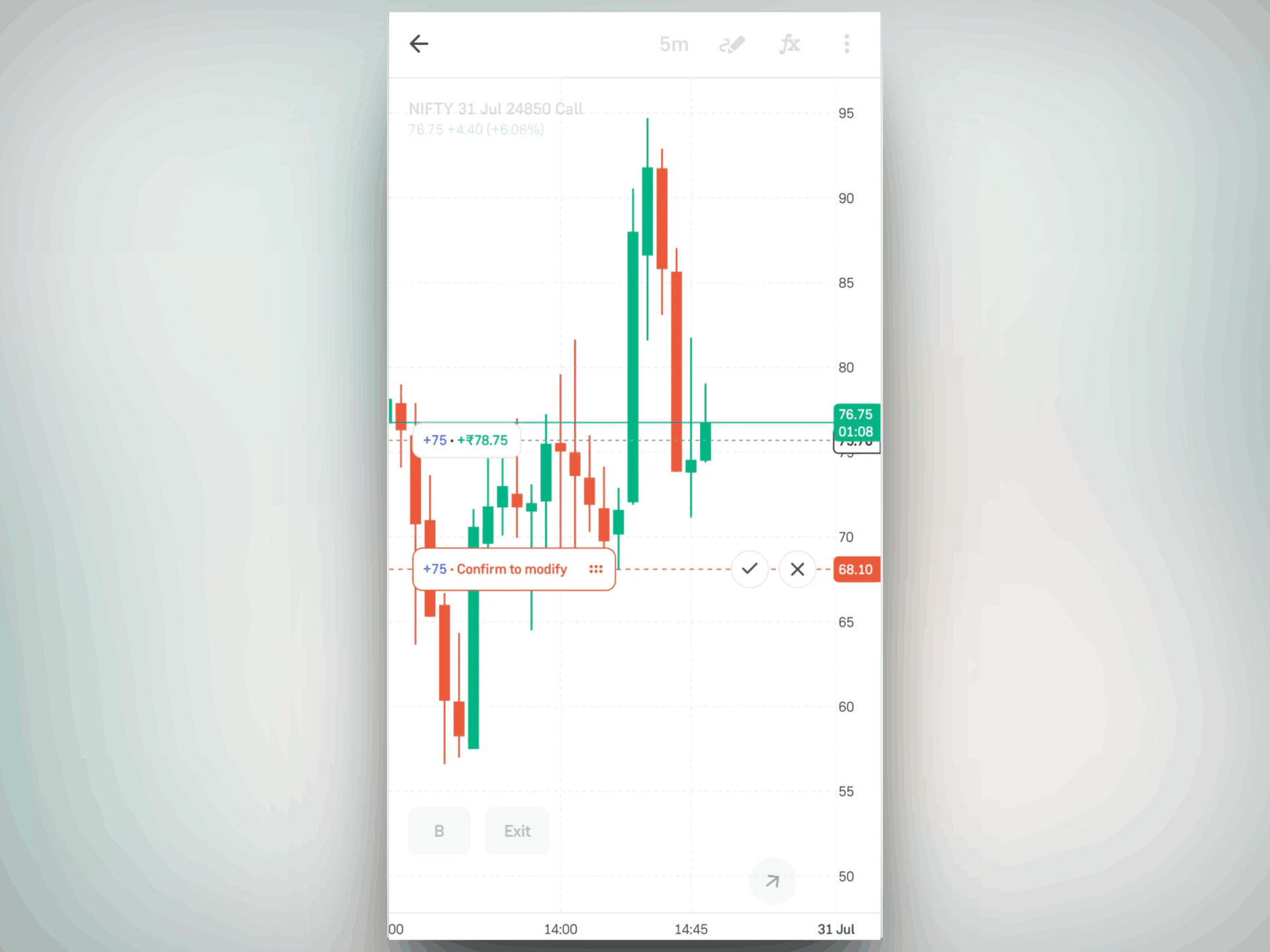
All of this works natively inside Groww Charts, for a seamless and confident trading experience.
View Limit Orders on Charts
Once a limit order is placed, it is plotted directly on the chart at your selected price.
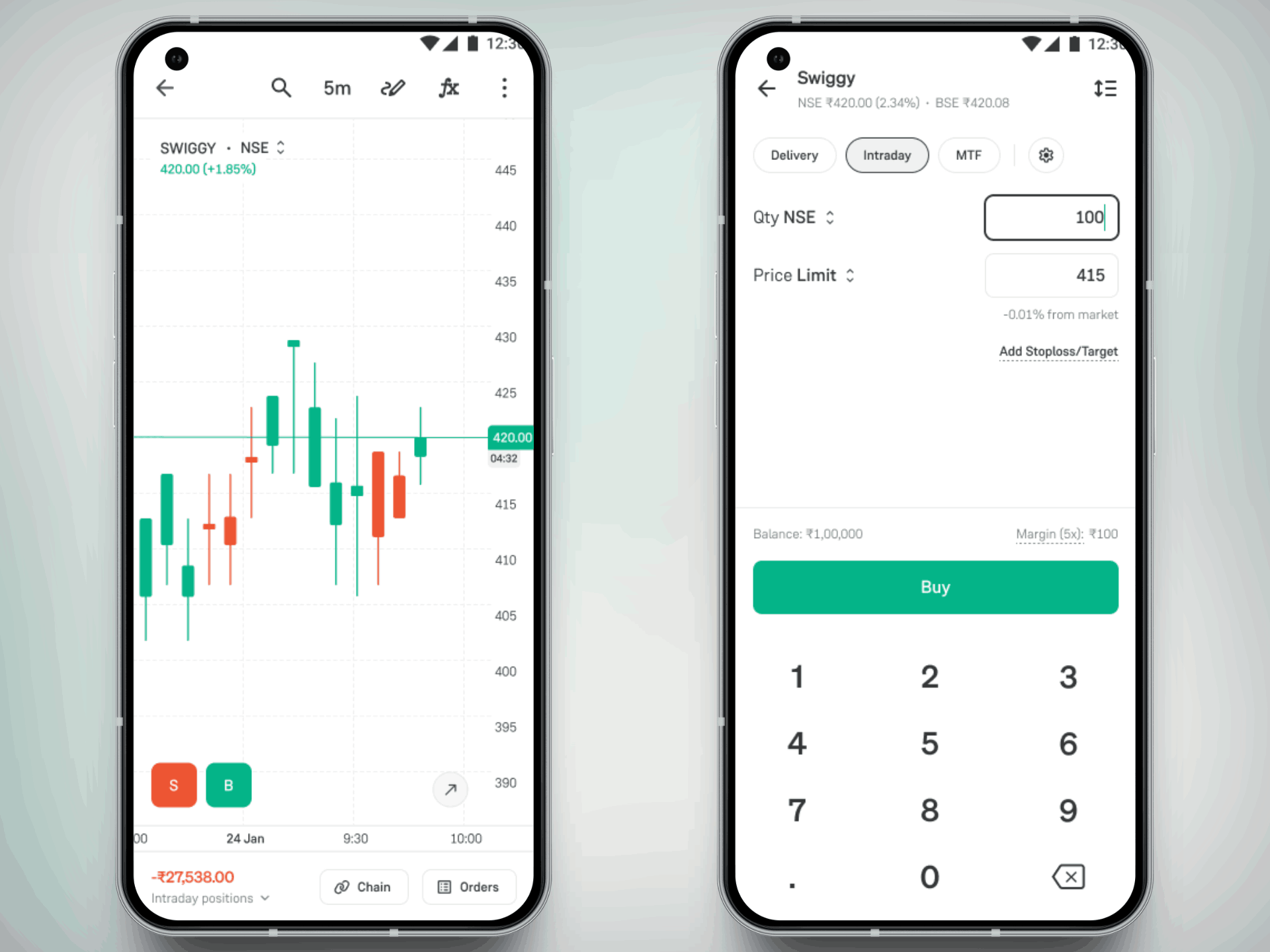
- The order appears as a horizontal line at the limit price level
- A label (e.g., “Limit +100”) indicates the order and quantity
- You can clearly see where your order sits relative to current price action
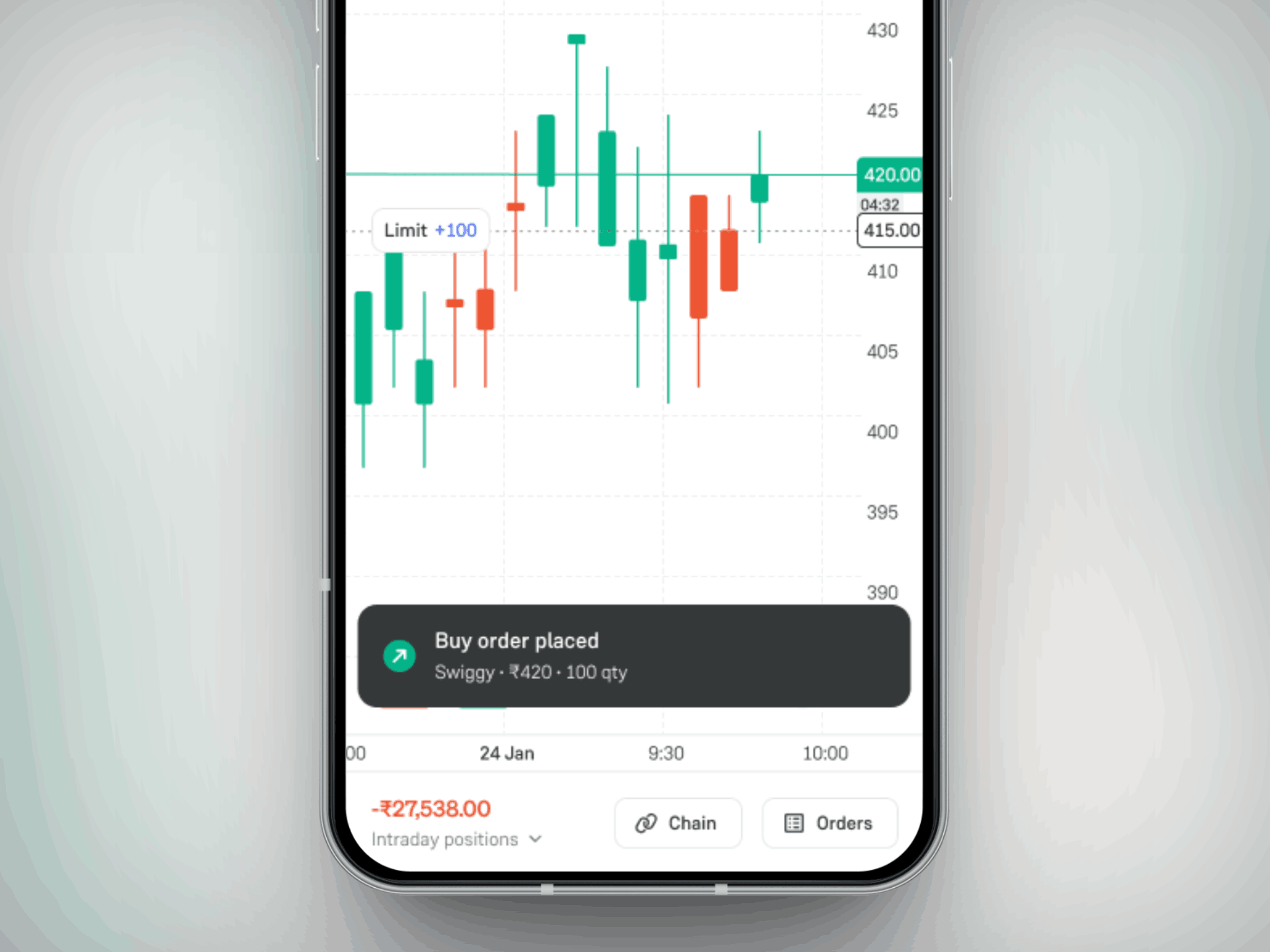
This gives you instant visibility into your active orders without leaving the chart.
Modify Limit Orders on Contract Chart
Need to adjust your price? You can now do it directly from the chart.
- Tap and drag the order line up or down to change the limit price
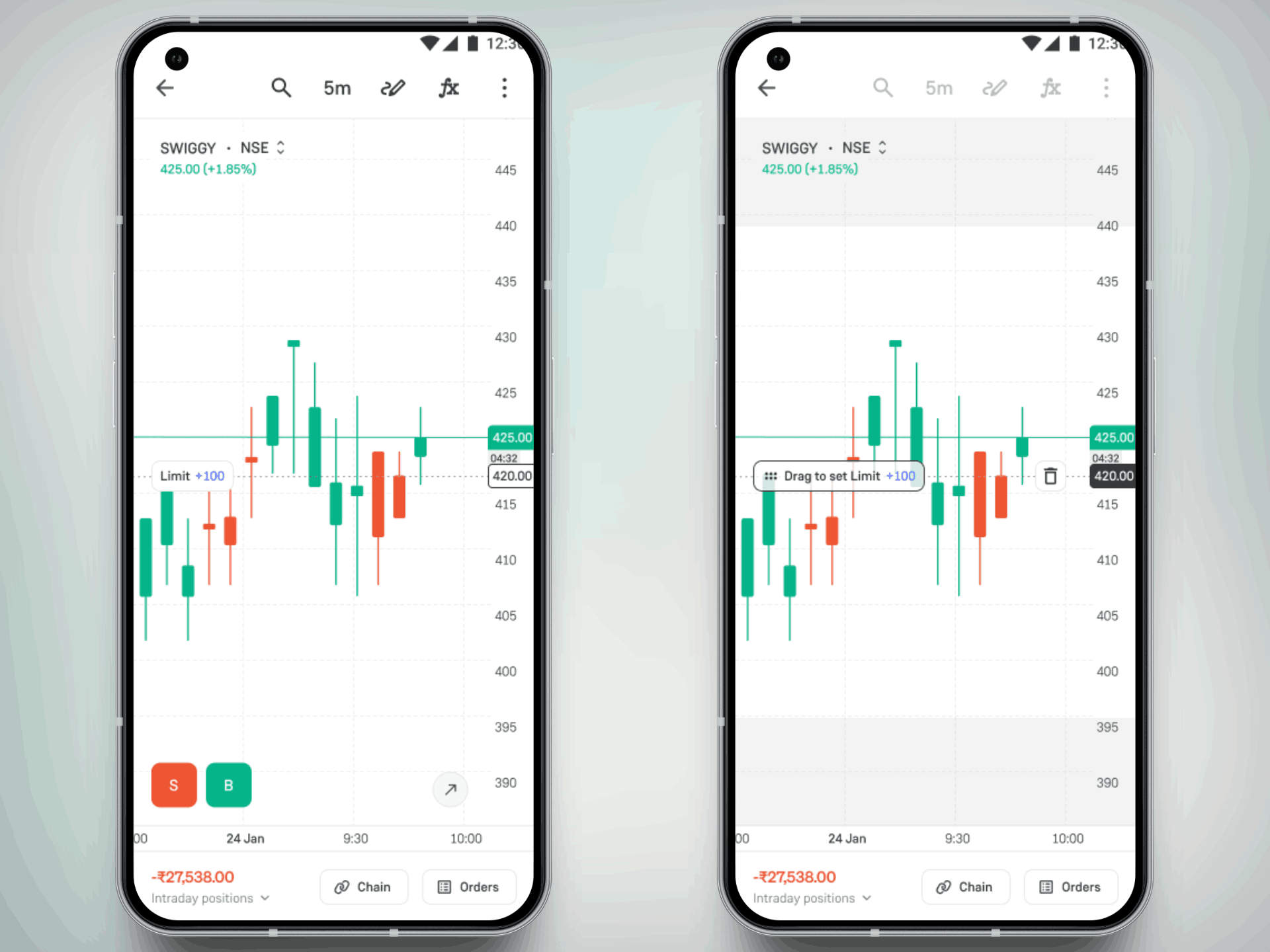
- As you drag, the updated price is reflected in real time
- Once positioned, simply confirm the modification
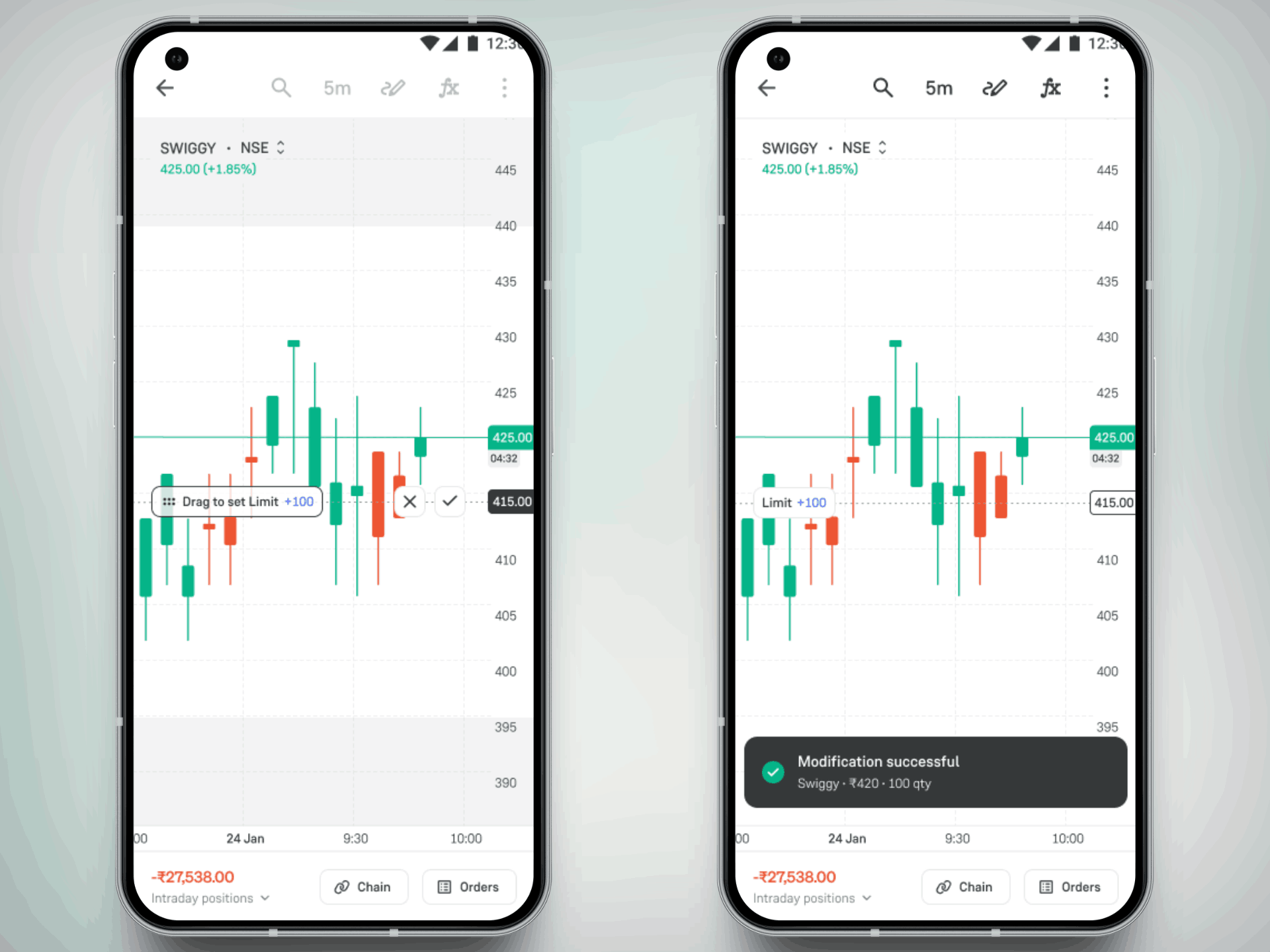
This interaction removes the need to manually edit order details, helping you react quickly to market changes.
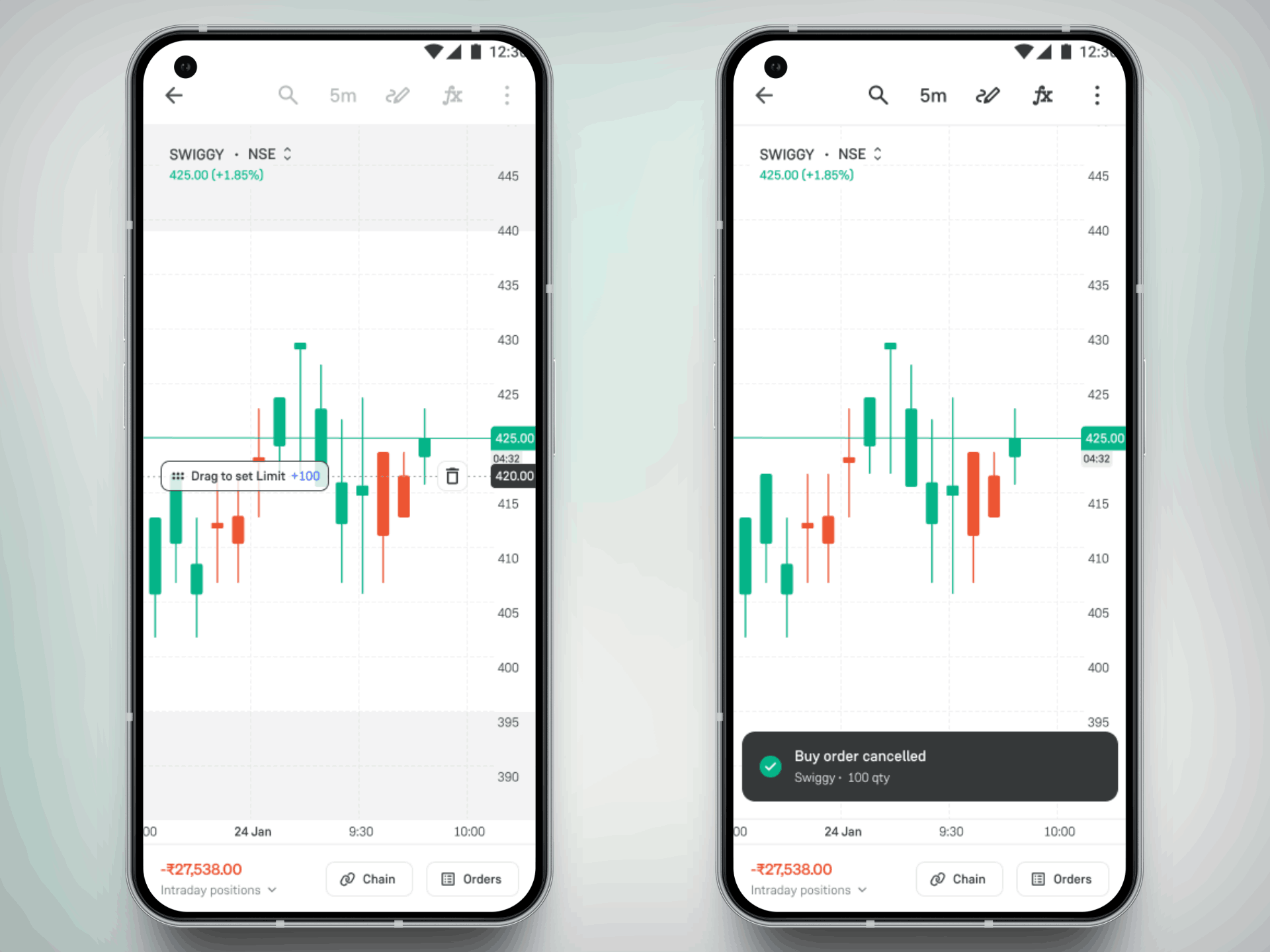
Cancel Limit Orders Directly from Contract Chart
If you decide not to proceed with an order, cancelling it is just as simple.
- Tap on the order line or label shown on the chart.
- A delete (bin) icon appears next to the order.
- Tap the icon to cancel the order instantly.
- Once cancelled, the order line disappears from the chart. A confirmation message - “Buy order cancelled” is shown.
This makes it quick to exit an order without navigating away or opening the order book.
How to Get Started with Groww Charts?
- Go to the Groww app Settings.
- Find the Groww Charts toggle and switch it on.
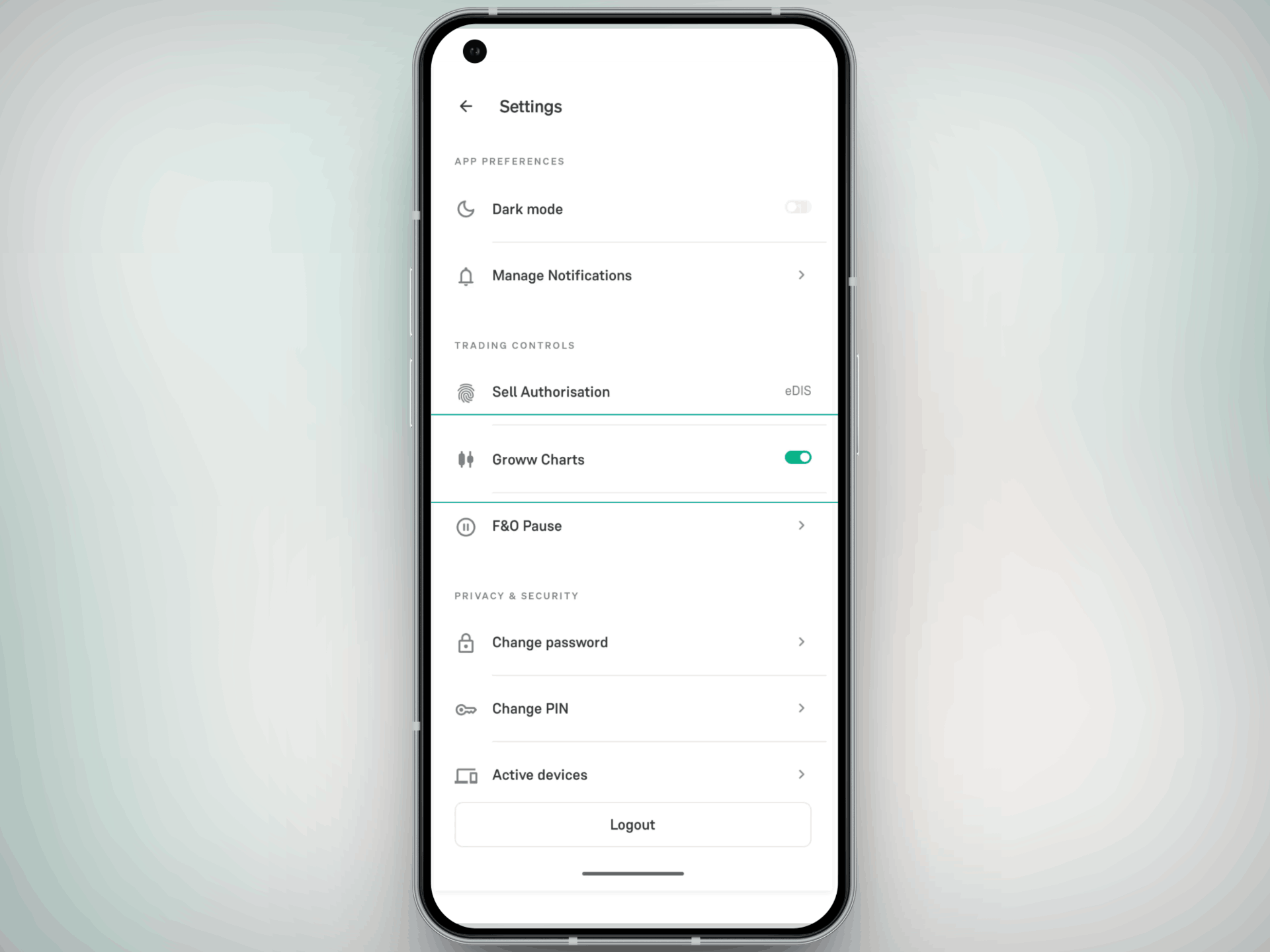
3. Open any stock chart to start using the feature.
Please note - Groww Charts is currently available on Android. iOS support is coming soon!
As part of our ongoing improvements to Groww Charts, we are focused on making trading simpler, more efficient, and better aligned with how you actually trade.
Try Groww Charts today and tell us what you think. Your inputs help us build better.
Happy Trading!
- Team Groww
Other Updates