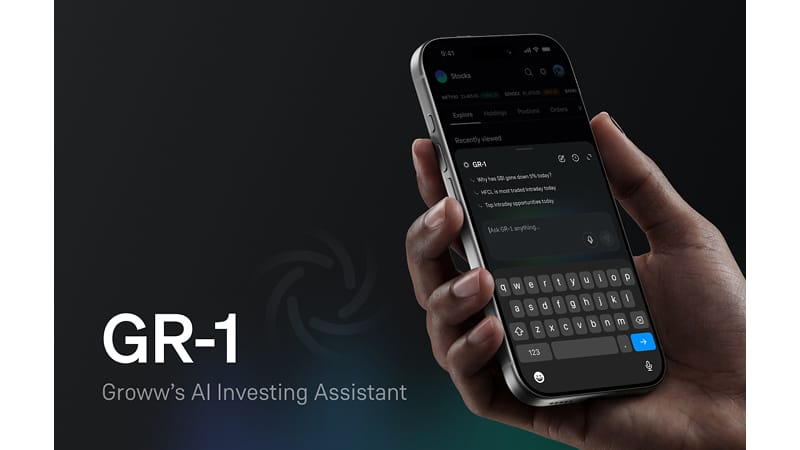
Introducing Advance Option Chain: Explore Instant and Basket Modes on Groww
Every trader works differently. Some want lightning-fast speed for single trades, while others want to build and test multi-leg strategies before executing.
Hence, to give you complete control over how you trade, we are excited to introduce Advance Option Chains on Groww.
Now, you can easily switch your Option Chain view between Instant Mode and Basket Mode depending on what your strategy needs.
Choose the Mode That Fits Your Strategy
You can now pick from three distinct modes inside your Option Chain settings:
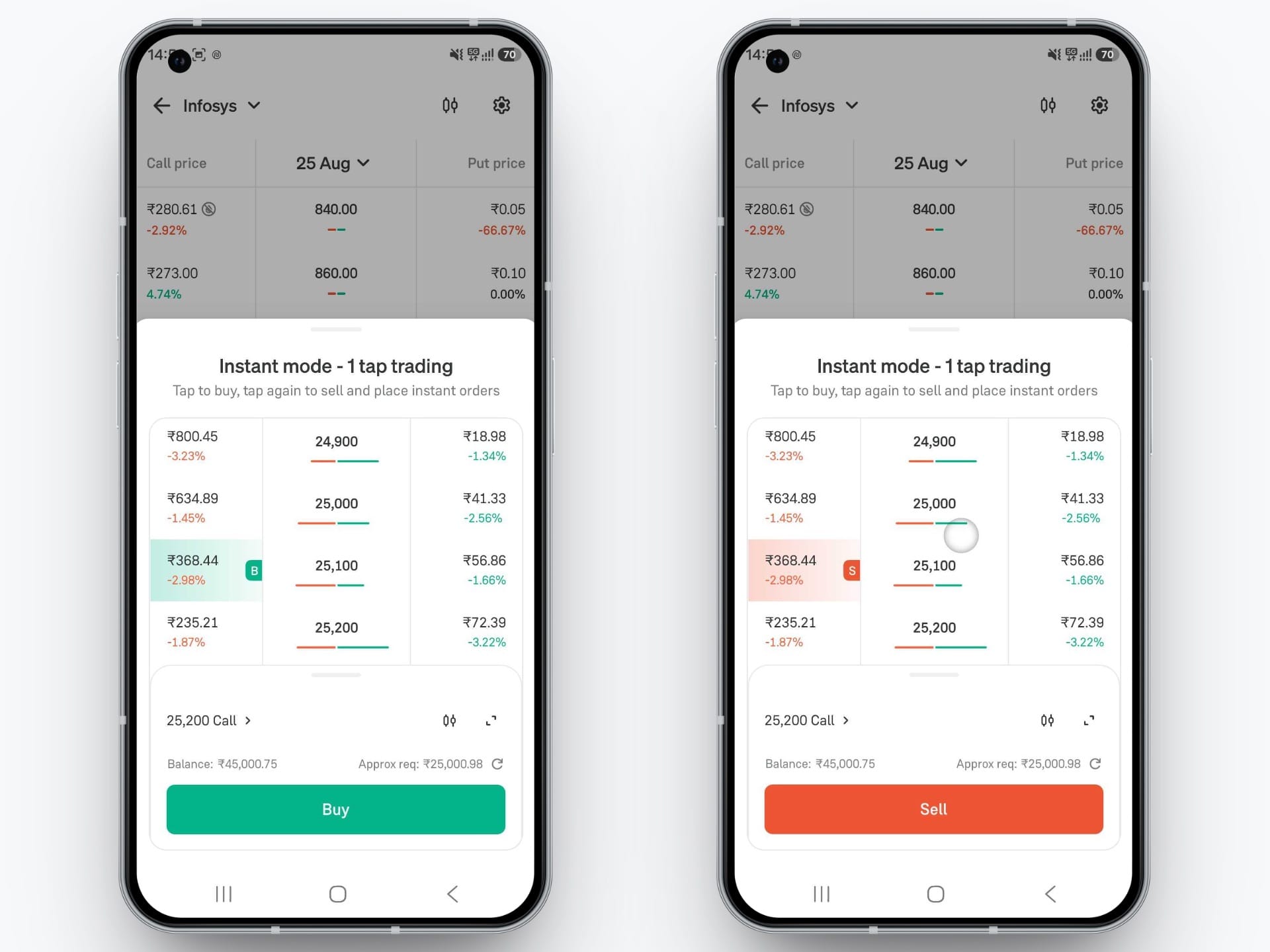
1. Instant Mode (1-Tap Trading)
Best for scalpers and speed-focused traders who want to capture quick market moves.
- 1-Tap Execution: Place market orders directly from the option chain screen - no extra confirmation screens needed.
- Simple Controls: Tap once on any strike price to buy instantly, tap again to sell.
- Margin Check: View your required margin right at the bottom before placing your order.
2. Basket Mode (Multi-Leg Strategies)
Best for strategy traders building multi-leg positions like spreads, straddles, or hedges.
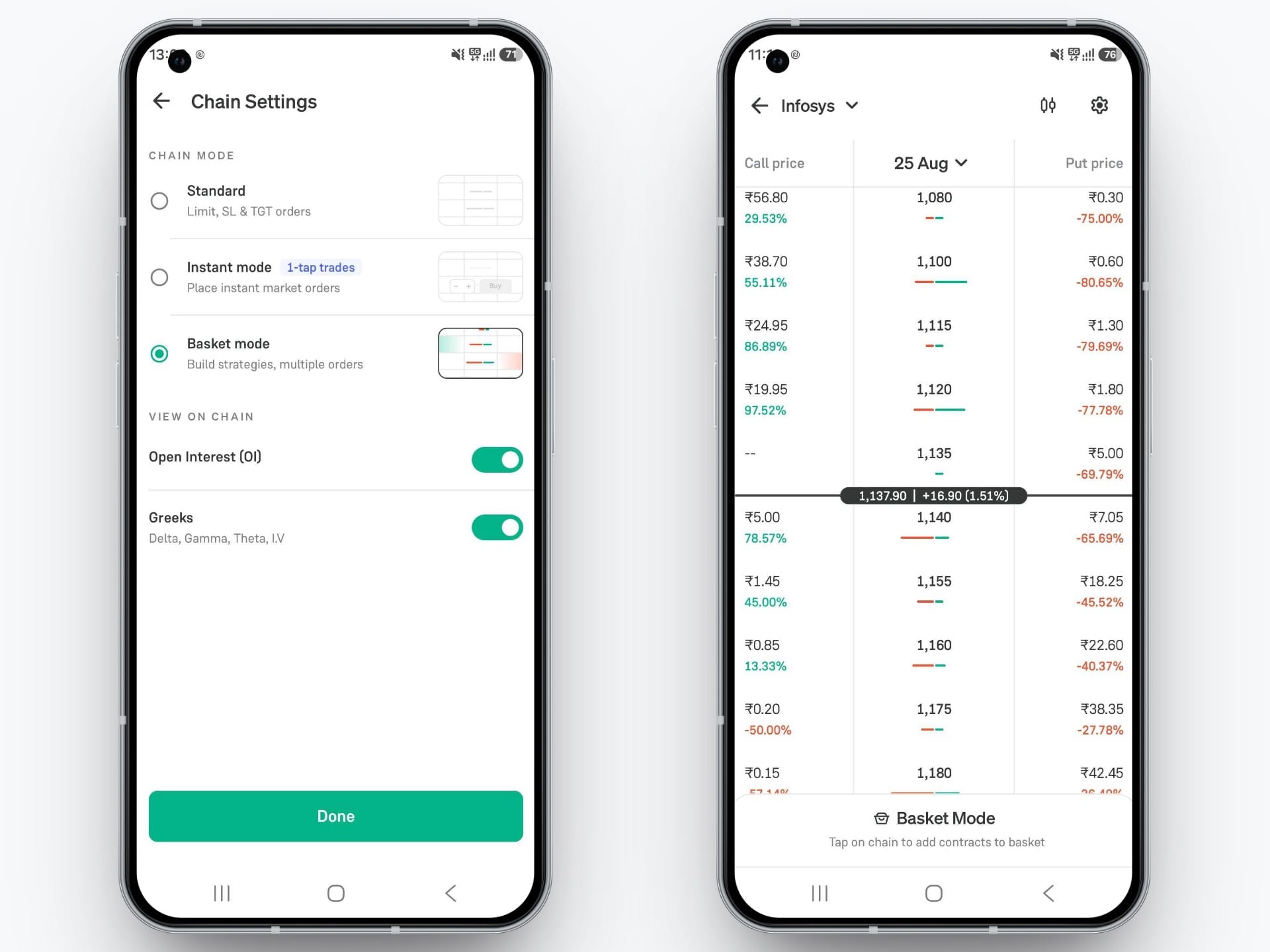
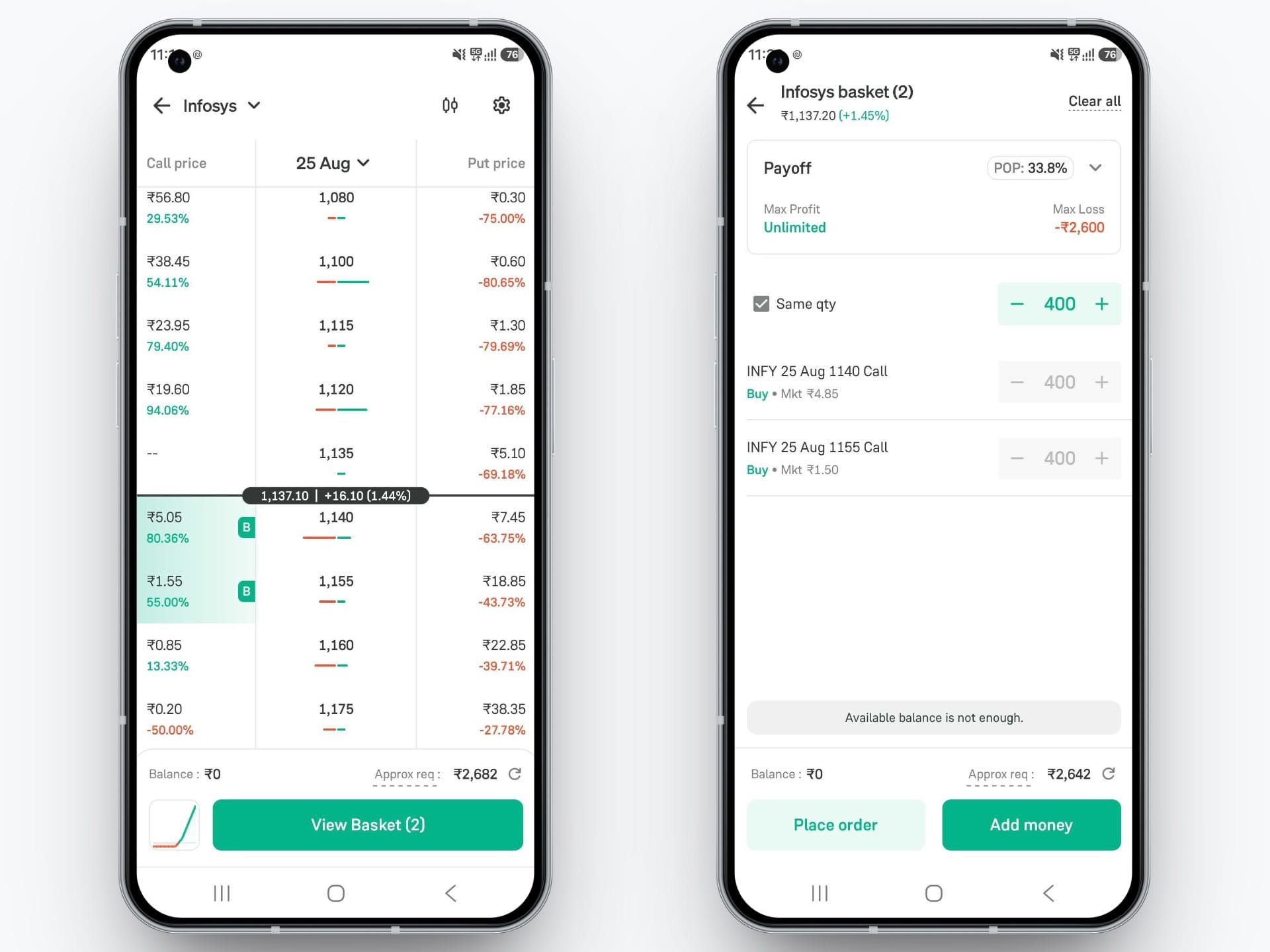
- Select Multiple Contracts: Tap on multiple Call and Put strikes to add them all into one basket.
- Payoff Graph & Analytics: View key details like your Payoff curve, Max Profit, Max Loss, and Probability of Profit (POP) before entering the trade.
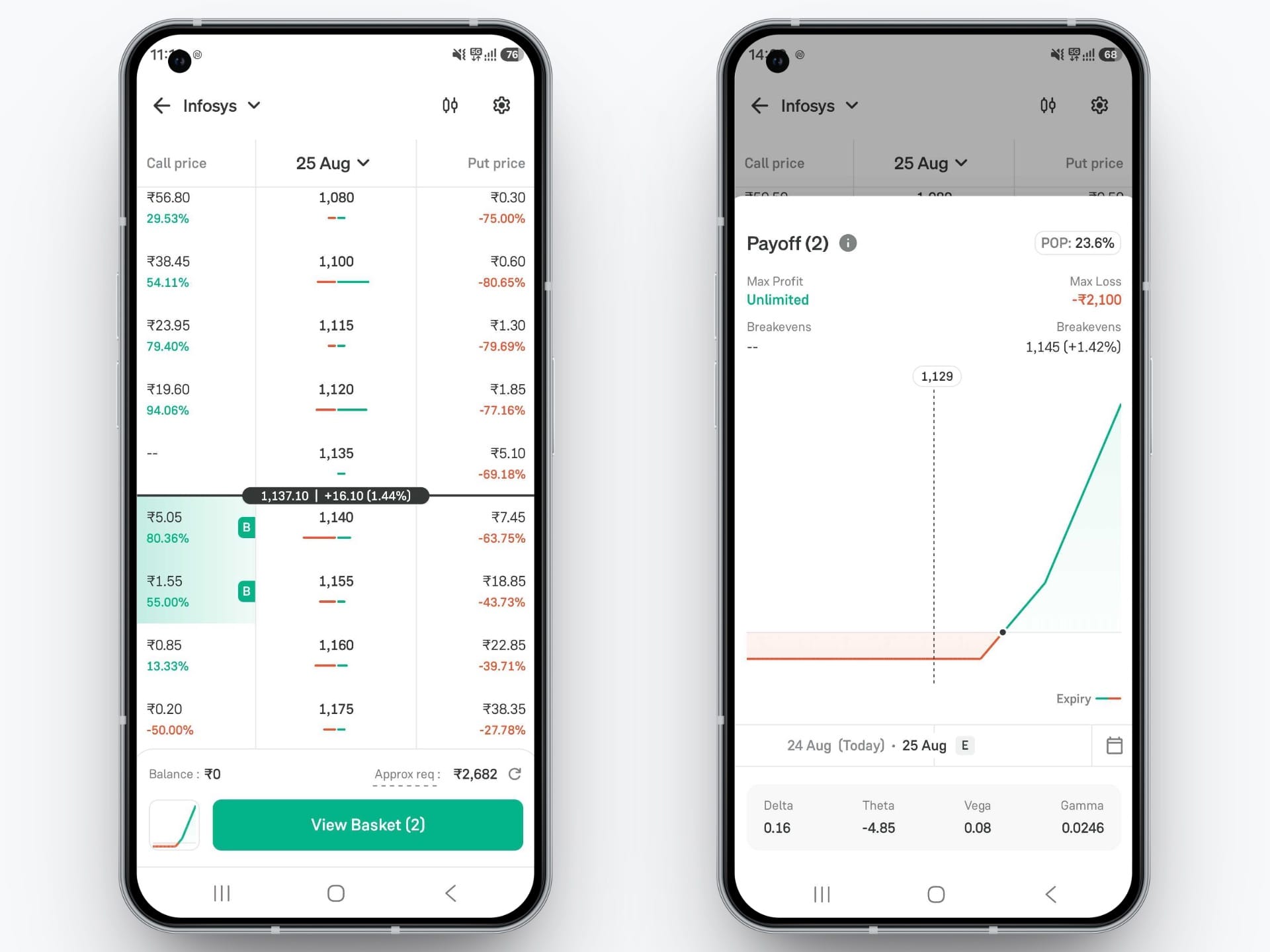
- Execute Together: See your total combined margin and place all legs in one go.
3. Standard Mode
The traditional Option Chain view for placing regular Limit, Stop-Loss, and Target orders. Easily toggle extra data like Open Interest (OI) and Greeks (Delta, Gamma, Theta, IV) on or off.
How to Change Your Option Chain Mode?
Step 1: Open the Option Chain
- Go to any Stock or Index (like NIFTY or INFY) and tap Option Chain.
Step 2: Open Settings
- Tap the Settings icon (⚙) at the top-right corner.
Step 3: Select Your Mode
- Under Chain Mode, choose Standard, Instant mode, or Basket mode.
- Turn Open Interest (OI) or Greeks ON or OFF.
Step 4: Tap Done
- Tap Done at the bottom to save your choice and get back to trading.
Ready to Trade Your Way?
The new Option Chain Modes are live on the Groww app for all users.
Update your app today, customize your Option Chain, and enjoy a faster, smarter trading setup!
Happy Trading!
– Team Groww
Other Updates