Family Account: One Place to Manage Your Family's Groww Accounts
Hello Users,
Ever found yourself logging in and logging out of your Groww account just to access your parent's or spouse's account? Or switching between multiple devices to manage your family's different investment portfolios?
If you regularly help your family manage their investments, you know that managing multiple accounts on different devices isn't always simple. It means going through the entire login process just to access another account.
At Groww, we are constantly working to make investing easier, not just for individuals, but for families too. That's why we are excited to introduce Family Account, a feature that lets you securely access and manage multiple Groww accounts from the same device, without the hassle of logging in and out every single time.
What is a Family Account?
Family account lets you securely add multiple Groww accounts on the same device and switch between them seamlessly. It also lets you open new accounts for family members who are not yet onboarded on Groww.
Whether you are helping your parents manage their investments, managing your spouse’s portfolio, or onboarding a new family member to Groww, you can now manage family accounts faster and more conveniently.
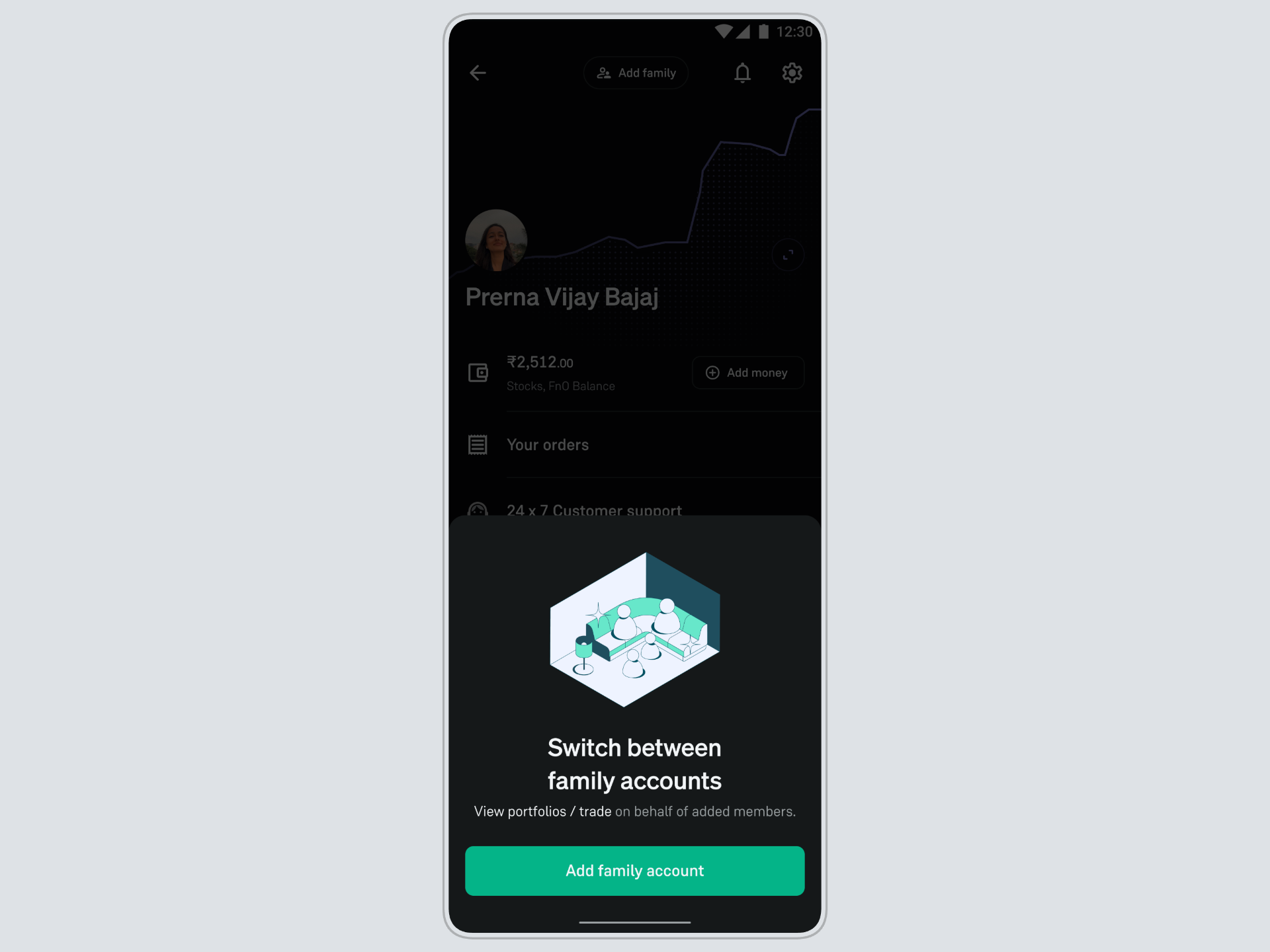
Feature Highlights
With Switch Account or Family Account, you can:
➡️ Add multiple Groww accounts to the same device.
➡️ Switch between accounts seamlessly, without logging out.
➡️ View portfolios and manage investments across your family members’ Groww accounts.
➡️ Trade and invest on behalf of your family members, including applying for IPOs through their respective accounts.
➡️ Create new accounts on Groww and continue managing their account conveniently.
How to Get Started?
Setting up Family Account takes just a few minutes. First, add your family member's Groww account to your device, and then switch between accounts whenever you need to.
How to Add a Family Account?
You can add your family member to the same device by following these steps below:
- Log in to your Groww account and go to the “Profile Section”.
- Click on “Add family”.
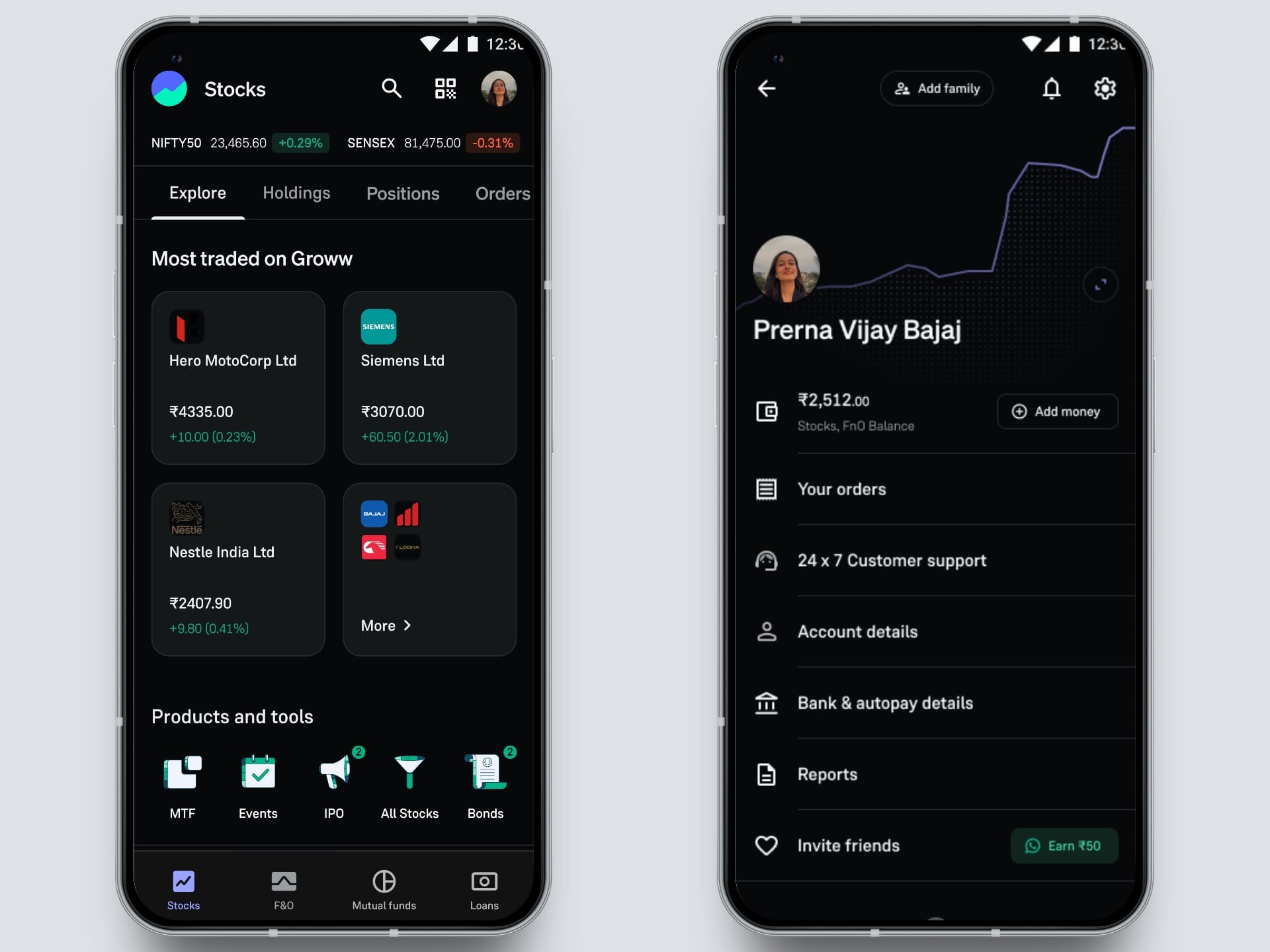
- Enter their mobile number. Submit the OTP to verify the number.
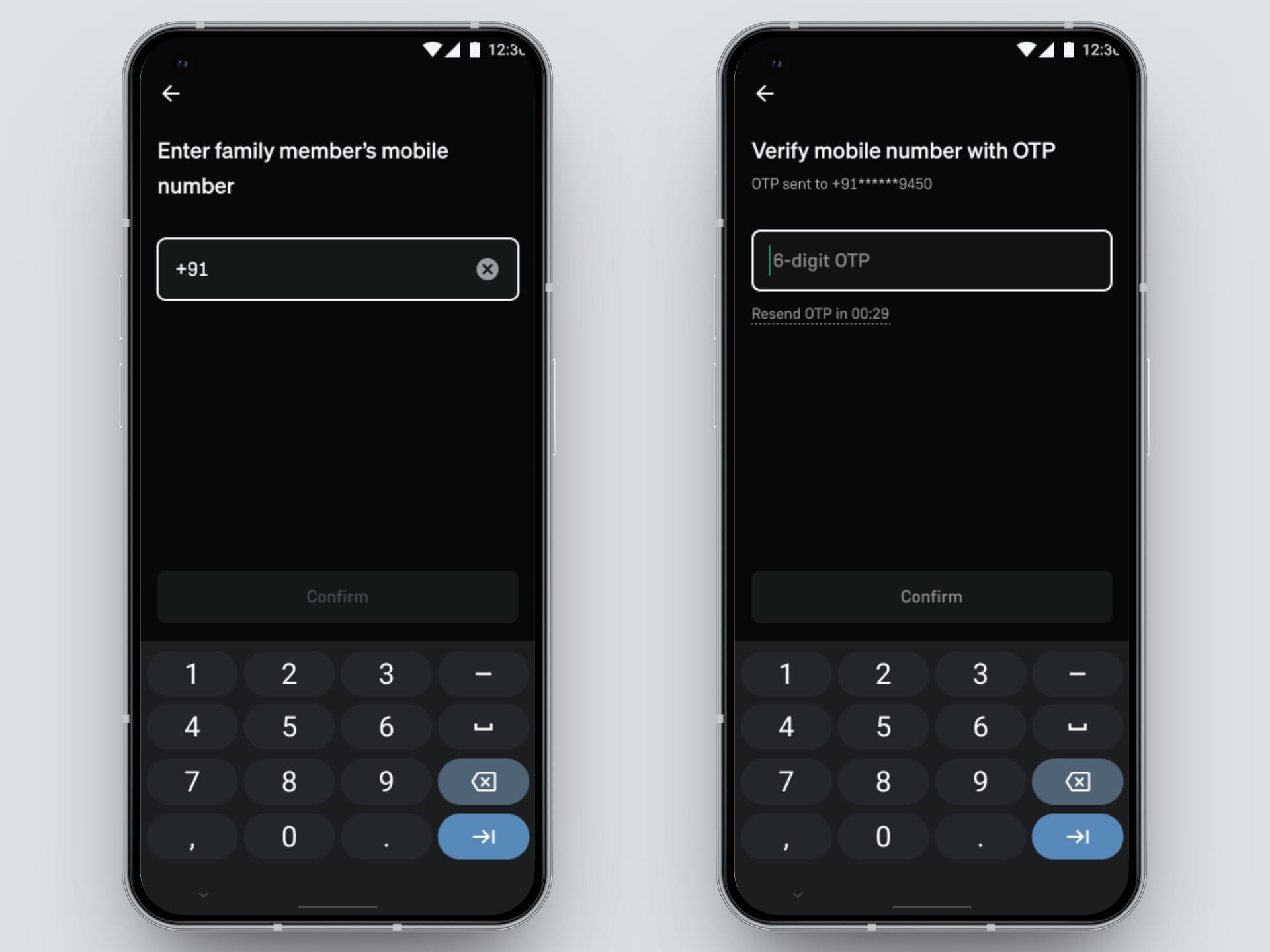
- Add your relation with the family member.
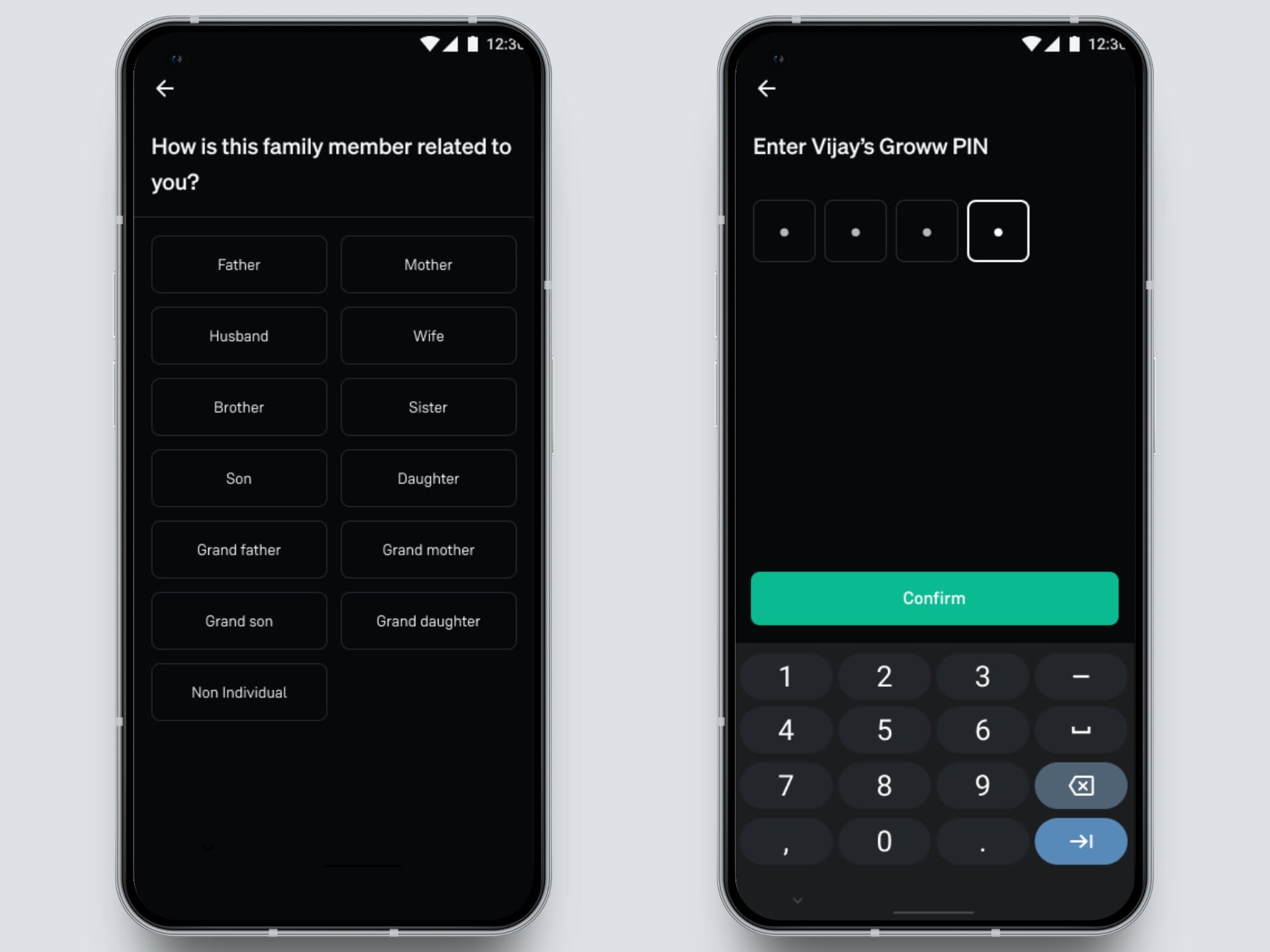
- Add and confirm the Groww PIN of the family member to successfully add the account on your device.
How to Switch Between Accounts?
- Go to your profile section.
- Click on "Switch".
- Select the Groww account you want to access.
- Enter the Groww PIN of the account holder to switch securely.
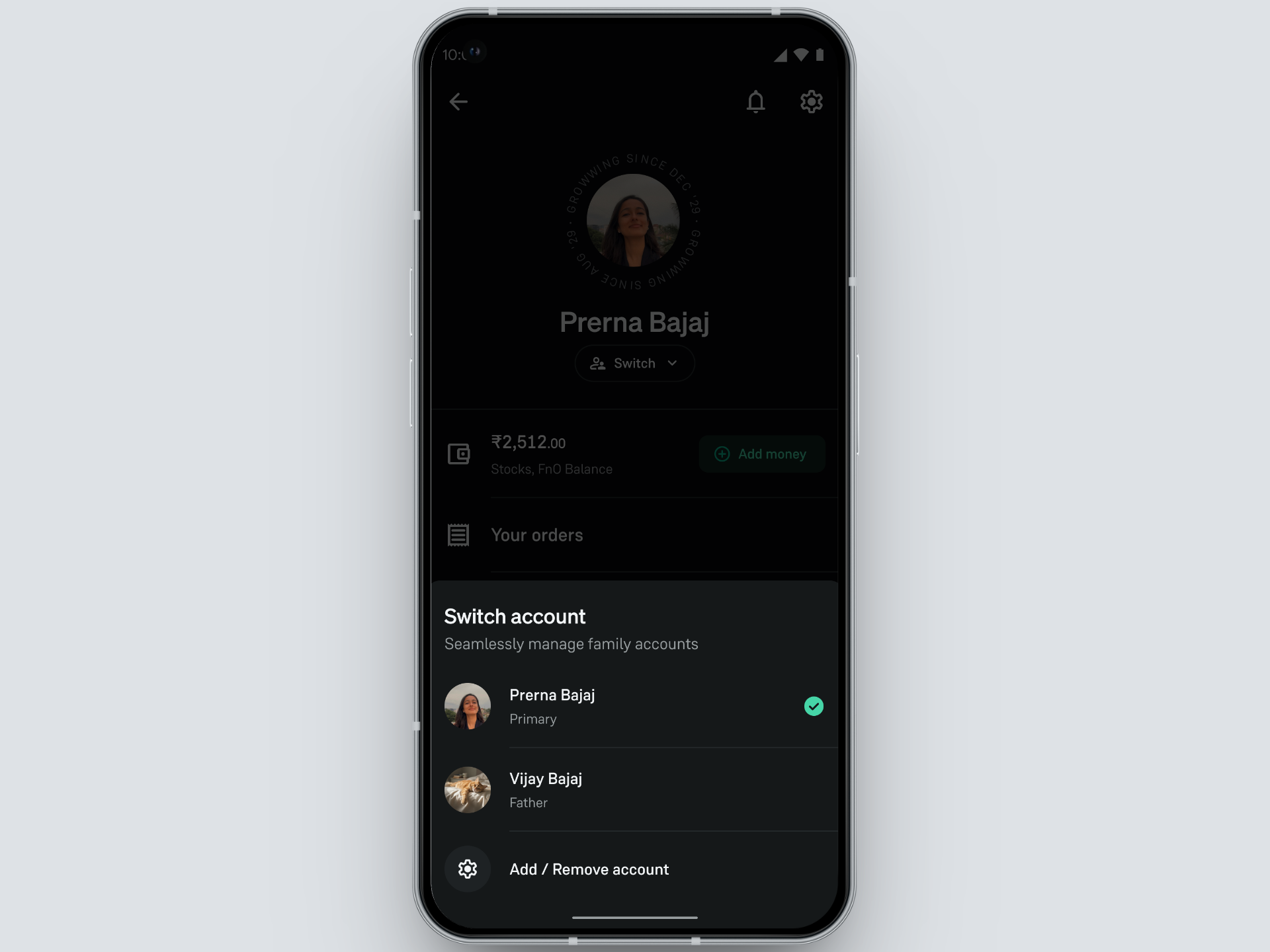
Once you have added an account to your device, you won't have to go through the entire logout-login cycle every time you switch. Both accounts remain signed in securely, across all your devices, making future switching quick and hassle-free.
Ready to Switch?
With Family Account, managing your family's investments is now as easy as switching between profiles.
Update your Groww app and start using the Family Account feature today!
- Team Groww
Other Updates