Getting Your Commodities Tax Reports is Now Easier on Groww
Filing taxes for commodity trades can often feel complicated, especially when you have to track multiple trades, calculate turnover, and ensure everything is reported correctly.
To make this simpler, you can now access Commodities Tax Reports directly on Groww. This makes it easier to track, calculate, and file your taxes for commodity trades - all in one place.
Whether you trade in gold, crude oil, or other commodities, this new report helps you stay organised and tax-ready without the hassle of manual calculations.
What is a Commodities Tax Report?
A Commodities Tax Report is a consolidated statement of all your commodity trading activity for a financial year. It includes:
- Your profit and loss (P&L) from commodity trades
- Turnover details required for tax filing
- A summary aligned with income tax requirements
Why is this report important?
If you trade in commodities, this report can save you significant time and effort during tax filing.
Here’s how it helps:
- Simplifies tax filing. No need to calculate P&L manually.
- Reduces errors through pre-calculated and structured data.
- You get everything in one downloadable report.
How to access Commodities Tax Reports on Groww?
You can download your commodities tax report on Groww in just a few simple steps:
- Tap on your profile icon from the top-right corner of the app.
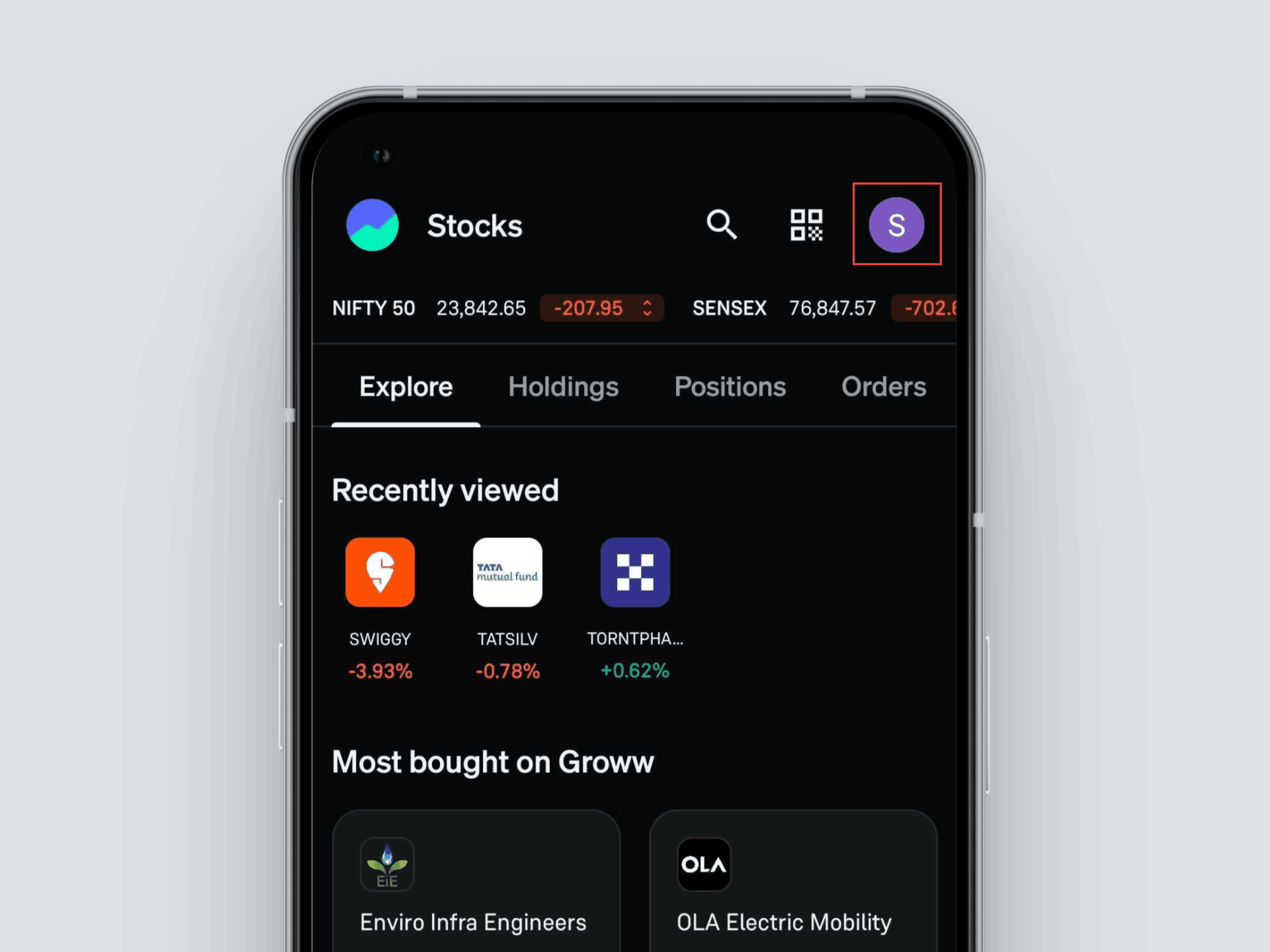
- Go to Reports.
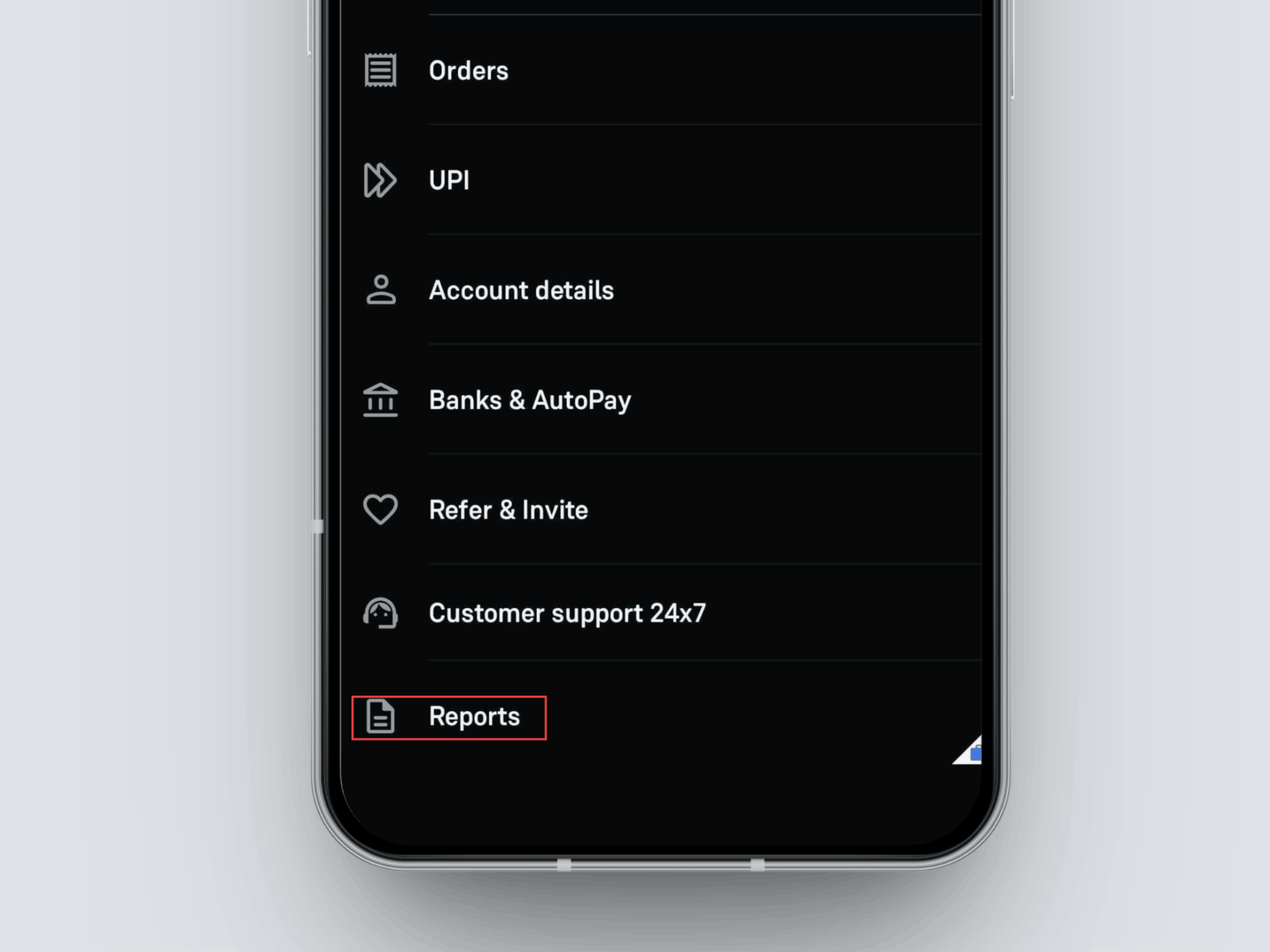
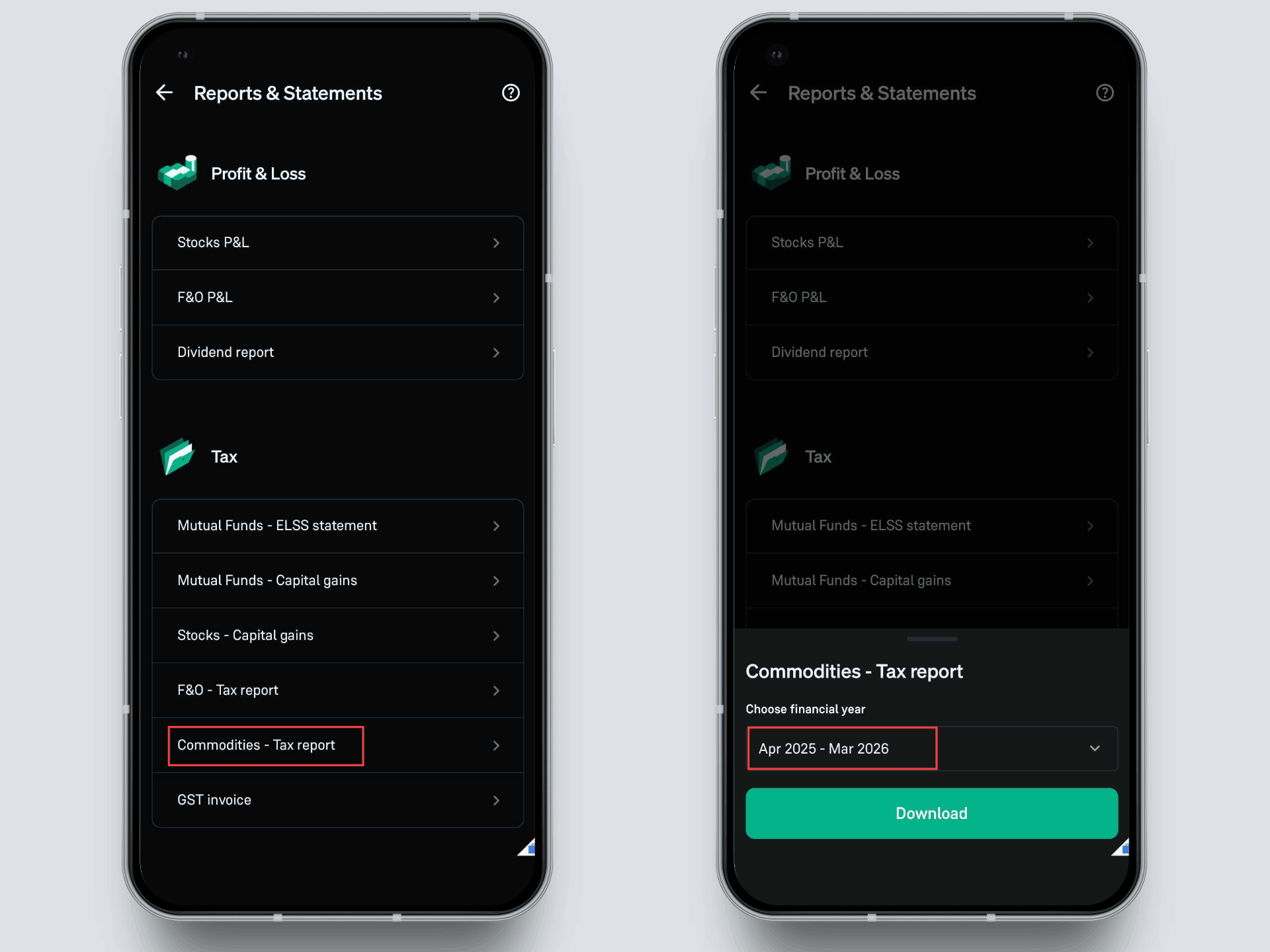
- Under the Tax section, select Commodities – Tax report
- Choose your financial year (for example, Apr 2025 – Mar 2026)
- Tap on Download
With this feature, your commodity trading data is organised into a comprehensive tax report. This removes the need to compile and calculate details manually. As a result, you can approach tax filing with greater clarity and confidence.
Other Updates