Expanded Positions View on Groww: Now Trade Faster With Better Control
Hello Traders,
Are you still jumping between multiple tabs to check charts or update your stop loss?
If you actively trade in F&O, this probably feels familiar:
- You check your position → switch tabs to open the chart
- You want to set SL/TGT → navigate to orders or modify screens
- You want to exit quickly → go through multiple steps
- You want to re-enter → search for the same contract again
Each of these steps takes time and in volatile markets, timing is everything. Even a small delay in placing or modifying an order can mean the difference between locking in profits and missing the move entirely.
But what if you didn’t have to switch tabs at all?
Introducing Expanded Positions View on Groww - a faster, smarter way to manage your trades, where everything you need is right in front of you.
Now, you can seamlessly switch from your regular positions view to an all-new expanded experience, designed to help you act quicker, manage risk better, and stay in control of every trade.
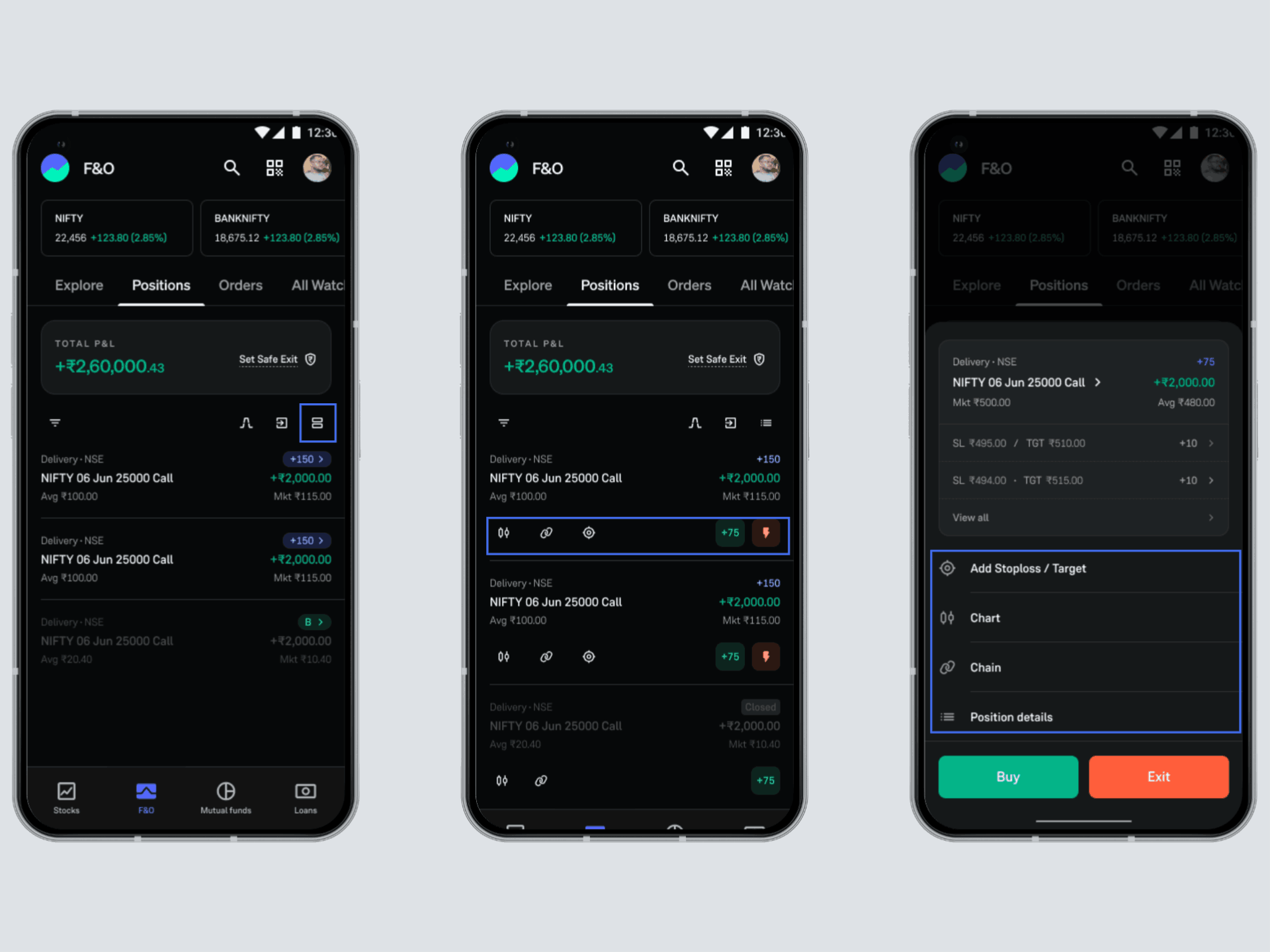
What Changes With Expanded Positions View?
Once you switch to Expanded View, your position card transforms into a control center. Here’s what you can do:
➡️Access key tools instantly
Your most-used tools are now just a tap away:
- Open the Option Chart to track price movement
- Jump to the Option Chain for deeper analysis
- View position details without leaving the screen
➡️Set Stop Loss & Target, inline
With Expanded View, you can:
- Add Stop Loss (SL) and Target (TGT) directly from the position card
- Modify them instantly as the market moves
- View all your SL/TGT orders in one place
➡️Exit positions in One Tap
- Exit your position with a single tap
- No need to create a separate order or navigate away
➡️Modify orders without switching tabs
- View your existing orders directly within the position
- Edit SL/TGT instantly
- Stay focused on your trade without jumping to the Orders tab
➡️Re-enter trades instantly
Instead of starting from scratch:
- Jump back in directly from a closed position card
- Re-enter the same contract quickly
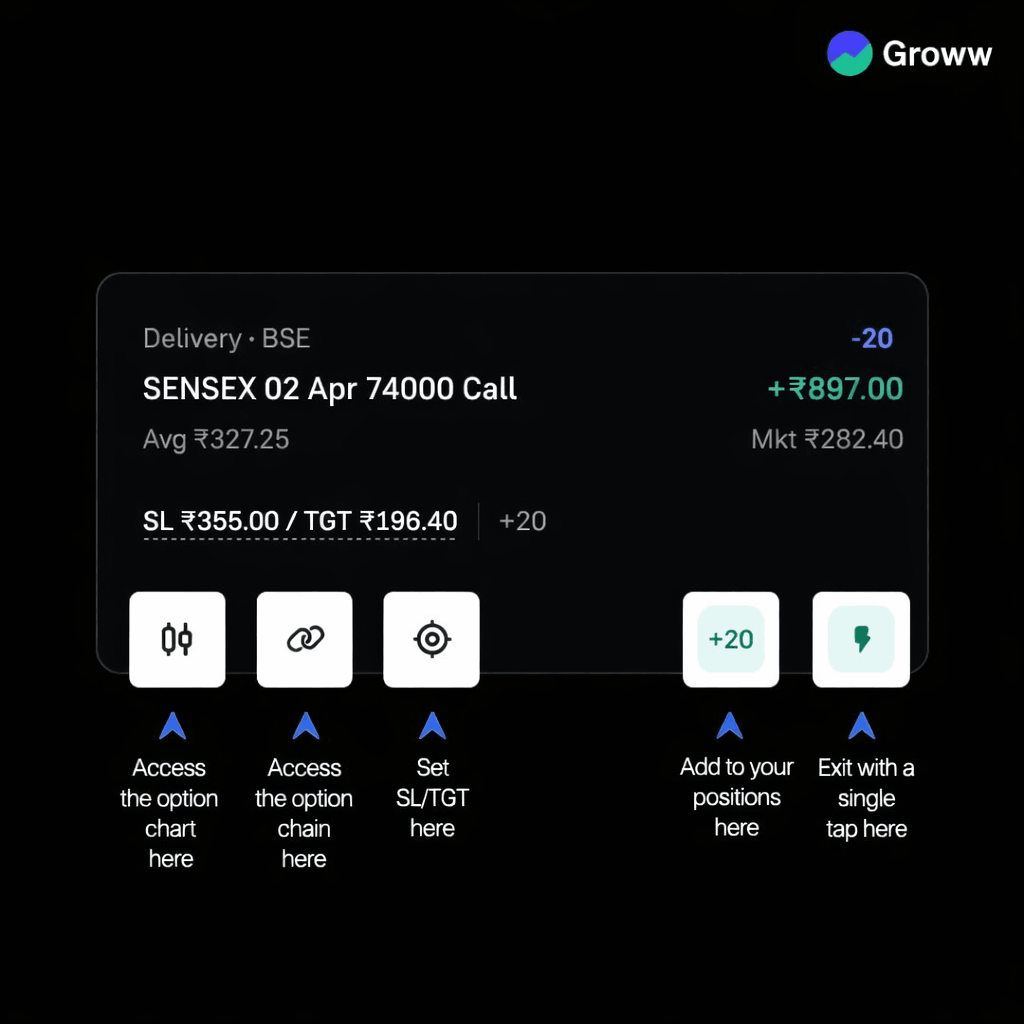
How to Get Started?
Using Expanded Positions View on Groww is simple. Here’s how you can get started:
- Open the F&O section on Groww
- Go to the Positions tab
- Tap the expanded icon to toggle between Normal View and Expanded View.
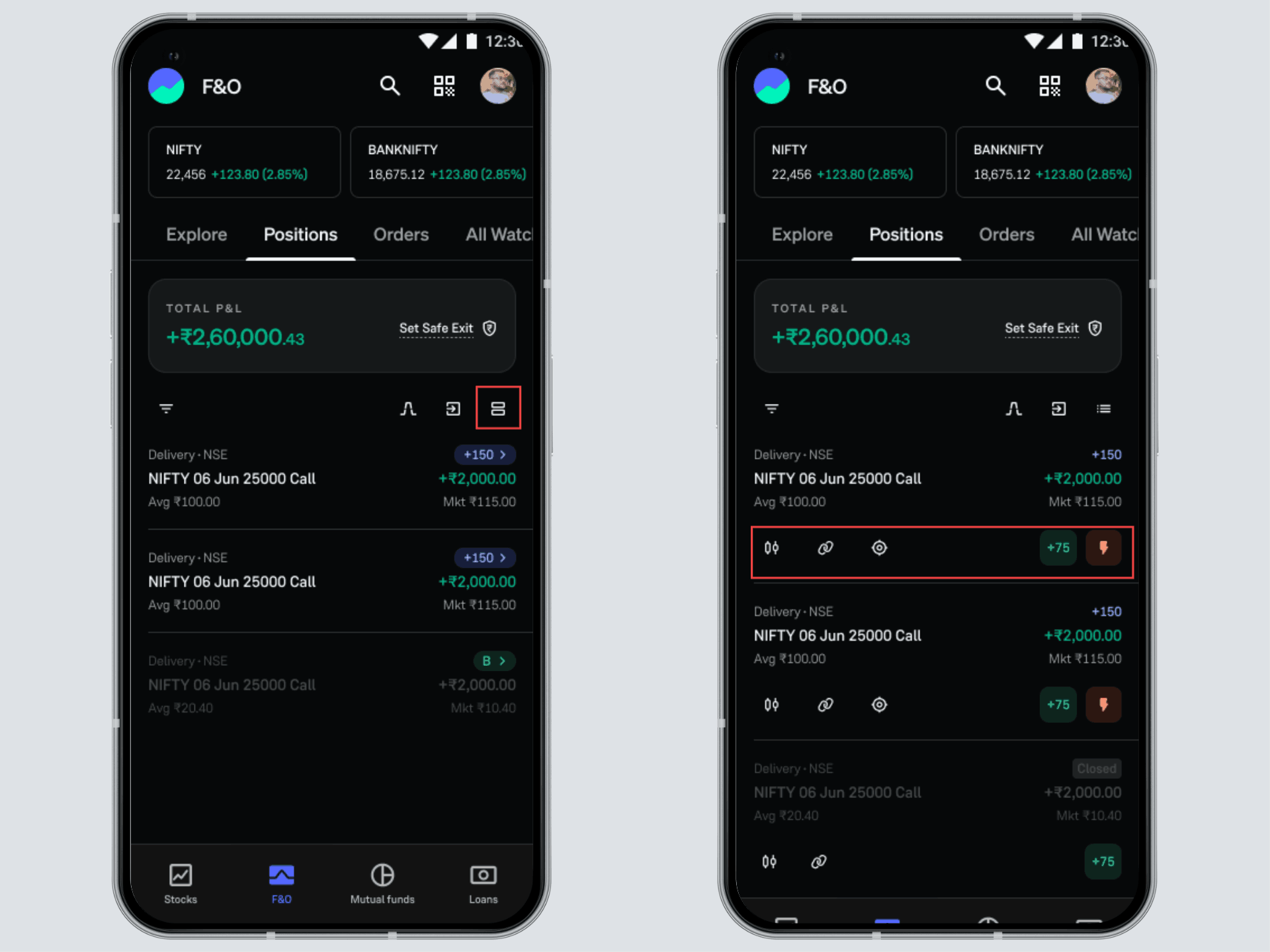
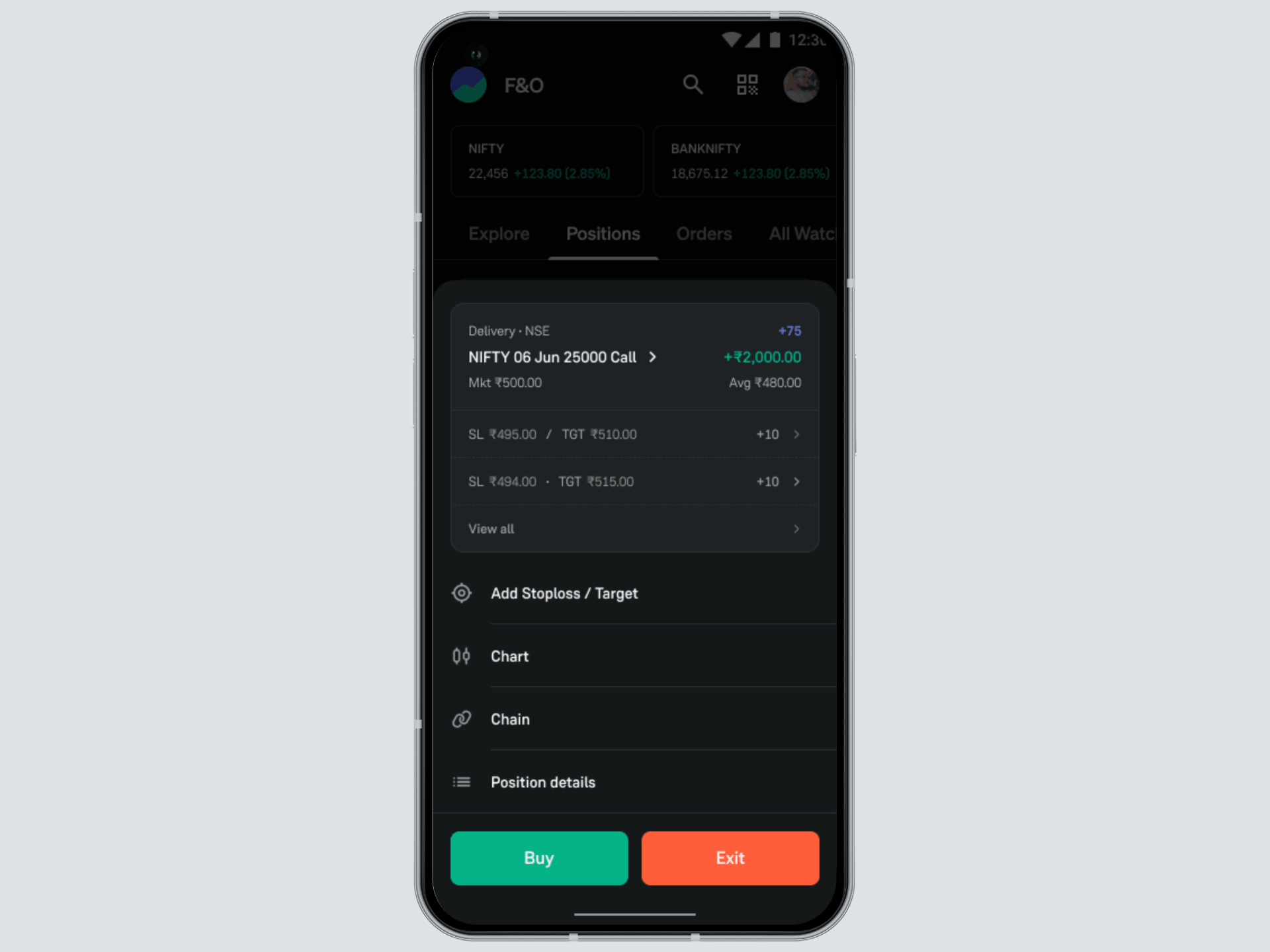
- Use the expanded card to:
-
- Access charts & option chain
- Set or modify SL/TGT
- Exit or re-enter positions instantly
Trade faster, Stay in control.
Trading doesn’t have to feel fragmented.
With Expanded Positions View, your positions aren’t just something you monitor, they become something you can act on instantly.
Less switching. More control. Faster decisions.
Ready to get started?
Try the new Expanded Positions experience on Groww today.
- Team Groww


