Commodities Expiry Calendar on Groww: A Smarter Way to Track Every Expiry
Hello Traders,
If you trade in commodities, you already know that unlike equities or standard derivatives, commodity expiries don’t follow a simple pattern. Different contracts expire on different days, and the logic varies across instruments and exchanges. What makes it even more confusing is that futures and options expiries are different.
Let’s say you are tracking Gold contracts and planning a trade around expiry.
You see a Gold Futures contract expiring on the 5th of the month, and assume the Gold Options contract will also expire on the same day. But in reality, the options contract may expire a few days earlier.
As a result, many traders end up:
- Selecting the wrong contract
- Missing key expiry dates
- Dropping off during order placement due to confusion
Here’s how expiry varies across commodities:
- Gold (Futures): Around the 5th of the month (or previous trading day if it’s a holiday)
- Crude Oil (Futures): Around the 19th or 20th of the expiry month
- Agri Commodities (Futures): Usually month-end
- Commodity Options: Typically expire a few days before the corresponding futures contract
Earlier, on Groww, expiry information was available but was spread across multiple touchpoints like contract lists, selectors, option chains, positions, and order screens.
To simplify this, we have built the Commodities Expiry Calendar - a single place to view every expiry across commodities and derivatives in a structured, filterable, and intuitive manner.
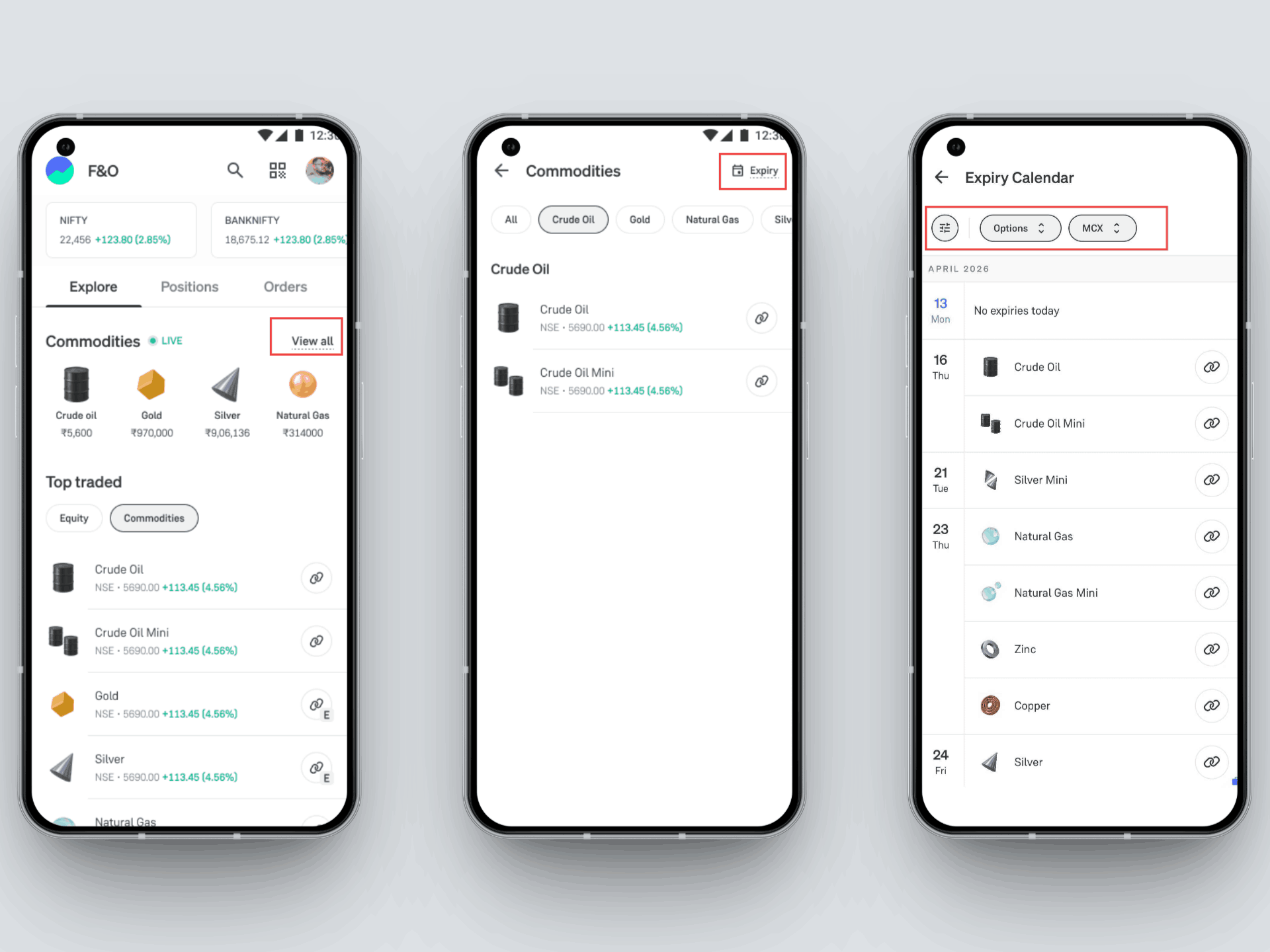
Feature Highlights
With Commodities Expiry Calendar, you can now get a complete, structured view of all upcoming expiries, so you can plan trades with more clarity and confidence. Here’s what you can see:
➡️Calendar View: See the Month at a Glance
The calendar is the primary surface of this experience.
- View expiries in a monthly calendar format
- Easily spot dates with expiries highlighted
- Identify whether a date has:
- Futures expiry
- Options expiry
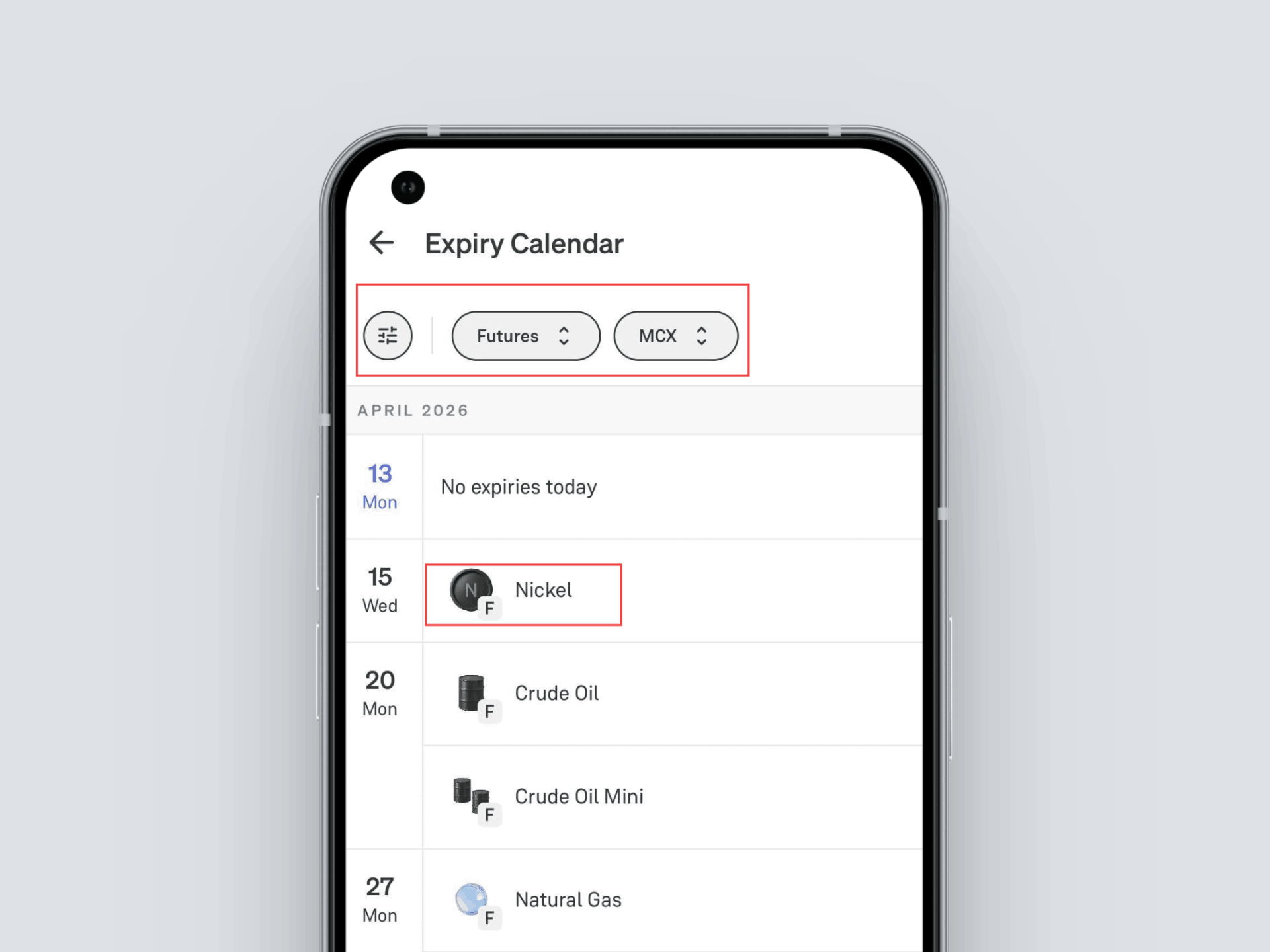
Commodities Expiry Calendar (App view)
➡️ See Exactly What’s Expiring
Each date shows:
- A list of all contracts expiring that day
- Contracts grouped by:
- Commodity (e.g., Gold, Crude Oil)
- Product type (Futures / Options)
Each contract is clearly tagged. You all also see variant-level clarity, such as:
- Gold vs Gold Mini
- Silver vs Silver Mini
- Crude Oil vs Crude Oil Mini
➡️Filters: Focus Only on What Matters
You can refine the calendar view using filters like:
Instrument Type
- Futures
- Options
Commodity
- Gold
- Gold Mini
- Silver
- Silver Mini
- Crude Oil
- Natural Gas, etc.
Exchange
- MCX
- NSE
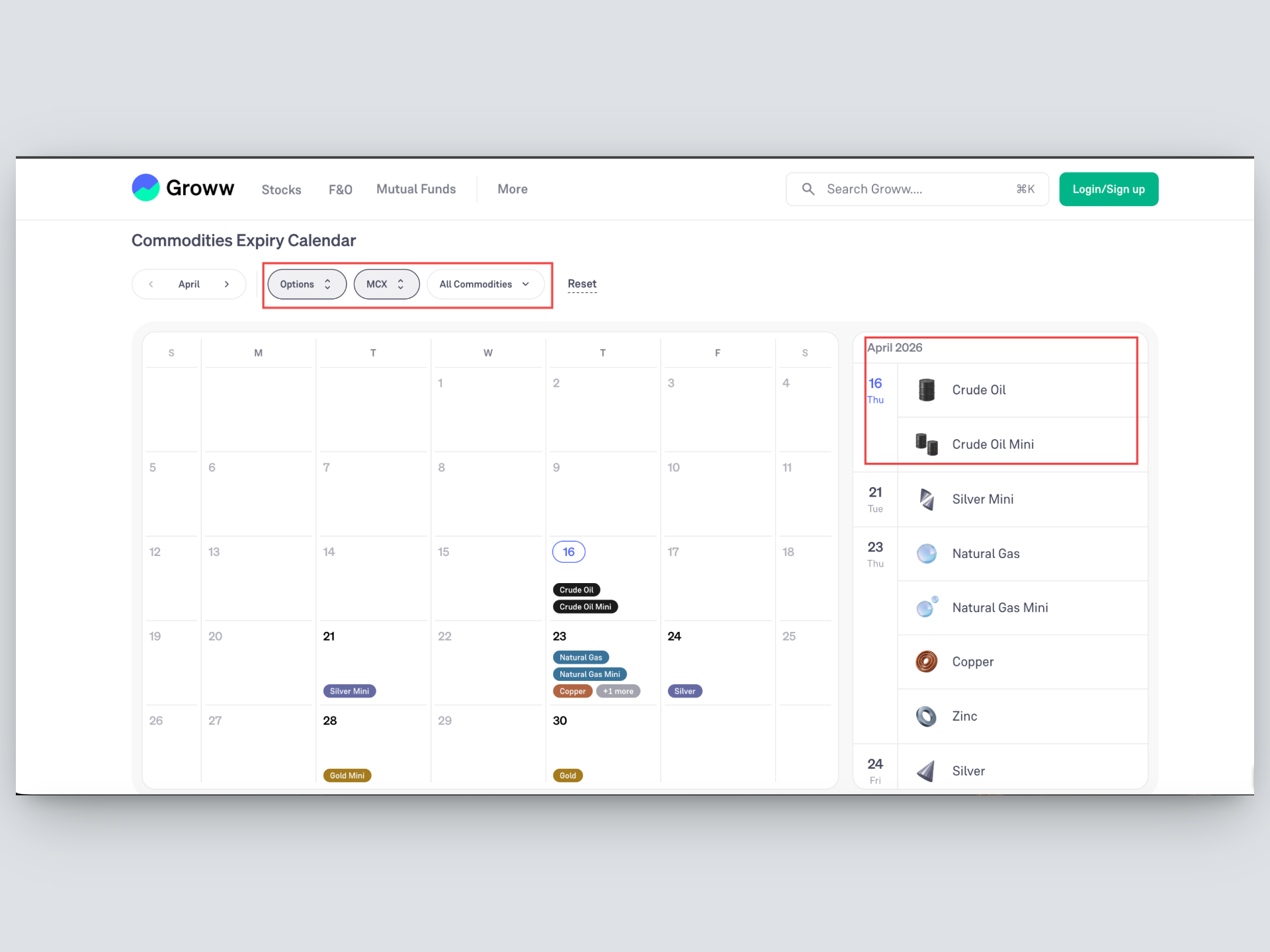
Commodities Expiry Calendar (Web view)
How to Use the Commodities Expiry Calendar on Groww?
Getting started with the Commodities Expiry Calendar is very simple. Here’s how you can use it to track all the expiries:
1. Go to the “All commodities” section on Groww.
2. Tap on the ‘Expiry’ icon on the top right. This takes you to the Expiry Calendar view.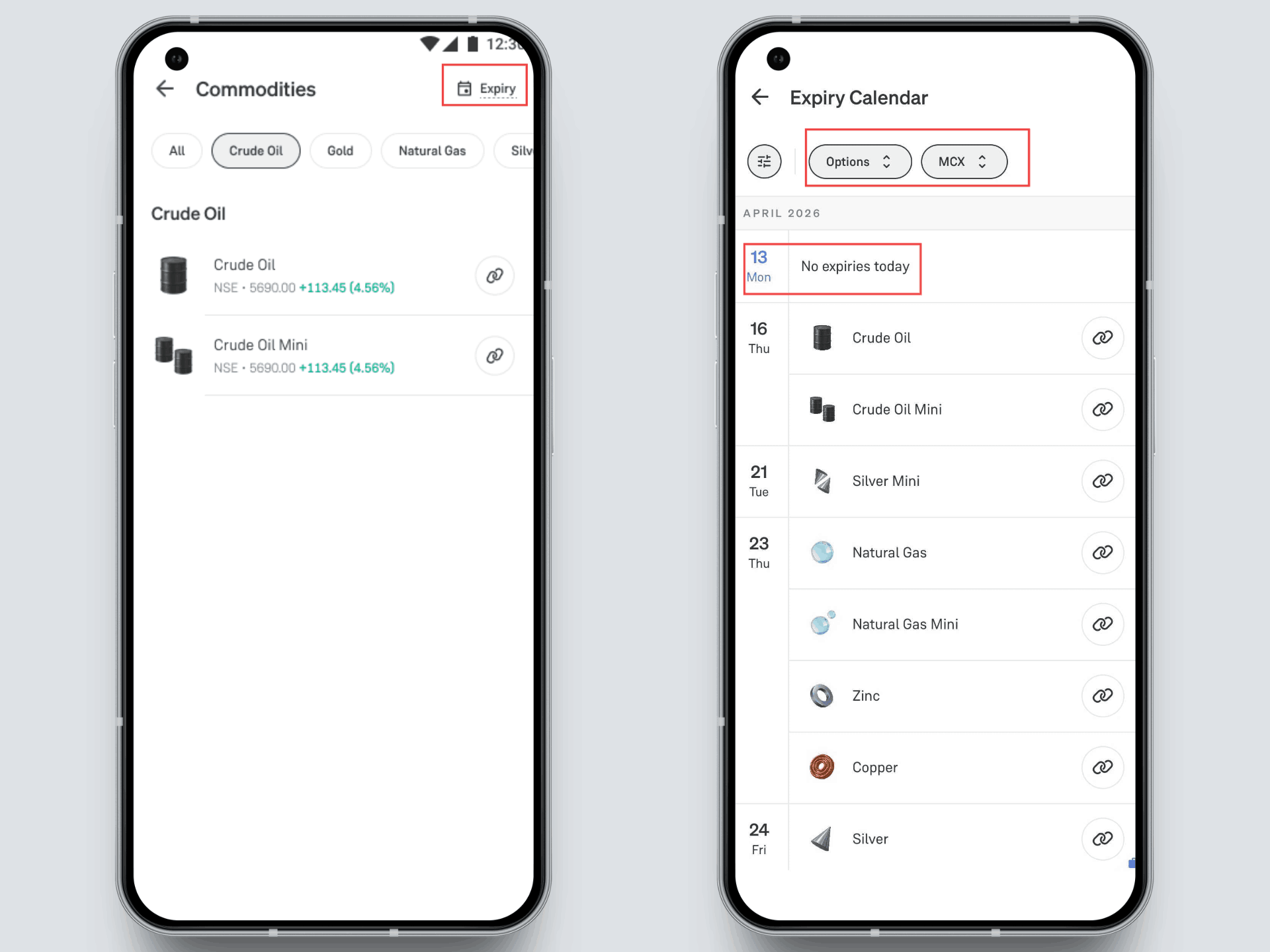
3. Set your filters to refine what you want to see:
- Product Type: Futures or Options
- Exchange: MCX / NSE
- Commodity: Gold, Crude Oil, Silver, Natural Gas, etc.
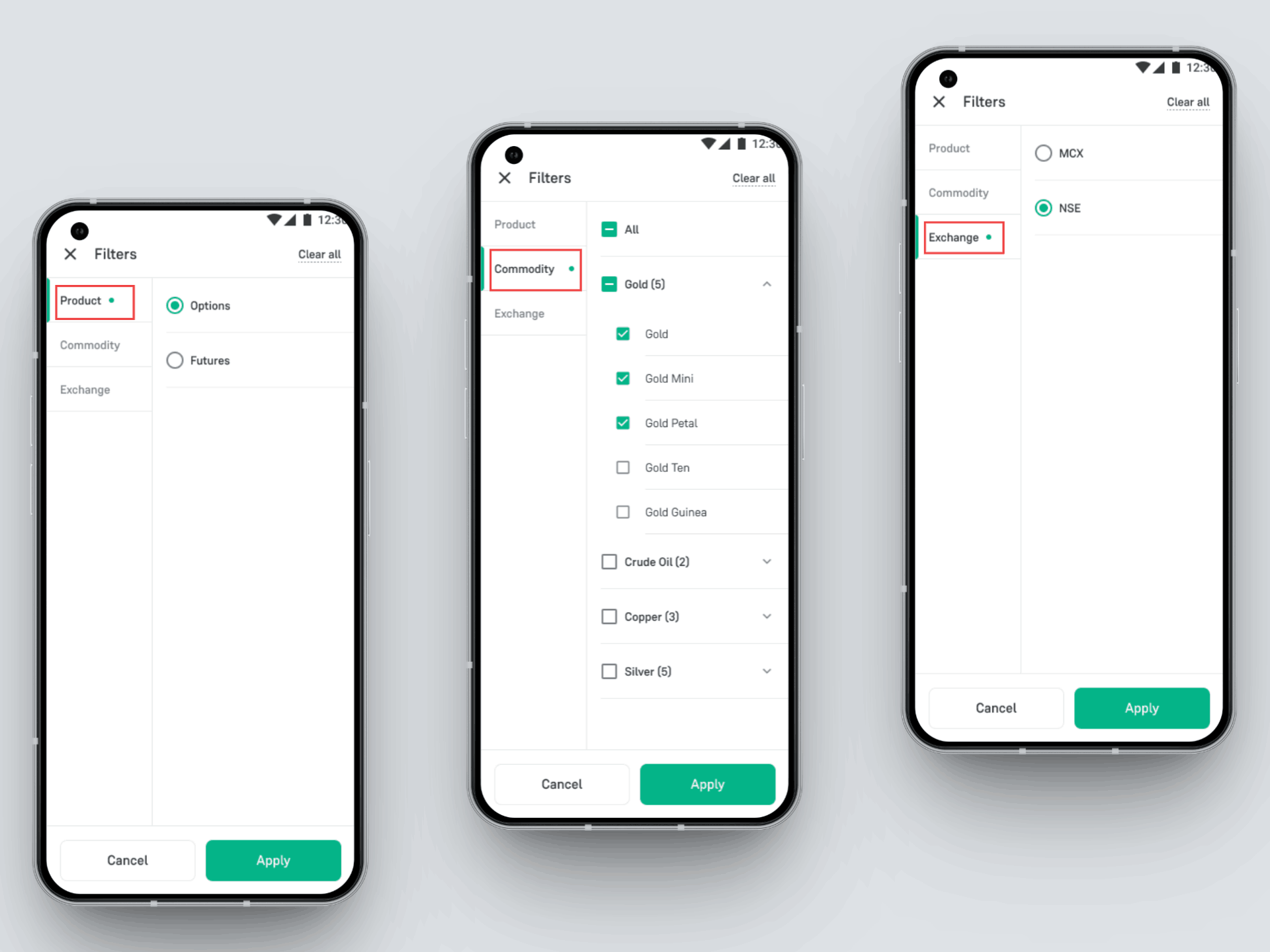
4. Browse through the monthly calendar view to get an overview of important expiry dates.
5. Each date shows a detailed list of expiring contracts for that day.
Start Using the Expiry Calendar Today
Whether you are a beginner exploring commodities or an active trader managing multiple contracts, this feature ensures better visibility, cleaner navigation and more confidence while trading.
The Commodities Expiry Calendar is now live for all Groww users.
Next time you are trading commodities, head to the Expiry calendar and see every expiry details clearly, in one place.
- Team Groww


